 zrsPOS
The closes
The list of every close in the admin, its filters and export, and what one close shows.
Every close
Till close › Closes: "Every close, newest first, with its SAGE document."
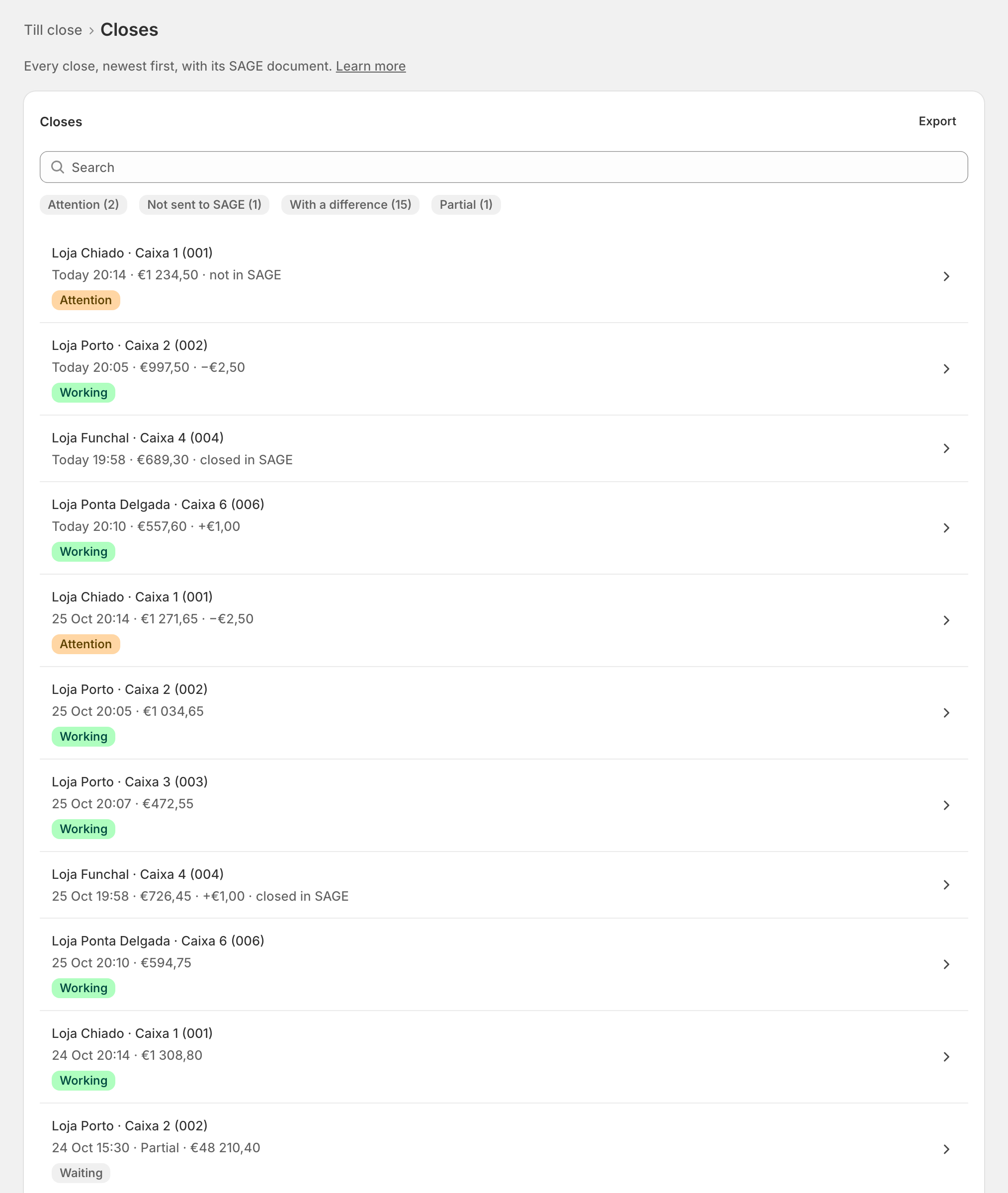
Each row names the store and till, then when, the total and any difference: Loja Chiado · Caixa 1 (001) · "Today 20:14 · €1 234,50 · −€2,50".
- Search by store or till.
- The chips narrow the list: Not sent to SAGE, With a difference, Partial, Attention.
- Show older closes reads the next 25.
- Export downloads closes.csv: store, till, from, to, documents, total, cash expected, counted, difference, till close document and status, in each store's own time.
A store's page shows only its own closes (All Loja Chiado closes).
One close
Open a row: "What one close counted, and its till close document."
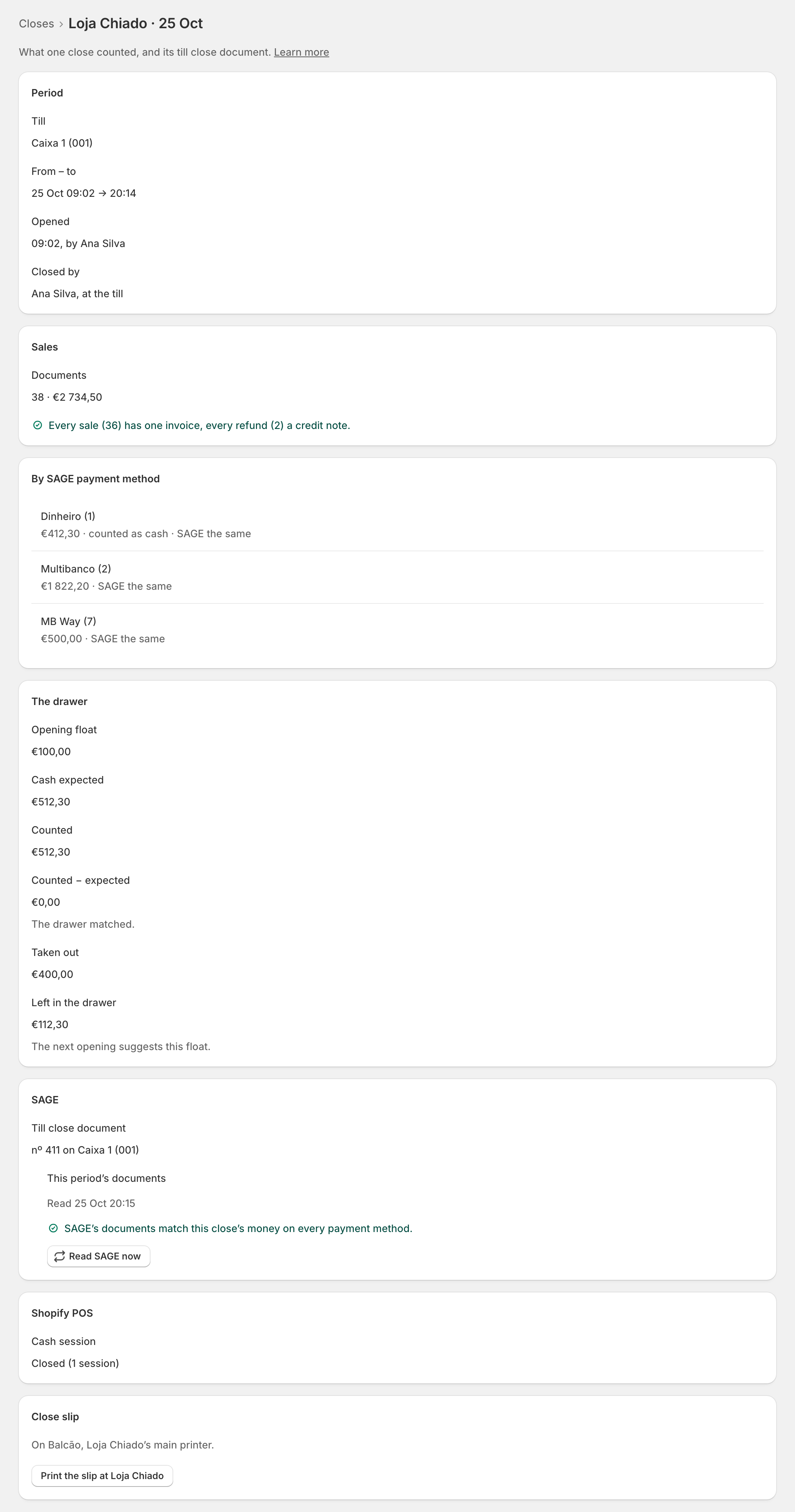
- Period: the till, From – to, when it opened, and Closed by ("Ana Silva, at the till" or "…, in the admin").
- Sales: the documents and the check that every sale has its invoice and every refund its credit note.
- By SAGE payment method: each method's total, "· counted as cash" for the cash ones, and what SAGE has ("SAGE the same", or its own figure).
- The drawer: Opening float, Cash expected, Counted, Counted − expected ("The drawer matched." when it did), Taken out and Left in the drawer ("The next opening suggests this float.").
- SAGE: its Till close document, and This period's documents: SAGE's documents of the period read against the close's money. See The close in SAGE.
- Shopify POS: the Cash session, "Closed (1 session)" or Still open in Shopify POS.
- Close slip: Print the slip at Loja Chiado. See Earlier closes and the close slip.
This period's documents
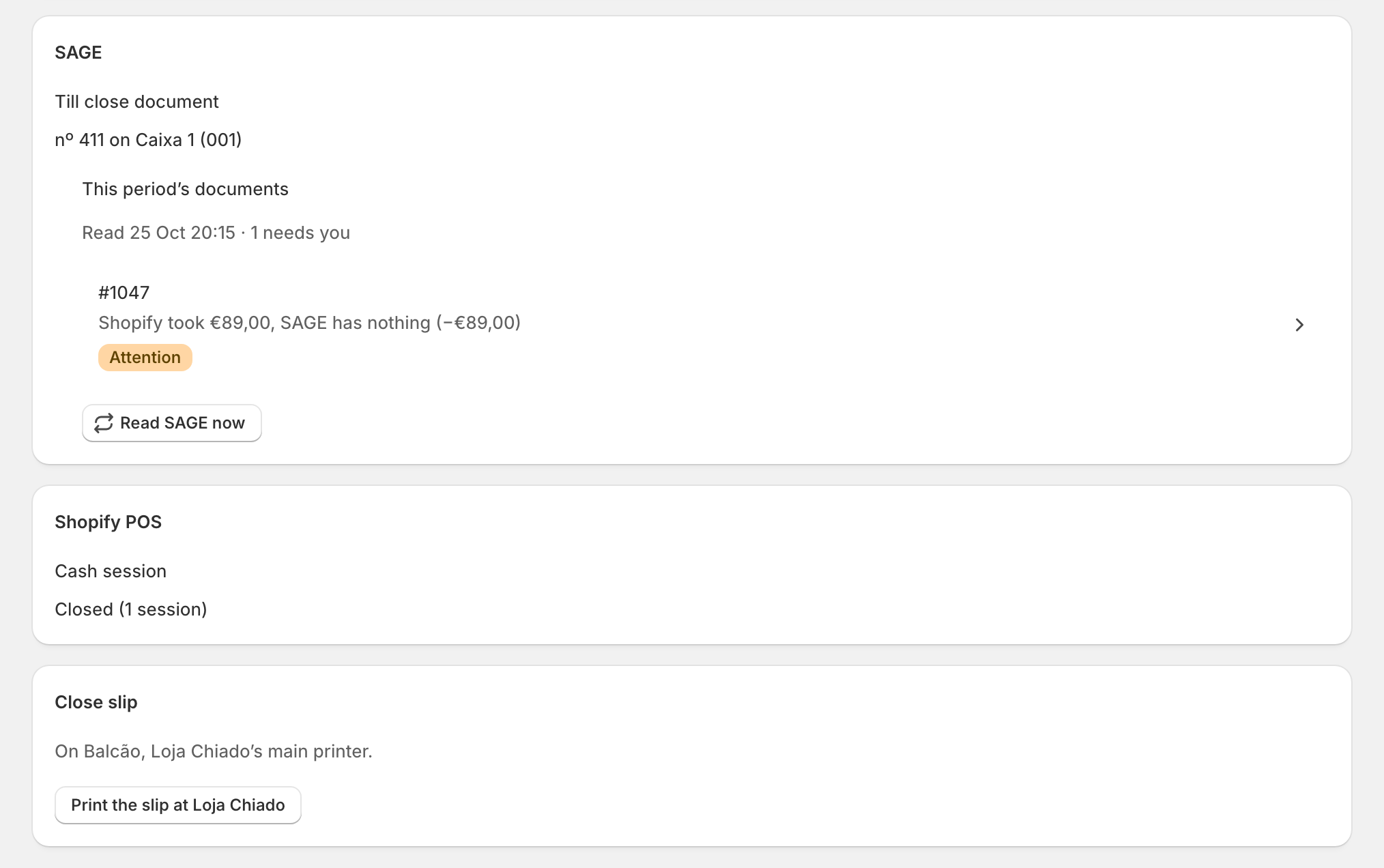
Right after a close, zrsPOS reads SAGE's documents of that period and compares them with the money the close counted, method by method. All fine: "SAGE's documents match this close's money on every payment method." Otherwise each reason is a row:
- an order: "Shopify took …, SAGE has … (…)". It opens in Differences;
- a sale made in SAGE itself: "Made in SAGE · …", or "Made in SAGE · looks like #1047's" when it may be that order's invoice;
- "Paid by MB Way, SAGE says Multibanco (…) · the total is right";
- "Made in SAGE with no payment method · …";
- "SAGE has more than this close's money, and no document says why".
When the rows explain it and there is nothing to fix, Mark close … as reviewed. Read SAGE now reads it again.
Edge cases
- A close can't be changed, in zrsPOS or in SAGE. A mistake is corrected in the next close, or by a document in SAGE with your accountant.
- A partial close (too many sales for one close) is not counted: it shows "Too many sales for one close. The drawer is counted at the final close." The final close lists the Partial closes it covers.
- A close spanning several days shows them: "31 Oct – 1 Nov · closed 2 Nov 12:47".
- Opened by its first sale: "Opened automatically by a sale: float not confirmed."
- An Azores store shows "In the store's time (Azores)".
- A row with Attention: not sent to SAGE, its Shopify POS session still open, or something to look at in this period's documents.
- closes.csv holds at most the 1 000 newest closes; the message says when there were more.
- A link from a problem (on Home or a store's page) opens the list showing only the closes that need attention.
More in Closing the till
- How the till close works
- Open the till
- Close the till at the till
- The cash in the drawer
- Close yesterday
- Stores with several tills
- Closing rules
- Before the first close
- The Till close page
- Close a till from the admin
- Earlier closes and the close slip
- The close in SAGE
- Differences
- Settle an order
- Till close problems