 zrsPOS
Closing rules
The closing rules every store follows: who may close, whether the drawer is counted, what counts as cash, Shopify POS register sessions and the summary e-mail.
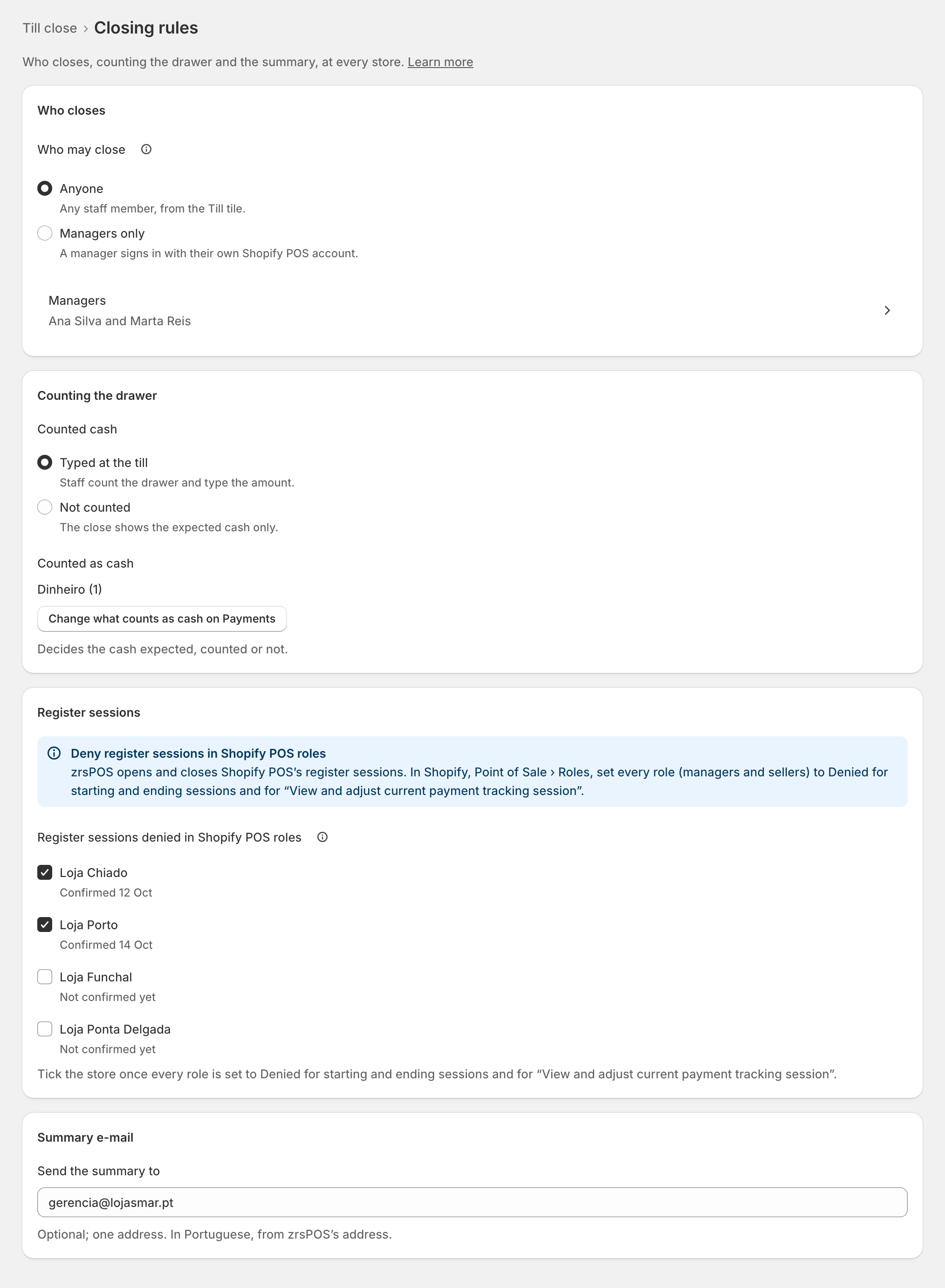
Till close › Closing rules holds the rules for every store: "Who closes, counting the drawer and the summary, at every store." One Save saves them all.
The rules
Who closes
- Who may close: Anyone ("Any staff member, from the Till tile.", the default) or Managers only ("A manager confirmed in Salespeople, signed in to Shopify POS on the tablet with their own staff PIN."). Under it, Managers names your confirmed managers. "With sales still without a document, a confirmed manager closes the till, whatever you choose here."
Counting the drawer
- Counted cash: Typed at the till ("Staff count the drawer and type the amount.", the default) or Not counted ("The close shows the expected cash only.").
- Counted as cash: the SAGE payment methods that count as cash, read-only here, with Change what counts as cash on Payments. "Decides the cash expected, counted or not."
Register sessions
- Register sessions denied in Shopify POS roles: tick a store once every role in Shopify POS is set to Denied for register sessions. Each store then says "Confirmed …". See Before the first close.
Summary e-mail
- Send the summary to: "Optional; one address. In Portuguese, from zrsPOS's address." That address receives every close of every store.
Saving on a live shop
Once the shop is live, changing who closes or whether the drawer is counted asks first: for example Let only managers close the tills? · "From the next close, only a manager closes, signed in to Shopify POS." Confirm with Save the closing rules. The change applies from the next close; closes already made stay as they are.
Edge cases
- Managers only with no manager: "No confirmed manager on Salespeople yet: this can't be saved.", with Open managers on Salespeople. Make someone a manager first. See Managers.
- The last manager cannot be removed while the rules say Managers only.
- Salespeople could not be read: zrsPOS can't check for a manager; Try again: read Salespeople.
- Managers only also covers reopening the till and seeing earlier closes at the till.
- Sales without a document: a manager closes, whatever the rule. With no confirmed manager in the shop, anyone can.
- Nothing ticked as cash on Payments: zrsPOS works it out from SAGE, and says so: "…, worked out by zrsPOS".
- An e-mail address that is not valid: "That e-mail address is not valid." Nothing is saved.
- A read-only plan: "You can look, but not change the closing rules." Closing a till still works.
- After a change of SAGE company: what counts as cash may list the old company's methods; confirm it on Payments.
- Leaving with unsaved changes asks Save your changes?