 zrsPOS
Set up online returns
The Online returns and exchanges page: Off, Preview or Automatic, the online shop's séries, and the online team's e-mail.
Whether zrsPOS credits online orders returned at your tills is one setting for the whole shop, on Settings › Online returns and exchanges. The séries are the online shop's, whichever store takes the return.
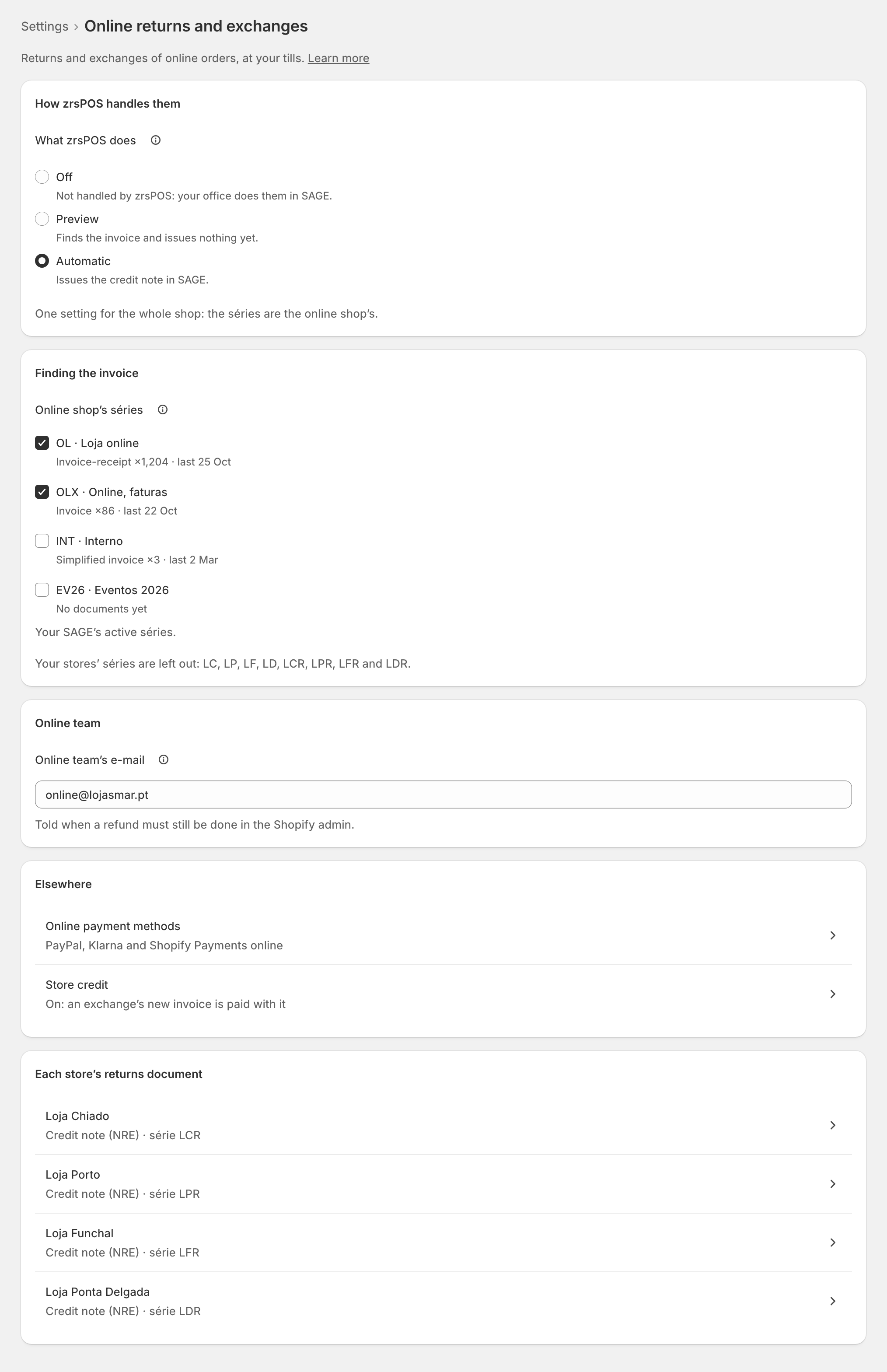
What zrsPOS does
- Off: "Not handled by zrsPOS: your office does them in SAGE." The till says Online orders: do this return in SAGE.
- Preview: "Finds the invoice and issues nothing yet." The return is refunded at the till; its credit note waits in Previews waiting.
- Automatic: "Issues the credit note in SAGE."
Start in Preview: each return shows the credit note it would issue. Switch to Automatic once your accountant agrees. On a live shop each change asks first, for example Issue credit notes for online returns?
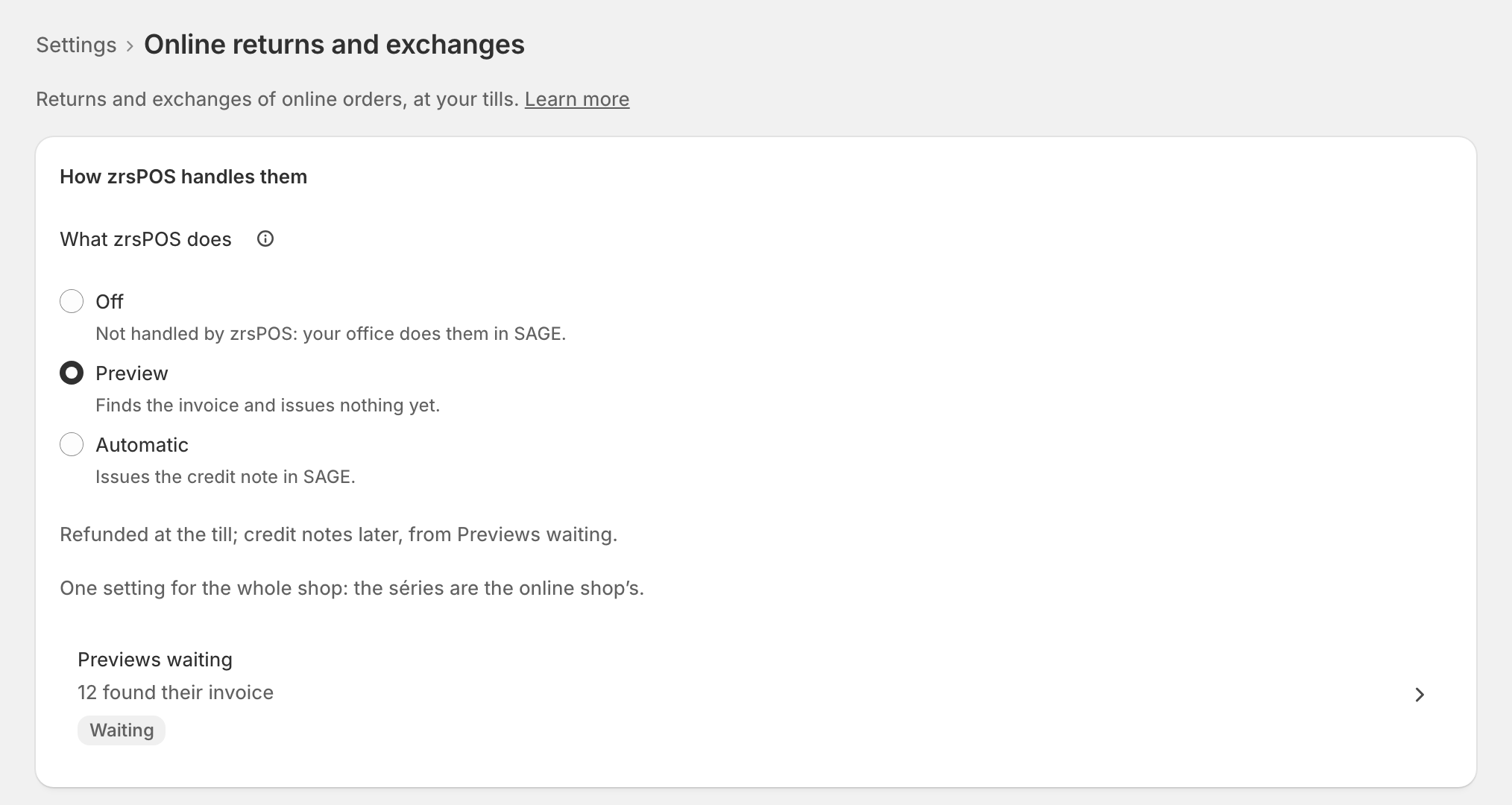
The online shop's séries
Under Finding the invoice, tick the séries your online shop invoices in, from your SAGE's active séries. Each shows how much it was used. zrsPOS looks for the order's invoice only in these séries; your stores' own séries are left out of the list and never searched.
None is ticked for you. When SAGE's own names say a série is the online shop's (online, web, e-commerce…), the page offers Tick {séries} (their SAGE names say online). Save keeps it.
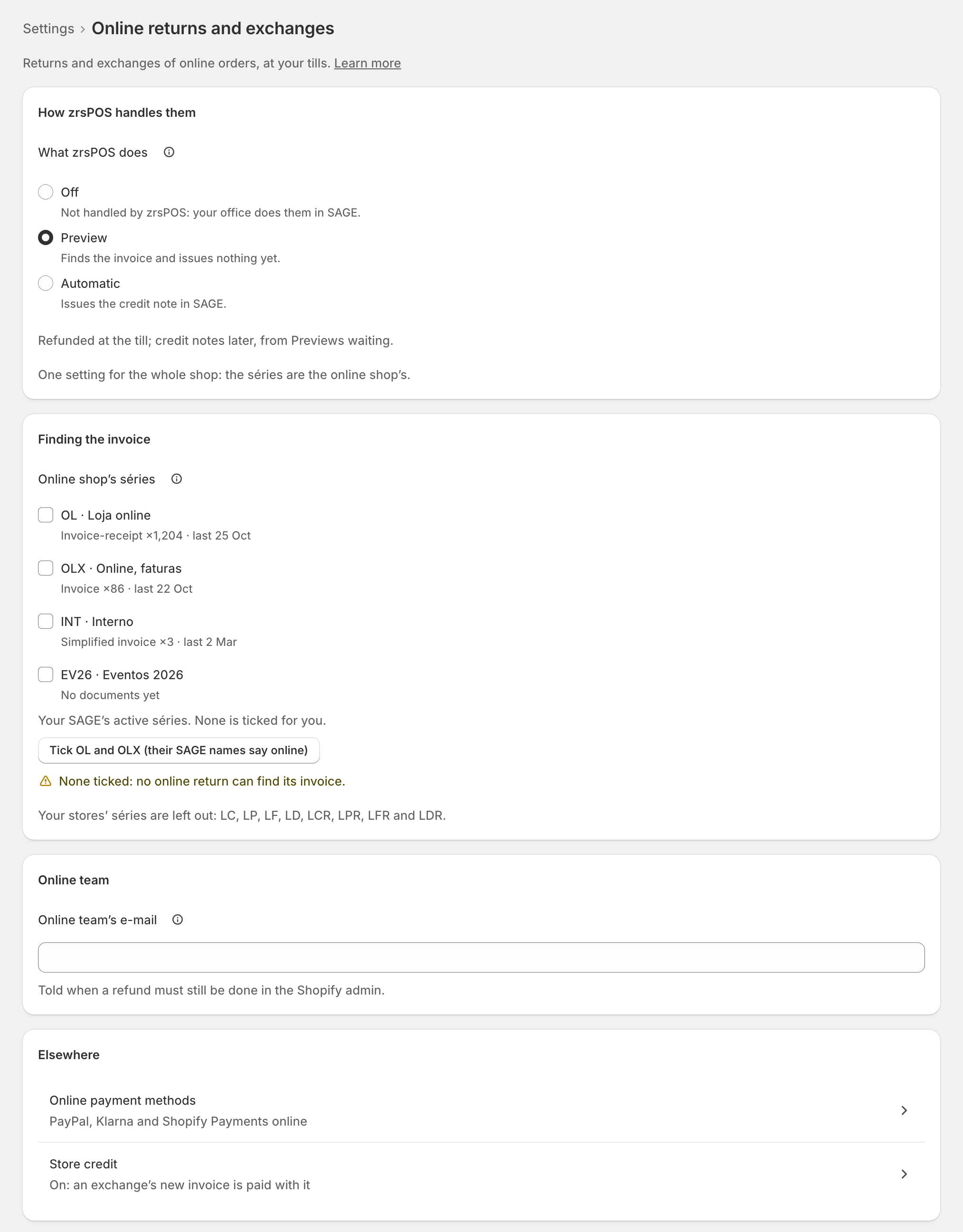
When you save, zrsPOS checks each série you added in SAGE: it must exist, be active and not belong to a store.
Online team's e-mail
"Told when a refund must still be done in the Shopify admin." It gets Refund pending online when a store returned an online order whose money must still go back online. See A refund the till cannot make. Leave it empty and nobody is e-mailed; the alert still shows on Documents.
Elsewhere
- Online payment methods: online refunds need a SAGE payment method mapped on Payments, never cash.
- Store credit: whether an exchange's new invoice is paid with its credit note.
- Each store's returns document: the credit note type and série each store issues.
Edge cases
- None ticked: no online return can find its invoice. Preview or Automatic with no série needs attention.
- Inactive in SAGE, not in this company's SAGE, one of your stores' own séries: the page says so at the série. Untick it, then Save.
- Your SAGE's séries could not be read: Try again: read the séries from SAGE. Nothing can be typed by hand.
- After a change of SAGE company: the page asks you to confirm the séries for the new company. A série the new company does not have is unticked first.
- Turning it Off with previews waiting: they stay on Documents, to issue in SAGE by hand.
- Not live yet: Save just saves, nothing asks first.
- A read-only plan: you can look, but not change online returns.
More in Returns & exchanges
- A return at the till
- Which document a return issues
- How the money goes back
- An exchange at the till
- Store credit
- Book store credit as a voucher
- A sale zrsPOS did not invoice
- A sale made in SAGE, at the till
- Many sales made in SAGE
- Exchange a sale made in SAGE
- Online orders returned at a store
- Previews waiting
- A refund the till cannot make
- Returns problems