 zrsPOS
Book store credit as a voucher
The Store credit as a voucher page in the admin: the SAGE voucher, the switch, and each store's credit notes.
With this on, SAGE sees store credit for what it is: the credit note of a return is a voucher, and a sale paid with store credit redeems it. It is one setting for the whole shop, off until you switch it on.
The page is in the zrsPOS admin: Settings › Payments › Store credit as a voucher.
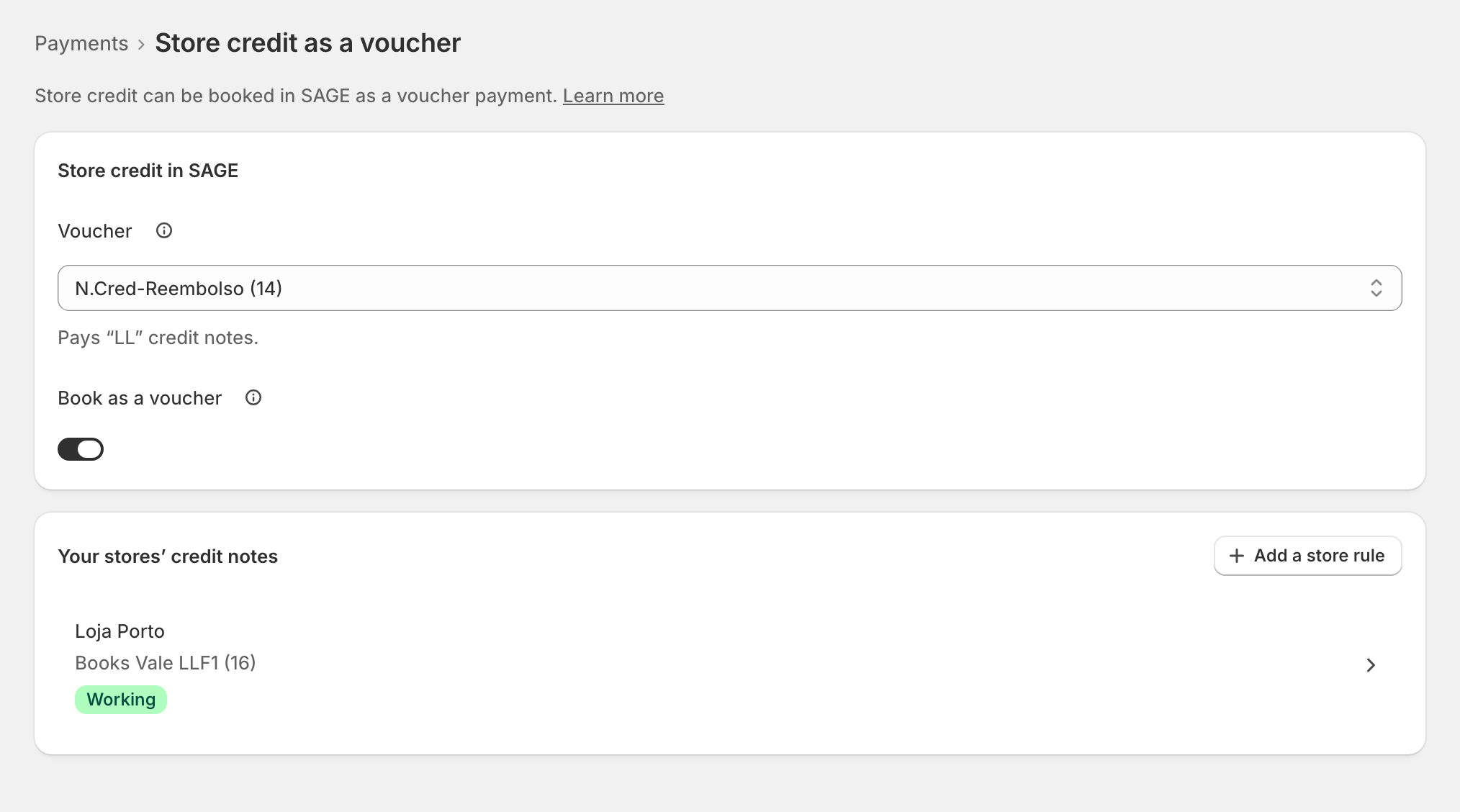
Switch it on
- Ask your SAGE partner which payment method in your SAGE is the voucher for your credit notes (for example "N.Cred-Reembolso"). zrsPOS never creates one.
- Under Store credit in SAGE, pick it in Voucher. Under it, the page says which credit notes it pays, for example Pays "NRE" credit notes.
- Turn on Book as a voucher, then Save. On a live shop it asks first: Book store credit as …? "From the next sale, store credit is booked as …"
Each store's credit notes
Your stores' credit notes lists every store zrsPOS invoices and the voucher its store-credit sales book. SAGE picks the voucher by the type of the credit note redeemed, so each store needs a voucher for its own type and série. A store that numbers its returns apart (see Which document a return issues) may need its own: use Add a store rule.
When it is off
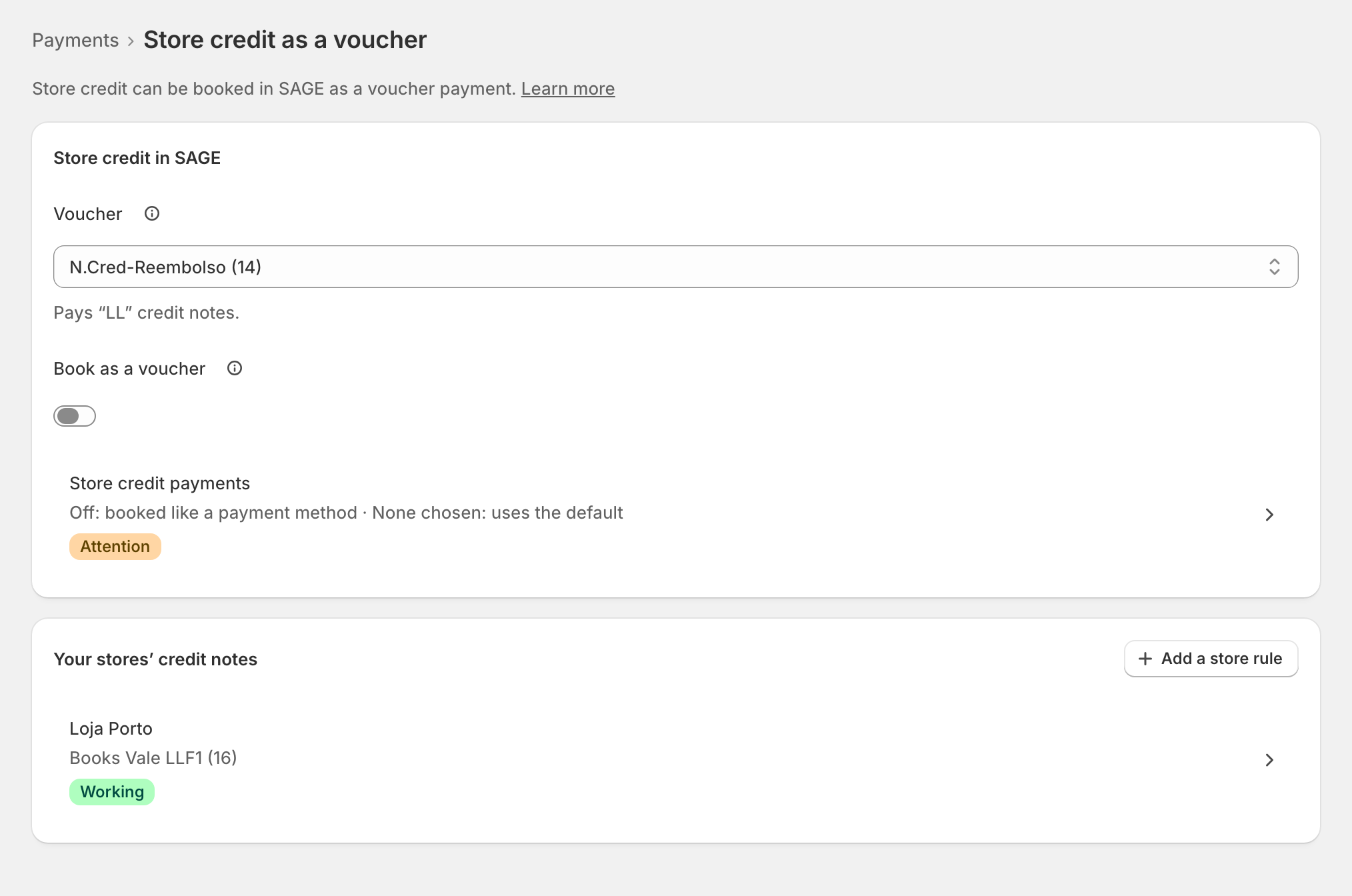
Store credit payments shows how store credit is booked meanwhile: like a payment method, the one set for it on Payments. Sales paid with store credit fall to your default when none is set; returns to store credit never do: they wait until one is set, and it can't be a cash one. See Store credit has no SAGE payment method for returns. Exchanges then carry the order's own payment methods.
Edge cases
- Your SAGE has no voucher payment method for "NRE" credit notes. zrsPOS never creates one.: ask your SAGE partner for one; the switch stays off.
- Store credit can't be switched on yet: the voucher would not pay the credit notes of … Give each of those stores a voucher for its credit notes.
- The voucher is not in SAGE any more, or inactive: the page says so. Choose another voucher, make it active in SAGE, or switch booking as a voucher off. Until then sales paid with store credit wait. See Store credit has no SAGE voucher.
- A store issuing another type of credit note than its voucher pays: sales still issue, but SAGE may redeem the wrong voucher. See The store-credit voucher is for another credit note.
- Switching it off asks first on a live shop and applies from the next sale. Credit notes already issued stay as they are.
- A read-only plan: you can look, but not change store credit.
- After a change of SAGE company, the voucher is confirmed again for the new company, from the Online returns and exchanges page or here.
More in Returns & exchanges
- A return at the till
- Which document a return issues
- How the money goes back
- An exchange at the till
- Store credit
- A sale zrsPOS did not invoice
- A sale made in SAGE, at the till
- Many sales made in SAGE
- Exchange a sale made in SAGE
- Online orders returned at a store
- Set up online returns
- Previews waiting
- A refund the till cannot make
- Returns problems