 zrsPOS
When SAGE refuses a sale
SAGE checked the document and refused it. Where the refusal shows, how to read it, the fix button, Try again, and what never to do.
SAGE checks every document before it saves it. When it refuses one, nothing is created in SAGE and the sale waits for a person: on the till in Queue and errors, in the admin in Documents › Needs you, with its cause.
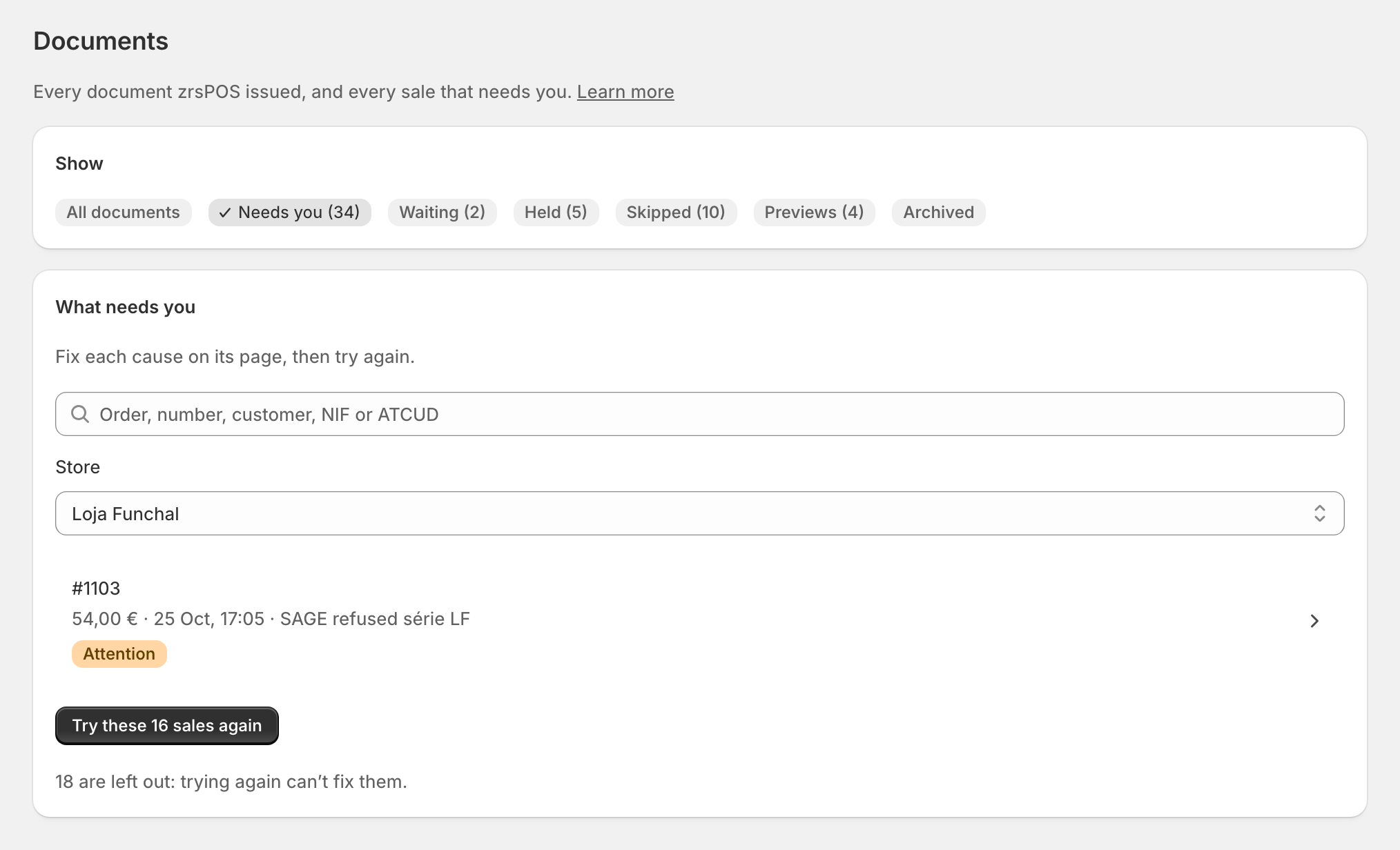
Read the cause
Open the sale. What happened says the cause in plain words, with SAGE's own answer: "SAGE refused this sale in its own words: …". Under it:
- one button that opens the exact setting that fixes it, and names it;
- Learn more: that problem's page in this manual;
- Details for support: what zrsPOS sent and what SAGE answered, ready to copy.
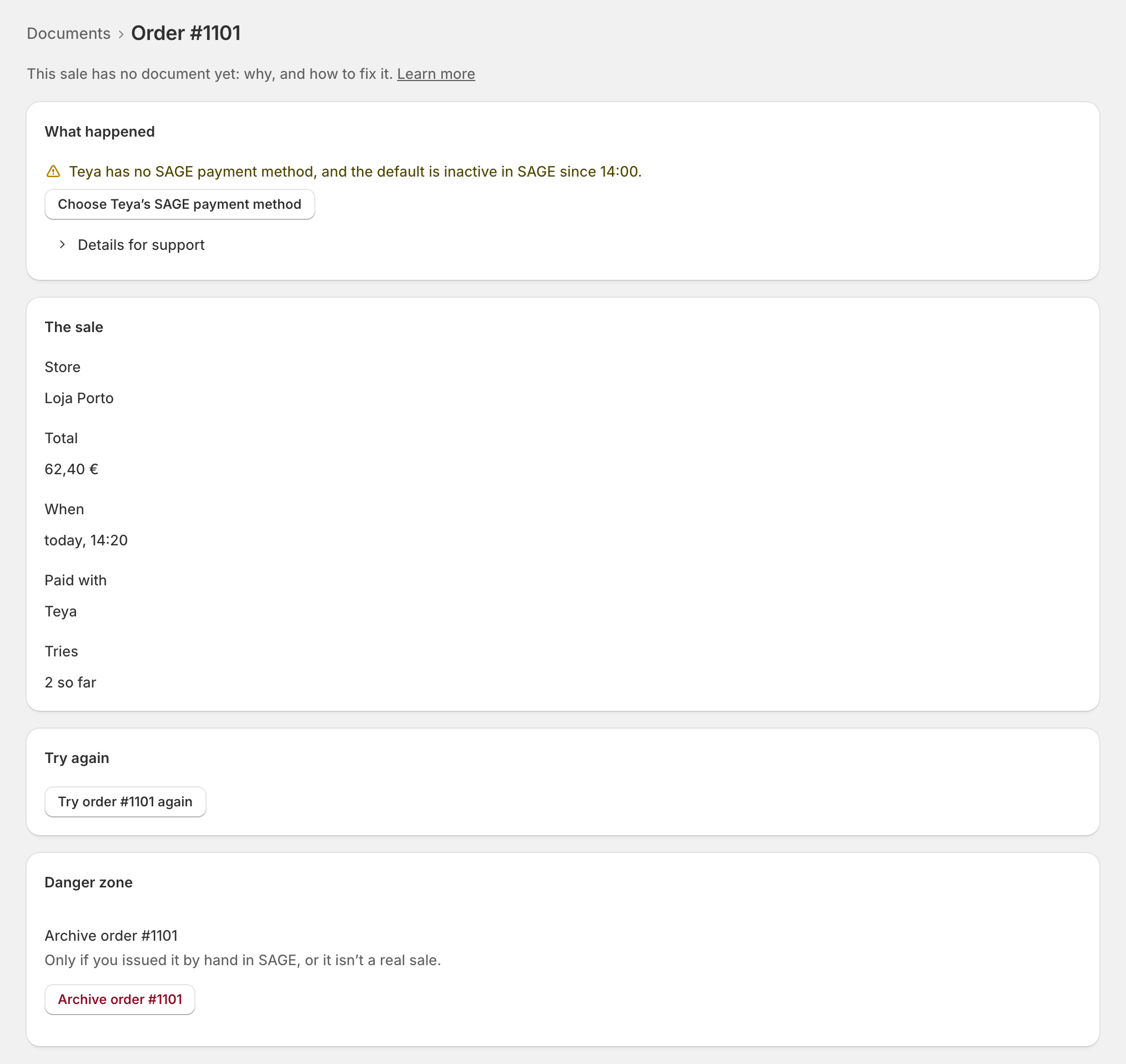
Fix it, then try again
- Fix the cause: the button takes you there. Some causes are fixed in SAGE itself, by you or your SAGE partner (a série the AT doesn't know yet, a customer whose credit is cancelled).
- Press Try order … again. zrsPOS first looks for a document made after all, then issues it: "Nothing is issued twice."
The causes zrsPOS recognises, each with its page: Sales messages and Setup messages.
Never by hand while zrsPOS still tries
Do not issue the document by hand in SAGE while the sale waits: it would be issued twice when someone presses Try again. If someone already did, archive the sale with I issued it by hand in SAGE. See Issue by hand and archive.
Edge cases
- "Automatic retries have ended": zrsPOS tried twice and stopped; fix the cause and press Try again. See Automatic retries have ended.
- Refused again after a fix: the cause shown is the new one. Read it again before calling support.
- A cause zrsPOS doesn't recognise: copy Details for support and write to support@zrspos.com. See Unrecognised SAGE error.
- Several sales with one cause (a payment method with no SAGE method): fix it once, then Try these … sales again on the list.