 zrsPOS
Issue by hand and archive
When a manager issues a document by hand in SAGE, how to archive the sale with its SAGE number, the other reasons, and Reopen.
Some sales only a person can finish, and some are not real sales. Archive takes a sale out of every list for good, with its reason. It is done only in the admin, under Documents; never at the till.
Issued by hand in SAGE
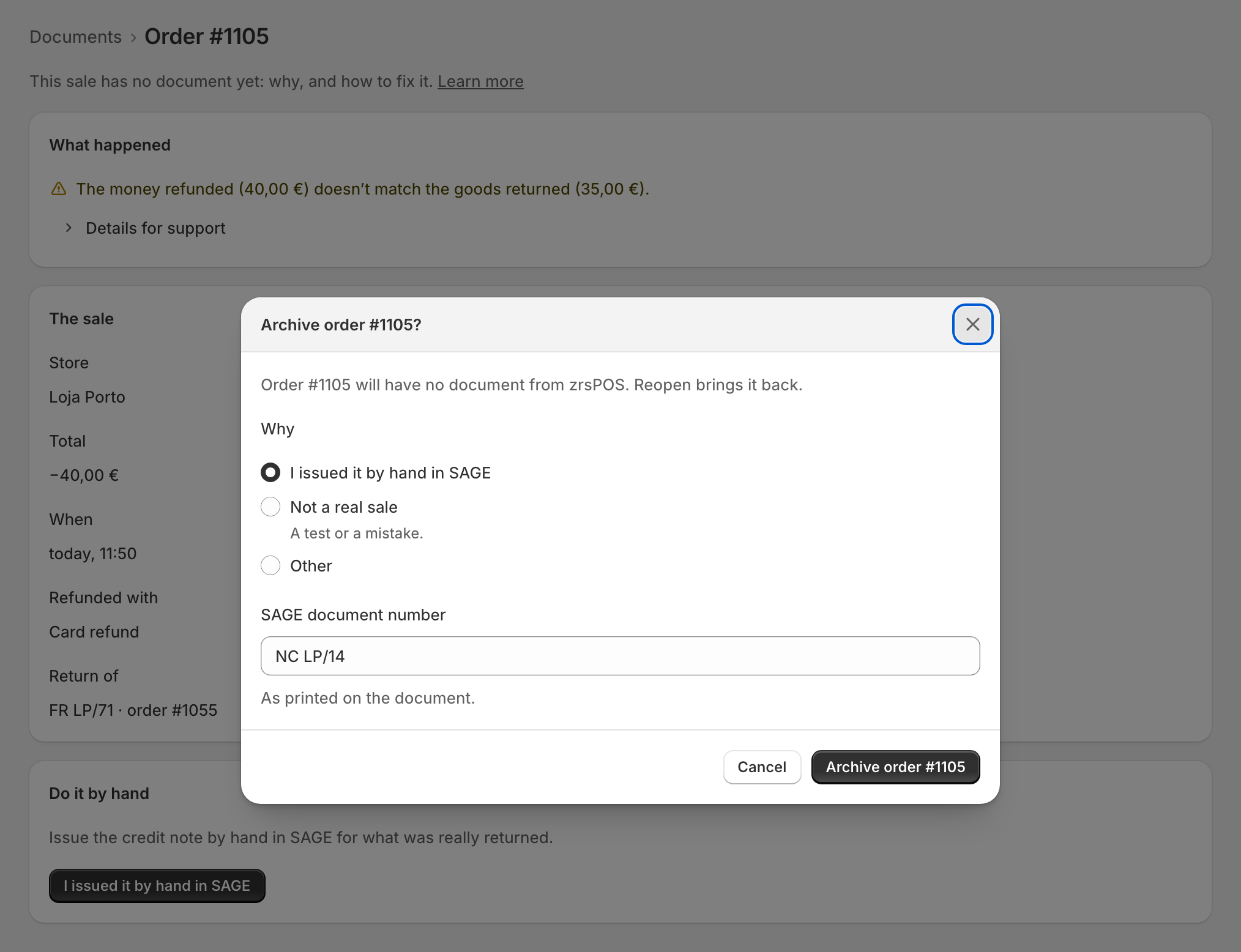
- Issue the document in SAGE yourself, as the sale's page says ("Issue the credit note by hand in SAGE for what was really returned").
- On the sale's page, press I issued it by hand in SAGE.
- Type the SAGE document number "As printed on the document", for example NC LP/14.
- Press Archive order ….
For a skipped sale the button is I issued it in SAGE, then Mark order … as issued.
Other reasons
Archive order …, in the Danger zone of a sale's page, asks why:
- I issued it by hand in SAGE, with the number;
- Not a real sale: "A test or a mistake.";
- Other, with a reason you type.
It asks first: "Order … will have no document from zrsPOS." Archive it "Only if you issued it by hand in SAGE, or it isn’t a real sale."
A sale with nothing to issue (no items and no money, an invoice already credited in full) offers only Archive: "there is no document to make, in zrsPOS or in SAGE."
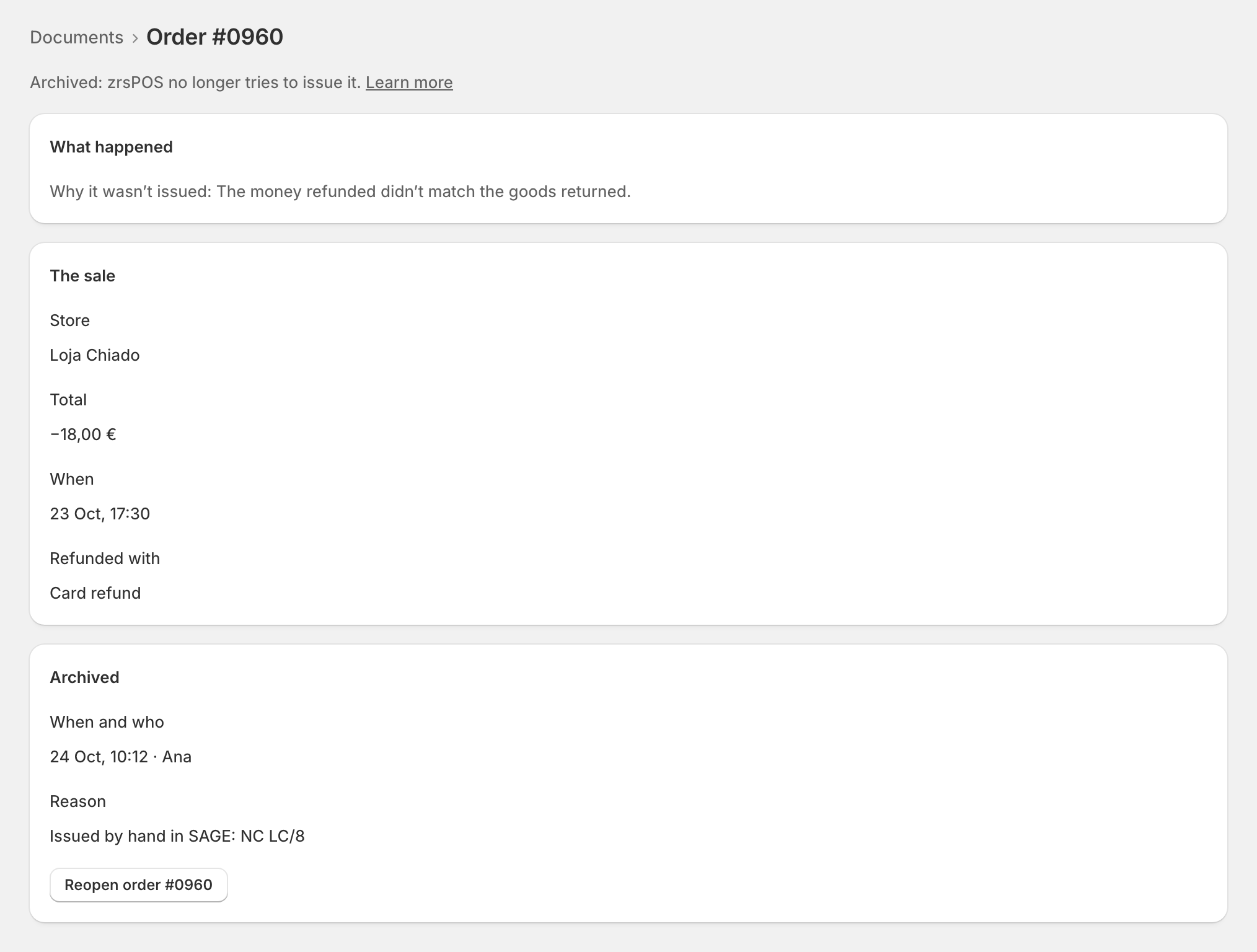
Archived
An archived sale is never issued and never tried again. It stays in Archived for good, with When and who and its Reason. Alerts closed with I handled it in SAGE, The form is voided or The refund is done land here too.
Reopen order … puts it back: "zrsPOS looks at it again. If it was issued by hand in SAGE, it would be issued twice."
Edge cases
- The SAGE number is required for "issued by hand": without it the sheet stays open and says "Type the SAGE document number first."
- "Other" with no reason stays open too: "Type a reason first."
- Sales archived by themselves (a credit note issued later, for example) say "resolved by itself".
- Sales archived on the till by an older version of the app say so, with "No reason given."
- Archiving does not touch SAGE. zrsPOS only stops trying; what is in SAGE stays as you left it.
- Never archive a sale zrsPOS still tries unless you issued it in SAGE: the order would have no document at all.
- On a read-only plan archiving and reopening still work.
More in Documents & design
- The documents zrsPOS issues
- Document numbers and the ATCUD
- The Documents page
- Sales that need you
- Waiting, held and skipped sales
- A document's page
- The A4 and the receipt
- Reprint: 2.ª via or original
- E-mail a document
- Your company on documents
- The customer on a document
- Templates
- Design the A4 and the receipt
- Style one element
- Preview, and what never changes