 zrsPOS
A new SAGE salesman code
Create a new SAGE salesman code from the admin, see it before anything is created, and link the person once SAGE has it.
When nobody's code fits, zrsPOS creates one in your SAGE and links the person to it. New codes are created only in the admin, never at the till.
Create it
Start from a person's page (Create "João Pires" in SAGE) or from a claim (Create "Inês Lopes" in SAGE and confirm). The sheet New SAGE salesman code opens:
- Check Name, add an E-mail if you want (optional) and choose the Store they sell at. The store's SAGE till becomes the code's default till.
- Press See the new code. zrsPOS reads SAGE first and shows exactly what it will create: Code, Name, E-mail and Default till. Nothing is created yet.
- Press Create in SAGE (or Create and confirm, from a claim). The sheet follows the work: checking SAGE, creating in SAGE, reading it back.
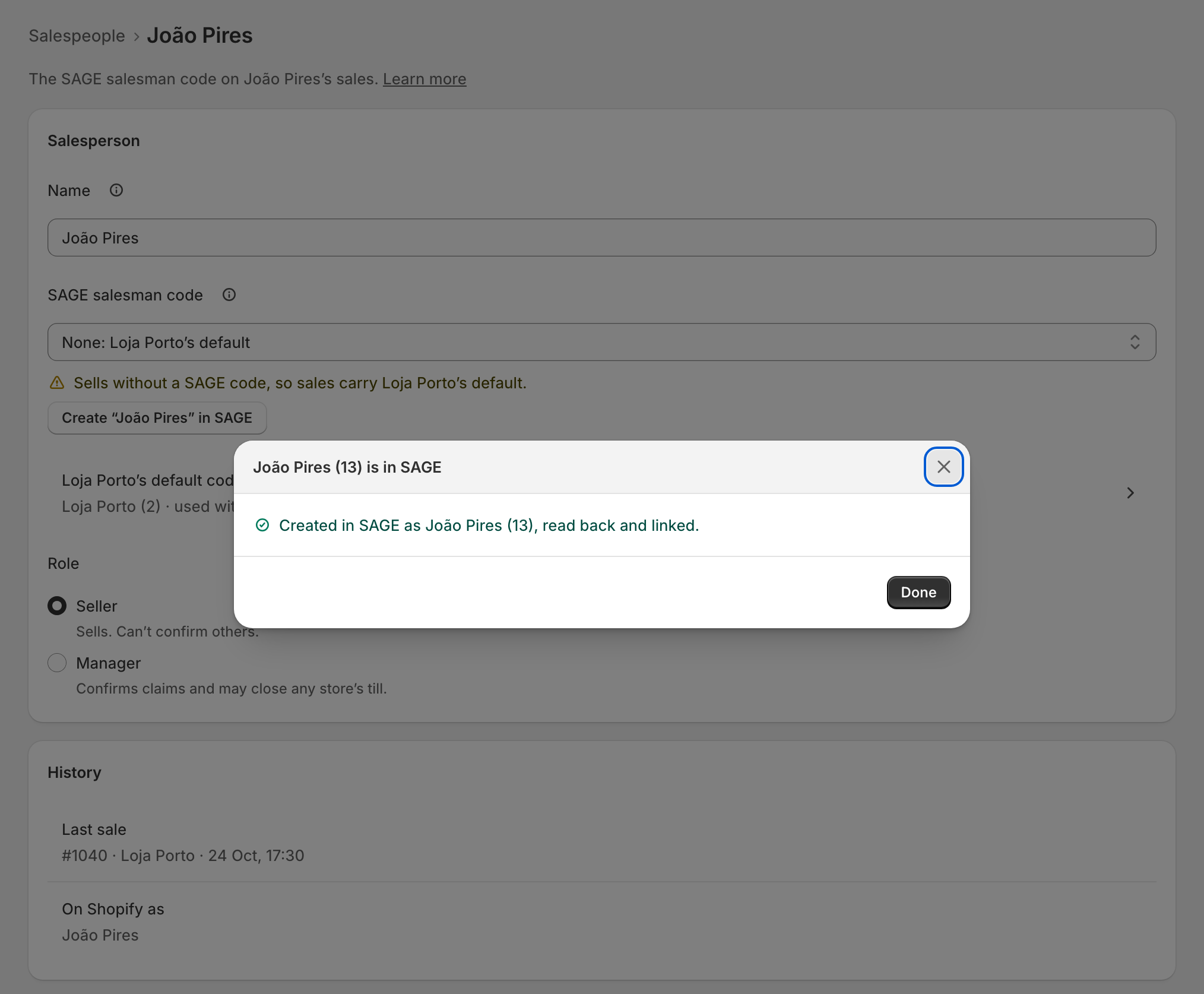
- It says Created in SAGE as João Pires (13), read back and linked. Press Done.
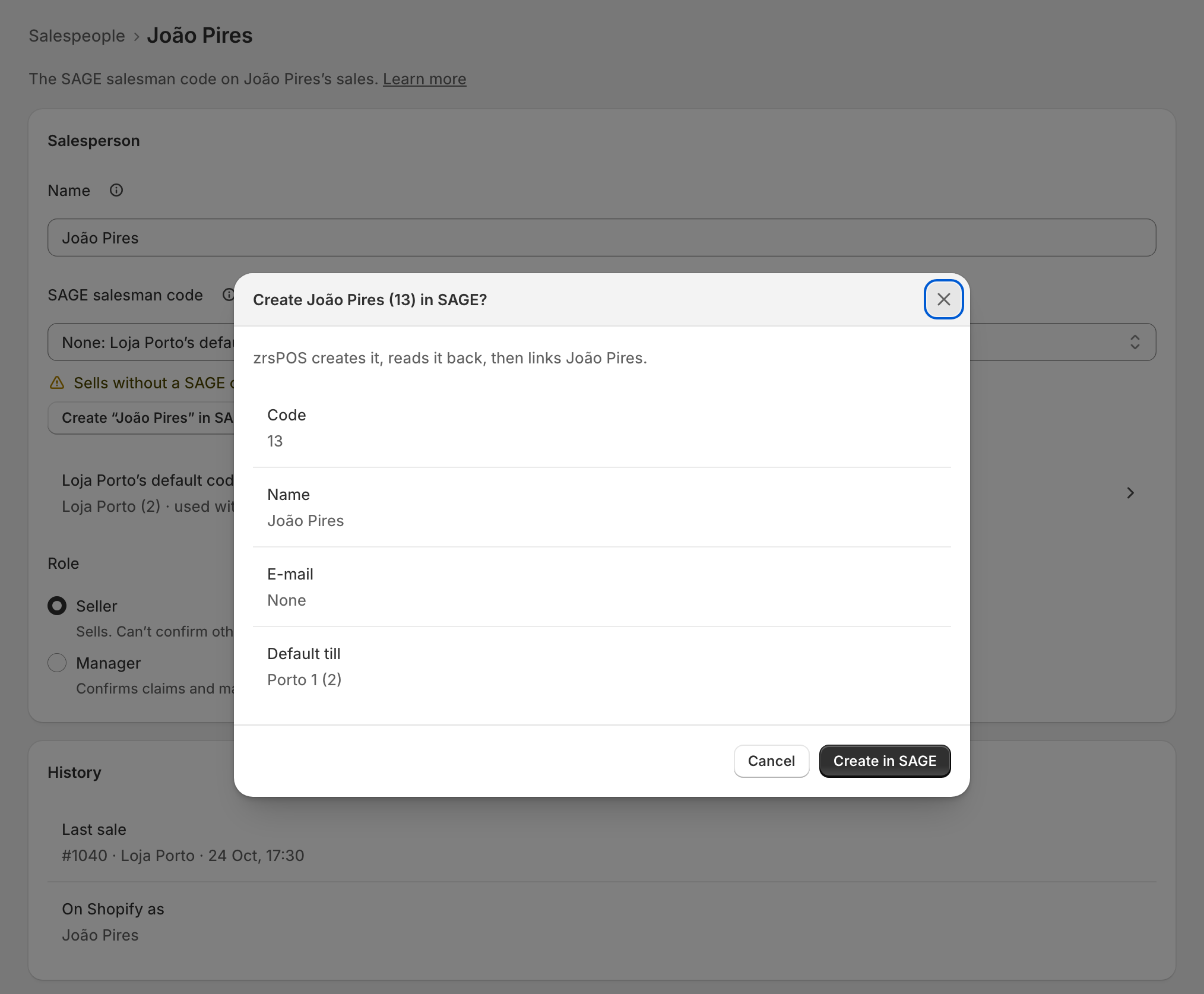
zrsPOS links the person only after it has read the code back from SAGE.
Edge cases
- Code 13 was taken meanwhile, so SAGE now gives 14. Someone created a code in SAGE between the preview and the create: the sheet says which one SAGE gave.
- SAGE already has João Pires (20), inactive. If it is the same person, make that code active in SAGE and choose it, rather than creating another.
- … has no SAGE till: no default till. The code is created without one.
- SAGE refused it: "…". Your SAGE partner can allow it for zrsPOS. Creating salesman codes needs a permission in SAGE. The sheet shows SAGE's own words and opens the page for your partner.
- SAGE did not answer in time, and … is not in SAGE. Trying again creates nothing twice. Press Try again.
- … is in SAGE: SAGE did not answer in time, but the code is there. The sheet offers Use …, which links it.
- SAGE did not answer, and zrsPOS couldn’t check whether … was created. Look in SAGE before trying again. Look first, so nothing is created twice.
- That e-mail address doesn’t look right. Correct it, or leave the e-mail empty.
- Outside production, zrsPOS marks new records TESTE.
- A read-only plan cannot create codes.