 zrsPOS
One salesperson
One person's page in Salespeople: their name, SAGE salesman code and role, joining two sign-ins, switching someone off.
In Settings › Salespeople, open a row. The page says which SAGE salesman code the person's sales carry, and lets you change it.
Name, code and role
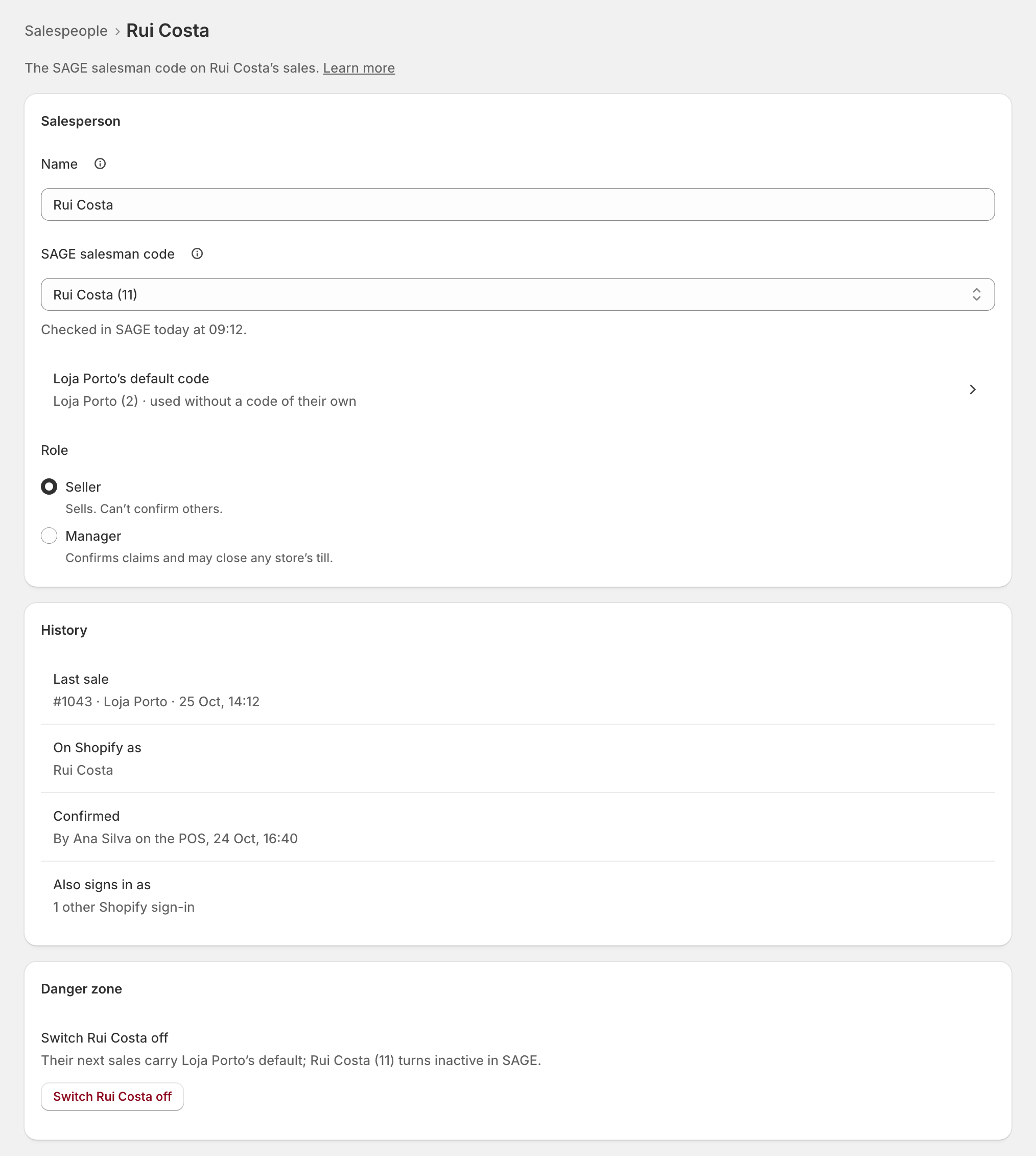
- Name: how zrsPOS and the POS show the person. Documents print the SAGE code's name; changing this name doesn't change SAGE.
- SAGE salesman code: every sale by this person carries this code. Only your active codes are listed. None means their sales carry the store's code, shown below the field. zrsPOS checks the code in SAGE when you save it.
- Role: Seller sells; Manager also confirms claims and may close any store's till. See Managers.
- Save appears once you change something. On a live shop, a new code asks first, for example Carry Ana Silva (12) on Ana’s sales?
When no code fits, Create "…" in SAGE: see A new SAGE salesman code.
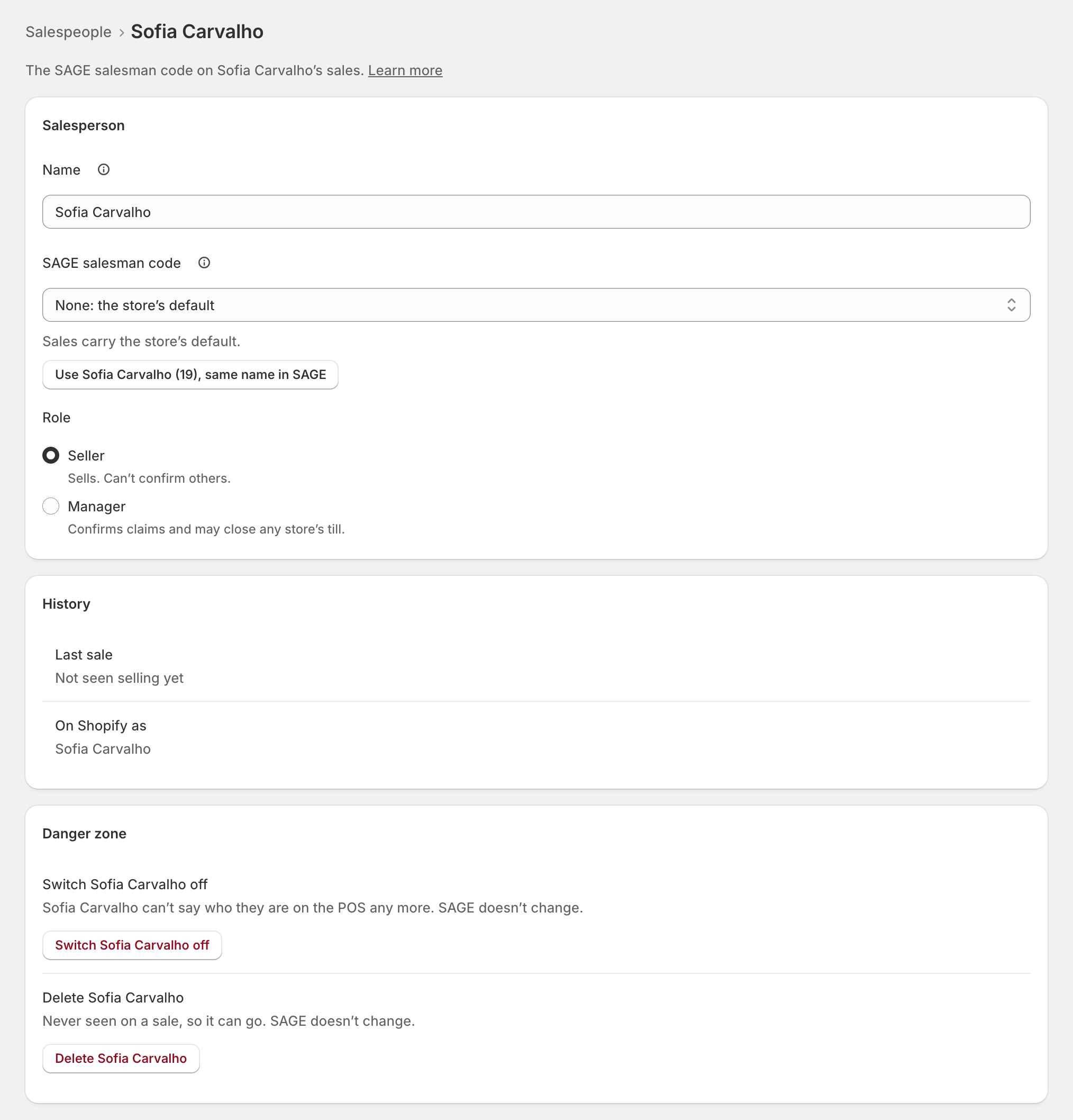
When SAGE has a code of the same name, the field offers it: Use Sofia Carvalho (19), same name in SAGE.
History shows the last sale, the person's name in Shopify and who confirmed them.
The same person
When one person signs in to Shopify with two sign-ins, open the one that is not linked and, under The same person, choose who it is, then Join … to … (it asks first). Sales from both sign-ins carry the person's code. Documents already issued don't change.
Danger zone
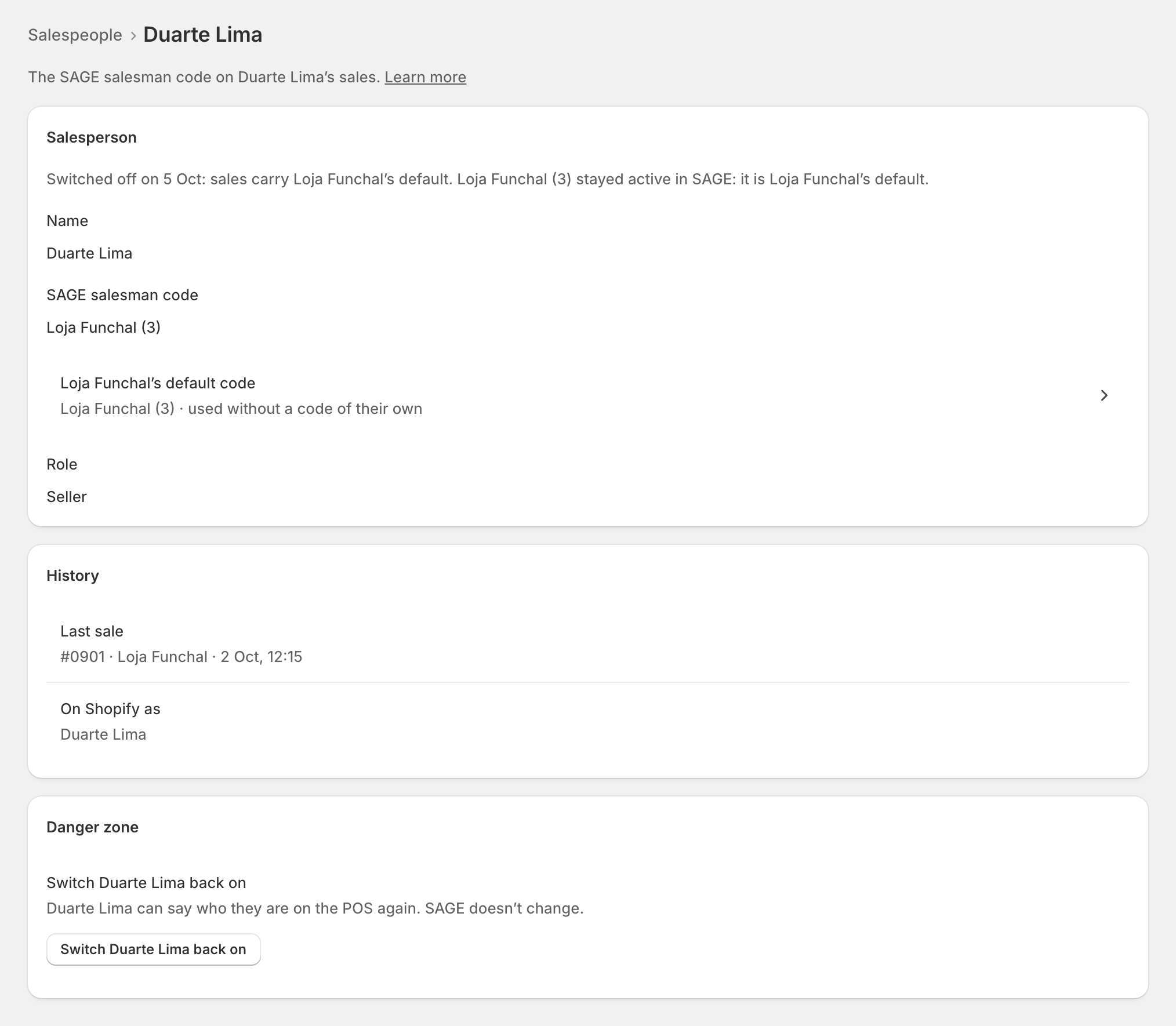
- Switch … off (someone who left): their next sales carry the store's code, and their code turns inactive in SAGE. It is never deleted: documents already issued point to it.
- Switch … back on: their sales carry their code again. zrsPOS makes the code active in SAGE again only when switching off made it inactive.
- Delete …: only for someone never seen on a sale.
Edge cases
- The code stays active in SAGE when you switch someone off, if it is a store's code or someone else still uses it. The page says why.
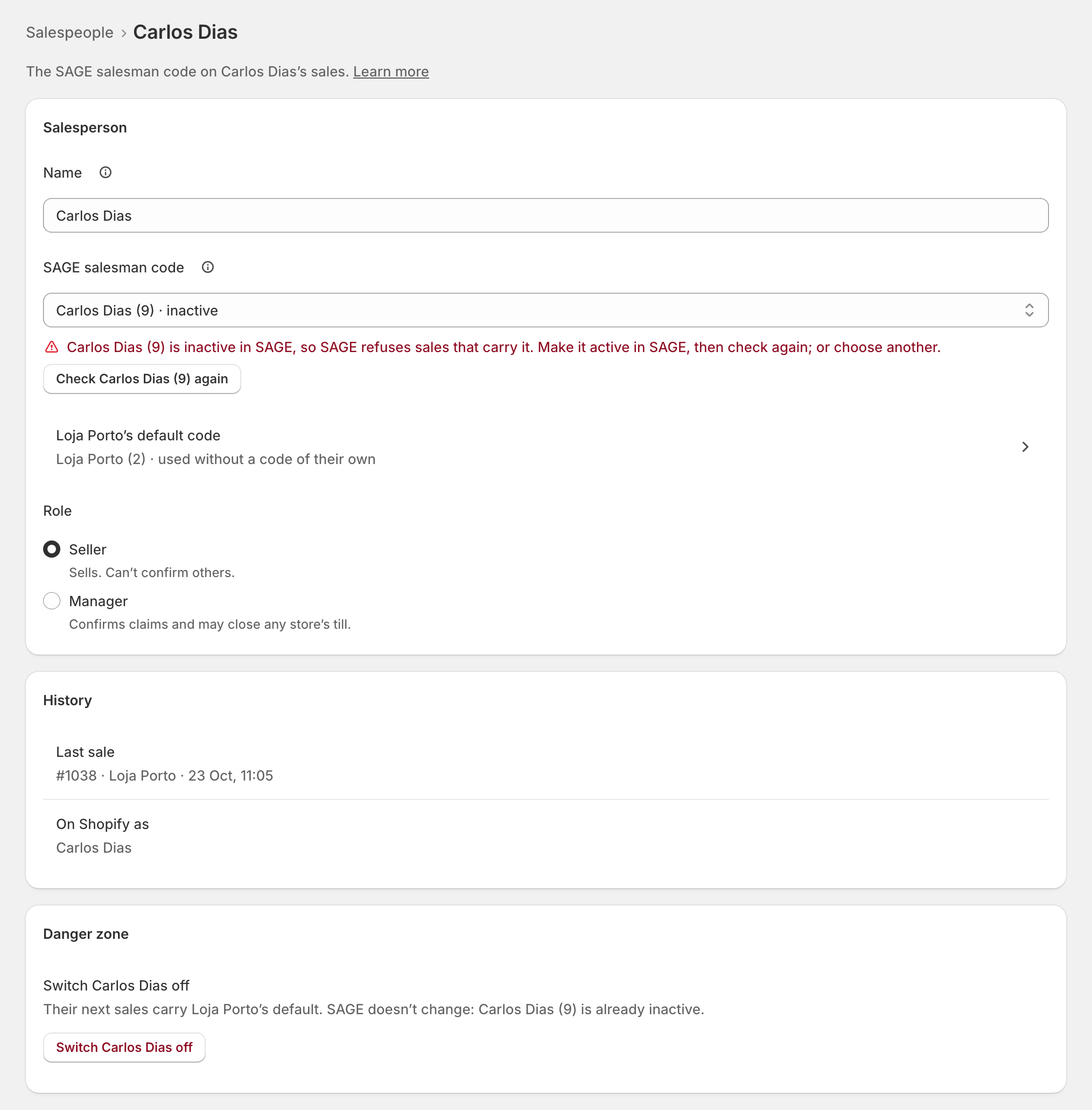
- … is inactive in SAGE, so SAGE refuses sales that carry it. Make it active in SAGE, then Check … again; or choose another code.
- SAGE has no salesman code … any more: choose another.
- Switched back on without …: the code is inactive or gone in SAGE for another reason. Choose another, or make it active in SAGE.
- Documents carry this sign-in, so it stays. Someone seen on documents cannot be deleted: switch them off instead.
- … carries another code, so they can’t be joined. Choose another person, or switch the extra sign-in off.
- The only manager cannot become a seller, or be switched off, while the closing rules say only managers close: make someone else a manager first.
- SAGE’s codes could not be read: choosing a code and switching off wait until SAGE answers.
More in Selling at the POS
- The zrsPOS tiles
- A sale, step by step
- The customer's NIF
- A company's NIF
- Which document a sale issues
- Receipt, e-mail or both
- The zrsPOS tile
- A sale without a document
- zrsPOS documents on the order
- Gift receipts at the till
- The Till tile
- Who is selling?
- Salespeople
- A new SAGE salesman code
- Managers
- Selling problems