 zrsPOS
Salespeople
The Salespeople page in the admin, which SAGE salesman code each document carries, and where the people come from.
Every document zrsPOS issues carries a SAGE salesman code, for commissions, targets and sales reports in SAGE. Without Salespeople it is always the store's own code (the store's Documents & SAGE codes page). With it, each person who sells on Shopify POS is linked to their own code. It is optional: everything works with the stores' codes.
The page is in the zrsPOS admin: Settings › Salespeople.
Which code each document carries
| Document | SAGE salesman code |
|---|---|
| Sale | The person named on the sale's lines (when several, the one who sold the most by value); else whoever is signed in at the till; else the store's code. |
| Credit note (return) | The code of the sale it credits, whoever makes the return. |
| Exchange | The credit note carries the original sale's code; the new invoice carries whoever made the exchange. |
Only linked people count: confirmed, with a SAGE salesman code. Someone not linked, waiting or switched off sells under the store's code. Nothing stops and nothing is held.
The code is decided when the sale reaches zrsPOS. If SAGE is down and the document goes out hours later, it carries the same code.
The page
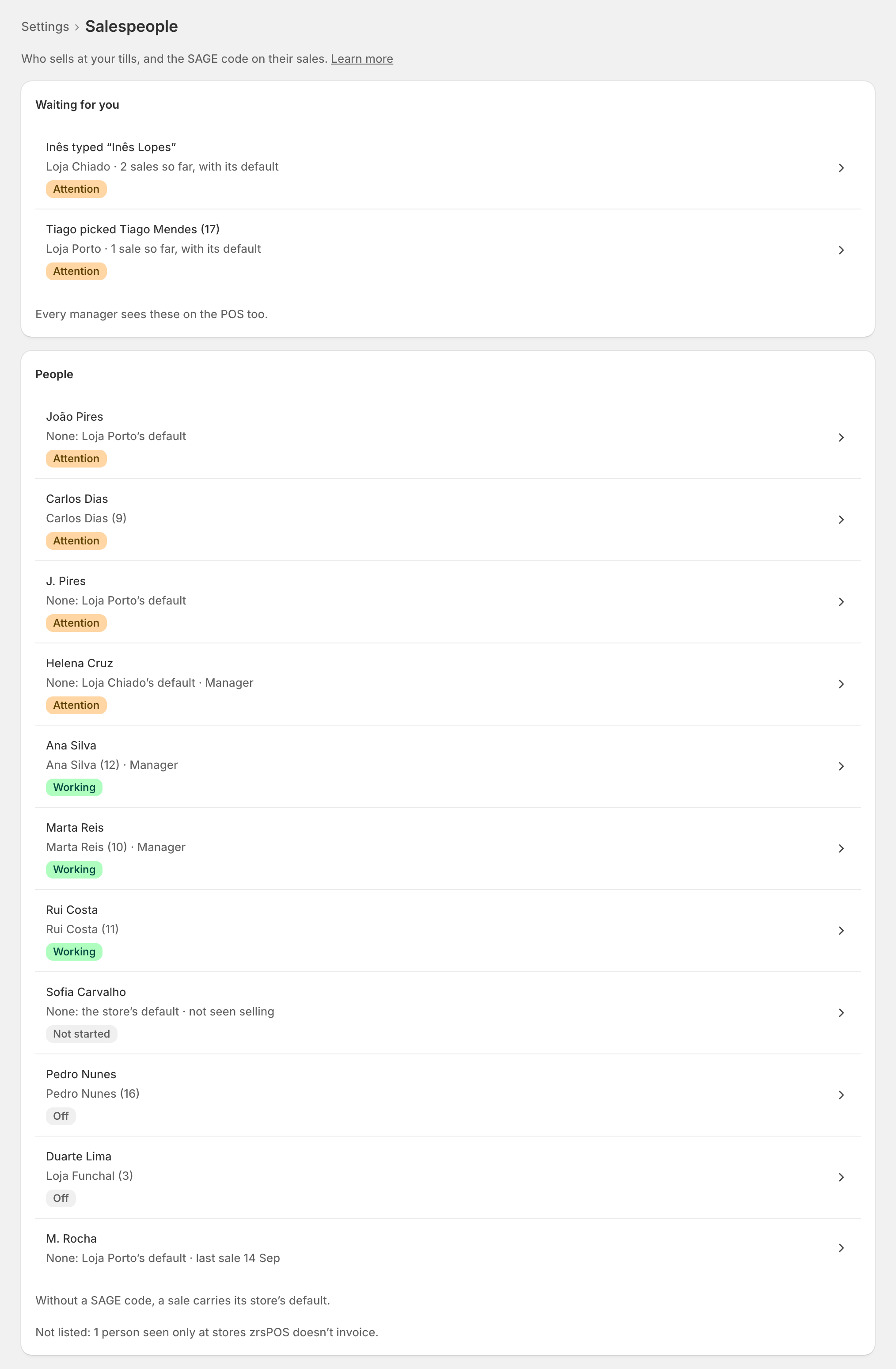
- Waiting for you: claims from the till ("Who is selling?"), only when there are some. Every manager sees them on the POS too. See Who is selling?
- People: everyone who sells at a store zrsPOS invoices. Each row shows the code their sales carry and one pill: Working (linked), Attention (sells without a code, or their code is inactive in SAGE), Pending (a claim is waiting), Off (switched off), Not started. Problems come first.
- Filters: Attention, Not linked, Managers, Switched off.
Open a row to link a person: One salesperson.
Where people come from
People come from Shopify: there is no Add button. A person shows once they open the zrsPOS tile at a till (no test sale needed), or, on Shopify Plus and Advanced, straight from the Shopify staff list.
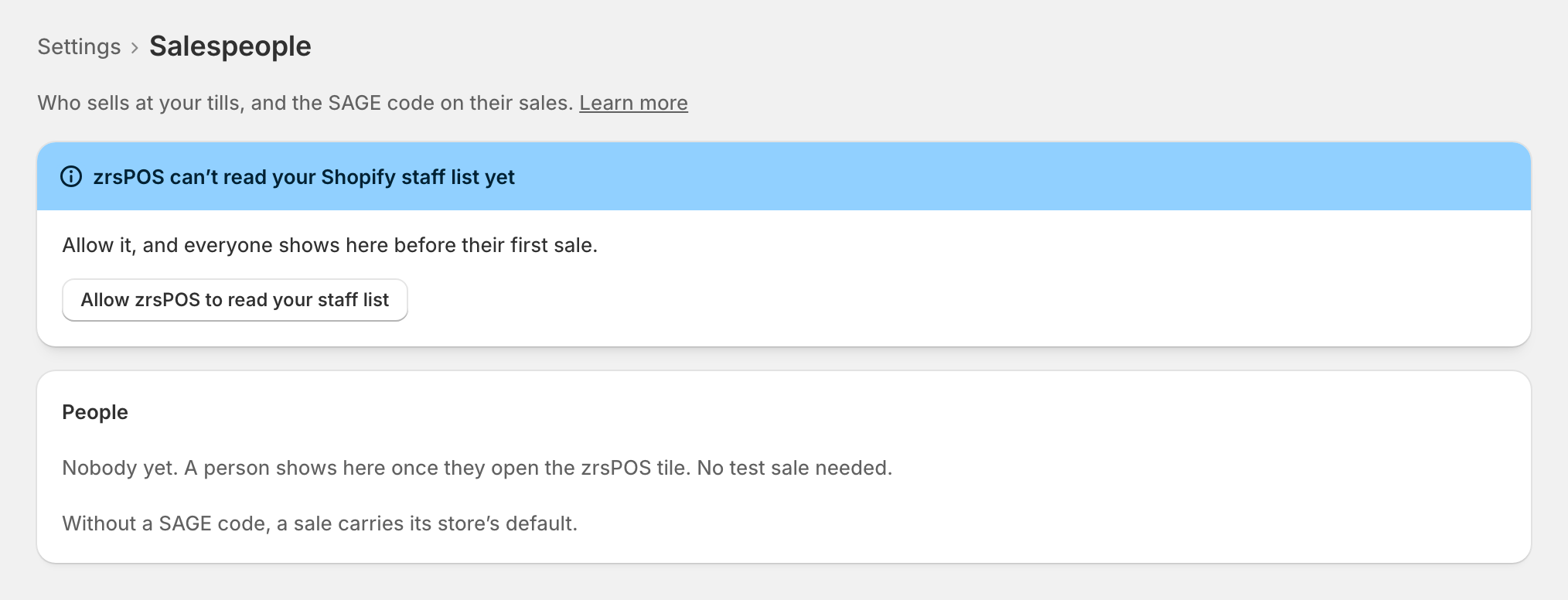
Press Allow zrsPOS to read your staff list and accept in Shopify. Then every active member of your Shopify staff shows before their first sale, ready to link.
Edge cases
- Your Shopify plan doesn’t share its staff list: each person opens the zrsPOS tile at the till and says who they are.
- Shopify’s staff list could not be read: people seen at the till are still listed. Try again later.
- Not listed: 1 person seen only at stores zrsPOS doesn’t invoice. They show once they sell at a store zrsPOS invoices.
- Never type an ID by hand. The number in a person's address under Shopify's Settings › Users is not the one sales use. That is why zrsPOS takes people only from the staff list or the POS.
- SAGE’s salesman codes could not be read: you can look, but linking waits until SAGE answers. Pills are from the last check.
- A read-only plan: you can look, but not change salespeople, here or on the POS.
- After a change of SAGE company, every linked code is checked in the new company, and the page lists who needs a new code before you confirm Salespeople for it.
More in Selling at the POS
- The zrsPOS tiles
- A sale, step by step
- The customer's NIF
- A company's NIF
- Which document a sale issues
- Receipt, e-mail or both
- The zrsPOS tile
- A sale without a document
- zrsPOS documents on the order
- Gift receipts at the till
- The Till tile
- Who is selling?
- One salesperson
- A new SAGE salesman code
- Managers
- Selling problems