 zrsPOS
Who is selling?
At the till, someone not linked yet says who they are ("Who is selling?"), and a manager confirms it on the POS or in the admin.
Each sale carries a SAGE salesman code. Someone who sells on Shopify POS but is not linked to their own code yet sells under the store's code. They say who they are at the till, and a manager confirms it.
Say who you are (at the till)
- When the zrsPOS tile says Who is selling? · tap, tap it, then Salespeople.
- Pick your name from your shop's SAGE salesman codes, or type it in My name and press Send my name.
- The till says Sent — a manager confirms it. Until then, your sales carry the store's salesman. Nothing stops you selling.
Once confirmed, Salespeople says Linked to SAGE salesman: Ana Silva (12), and your next sales carry your code.
Confirm (a manager, at the till)
A manager sees 1 salesperson to confirm on the zrsPOS tile, from every store. Under Salespeople, each claim reads Tiago says they are Tiago Mendes (17), with Confirm and Reject. A new name typed at the till cannot be confirmed there: the SAGE code is created in the admin first.
Confirm (in the admin)
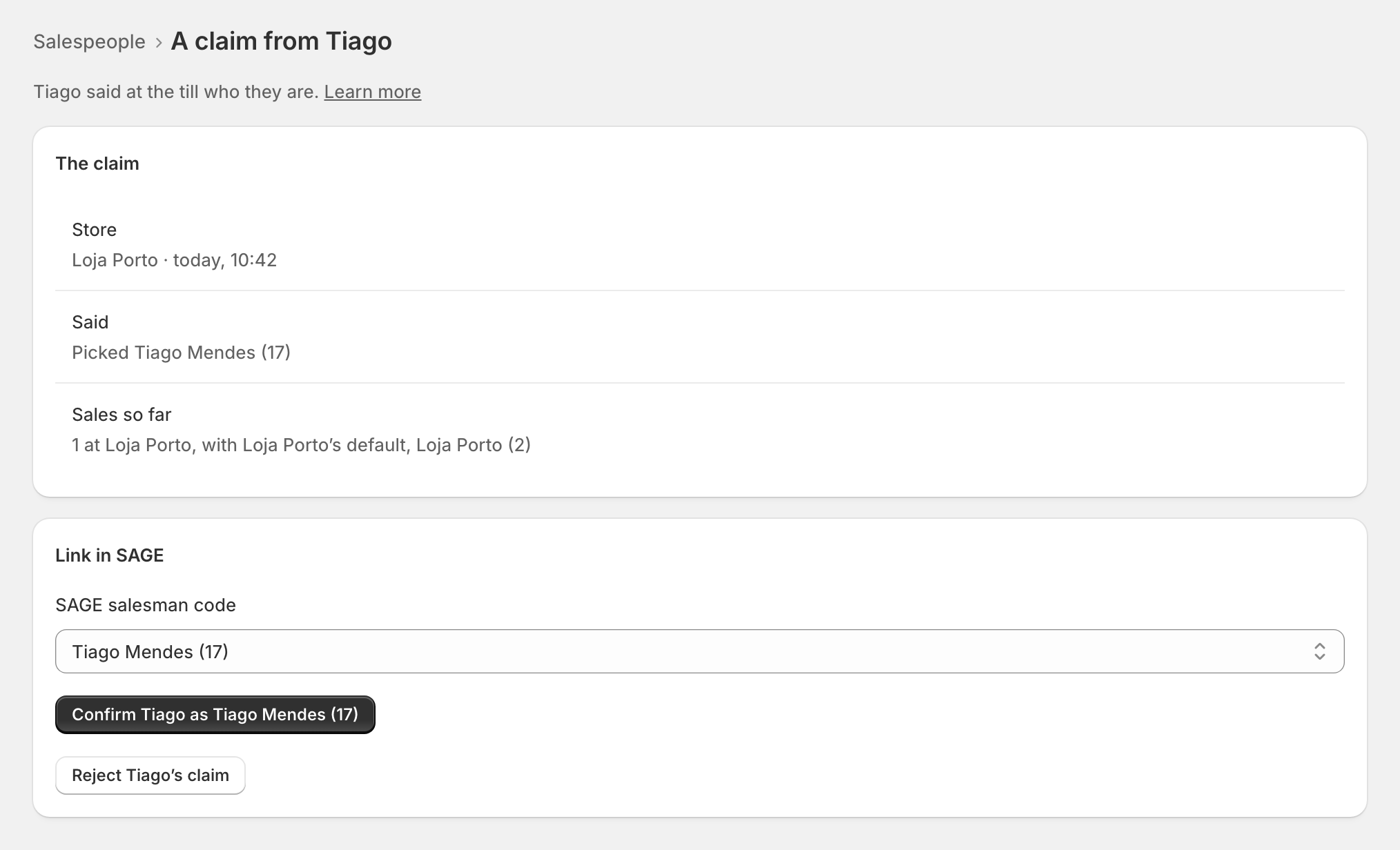
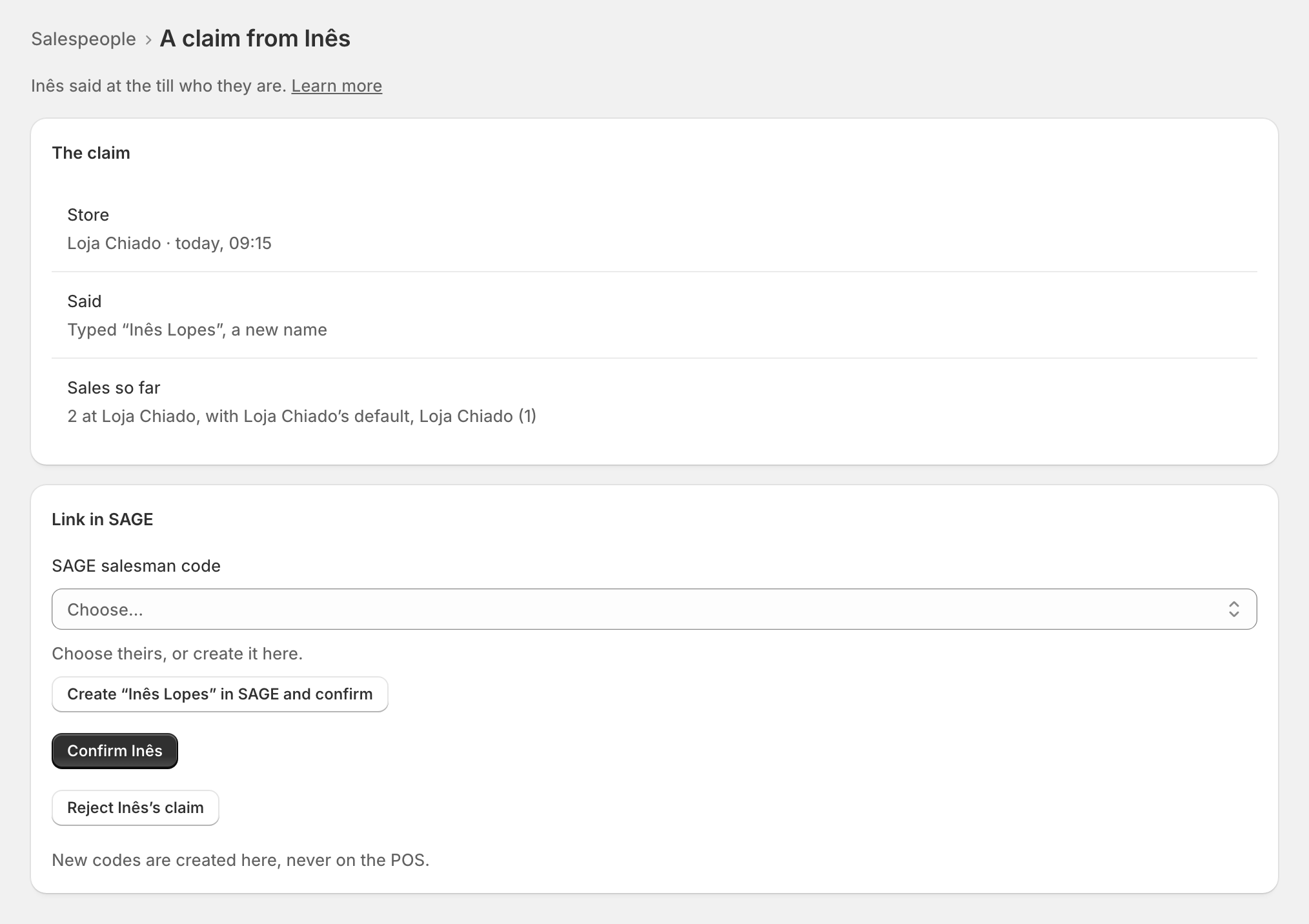
In Settings › Salespeople, claims show under Waiting for you. Open one to see who, at which store, what they said and their sales so far, then:
- Confirm Tiago as Tiago Mendes (17): from the next sale, their sales carry that code. The sales so far keep the store's code.
- Create "Inês Lopes" in SAGE and confirm: for a new name. See A new SAGE salesman code.
- Reject Tiago's claim: they stay not linked, and keep selling under the store's code.
Why confirm? Shopify POS tells zrsPOS who is signed in, but cannot prove who that is in SAGE. A choice made at the till counts only once a manager confirms it.
Edge cases
- A claim is confirmed by someone else. A manager cannot confirm their own claim.
- Only a Manager can confirm. Managers are set in the admin: see Managers.
- SAGE did not answer — type your name. The list of codes could not be read: type your name instead.
- Nobody signed in on this POS: sign in to Shopify POS with your own account first.
- Switched off — sales carry the store's salesman. A manager can switch you back on in the admin.
- That salesman code is inactive in SAGE: make it active in SAGE, or choose another.
- Already confirmed: another manager confirmed it on the POS first; the admin says who and when.
- No longer on your staff: the person left your Shopify staff; there is nothing to confirm.
- A claim from a store zrsPOS doesn't invoice is listed apart: their sales there are not invoiced anyway.
- Sales made before the confirmation keep the store's code; documents already issued never change.
More in Selling at the POS
- The zrsPOS tiles
- A sale, step by step
- The customer's NIF
- A company's NIF
- Which document a sale issues
- Receipt, e-mail or both
- The zrsPOS tile
- A sale without a document
- zrsPOS documents on the order
- Gift receipts at the till
- The Till tile
- Salespeople
- One salesperson
- A new SAGE salesman code
- Managers
- Selling problems