 zrsPOS
A setup step
What a setup step's page shows - one row per thing it needs, each with its state and its own page - when a step is Done, the states a row can show, and a step that waits for SAGE.
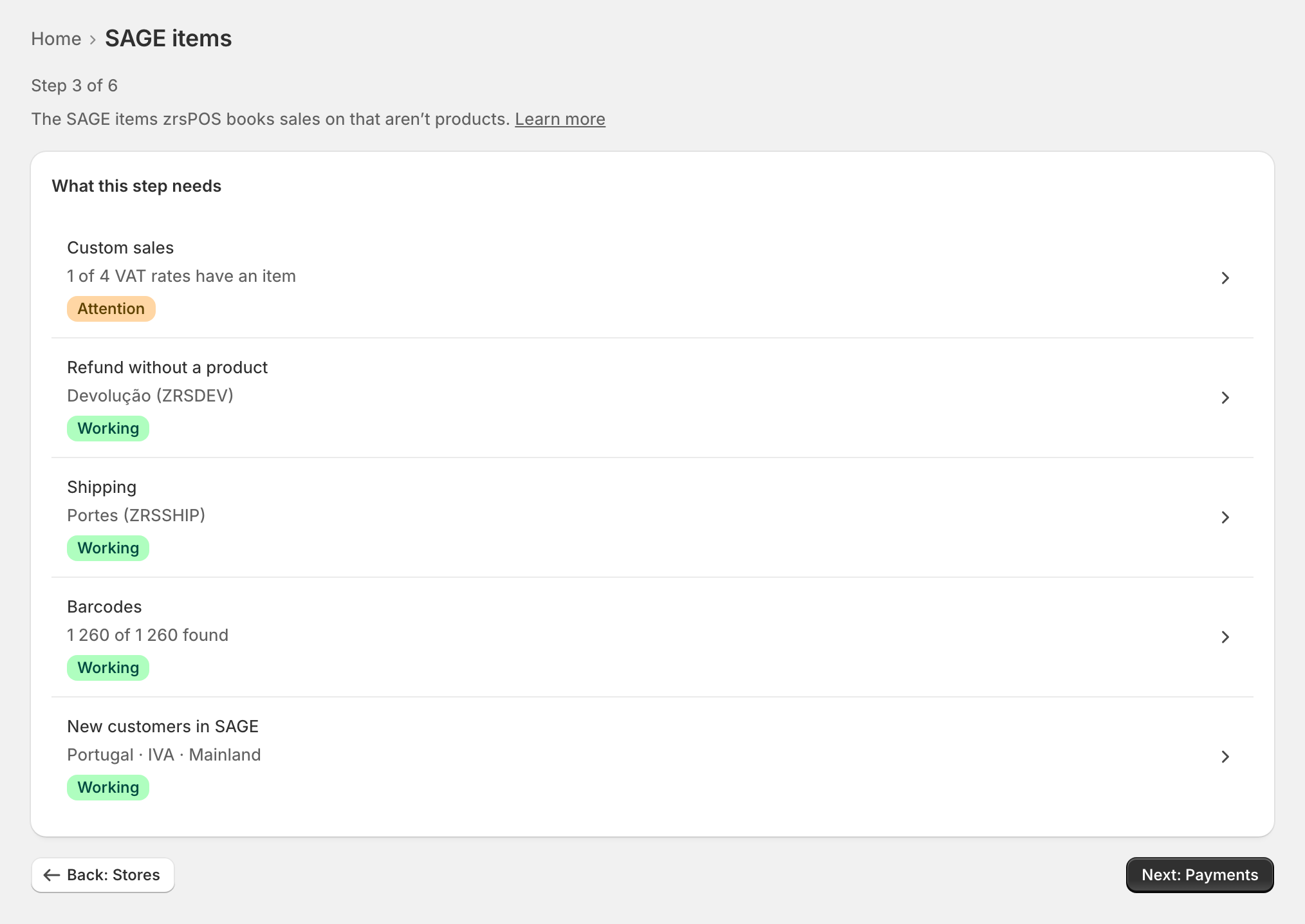
Each step of the setup is a short page: what it is for, then What this step needs, one row per thing, each opening the page where it is set.
The rows
Each row has its value and one state. The settings are never on the step page itself: a row opens its own page, at the exact field when something is wrong there.
- SAGE connection: Connection, Your company in SAGE, What zrsPOS may do in SAGE, Lists read from SAGE.
- Stores: one row per store that sells at a till. "Stores zrsPOS doesn’t invoice" are listed apart, greyed, never as a problem.
- SAGE items: Custom sales, Refund without a product, Shipping, Barcodes, New customers in SAGE.
- Payments: Payment methods at your tills, Default SAGE payment method, What counts as cash, Store credit.
- Printing & delivery: Who prints, Printers, and, when documents by e-mail are on, Delivery and E-mail sending.
The step is Done when every row works: "Done: every row is working." Back and Next go through the steps in order; the last one leads to Go live.
The states
| State | Meaning |
|---|---|
| Working | A live check against SAGE, Shopify or the tablets passed. |
| Working and Attention | It works, but something should be fixed. Sales are still issued. |
| Attention | Something is set, but a check failed. The row opens the field to fix. |
| Not working | Sales there wait until it is fixed. |
| Not started | Nothing set up for it yet. |
Off and Paused are facts, not problems. A saved value alone never makes a row Working, and a fact zrsPOS could not read is never taken as good. The rule for each page: What Working means.
A step that waits for SAGE
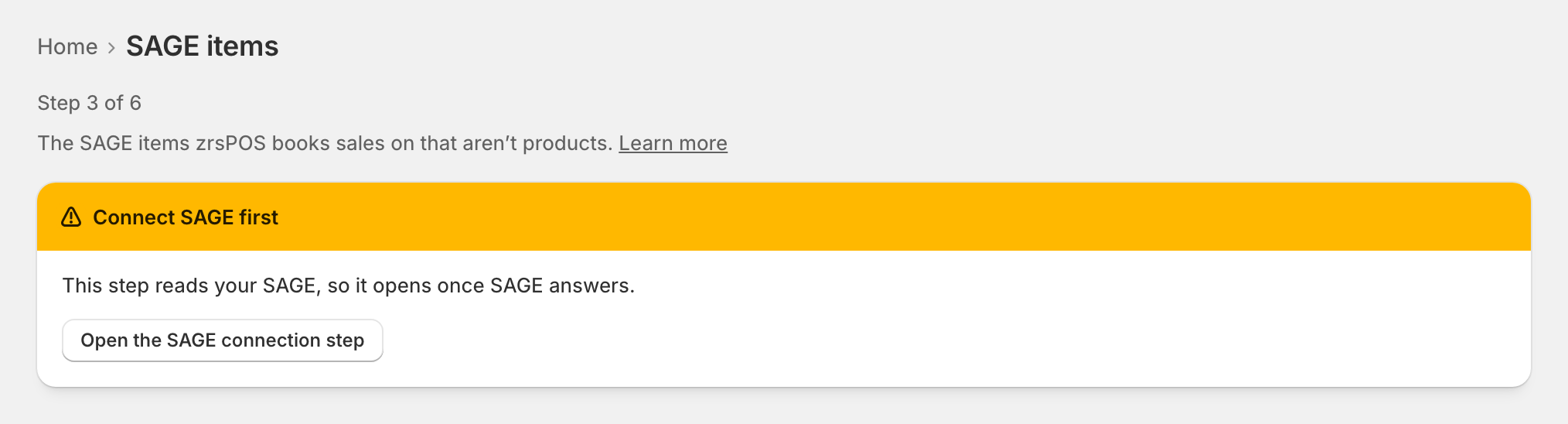
Before SAGE answers a test of the saved connection, the steps that read it are locked: "Connect SAGE first. This step reads your SAGE, so it opens once SAGE answers." Open the SAGE connection step takes you there.
Edge cases
- "Read once SAGE answers": SAGE has not answered that read yet. The row keeps its last known state; it is never shown as Working on a guess.
- After a change of SAGE company, the rows read from SAGE ask to be confirmed for the new company, each on its own page. See Change SAGE company.
- Shipping with no pill: "Not needed yet: no shipping sold at the POS". Nothing to judge until a sale has shipping.
- A row that was Working falls back when something changes in SAGE or Shopify: zrsPOS checks again every 30 minutes.
- Reopened after going live, a step leads back to Setup steps, not to Home.