 zrsPOS
The setup, in order
The one setup, on Home until you go live - Before you start, six steps in order, four optional pages - why SAGE comes first, and where the list lives after going live.
There is one setup, and it lives on Home until you go live: "Set up zrsPOS once; change any part later." The list says how many rows are done ("Set up zrsPOS · 3 of 7 done") and Continue: … opens the next one.
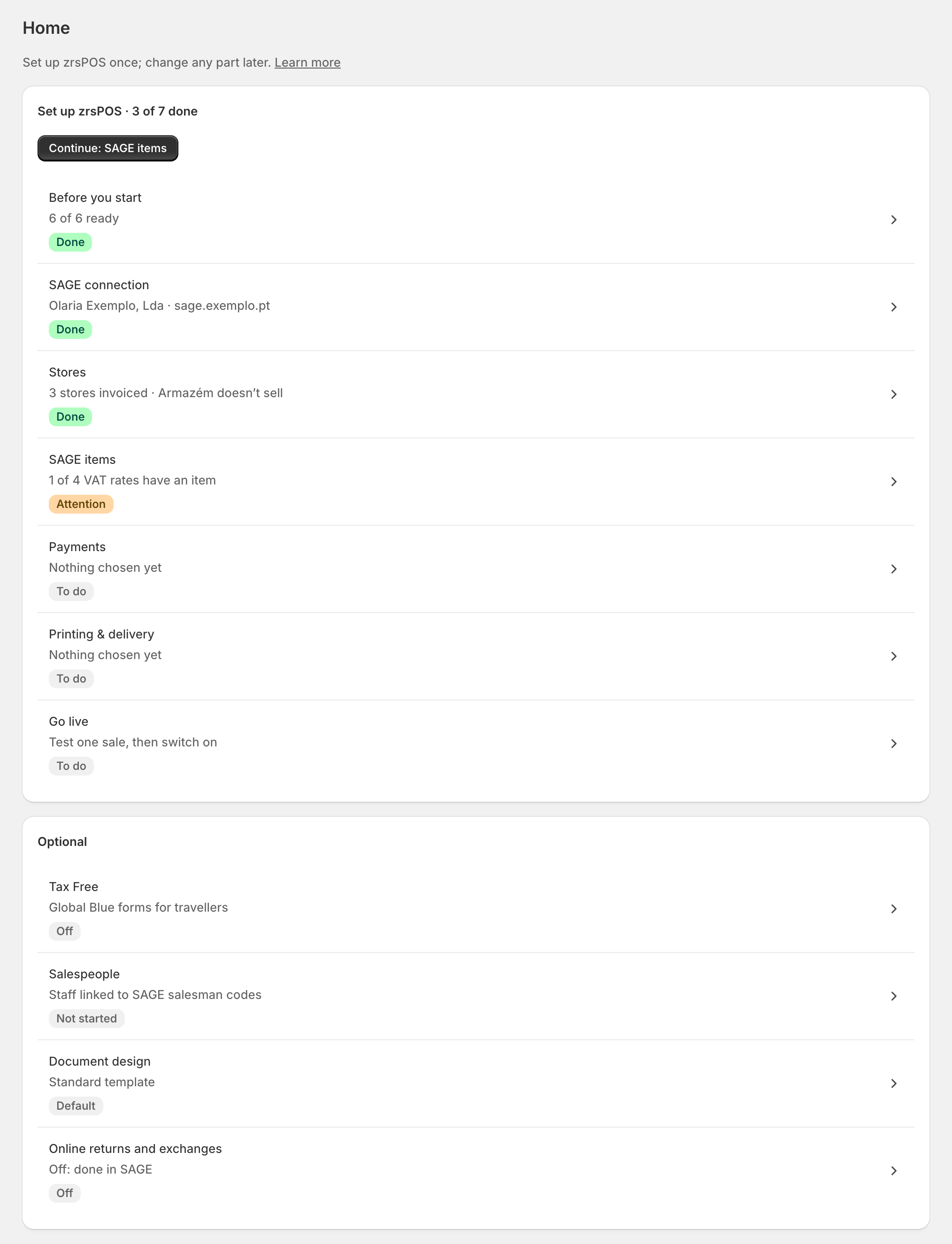
The rows, in order
| Row | What it sets up | More |
|---|---|---|
| Before you start | What to have ready outside zrsPOS | Before you start |
| SAGE connection | The SmartAPI address and key; your company, its NIF and your licence, read from SAGE | Connect zrsPOS to your SAGE |
| Stores | Which Shopify locations sell at a till, and how each one invoices | The Stores page |
| SAGE items | The items for custom sales, refunds and shipping, and the barcode check | SAGE items |
| Payments | The SAGE payment method each way of paying is booked on | Payment methods |
| Printing & delivery | Who prints, the printers, how customers get documents | Choose how to print |
| Go live | What still blocks, the plan, a test document, then the switch | Ready to go live? |
Each row shows To do or Done, with its value: "Not connected yet", "3 stores invoiced", "zrsPOS prints · 4 printers". A row is Done when every row of its page works. What each step page holds: A setup step.
SAGE comes first
Everything after the SAGE connection reads your SAGE: séries, items, payment methods, tills. Until SAGE answers a test of the saved connection, those rows say "Connect SAGE first: this step reads your SAGE" and don't open. So do Tax Free, Salespeople and Online returns and exchanges.
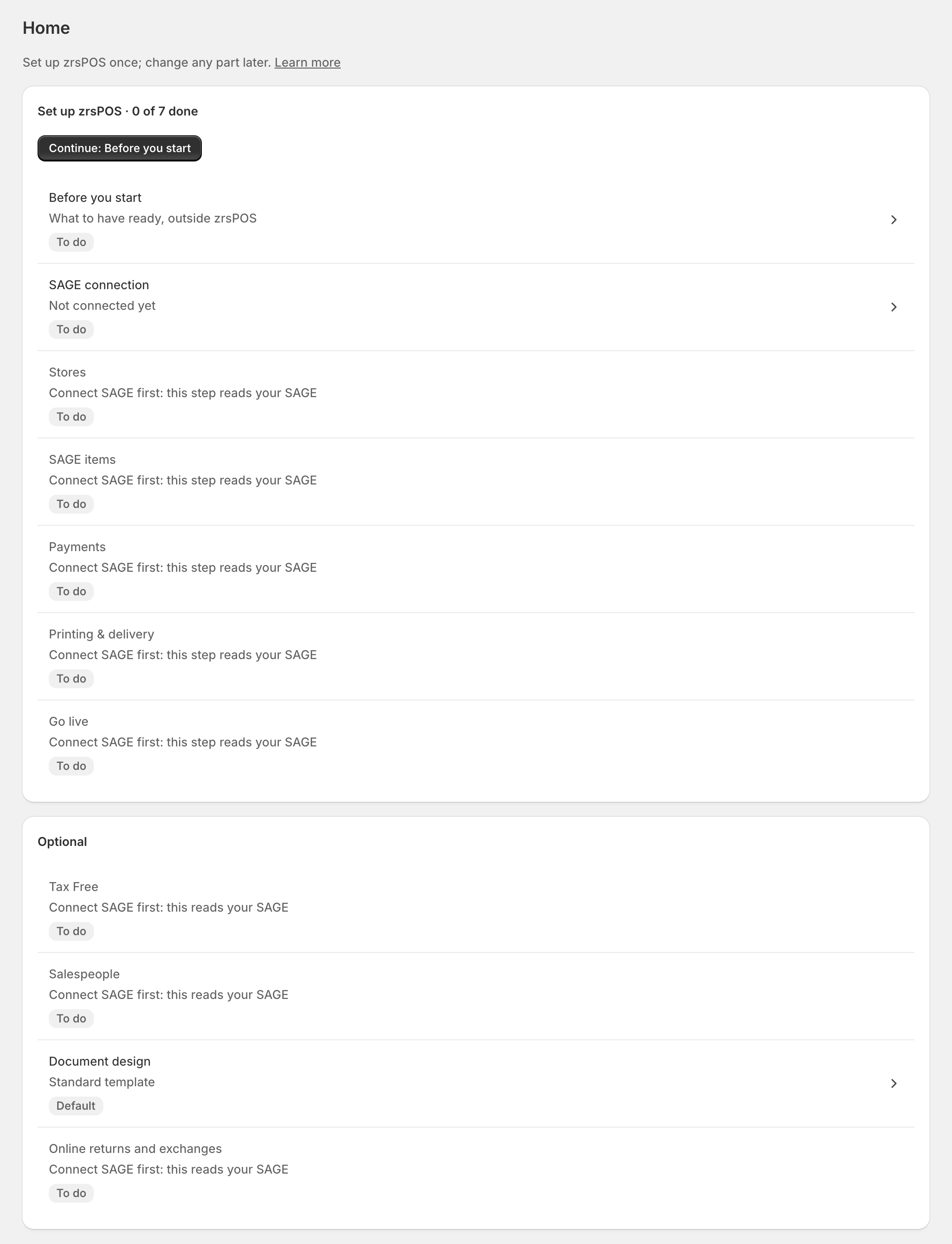
Optional pages
Under Optional: Tax Free, Salespeople, Document design and Online returns and exchanges. They never block going live. Off on Tax Free and Online returns is a choice, not a problem. Your plan has its own page: Go live links to it.
After going live
Home becomes the day: what needs you, and today's numbers. The same list moves to Settings › Setup steps: "The setup, step by step; change any part any time." Its row on Settings says "Every step done · change any part", or how many steps need attention. See Home after going live.
Edge cases
- Every store has its own settings. There is no shared default: each Shopify location that sells needs its own série and SAGE records. See Every location needs its own setup.
- Stop and come back at any point: every page saves on its own, and the list remembers.
- A row that was Done can come back. zrsPOS checks again on its own (a série made inactive in SAGE, a new Shopify location), and the row says why.
- The admin's language is the Shopify user's: Portuguese or English. Documents have their own, set in Templates.
- On a read-only plan you can look at every page, but not change settings.