 zrsPOS
What Working means
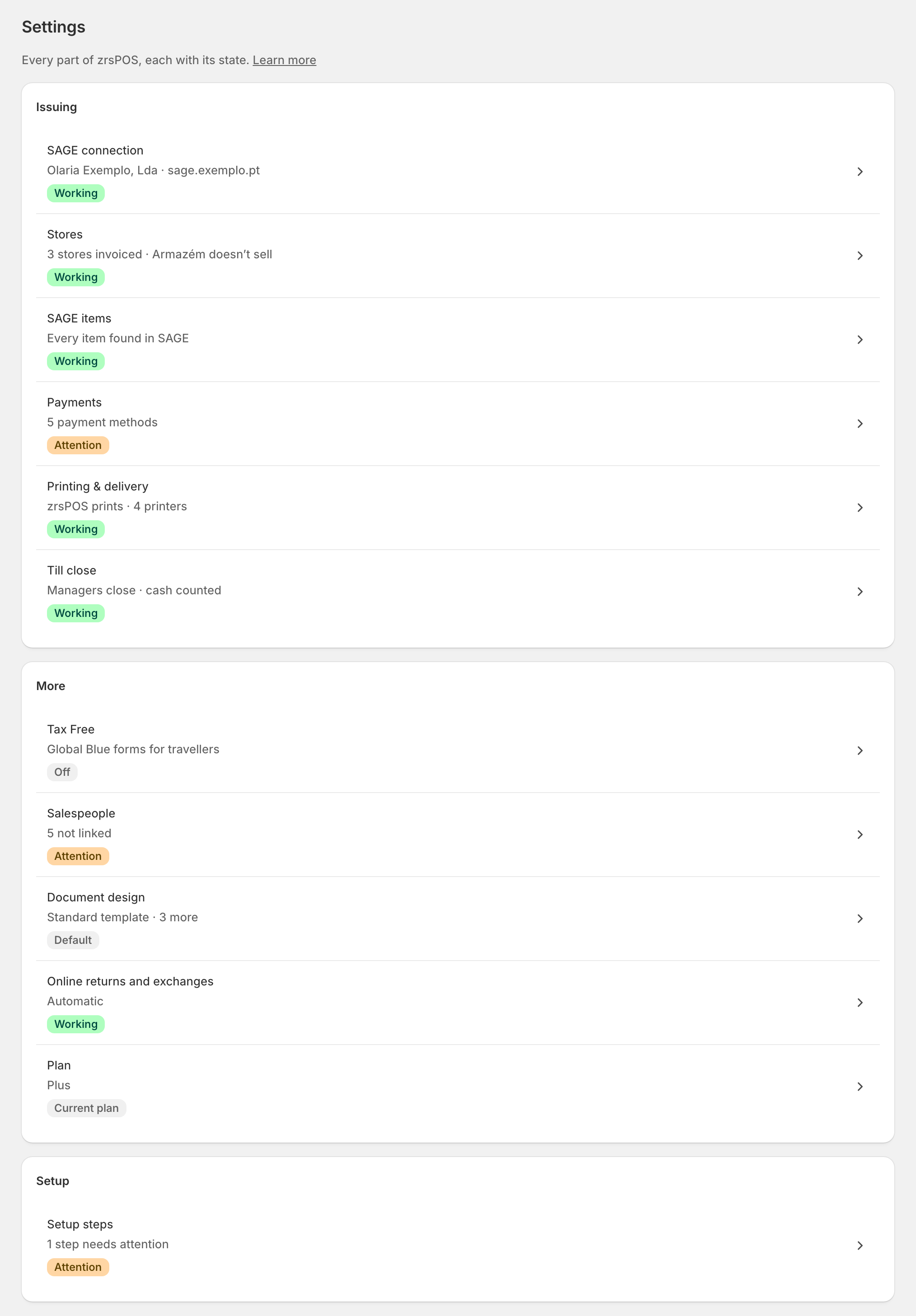
Every part of the setup, and every store, shows one honest state - Working, Attention, Not working or Not started. What each pill means and the rule behind Working for each setup page.
Every part of zrsPOS shows one state, and Home, each setup page, Settings and Go live read the same check, so they always agree.
The pills
| Pill | Meaning |
|---|---|
| Working | A live check against SAGE, Shopify or the tablets passed. |
| Working and Attention | It works, but something should be fixed. Sales are still issued. |
| Attention | Something is set, but a check failed. The row opens the exact field. |
| Not working | Sales there wait until it is fixed. |
| Not started | Nothing has been set up for it yet. |
On the setup list the steps show To do or Done, and a step with a problem shows Attention. A saved value alone never makes anything Working, and a fact zrsPOS could not read (SAGE did not answer) is never assumed good.
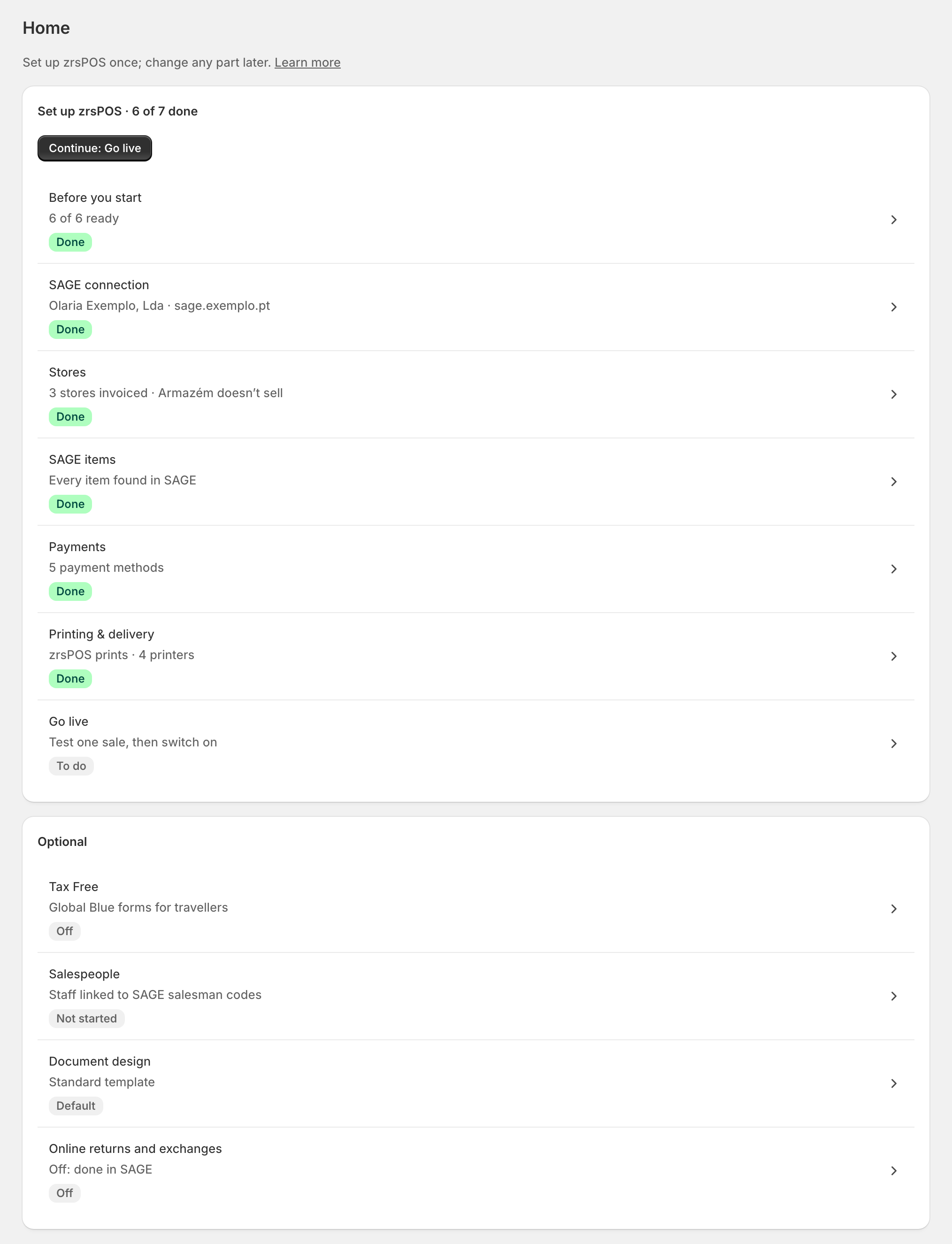
The rule for each setup page
| Page | Working when |
|---|---|
| SAGE connection | SAGE answered a test of the saved connection, the company and NIF were read, and every function zrsPOS needs is licensed. |
| Stores | Every Shopify location is decided; each store that sells has its série with AT codes, a healthy numbering, and its tills in SAGE. |
| SAGE items | Each item zrsPOS books on exists in SAGE, is active, non-stock and on the right VAT rate. |
| Payments | Every payment method of your tills has its SAGE payment method, and no card or MB Way is booked as cash. |
| Printing & delivery | Each store prints, or is set not to print. |
| Go live | A plan is active, a test document was read back and cancelled, and the pages above are Working. |
Store by store
With several stores, the checks are made for each one. Going live needs every store that sells at a till to be Working. After going live, a store that stops being right shows Attention (or Not working) for that store only; issuing does not stop elsewhere.
When a code appears
Each problem has a support code (ZP-…) and a page of its own: what you see, what happened, what to do, whether zrsPOS can do it for you, and what to send support. Search the manual for the code, or see Problems & questions.
Edge cases
- "Couldn’t be counted just now" or "SAGE could not be read": the state stays as last known until SAGE answers again; it is never shown as Working on a guess.
- A printer that stops answering shows Not answering; it never blocks going live.
- Paused and Off are facts, not problems: a paused store, Tax Free switched off.
- Optional pages (Tax Free, Salespeople, Document design, Online returns and exchanges) never block going live.
- After a change of SAGE company the pages read from SAGE show Attention until you confirm each one for the new company.
- zrsPOS checks again every 30 minutes, so a change made in SAGE (a série losing its AT code, an item made inactive) shows up without you opening the page.