 zrsPOS
For your SAGE partner
The letter to send whoever looks after your Sage 50c - what they prepare (address, key, functions, séries, barcodes), the items that appear only when you need them, and what zrsPOS may create in SAGE.
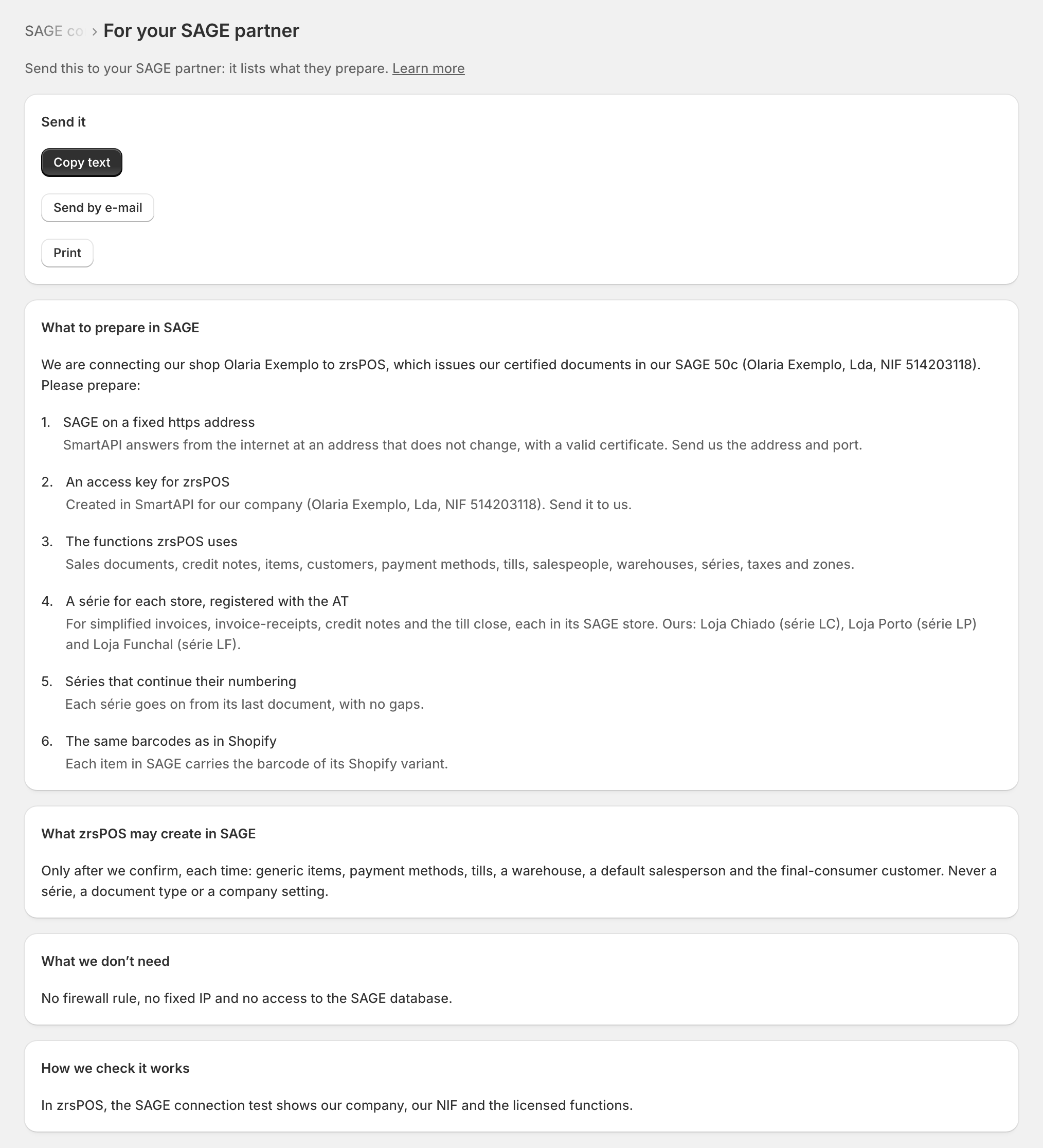
In zrsPOS, SAGE connection › For your SAGE partner holds this letter, written in your name with your shop, your company and its NIF, the functions your licence is missing and each store's série. Copy text, Send by e-mail and Print hand over exactly what the page shows. Below, the same text.
zrsPOS (zrspos.com) issues the shop's sales as certified documents in the shop's own SAGE 50c, through SAGE's SmartAPI. SAGE stays the certified issuer; zrsPOS only sends documents to it.
What to prepare in SAGE
- SAGE on a fixed https address. SmartAPI answers from the internet at an address that does not change, with a valid certificate. Send us the address and port. How: Put SAGE on the internet.
- An access key for zrsPOS. Created in SmartAPI for our company. Send it to us.
- The functions zrsPOS uses. Sales documents, credit notes, items, customers, payment methods, tills, salespeople, warehouses, séries, taxes and zones. When our licence is missing some, the page names them, with their paths.
- A série for each store, registered with the AT. For simplified invoices, invoice-receipts, credit notes and the till close, each in its SAGE store. How: Register a série with the AT.
- Séries that continue their numbering. Each série goes on from its last document, with no gaps. How: Repair a numbering chain.
- The same barcodes as in Shopify. Each item in SAGE carries the barcode of its Shopify variant.
Only when the shop needs them
The page shows these when a setting or a problem asks for them:
- A voucher payment method, for store credit given on returns; one for each série of credit notes when stores have their own.
- Permission to create payment methods, for the zrsPOS user, so zrsPOS can add MB Way, Teya and the like.
- Document types for each série: simplified invoice, invoice-receipt, credit or refund note and till close, registered with the AT.
- Rights for the zrsPOS user: it may create payment terms, salesmen and tills in SAGE, and deactivate a till.
- An exempt VAT group for Tax Free: a VAT group whose exemption (such as M05) SAGE accepts on an invoice.
- A default item family for new items, so SAGE accepts the items zrsPOS creates, such as the Tax Free deposit.
- Permission to manage salesman codes: the zrsPOS user may create salesman codes and make them inactive or active.
What zrsPOS may create in SAGE
Only after we confirm, each time: generic items, payment methods, tills, a warehouse, a default salesperson and the final-consumer customer. Never a série, a document type or a company setting.
What we don't need
No firewall rule, no fixed IP and no access to the SAGE database.
How we check it works
In zrsPOS, the SAGE connection test shows our company, our NIF and the functions our licence has.
Edge cases
- Opened from a problem (a missing function, a série without its document types), the page lands on the item that problem needs.
- Before SAGE is connected, the letter names no company; once the test has read it, it does.
- Mark it sent on Before you start. See Before you start.