 zrsPOS
Before you start
The first row of the setup - a checklist of what to have ready outside zrsPOS. The six points, which ones zrsPOS checks itself and which two you mark done.
Home › Before you start: "What to have ready outside zrsPOS." It is a checklist: it saves no setting, and you can read it again at any time. Each point shows To do or Done, or Attention when a check failed, and opens the page where it is checked. Its How to link opens the part below.
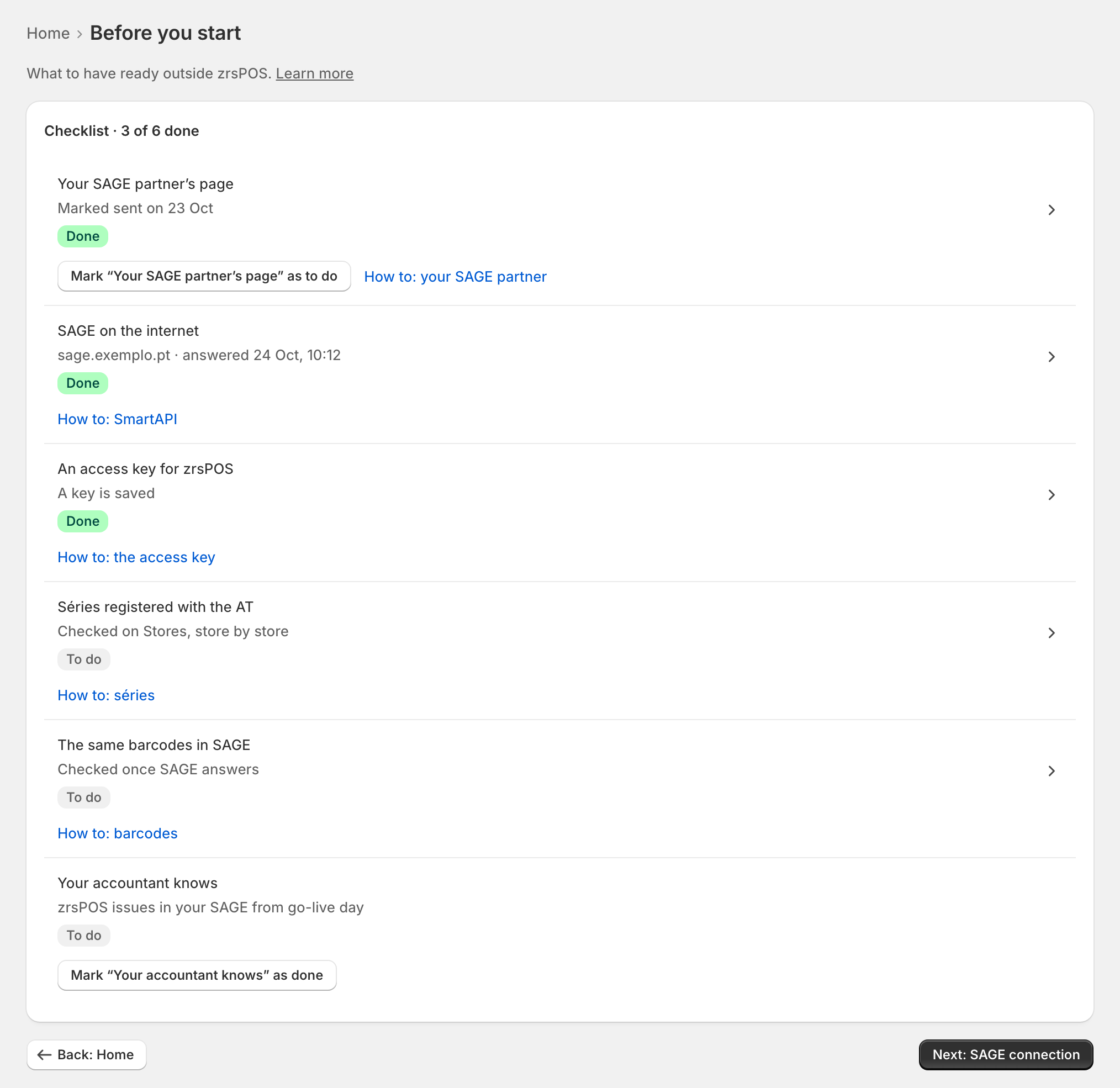
zrsPOS checks four points itself. The other two only you know: press Mark “…” as done on them. Marking works on a read-only plan too.
Your SAGE partner's page
Most of this list is work for your SAGE partner. The page For your SAGE partner says exactly what to prepare, ready to copy, e-mail or print. Send it, then mark the point done. See For your SAGE partner.
SAGE on the internet
The SmartAPI answers from the internet on a fixed https address. Done once SAGE answers a test of the saved connection, with when it last answered. Attention when the address is plain http, or when the last test failed. See Put SAGE on the internet.
An access key for zrsPOS
Your SAGE partner creates the key in the SmartAPI. You type it on SAGE connection, which tests it before saving it. Done once a key is saved. See Connect zrsPOS to your SAGE.
Séries registered with the AT
Each store that sells needs its série in SAGE, registered with the AT. Done once SAGE confirms each store's série; Attention names a série the AT doesn't know yet, or a numbering to repair. It is checked store by store on Stores. See Register a série with the AT.
The same barcodes in SAGE
zrsPOS finds each sale line's SAGE item by the barcode of the Shopify variant. It never creates or changes your products: having the same barcodes on both sides is yours to do. The point shows how many were found, for example "1 260 of 1 260 found", and opens the barcode check. See Barcodes.
Your accountant knows
From go-live day, zrsPOS issues your POS sales as certified documents in your SAGE. Tell your accountant, so they expect them there, then mark the point done.
Edge cases
- All six done: "All ready: go on to the SAGE connection." Next: SAGE connection opens it.
- Nothing blocks you here: you can go on to the SAGE connection with points still to do. Going live has its own checks.
- Barcodes are counted once SAGE answers: before that the point says "Checked once SAGE answers".
- After going live, the checklist stays under Settings › Setup steps, and Back returns there.
- Undo a mark with Mark “…” as to do.