 zrsPOS
Connect zrsPOS to your SAGE
Enter your SmartAPI's address and access key in SAGE connection. Save tests them first and saves nothing until SAGE answers.
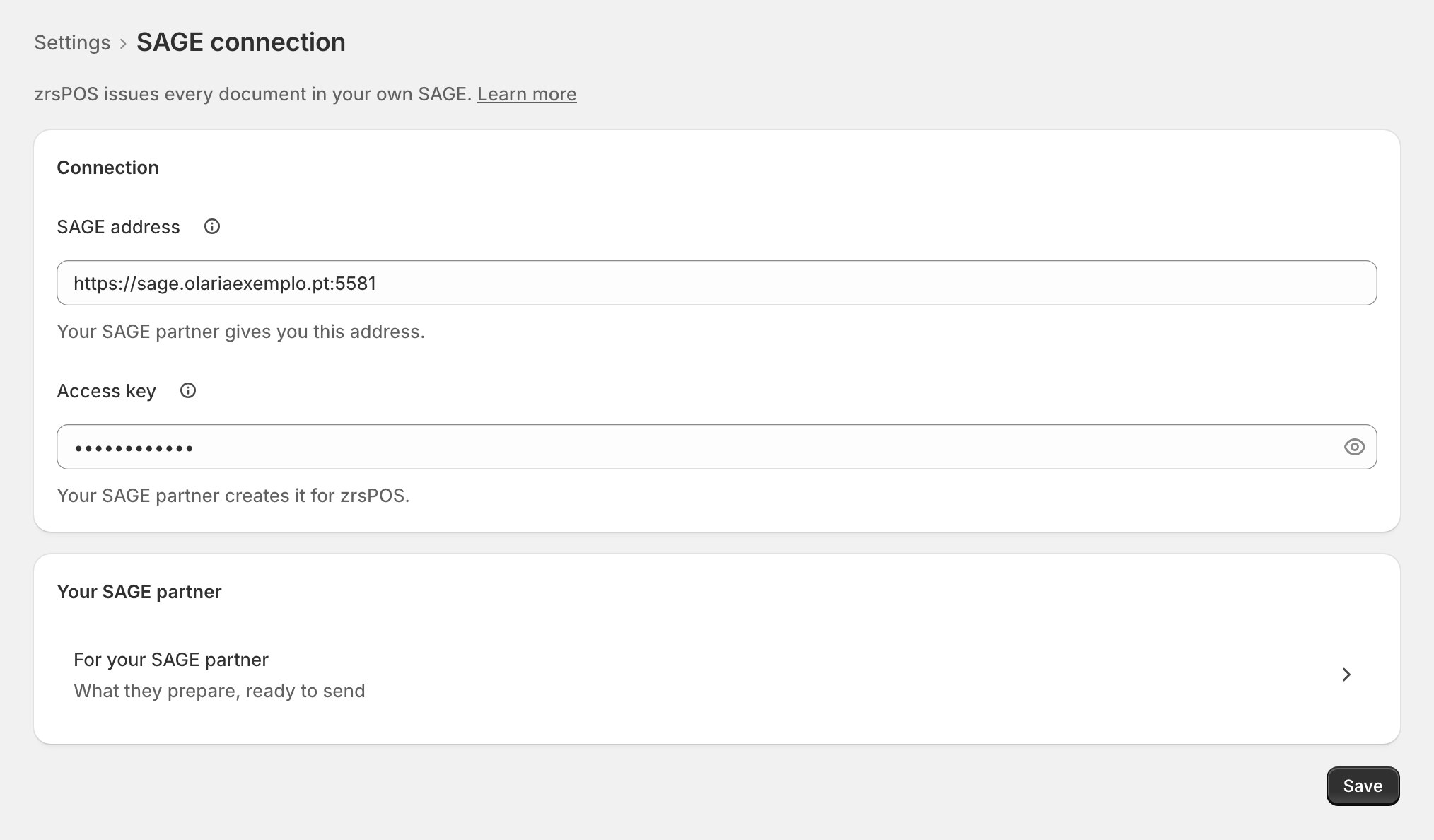
Settings › SAGE connection: "zrsPOS issues every document in your own SAGE." You need two things from your SAGE partner: the address and the access key. If you don't have them yet, send them their page.
SAGE address
The fixed public address of your SmartAPI, with its port, for example https://sage.example.pt:5581. "zrsPOS sends every document to this address."
Access key
The key your SAGE partner creates in SmartAPI for zrsPOS. "It lets zrsPOS into your SAGE. zrsPOS stores it encrypted and never shows it again." A key belongs to one SAGE company, so there is no company to choose.
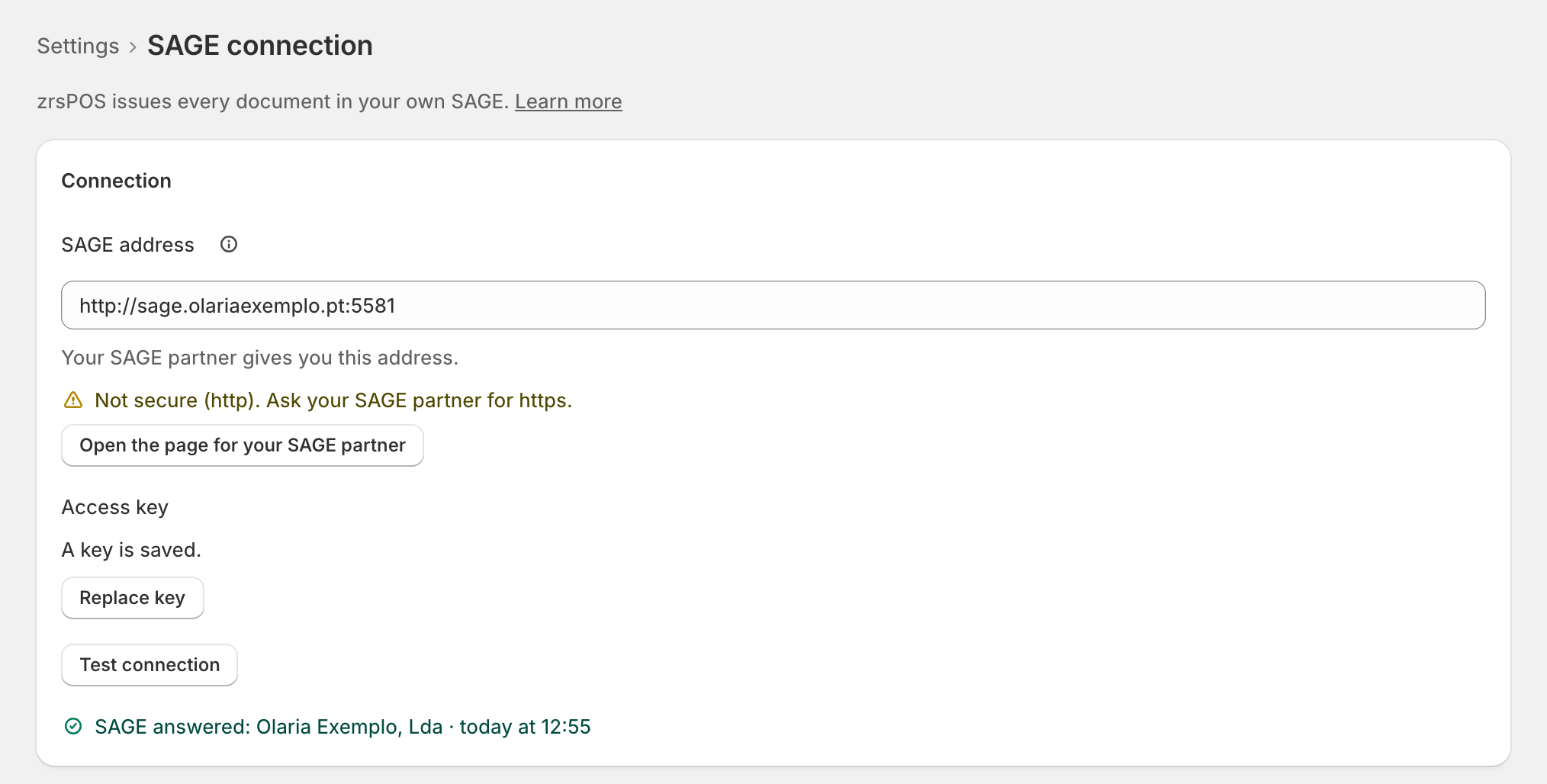
Once saved, the field says "A key is saved." with Replace key. A new address needs its key again: "A new address needs its key again."
Save tests first
- Enter the address and the key. "Save tests the connection first: nothing is saved until SAGE answers."
- Press Save. The page shows "Testing the connection and saving…" while zrsPOS goes through Reaching SAGE, Reading your company and Reading the SAGE functions.
- When SAGE answers, the connection is saved and the line reads "SAGE answered: … · …" with your company's name and the time.
If SAGE does not answer, nothing changes: the cause shows at the field it is about (the address, the key, or the test), with one way out. See When the connection test fails.
After a save zrsPOS reads your company, its NIF and your licensed functions: see Your company and the lists read from SAGE and SAGE functions and licence.
Edge cases
- "Start with https://, like https://sage.example.pt:5581." The address is not a web address yet.
- "Not secure (http). Ask your SAGE partner for https." An http address works and never stops you from issuing, but the key and documents cross the internet unencrypted.
- "Enter the access key to save." The first save always needs the key; so does a new address.
- The address leads to another company (another NIF): zrsPOS asks first, naming both companies. See Change SAGE company.
- A read-only plan can test the connection, but not change it: "You can test the connection, but not change it."
- Leaving with changes asks whether to save them.
- No zrsPOS address to allow in your firewall: there is none.
- A trailing slash in the address makes no difference.
More in SAGE
- SAGE and your SAGE partner
- Put SAGE on the internet
- Test the connection
- When the connection test fails
- SAGE functions and licence
- Your company and the lists read from SAGE
- Change SAGE company
- Register a série with the AT
- Repair a numbering chain
- SAGE items
- Custom-sale items
- Island VAT items
- Refund and shipping items
- Barcodes
- Payment methods
- Default SAGE payment method and what counts as cash
- Store credit as a voucher: a voucher for each store
- Payments on returns and online orders