 zrsPOS
Register a série with the AT
Every document is issued in a série the AT knows. What each store's série needs (sales documents, its returns document, the till close document), how your SAGE partner registers it, and what happens when one is missing.
Every certified document is issued in a série that the AT (Autoridade Tributária) knows for that document type. The AT gives each série and type a validation code, which is part of the document's ATCUD. SAGE's API can neither create a série nor register one, so your SAGE partner does it in SAGE. The guided task is on the store: Settings › Stores, the store, Documents & SAGE codes, Register a série with the AT: "Done in SAGE, with the AT. zrsPOS cannot do it for you."
What each store needs
In its own série (the store's Série on Documents & SAGE codes):
- the sales documents, simplified invoice (FS) and invoice-receipt (FR), registered with the AT;
- its Returns document, registered too: a credit note (NC) or a refund note (NRE), as your accountant decides;
- the till close document (FCX) enabled on the série, when the store's closes go to SAGE;
- the série linked to the SAGE store that holds the store's warehouse and tills.
A store may number its returns in a série of their own (Returns série): "Only when your SAGE numbers this store’s returns in a série of their own." That série then needs its own registration for the returns document.
The steps
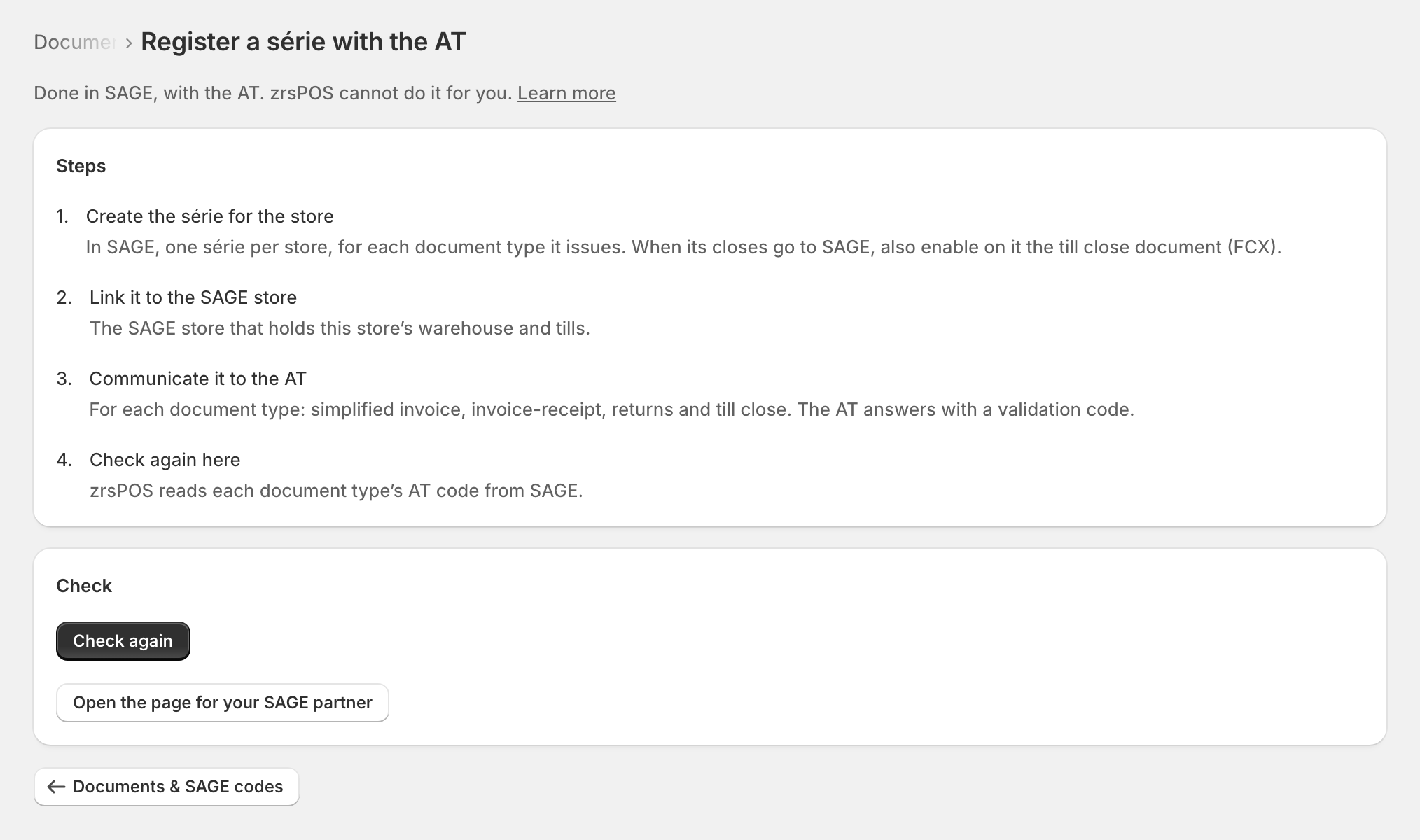
- Create the série for the store: "In SAGE, one série per store, for each document type it issues. When its closes go to SAGE, also enable on it the till close document (FCX)."
- Link it to the SAGE store: "The SAGE store that holds this store’s warehouse and tills."
- Communicate it to the AT: "For each document type: simplified invoice, invoice-receipt, returns and till close. The AT answers with a validation code."
- Check again here: "zrsPOS reads each document type’s AT code from SAGE."
Press Check again. It says "zrsPOS checked: this is done." or "Not yet: zrsPOS checked and this is still not in order. SAGE can take a minute to show the change."
Edge cases
- A new returns série used for the first time is the usual case: SAGE refuses the credit note, and every retry, until the série is registered. See Série not communicated to the AT. To keep selling meanwhile, set the store's Returns série to Same as sales: the sales série is already registered.
- Registered for FS and FR but not for the returns document (or the other way round): only those documents fail.
- The série belongs to another store: "… is …’s série. Each store needs its own."
- No till close document on the série: the store's closes can't go to SAGE. See The série has no till close document (FCX).
- A document type your SAGE doesn't have on the série: zrsPOS never creates one. The page for your SAGE partner lists it. See Document type not found in SAGE.
- A série used up or closed in SAGE refuses sales: see The série does not exist in SAGE.
- Changing the returns document (NC to NRE, or back) applies from the next return; documents issued stay as they are.
- Store credit as a voucher: the voucher must pay the kind of returns document each store issues. See Store credit as a voucher.
More in SAGE
- SAGE and your SAGE partner
- Put SAGE on the internet
- Connect zrsPOS to your SAGE
- Test the connection
- When the connection test fails
- SAGE functions and licence
- Your company and the lists read from SAGE
- Change SAGE company
- Repair a numbering chain
- SAGE items
- Custom-sale items
- Island VAT items
- Refund and shipping items
- Barcodes
- Payment methods
- Default SAGE payment method and what counts as cash
- Store credit as a voucher: a voucher for each store
- Payments on returns and online orders