 zrsPOS
Forms issued and voids
Every Global Blue form issued at your stores, and voiding one - a refund voids its form by itself, what happens when Global Blue does not answer or refuses, and voiding by hand.
Forms issued
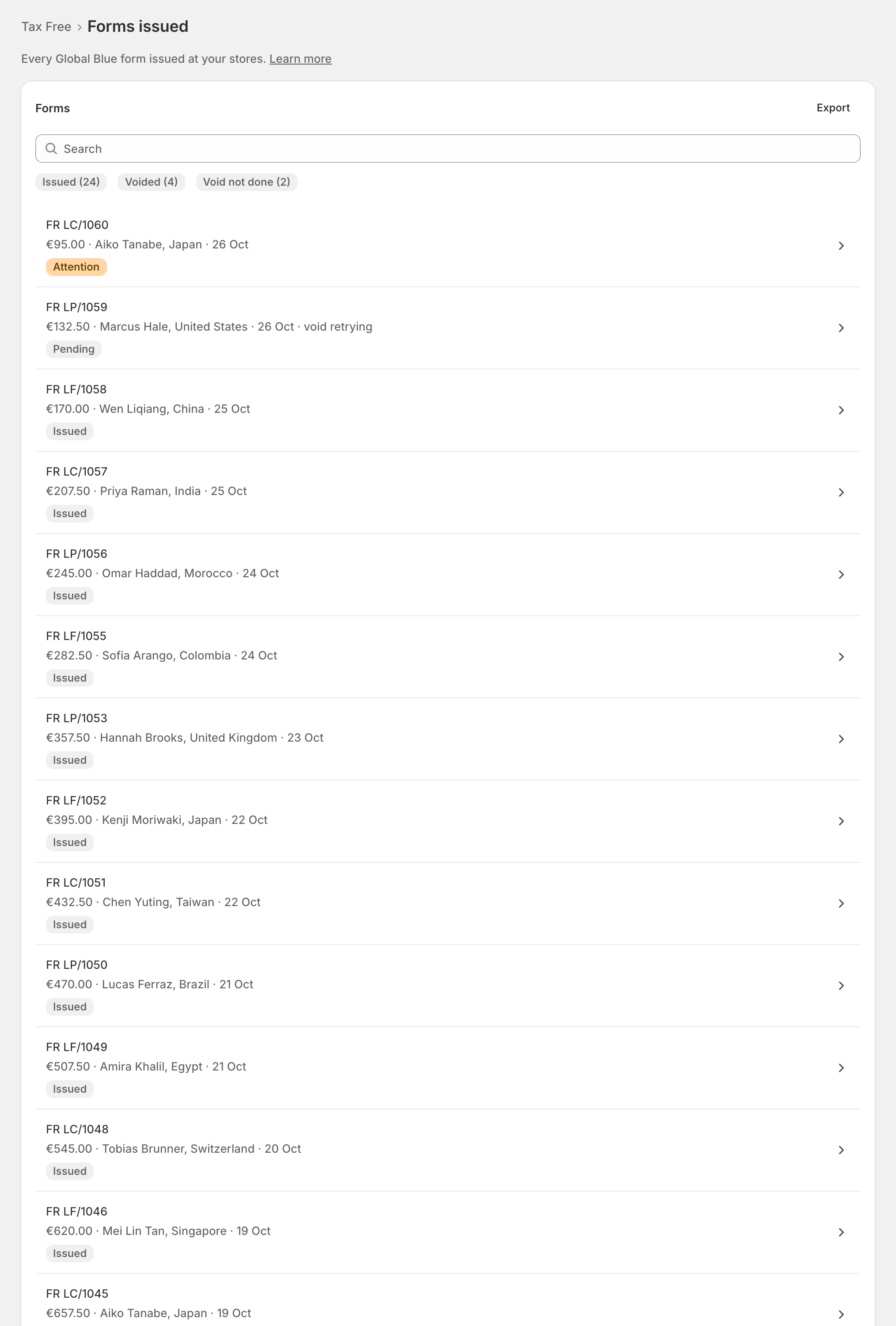
Tax Free › Forms issued: "Every Global Blue form issued at your stores." Newest first, with a void not done always at the top. Search by invoice, order, form number or traveller, filter by Issued, Voided or Void not done, and export the list.
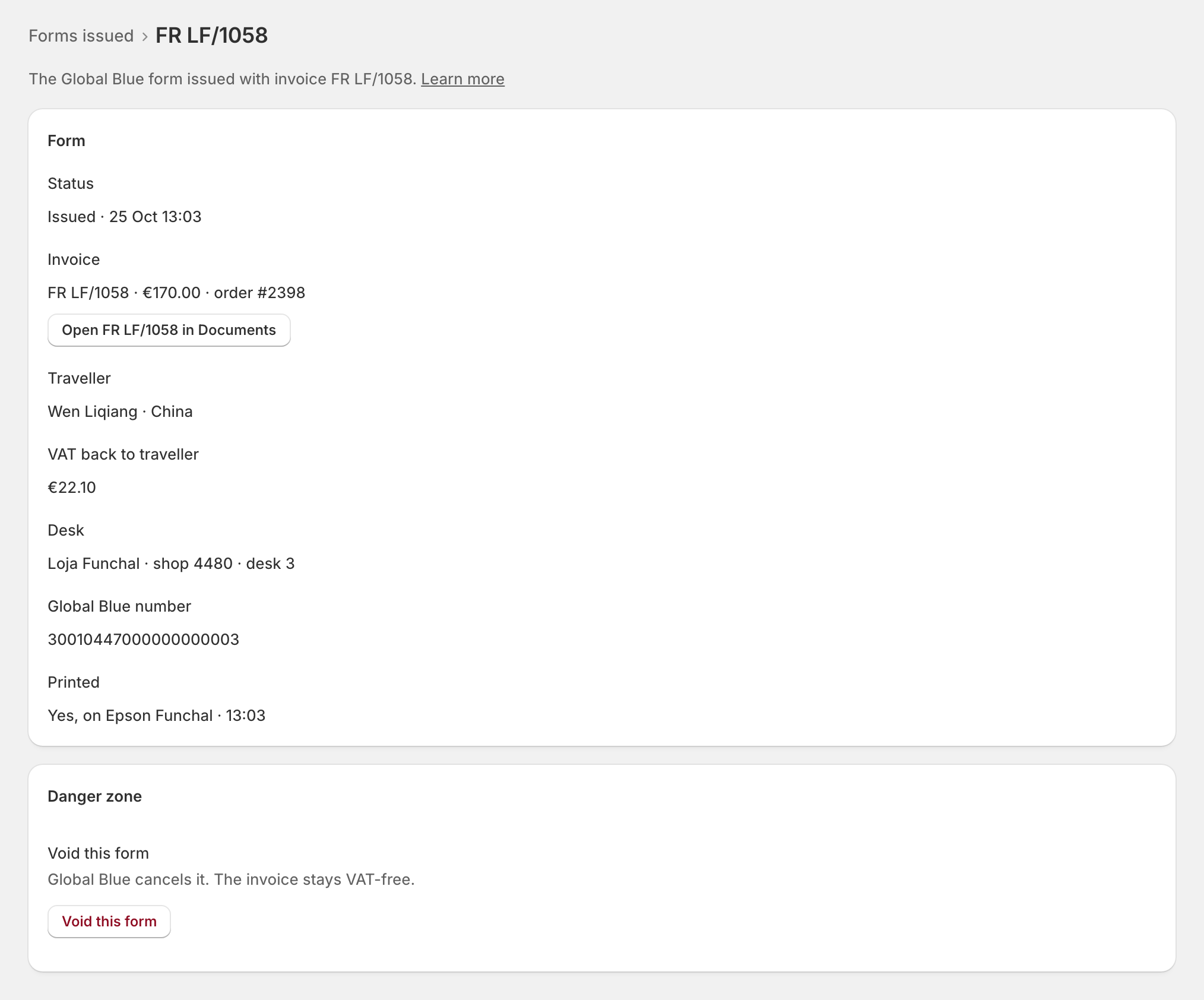
Open a form: its Invoice (with Open … in Documents), Traveller, VAT back to traveller, Desk, Global Blue number and whether it was Printed.
A refund voids the form
"Refunding a sale voids its form by itself." zrsPOS asks Global Blue to void the whole form before it issues the credit note, whatever the size of the refund and whatever your plan says. A void that fails never holds back the credit note.
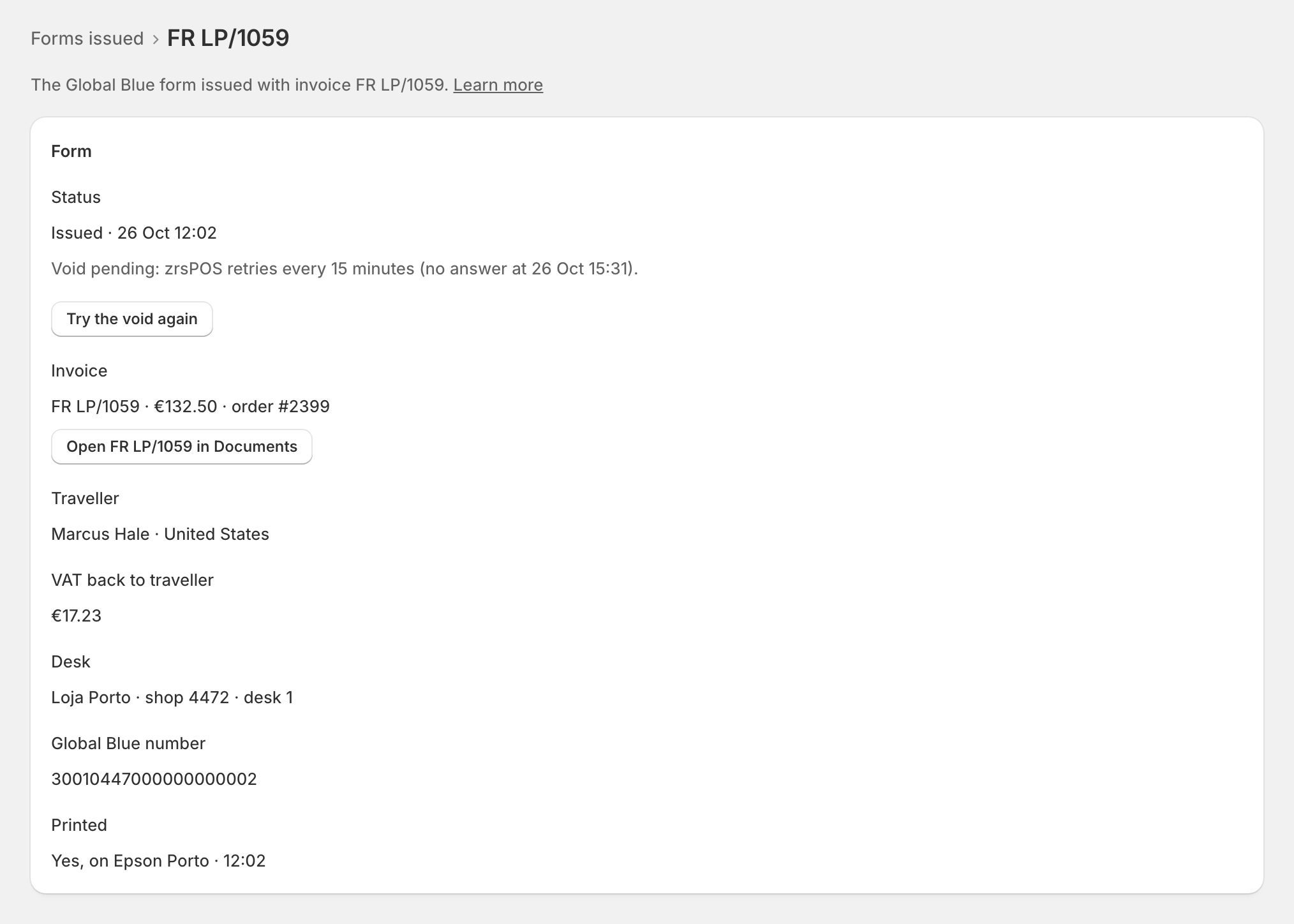
- Global Blue did not answer: "Void pending: zrsPOS retries every 15 minutes (no answer at …)." Try the void again asks at once.
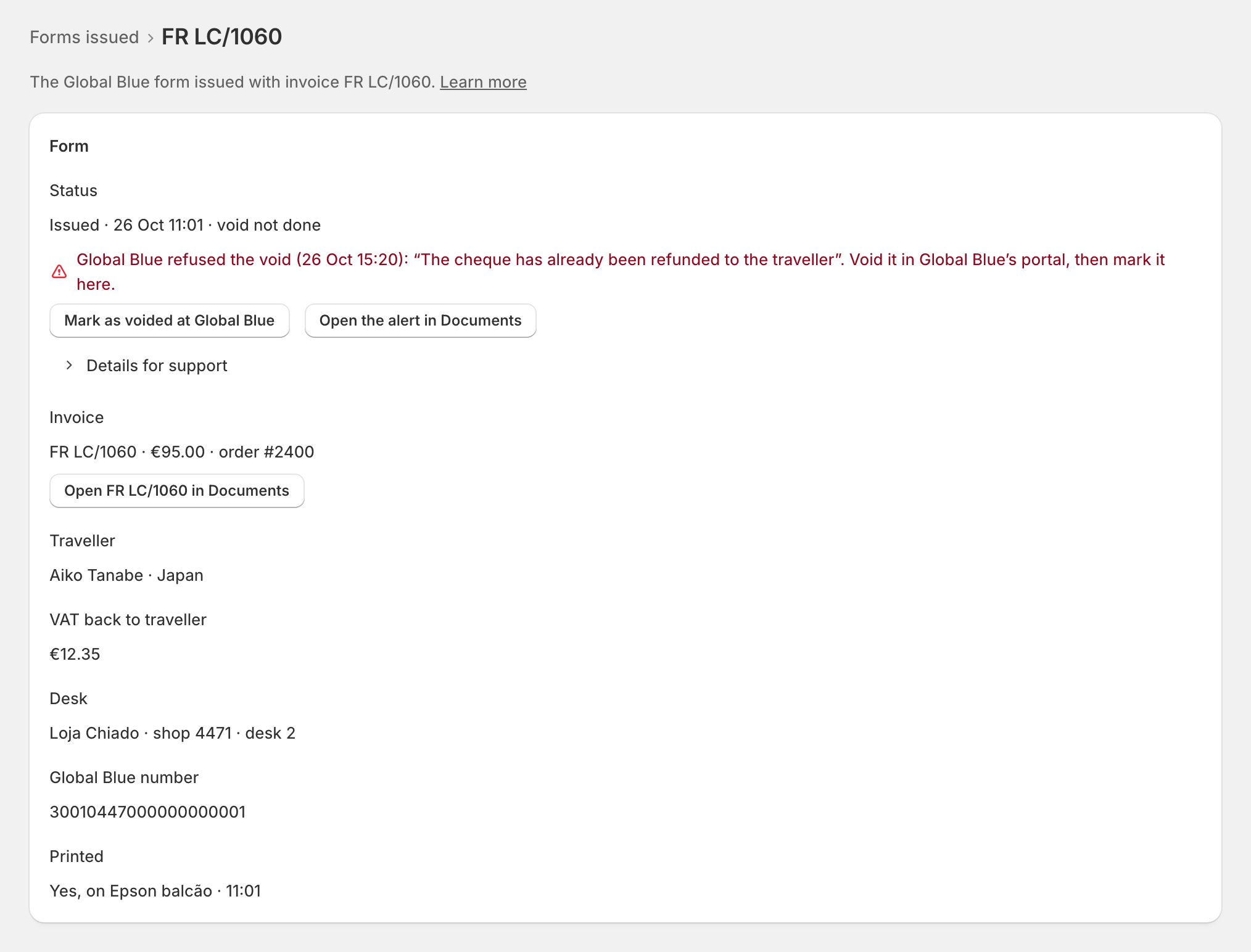
- Global Blue refused: "Global Blue refused the void (…): “…”. Void it in Global Blue’s portal, then mark it here." A refusal is never retried. Once it is voided in the portal, press Mark as voided at Global Blue: "Only once it is voided in Global Blue’s portal. The alert in Documents closes."
Either way, Documents shows the sale under Needs you with The Tax Free form could not be voided, and staff at the till see "The Tax Free form was not voided — a manager fixes it in the admin."
Void a form by hand
On a form's page, Void this form: "Global Blue cancels it. The invoice stays VAT-free." It asks first: "Only void if the traveller won’t claim it." Staff can also void it on the tablet with Void TFF.
Edge cases
- Mark as voided shows only after a refusal, never while zrsPOS is still retrying.
- Retries stop for forms older than 90 days: void those in Global Blue's portal and mark them.
- A partial return still voids the whole form. The traveller then has no form for the goods they keep: check with Global Blue how to handle it.
- A refund of a value only, with no items: no credit note is issued. See Value-only refund on a Tax Free sale.
- Tax Free turned off: the list stays reachable under Forms issued while on, and refunds still void their forms.
- "Not printed": "Reprint it on the tablet." "Not printed here: printing is handled outside zrsPOS" when your shop prints from its own system.
- "VAT back to traveller: Not given by Global Blue": Global Blue did not send the amount.
- A store's shop ID or login can't change while its forms are not voided: a form is voided with the shop ID and login it was issued with. See Desks.