 zrsPOS
SAGE codes for Tax Free
The three SAGE codes a Tax Free invoice needs - the deposit item, the VAT-exempt group and the VAT rate of each zone - and what happens after a change of SAGE company.
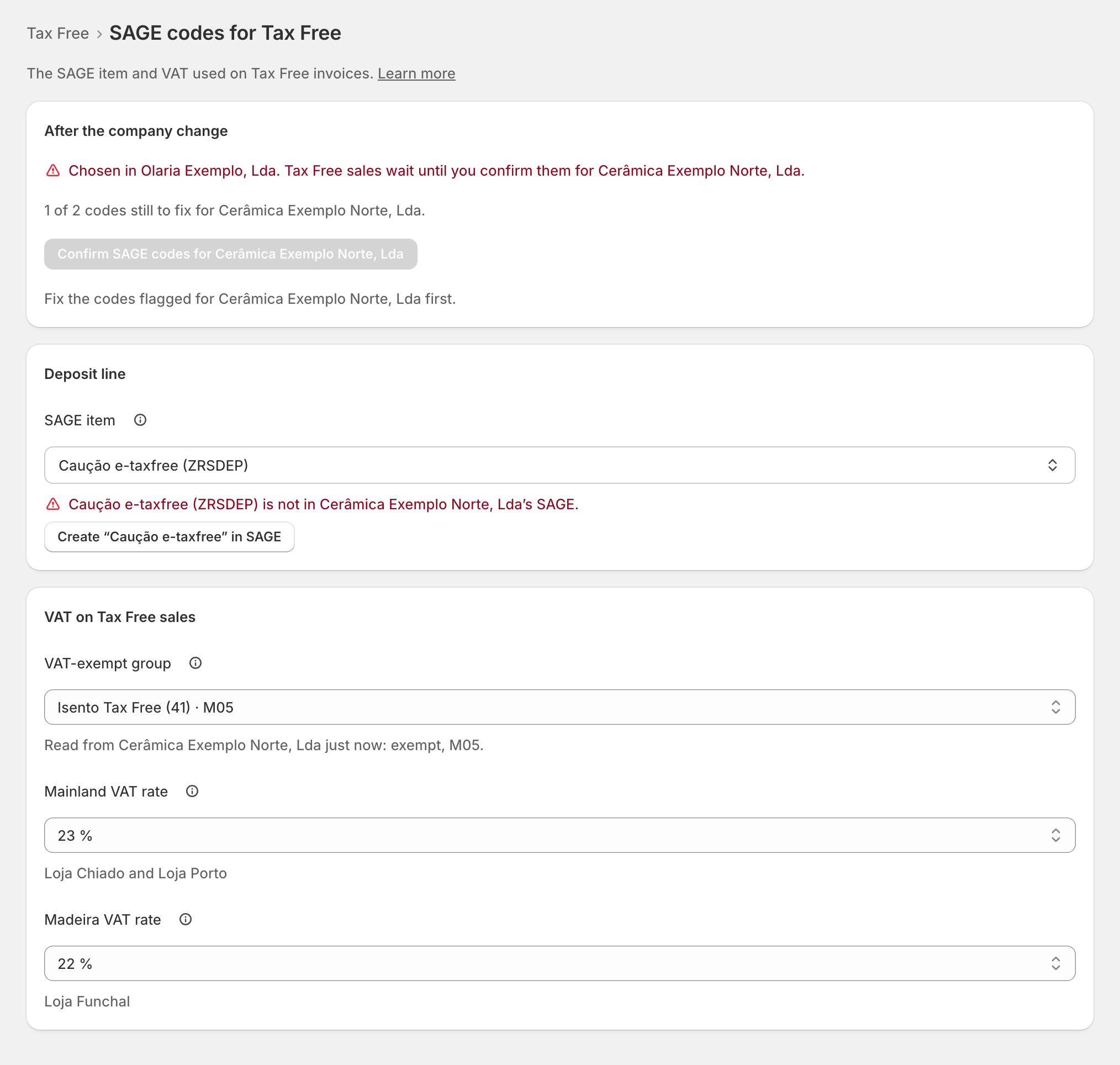
Tax Free › SAGE codes for Tax Free: "The SAGE item and VAT used on Tax Free invoices." A Tax Free invoice follows the Portuguese deposit model: the goods go on a VAT-exempt group, and one more line carries the deposit Global Blue refunds to the traveller. zrsPOS checks each code in your SAGE.
Deposit line
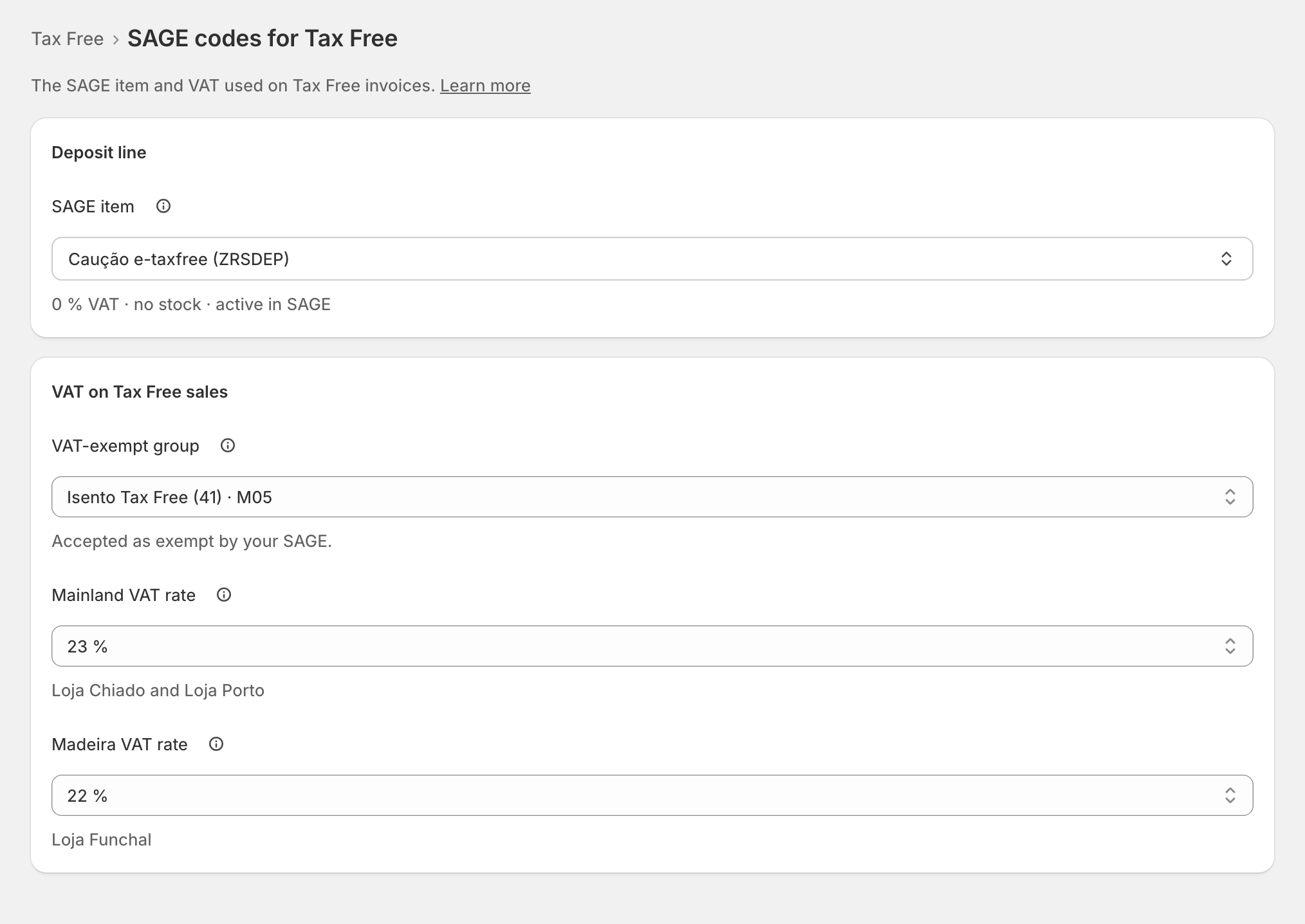
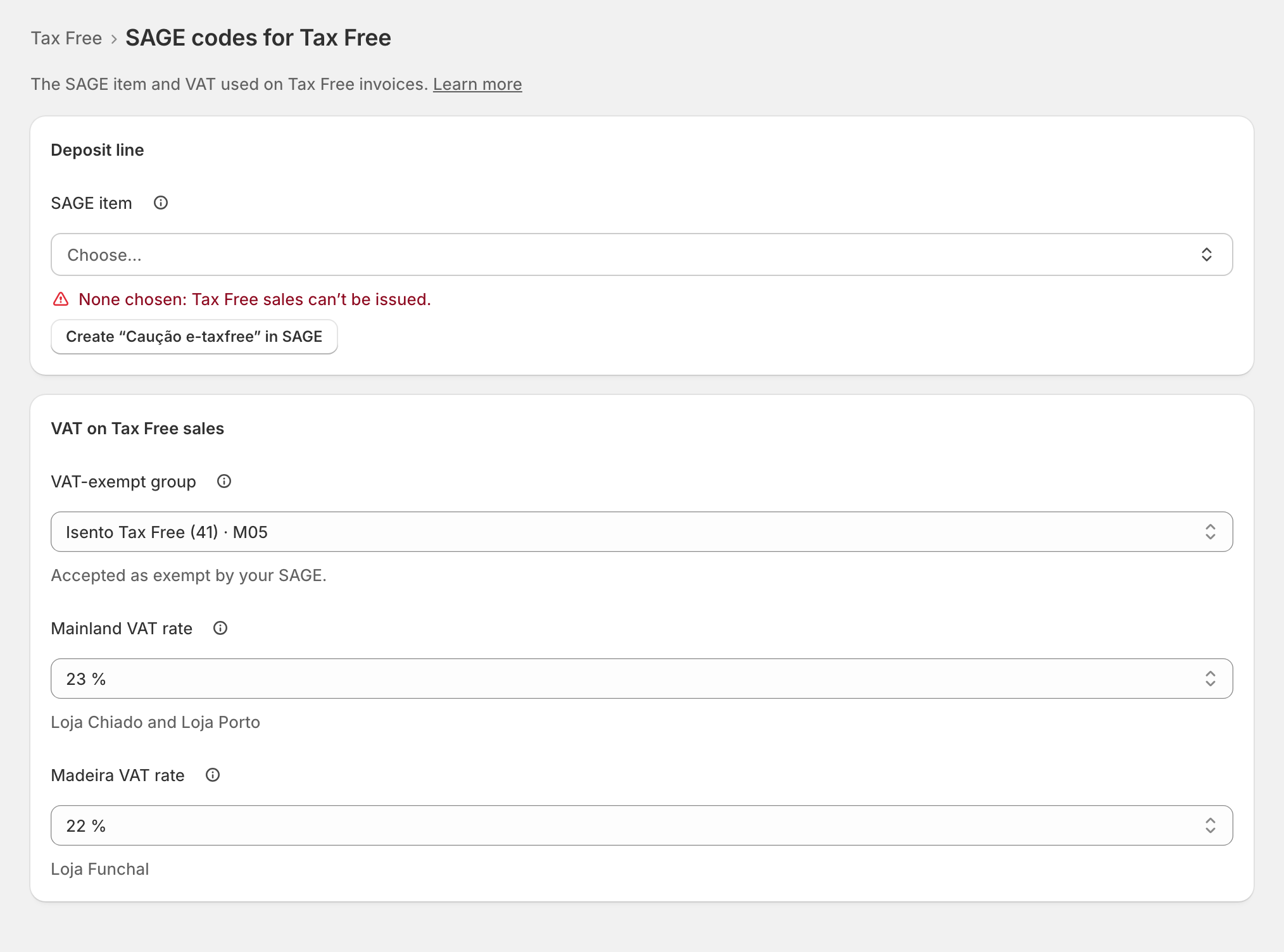
SAGE item: "Each Tax Free invoice adds one line for the deposit Global Blue refunds to the traveller. It must be a non-stock item at 0 % VAT."
- The search lists your SAGE items that fit and greys out the others with why, for example "Inactive in SAGE".
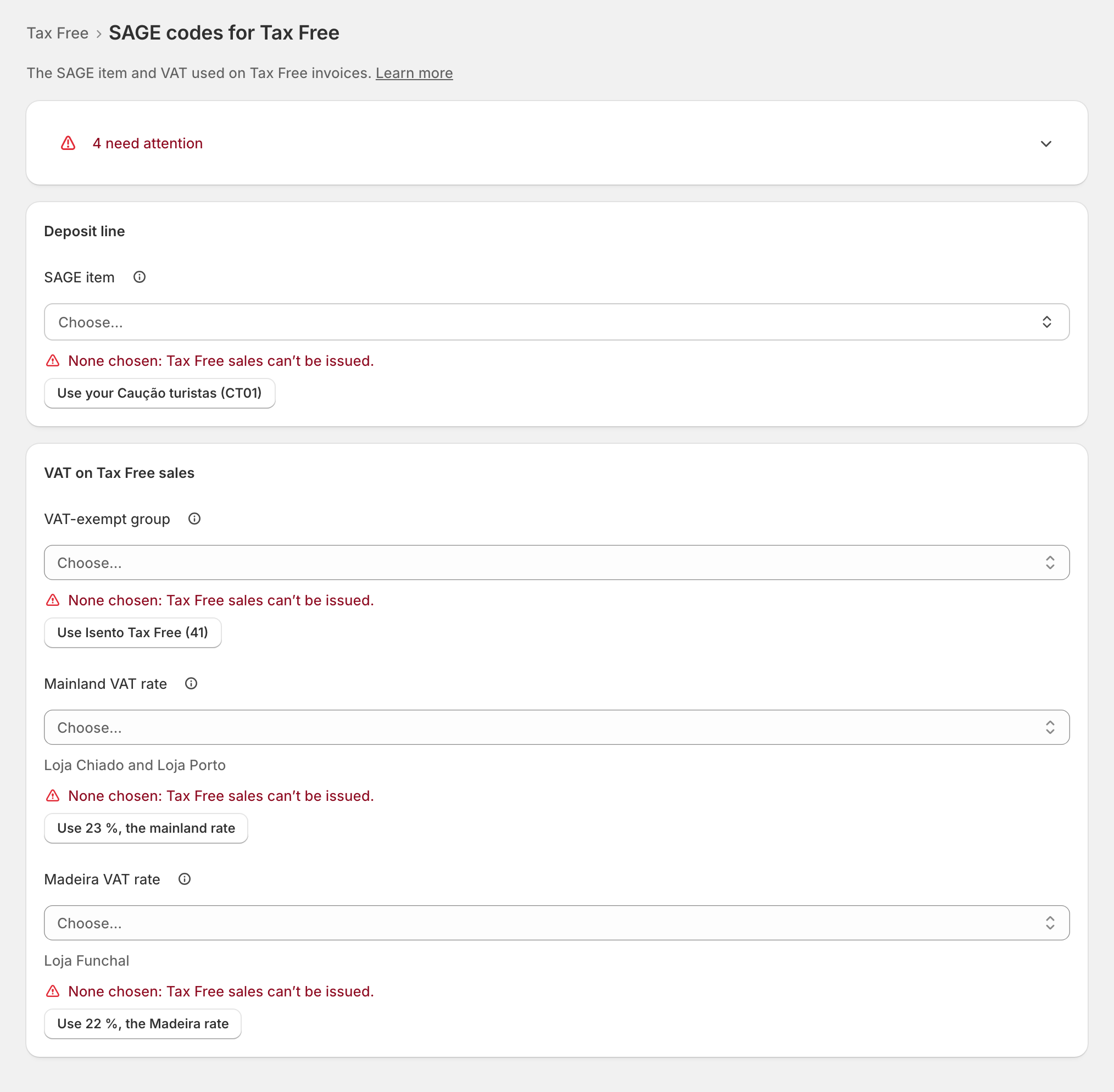
- When one of yours fits, zrsPOS offers it: Use your ….
- When none fits, Create “Caução e-taxfree” in SAGE creates one. It asks first, shows each step, then reads the item back from SAGE before it saves it.
VAT on Tax Free sales
- VAT-exempt group: "The goods lines of a Tax Free invoice go on this SAGE VAT group. Only groups SAGE accepts as exempt are listed." If your SAGE has none, "Your SAGE partner creates one": Open the page for your SAGE partner has the request.
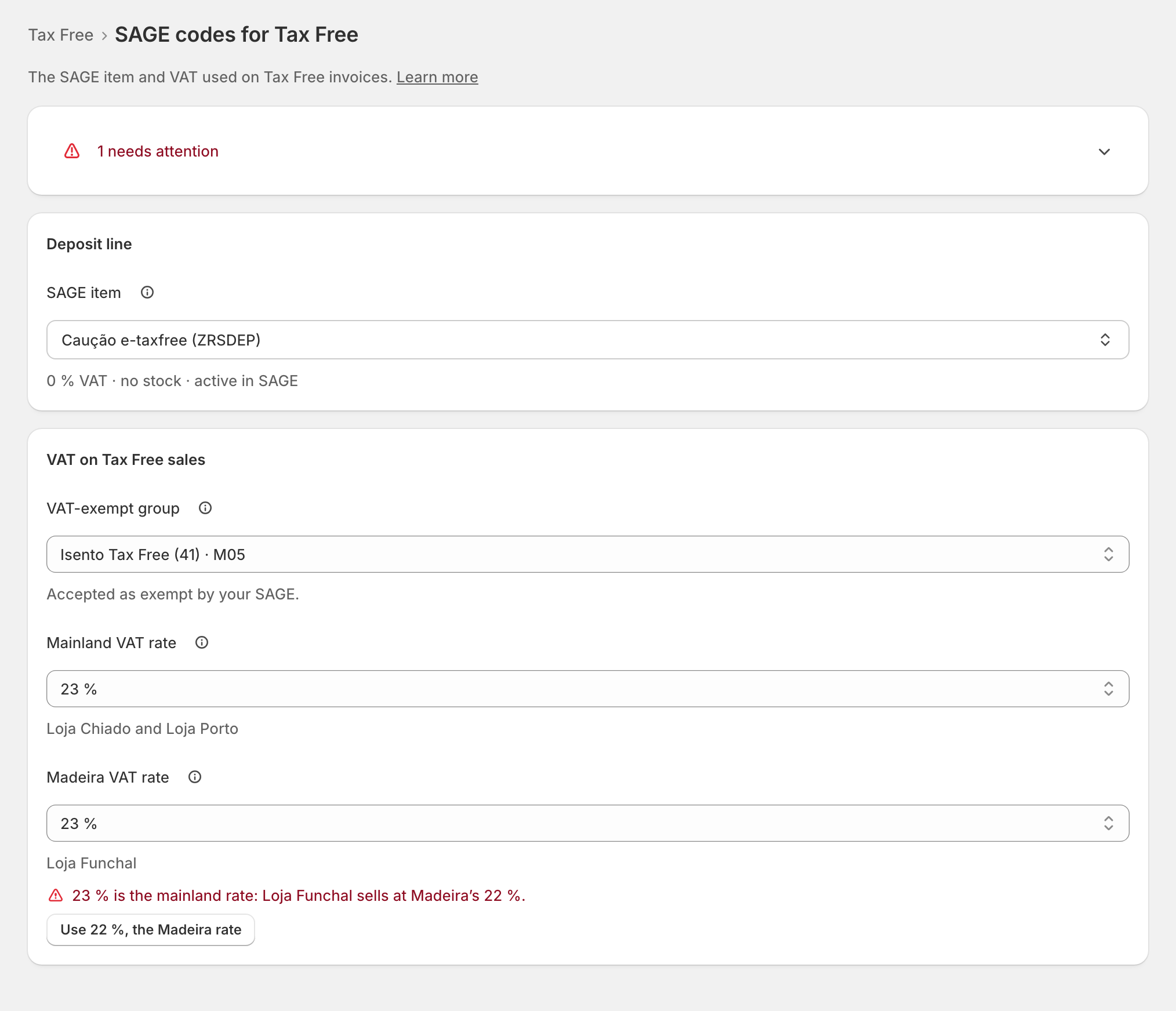
- VAT rate, per zone: "zrsPOS takes this VAT out of each sale price to get the exempt price." Each zone your stores are in has its own field: Mainland VAT rate, Madeira VAT rate, Azores VAT rate. The zone's standard rate is offered with Use …, the … rate, never saved by itself. zrsPOS never assumes 23 %.
The first time, each field offers a suggestion from your SAGE:
A change on a live shop asks first and says what changes: "From the next Tax Free sale, … Invoices already issued don’t change."
After a change of SAGE company
The codes are read again in the new company: "Chosen in … Tax Free sales wait until you confirm them for …" Fix the codes flagged there, then press Confirm SAGE codes for …. "Sales waiting since the change are issued then."
Edge cases
- A code missing: "None chosen: Tax Free sales can’t be issued." Tax Free sales wait with the problem The SAGE codes for Tax Free are missing; the till does not let staff mark sales Tax Free.
- The deposit item changed in SAGE (removed, inactive, with VAT): Tax Free sales stop. "… tracks stock: each Tax Free sale moves stock" is a warning only.
- "SAGE doesn’t accept group … as exempt on a document": see SAGE refused the Tax Free VAT group.
- "… is the mainland rate: … sells at …’s …" An island store needs its region's rate.
- A shop that issued Tax Free before the exempt group was required: "None chosen: choose the exempt group. Until then, the till takes no Tax Free sales." Choose a group now: until then the Tax Free tile tells staff that Tax Free isn't set up, and no tablet can be paired.
- Creating the item failed: SAGE's reason is shown. Trying again never creates it twice.
- "SAGE’s lists could not be read": "Your saved codes still apply; their checks may be out of date."