 zrsPOS
Choose or change your plan
Choose a plan inside zrsPOS and approve it in Shopify; the trial starts then. Switching plan, approving a new number of stores, and what happens while an approval waits.
You install zrsPOS from Shopify and set everything up without a plan. Until you approve one, "No plan yet: sales are kept, not issued."
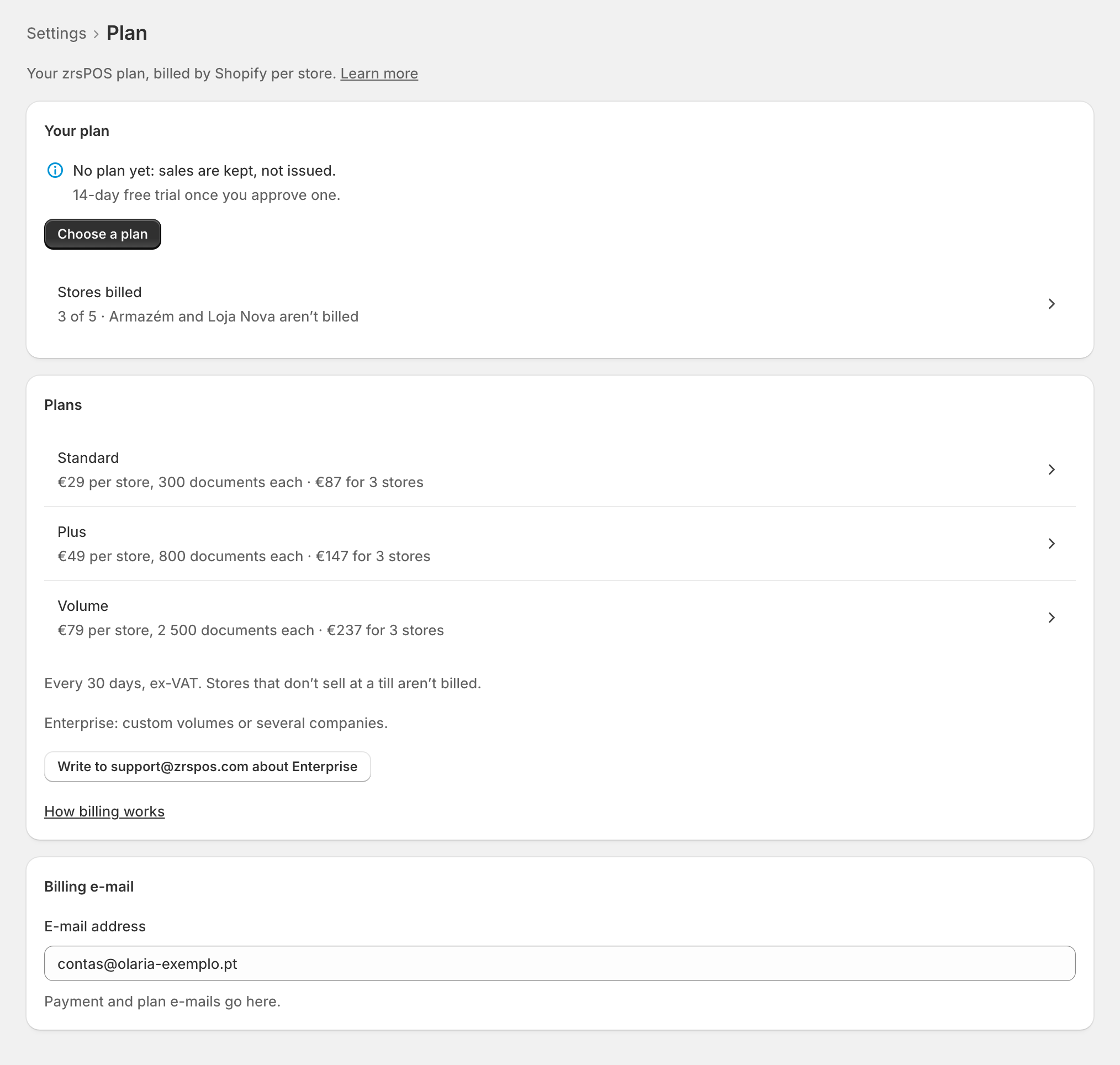
Choose your first plan
- On Settings › Plan, press Choose a plan, or tap a plan under Plans.
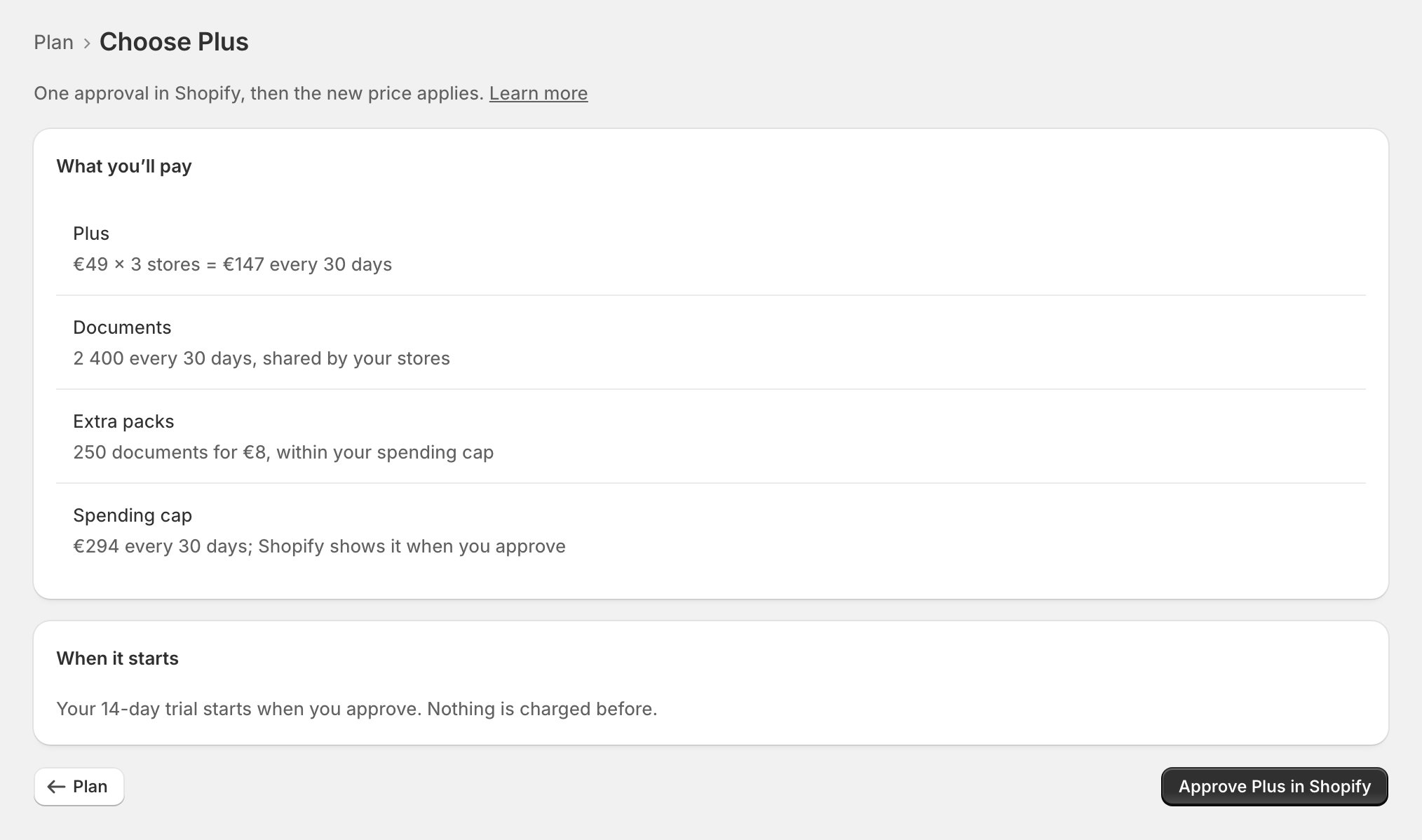
- The page shows What you’ll pay: "… × … = … every 30 days", the documents shared by your stores, the extra packs and the spending cap. Under When it starts: "Your 14-day trial starts when you approve. Nothing is charged before."
- Press Approve … in Shopify. Shopify's approval page opens; approve there.
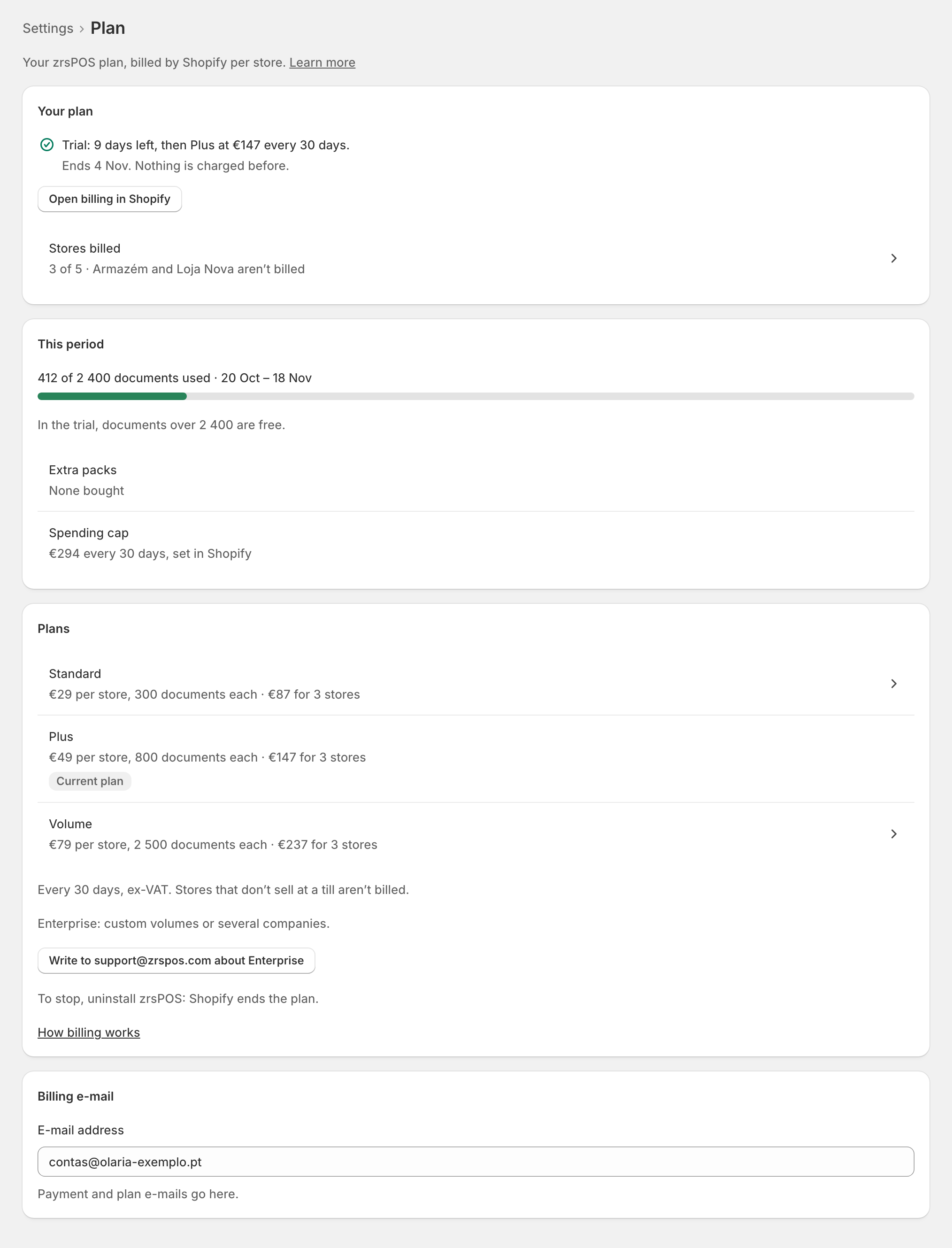
Back on zrsPOS: "Approved in Shopify: …, … every 30 days. Your trial started today." The plan line then shows "Trial: … days left, then … at … every 30 days."
Switch plan
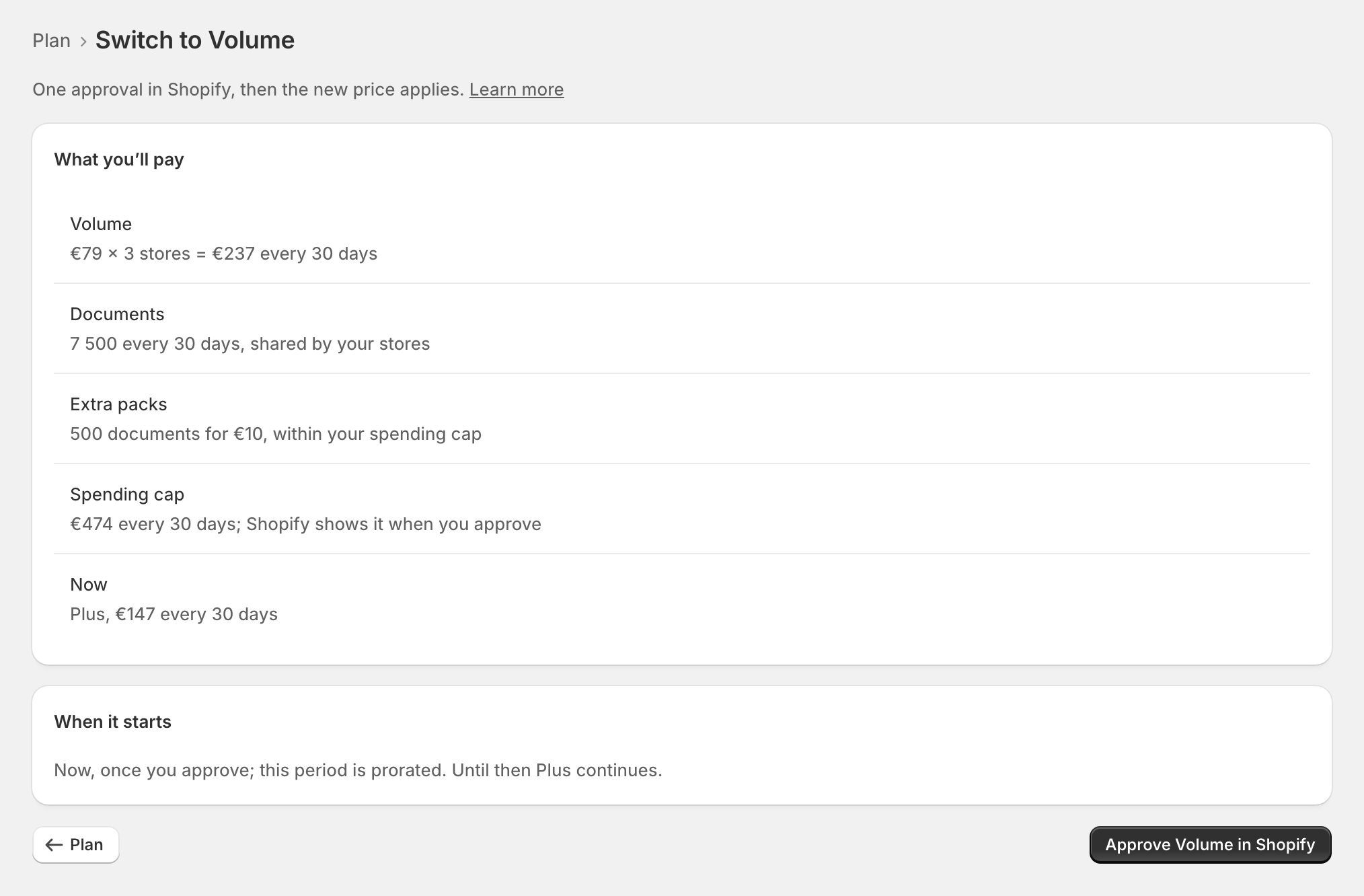
Tap another plan. The page says when it starts, and "Until then … continues."
- A higher price: "Now, once you approve; this period is prorated."
- A lower price: "On …, the next period, once you approve."
- During the trial: "Starts when you approve; still free until …"
A new number of stores
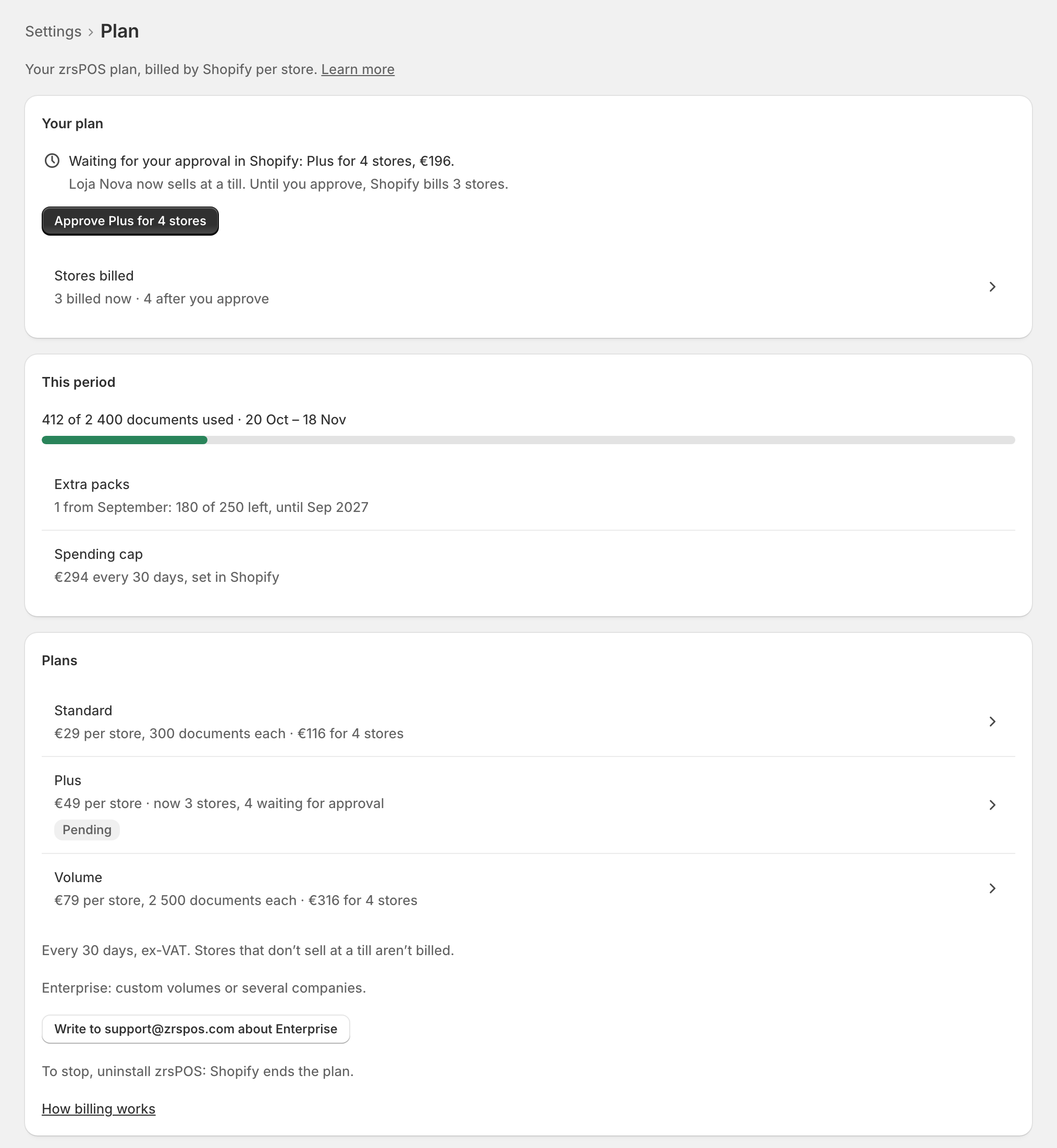
When a store starts or stops selling at a till, the plan line says "Waiting for your approval in Shopify: … for …, …" and "Until you approve, Shopify bills …" Press Approve … for ….
While an approval waits
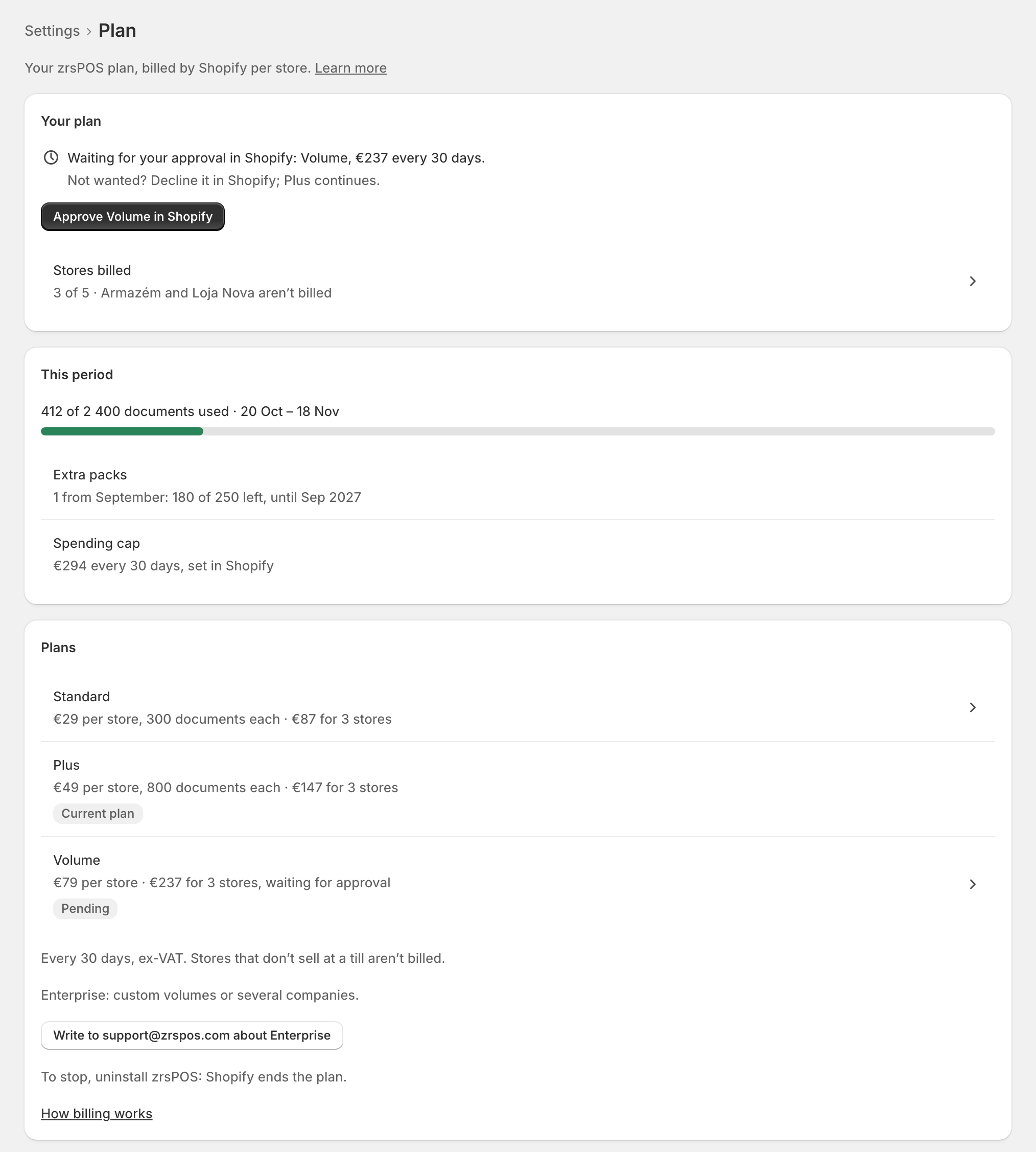
"Waiting for your approval in Shopify: …, … every 30 days." Approve it with Approve … in Shopify, or decline it in Shopify: "Not wanted? Decline it in Shopify; … continues." Home shows Plan change, "Waits for your approval in Shopify".
Edge cases
- Choosing again while an approval waits: "This replaces the approval waiting for … You never approve the old price."
- Declined in Shopify: "You declined … in Shopify." Your plan continues, or "There is no plan yet." A declined first plan is never treated as an ended plan.
- Fewer stores: "Approve, or Shopify keeps billing …"
- A store added while another approval waits: "Your stores changed since: after this, Shopify asks again for …"
- An earlier install: "… trial days left from your earlier install." With none left: "No free days left: billing starts when you approve."
- "… is not available any more, so nothing changed. Choose another plan."
- Shopify did not answer: nothing changed; press the button again.
- Before going live the plan row on Go live shows "Approve your plan in Shopify first." until you approve.