 zrsPOS
Go live
Go live switches zrsPOS on for every store at once. What happens from that moment, why earlier sales are never issued, and what the page shows once you are live.
Switch zrsPOS on
Once nothing blocks it and the test document passed, the Go live section at the bottom of the page opens: "Sales made before going live are never issued by zrsPOS."
- Press Go live at … (your store, or the number of stores).
- zrsPOS asks first, naming your stores: "From now on, every POS sale there becomes a document in your SAGE. Earlier sales are never issued by zrsPOS."
- Press Go live.
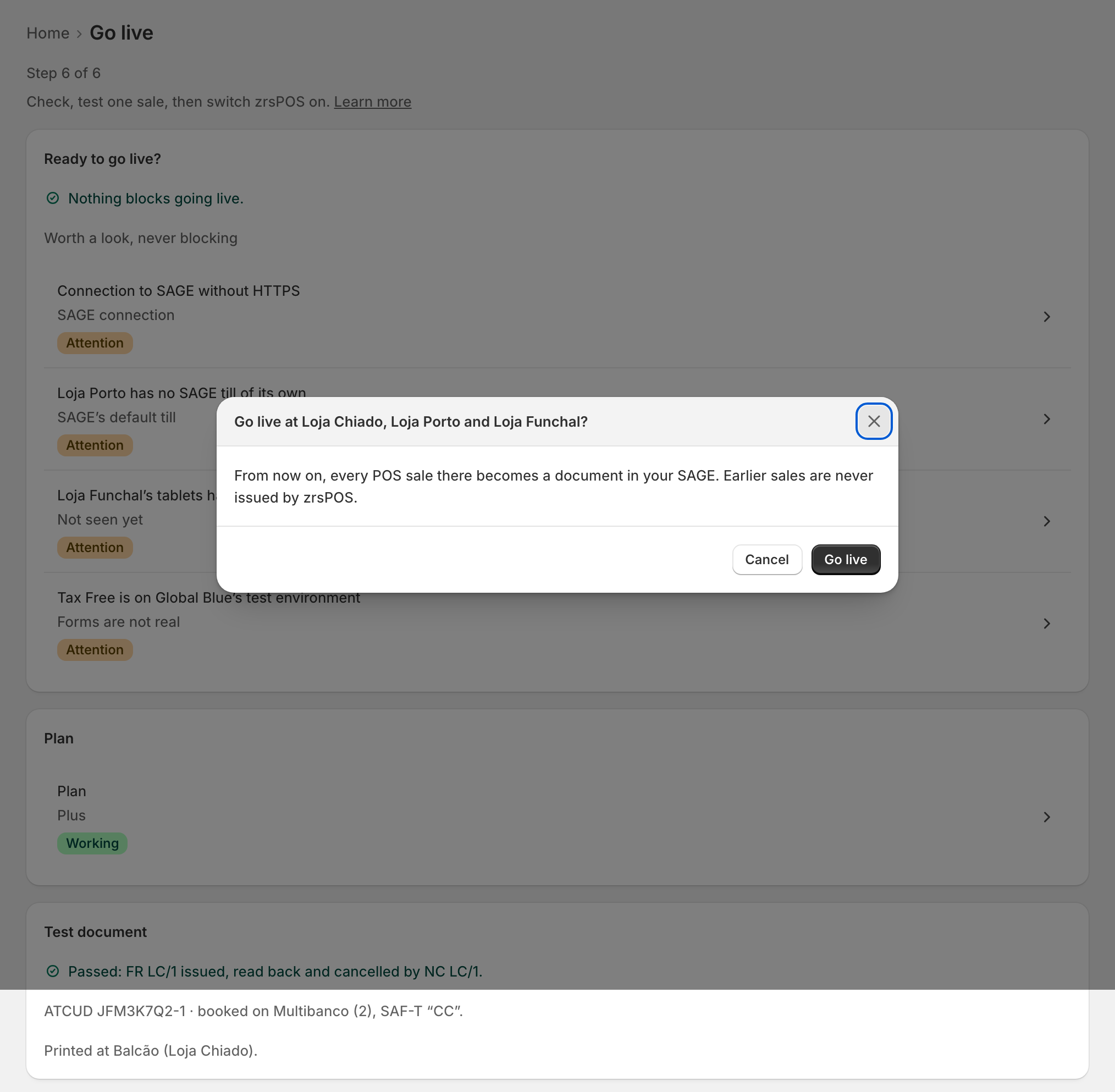
Every store that sells at a till goes live together. A store you don't want to invoice yet is either marked No, never on its page, or paused there. See Pause a store.
Plan the moment
- Sales made before you go live are never issued by zrsPOS. Keep the old way invoicing until the switch, and stop it at the same moment, so no sale gets two documents or none.
- Tell your accountant: from go-live day, zrsPOS issues in your SAGE.
- Close each store's last day on SAGE POS first. See Switch day, store by store.
Once you are live
The page becomes the issuing page: "Live since …: every POS sale becomes a document in your SAGE." It names who switched it on. Below, switch day shows each store's first document, and the Danger zone holds Pause issuing at every store. See Pause and resume issuing.
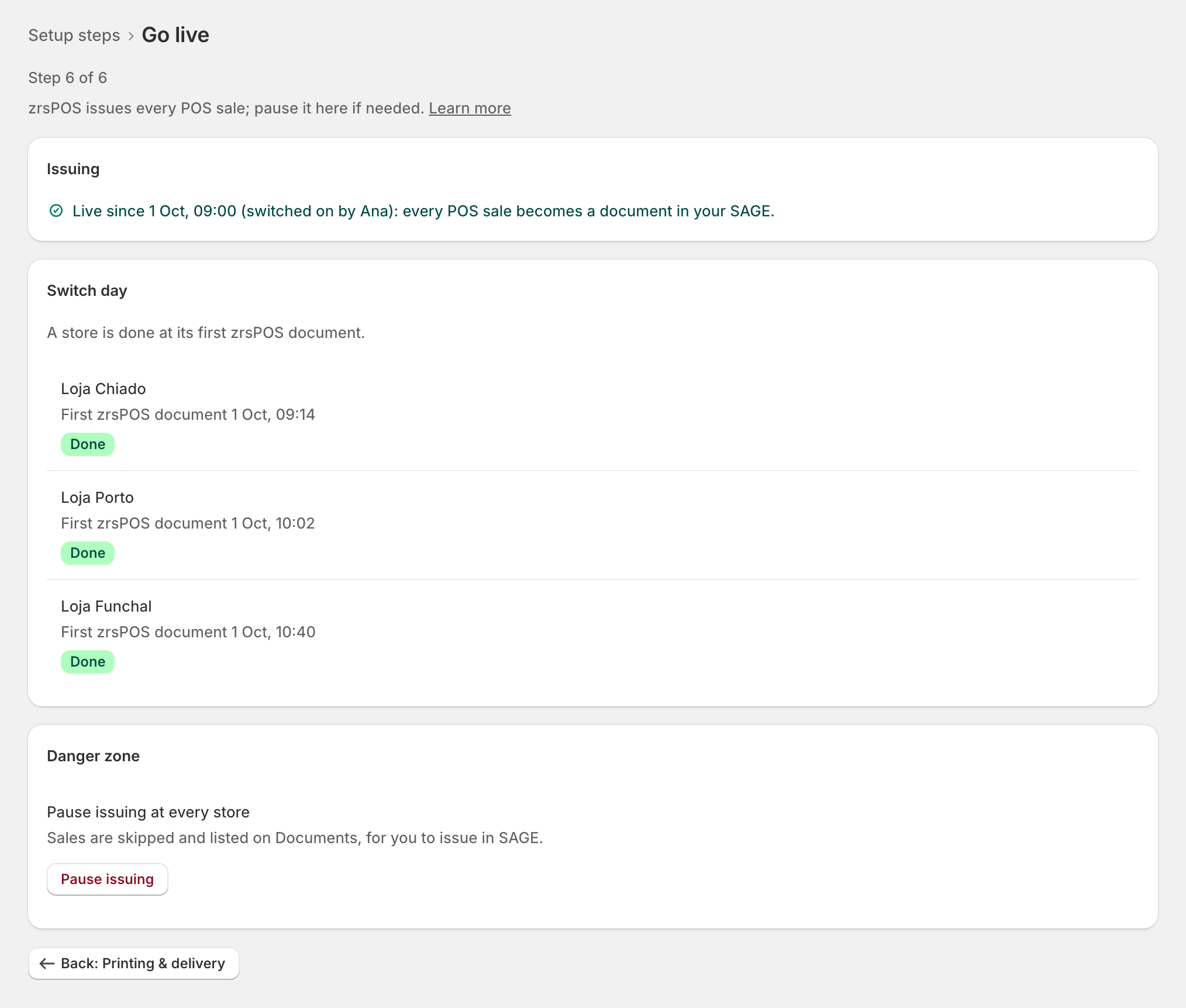
From then on, if something stops being right, Home lists it under Needs you, opening the exact place. Issuing does not stop: stopping would stop your sales. See Home after going live.
Edge cases
- "Not live: … Nothing changed." Something changed between the test and the button (a SAGE payment method removed, the plan still waiting for approval). The reason links the fix; press Go live at … again after.
- A new Shopify location after go-live is not invoiced until its page is decided; its sales wait as "Location not set up yet". See Every location needs its own setup.
- Going live again after a pause needs no new test: Resume issuing does it, once nothing blocks issuing.
- After a change of SAGE company it is a first go-live again: confirm each page for the new company, test one sale, then go live. The sales made meanwhile are never issued by zrsPOS. See Change SAGE company.
- Going live is per shop, not per till: there is one switch for all your stores.