 zrsPOS
A failed payment or an ended plan
A failed payment never stops your sales - 14 days to fix it, then settings turn read-only. An ended plan stops issuing new sales after 24 hours; they are kept and issued later from Documents.
A failed payment
- The first 14 days: everything works. The plan line says "Payment failed on …: fix it in Shopify by …" and "Until then everything works. Then settings turn read-only." Press Fix the payment in Shopify. Home shows Plan payment, "Shopify couldn’t charge it · sales are still issued".
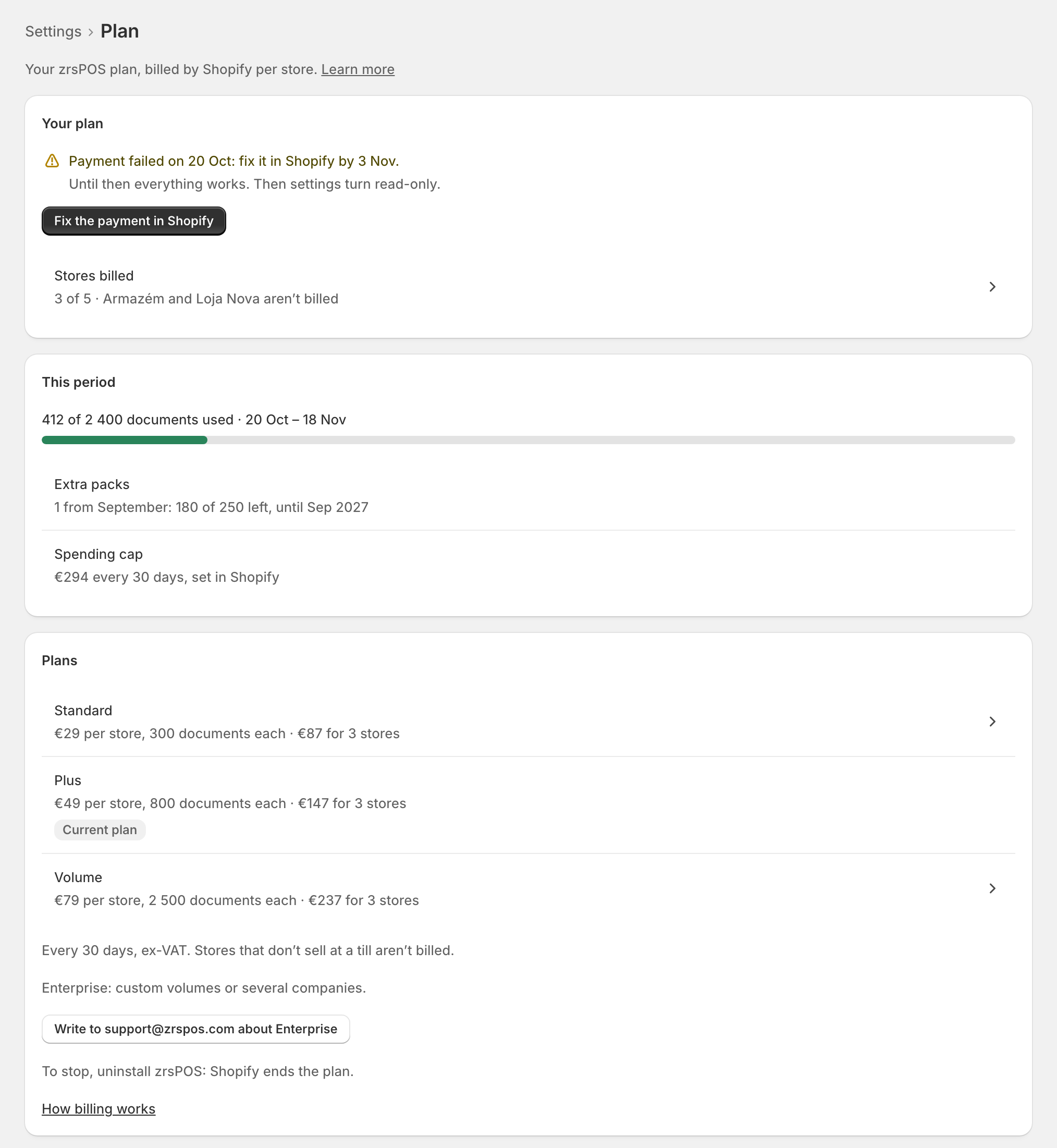
- After 14 days: "Read-only since …: settings can’t be changed; sales are still issued." Once Shopify collects the payment, everything can be changed again.
zrsPOS e-mails the billing e-mail when the payment fails, on day 7 and day 12, then every week.
While read-only
The Plan page lists While read-only:
- Sales: "Still issued, every one".
- Reprints, downloads, tests, previews: "Still work".
- Closing the till: "Still works".
- Saving settings: "Waits, on every other page".
- Confirming salespeople: "Waits, here and on the POS".
- Billing e-mail and plan: "Can still be changed here".
Every other page says "Your plan is read-only" with Open Plan: "Fixes for sales already made still work. Other settings can’t be changed." Pausing and resuming issuing, the switch-day ticks and turning Tax Free off still work too.
If the plan ends
- The first 24 hours: "Your plan ended on …: new sales stop being issued …" and "Choose a plan before then to keep issuing."
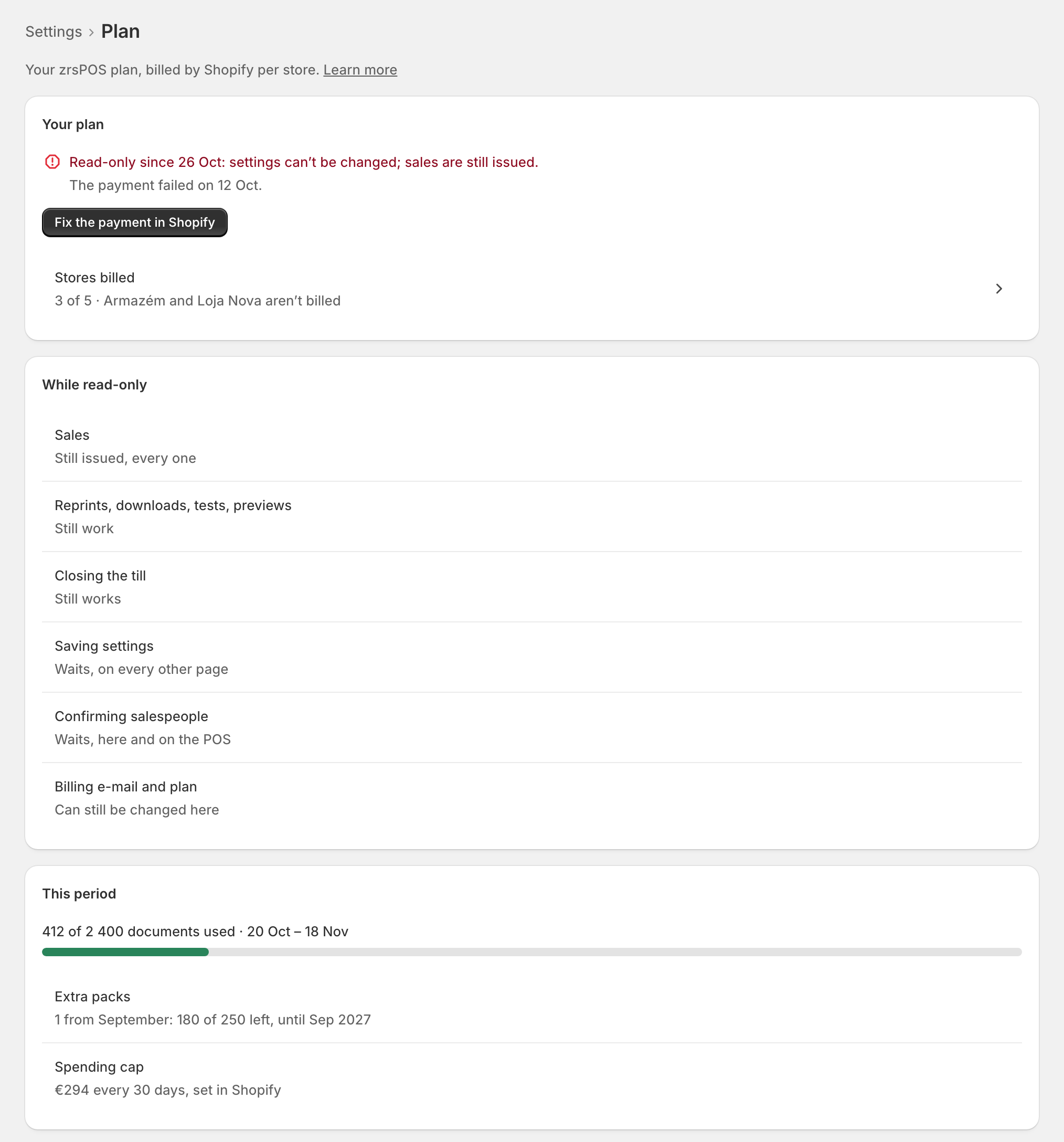
- After 24 hours: "Ended: new sales are kept, not issued." Nothing is sent to SAGE and settings on other pages can't be changed. zrsPOS e-mails you once.
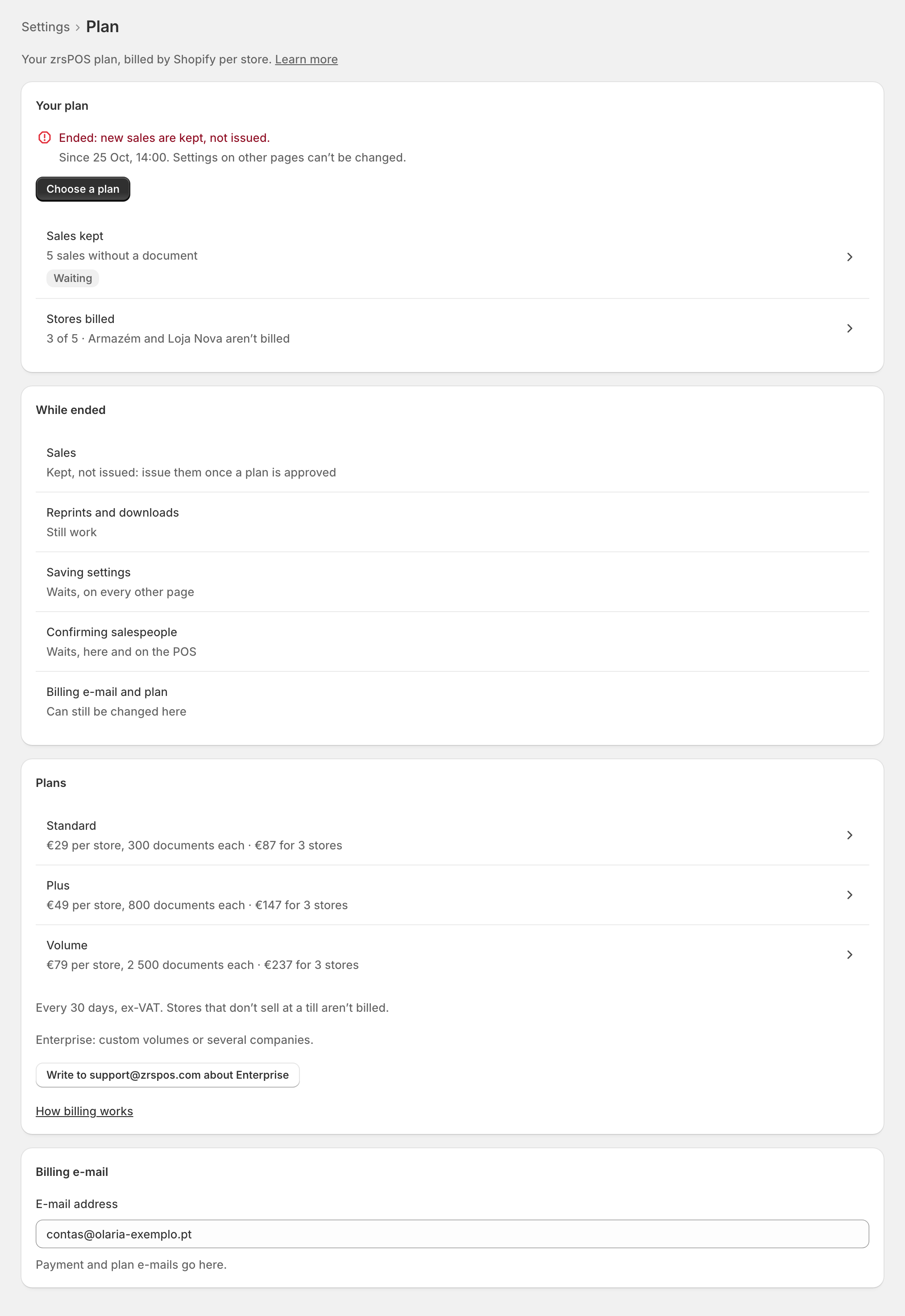
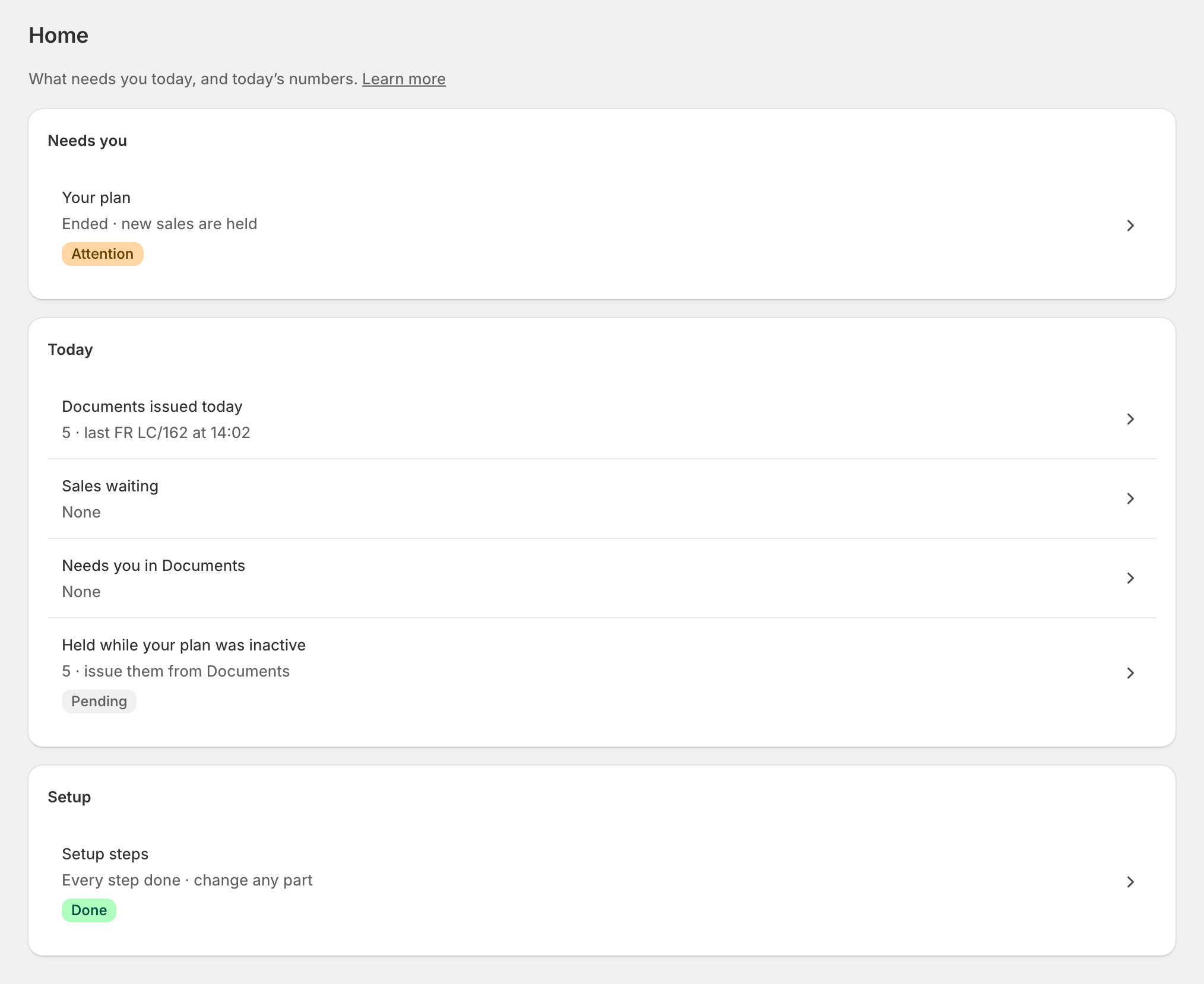
The kept sales are not lost. Sales kept on the Plan page and Held while your plan was inactive on Home open Documents › Held. Once you approve a plan, press Issue the … held sales now there: each becomes a document in your SAGE, the normal way, and nothing is printed. See Waiting, held and skipped sales.
While zrsPOS stays installed, the document archive, reprints and downloads stay available.
Edge cases
- Uninstalling zrsPOS ends the plan. Its configuration and working data are deleted 48 hours later; the certified documents stay in your own SAGE, your legal archive. See the privacy policy.
- "Suspended by zrsPOS: new sales are kept, not issued." Write to support@zrspos.com to lift the suspension; the kept sales are issued then.
- A failing payment never stops a resume after a pause; an ended or suspended plan does.
- Going live for the first time needs a plan that is not read-only: "Your plan is read-only: choose a plan to go live."
- Held sales can't be issued yet: "Your plan doesn’t allow issuing yet: choose a plan first."
- The 14 days and 24 hours count from the day the payment failed or the plan ended in Shopify, not from when you opened the page.