 zrsPOS
Ready to go live?
The Go live page before you switch on - what blocks going live, what is only worth a look, the plan row, and why the Go live button is still off.
Go live is the last page of the setup on Home: "Check, test one sale, then switch zrsPOS on." Until you go live, zrsPOS ignores your POS sales, so you can set up and test freely.
What blocks going live
Under Ready to go live? the page lists every problem left on the setup pages (SAGE connection, Stores, SAGE items, Payments, Printing & delivery) under Blocks going live. Each row opens the exact field that fixes it. A setup page you never opened shows as one row, "Not started".
When the list is empty the page says "Nothing blocks going live."
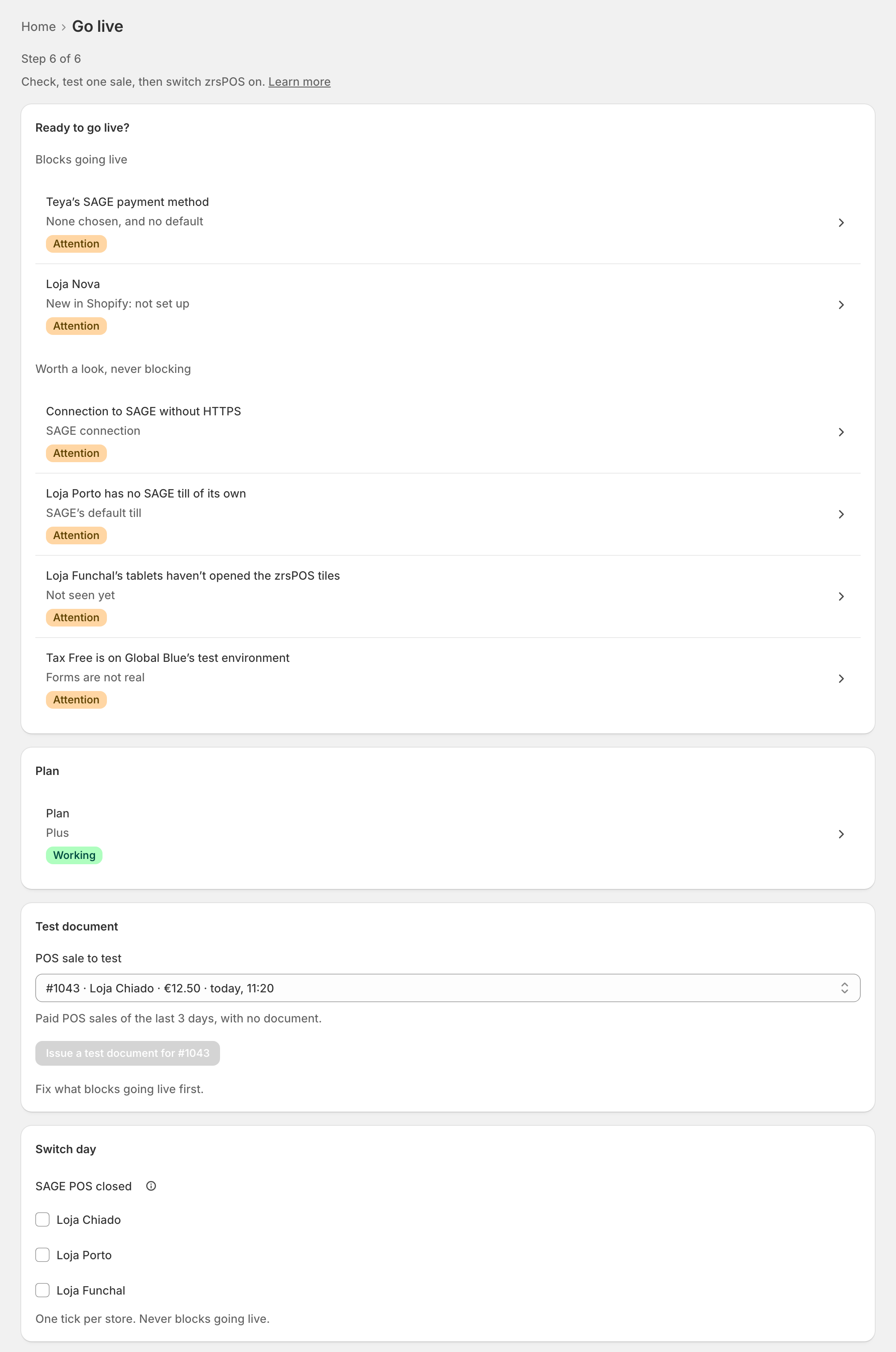
Every Shopify location must be decided before you go live: a new location shows here as "New in Shopify: not set up" until its page answers Sells at a till? See Every location needs its own setup.
Worth a look, never blocking
Below, Worth a look, never blocking lists what deserves a check but never holds you back:
- "… has no SAGE till of its own": the store books on "SAGE’s default till".
- "…’s tablets haven’t opened the zrsPOS tiles": "Not seen yet".
- "Connection to SAGE without HTTPS".
- "Tax Free is on Global Blue’s test environment": "Forms are not real".
- A till close warning.
The plan
The Plan row shows your plan and opens the Plan page. The test issues a real document, so it needs a plan first: "Choose a plan first: the test issues a real document." See Choose or change your plan.
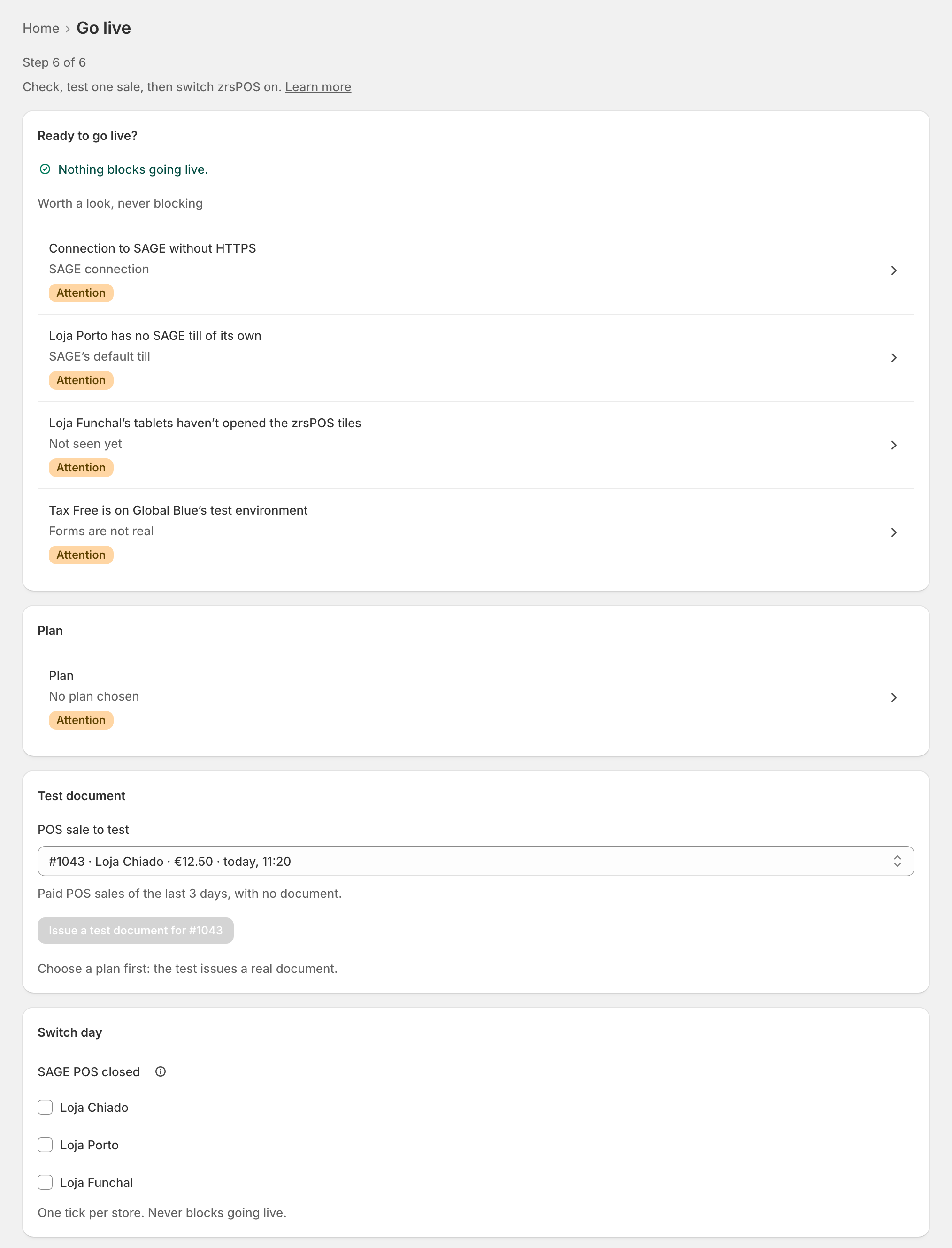
Why Go live is off
The button says why, in one line:
- "Choose a plan first." or "Approve your plan in Shopify first."
- "Fix the problem under “Blocks going live” first."
- "Pass the test document first." See The test document.
- "Your plan is read-only: choose a plan to go live."
- "Cancel the test document left in SAGE, then mark it as handled."
When every line is clear, Go live at … opens. See Go live.
Problems on this page
- Setup is no longer ready
- No plan chosen
- Test sale not done
- A test document may be left in SAGE
- Some steps need attention
Edge cases
- "Connect SAGE first": while SAGE has never answered, the page is locked: "Going live tests a real document in your SAGE, so it opens once SAGE answers."
- A failing payment (the first 14 days) does not stop you going live. A read-only plan does.
- A problem appears between the test and the switch: going live is checked again when you press it, and refused with the reason: "Not live: … Nothing changed."
- Tax Free is optional: it never blocks going live, except for a shop that must still choose its VAT-exempt group. See SAGE codes for Tax Free.
- A card booked as cash blocks the first go-live; once live, it never stops your sales. See Payment methods.