 zrsPOS
Switch day, store by store
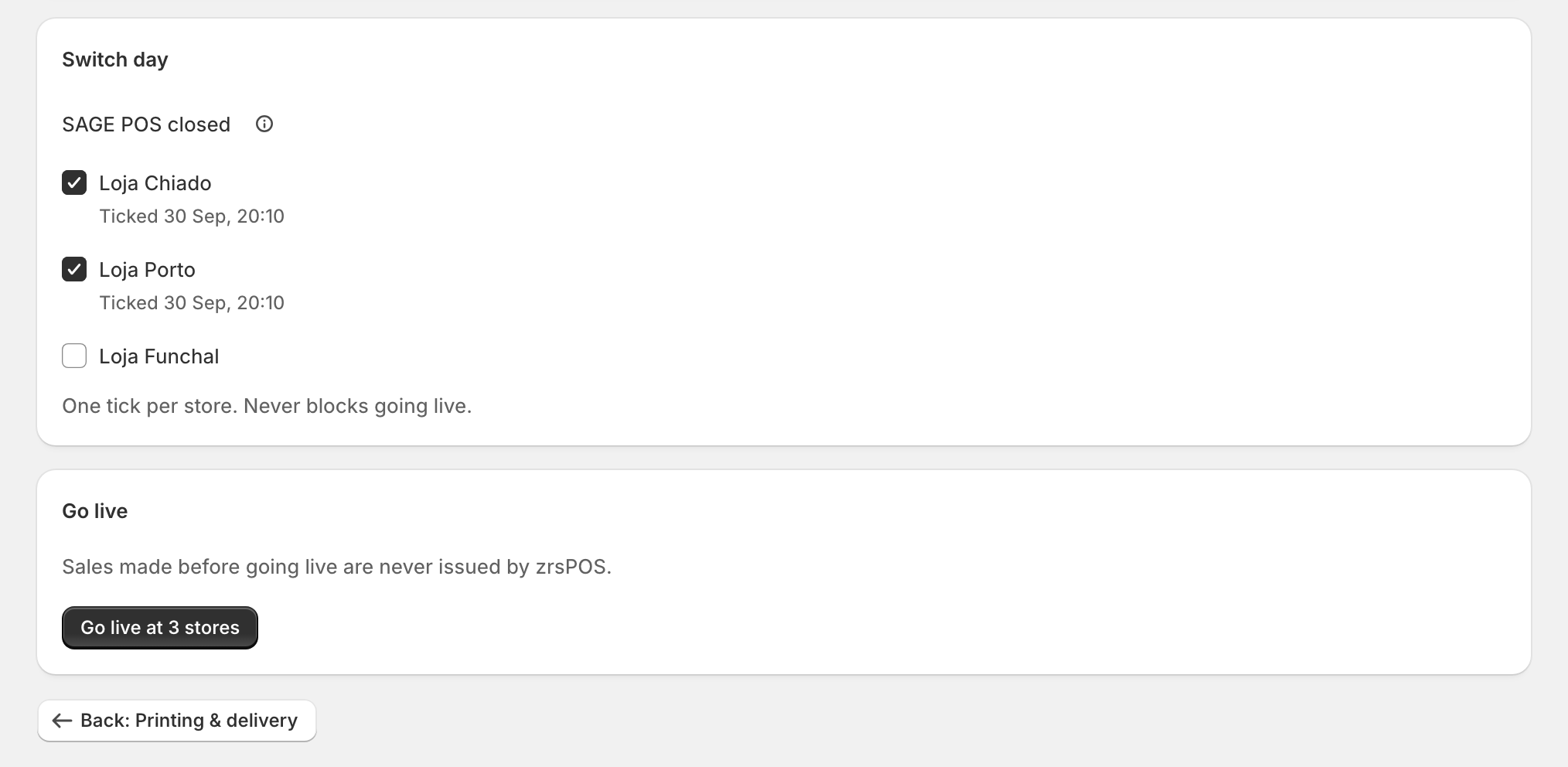
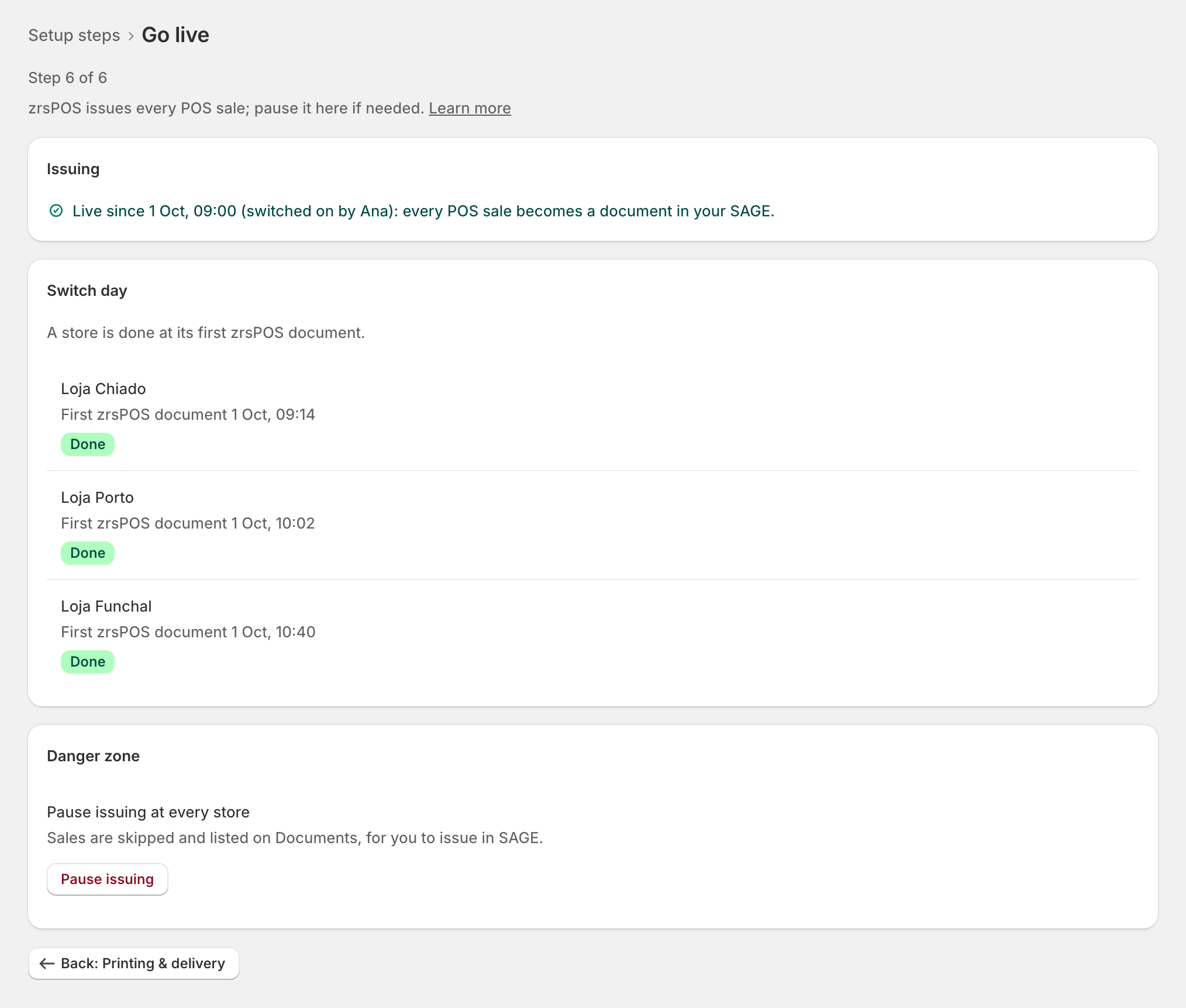
Moving each store from SAGE POS to zrsPOS - tick SAGE POS closed once its last day there is closed. The ticks never block going live; after go-live a store is done at its first zrsPOS document.
Stores that used SAGE POS close their last day there, then close the till on zrsPOS from the next day. Switch day on the Go live page keeps track of it, store by store.
Before you go live
Under Switch day, SAGE POS closed has one tick per store zrsPOS invoices: "Close the day on SAGE POS before a store’s first zrsPOS sale; from then on staff close on the zrsPOS Till tile."
- At each store, close the day on SAGE POS as usual.
- On Go live, tick that store. It shows "Ticked …" with the day and time.
"One tick per store. Never blocks going live."
How staff close the till on zrsPOS is in Set up the till close.
After you go live
The ticks give way to one row per store: "A store is done at its first zrsPOS document."
- "First zrsPOS document …" with the day and time: Done.
- "No zrsPOS document yet": To do.
Edge cases
- A store you forgot to tick still goes live with the others: the tick is your own reminder, never a check.
- A read-only plan: "You can look and tick switch day, but not go live." Ticking still works.
- Untick a store if you ticked it by mistake.
- A store that never used SAGE POS: leave its tick empty; nothing depends on it.
- The go-live test document does not count as a store's first zrsPOS document.
- A tick is refused (zrsPOS did not answer): the page says why under the list; tick again.