 zrsPOS
Home after going live
After going live, Home shows today's numbers and one row for each thing that needs you, never hiding one behind another. What the rows are, the e-mails zrsPOS sends, and a lost Shopify access.
Today
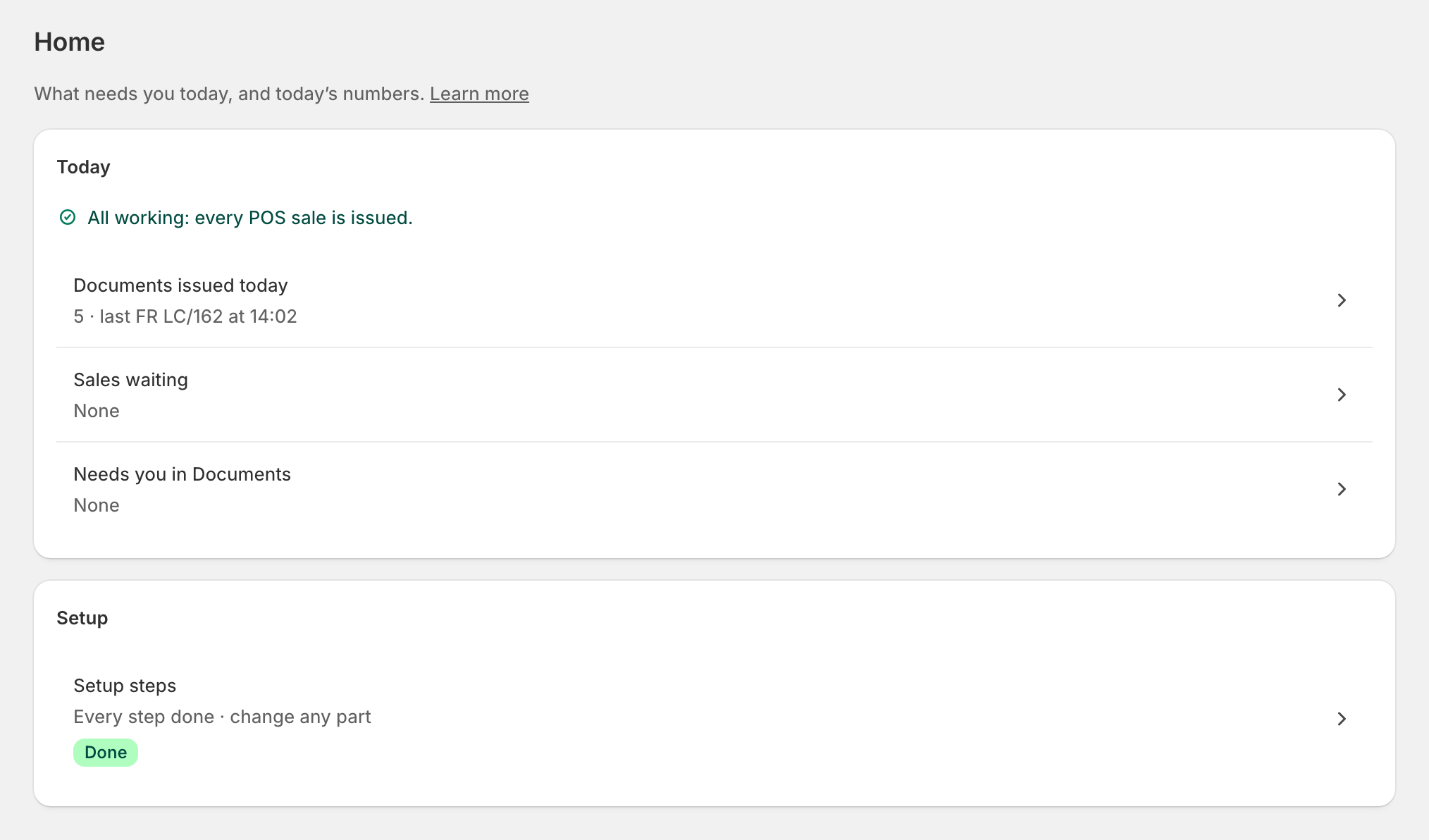
Home: "What needs you today, and today’s numbers." When nothing needs you: "All working: every POS sale is issued."
- Documents issued today, with the last one.
- Sales waiting: "they clear by themselves".
- Needs you in Documents: sales that need a person.
- Held while your plan was inactive: "issue them from Documents". See A failed payment or an ended plan.
Each row opens its view of Documents. Below, the Setup steps row reopens the setup: "Every step done · change any part".
Needs you
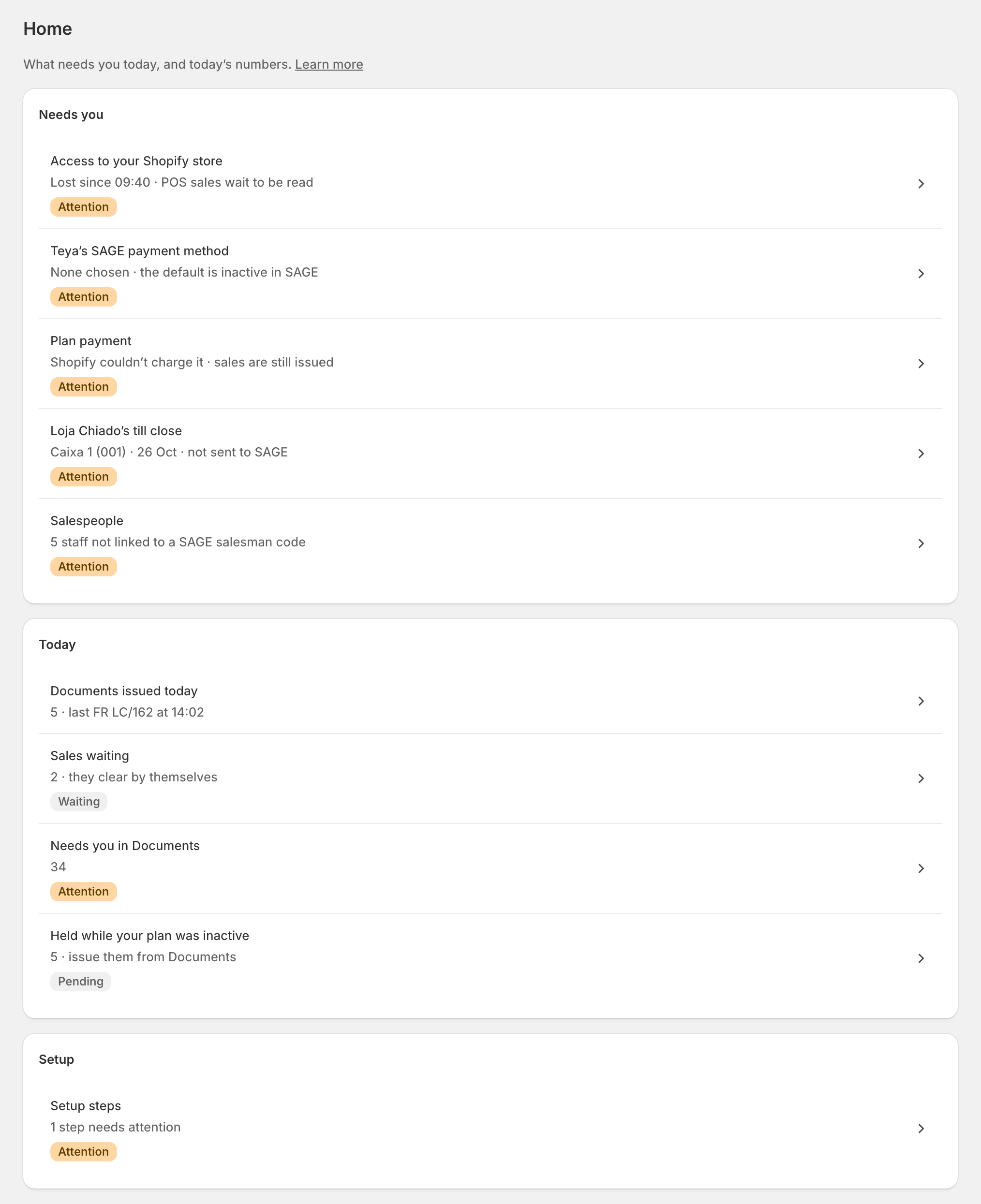
When something needs you, Needs you comes first: one row per thing, each with one pill, each opening the exact place to fix it. Several at once are all listed. For example:
- a payment method or a store problem, with the store or item it is about;
- "Loja Nova", "New in Shopify: not set up";
- a printer: "… receipts waiting to print";
- a store's till close not sent to SAGE;
- Plan payment, Plan change, Your plan or Document packs;
- Issuing: paused, by whom and since when;
- "Confirm … for …" after a change of SAGE company.
The e-mails
zrsPOS also writes to the billing e-mail on the Plan page:
- when the setup of a live shop stops being ready, at most once every 6 hours, each problem linked to its place;
- when a new Shopify location has no settings, once per location;
- when a sale has failed for 2 hours, and again 6 hours before zrsPOS stops retrying it;
- about payments and your plan. See A failed payment or an ended plan.
Access to your Shopify store lost
"Access to your Shopify store", "Lost since … · POS sales wait to be read": zrsPOS can no longer renew its access. No sale is lost. Open zrsPOS from your Shopify admin, Apps › zrsPOS: opening the app gives the access back, and Home reads again. If the row stays, write to support@zrspos.com.
Edge cases
- Issuing never stops for a problem: a problem only shows as a row. Stopping is your decision: see Pause and resume issuing.
- "Couldn’t be counted just now" under Needs you in Documents: Documents could not be read that moment; open it to see.
- The same problem is one row, even when a store and its step both report it.
- A printer with nothing waiting that stops answering is shown on its page, not on Home.
- A read-only plan: "Your plan is read-only", "Fixes for sales already made still work. Other settings can’t be changed."
- Before going live Home is the setup list instead; a lost Shopify access shows there too.