 zrsPOS
Waiting, held and skipped sales
Sales that wait and issue by themselves, sales held while your plan was inactive, sales skipped by decision, and online return previews.
These views of Documents hold sales that have no document, on purpose or for now. None of them is an error.
Waiting
"These clear by themselves. Nothing to do." A sale waits for something, then is issued by itself:
- a return waits for its sale's invoice;
- an exchange's new item waits for the credit note of what came back;
- an order waits until it is fully paid in Shopify;
- after a change of SAGE company, sales wait until Stores, SAGE items and Payments are confirmed for the new company. The view shows a button for each.
After 48 hours, a sale that still waits moves to Needs you.
Held while your plan was inactive
A sale that arrived while your plan did not allow issuing is kept: "Nothing was sent to SAGE for these. Issuing prints nothing." A refund or an exchange of a held sale is held with it.
Once your plan is active, press Issue the … held sales now. zrsPOS asks first, then issues each one the normal way, sales first, then their refunds and exchanges, with each step and each outcome shown. Until then the button is off and says "Your plan doesn’t allow issuing yet: choose a plan first." One sale can also be issued alone from its page: Issue order … now.
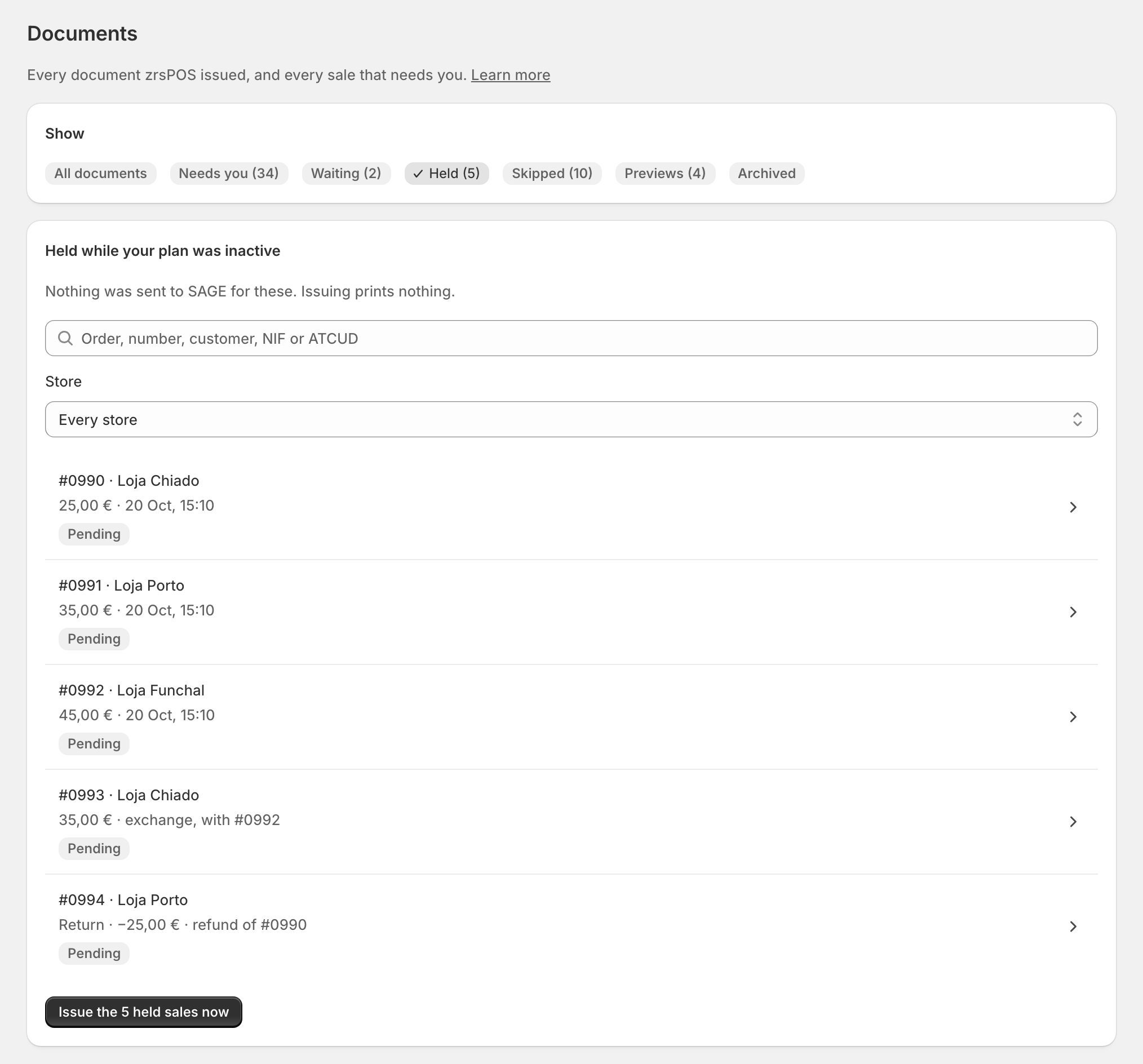
Do not issue held sales by hand in SAGE: zrsPOS would issue them a second time. See Sale held while your plan was inactive.
Skipped
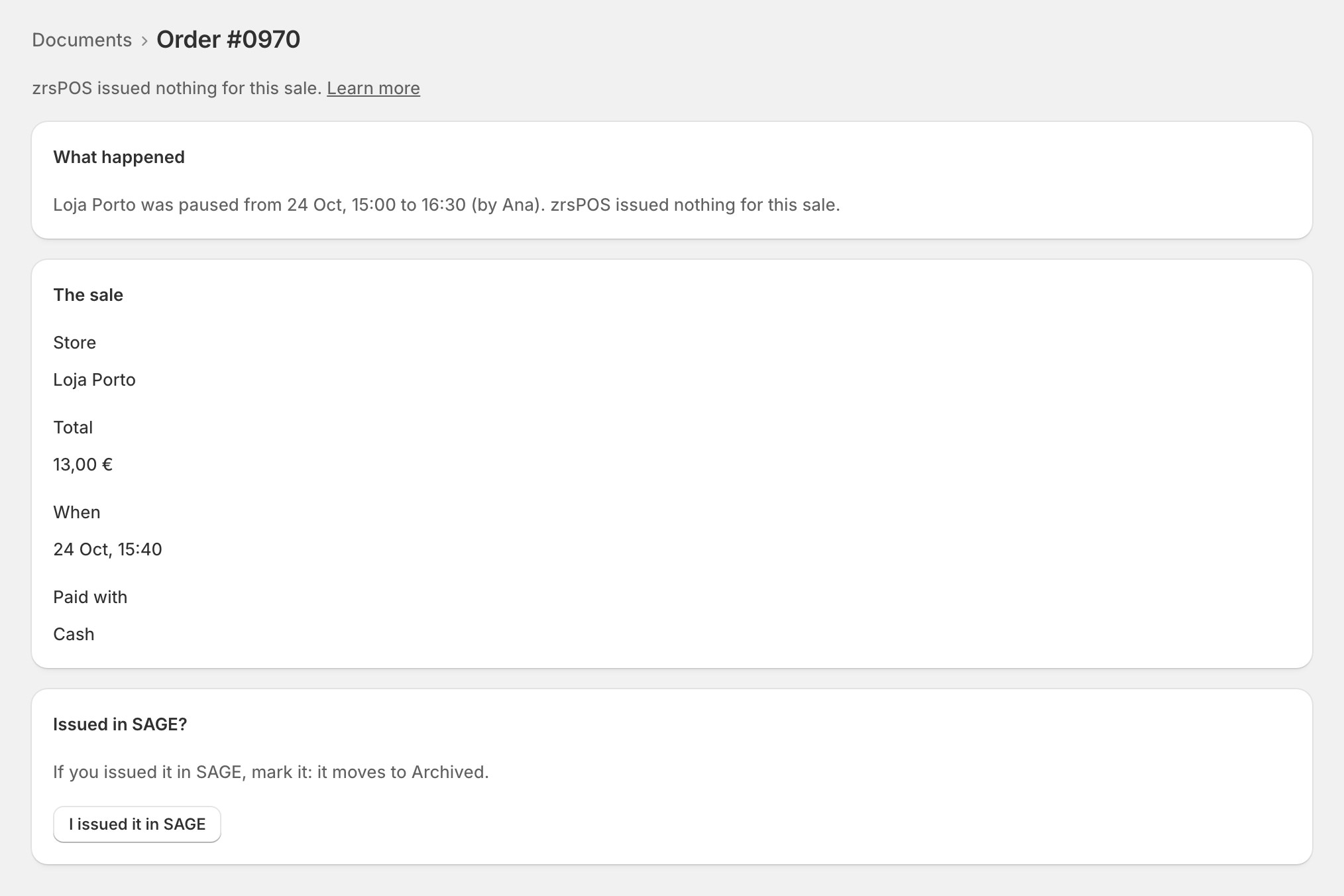
zrsPOS issued nothing for these sales, by decision:
- the store was paused, or issuing was paused at every store, when they were sold;
- an online return arrived while Online returns and exchanges was Off: "not issued by decision".
zrsPOS never tries them again. If one needs a document, issue it by hand in SAGE, open it here and press I issued it in SAGE, with the SAGE number: it moves to Archived. See Sale zrsPOS did not issue.
Previews
Online returns in preview have their credit note ready, not issued. They are issued from Settings › Online returns and exchanges, with the other previews: Open previews in Online returns and exchanges. Try these sales again never issues them. See Previews waiting.
Edge cases
- Held sales print nothing when they are issued: the customer left long ago. Print or e-mail one from its document's page if needed.
- A held sale that then fails moves to Needs you, with its cause and its fix.
- A sale skipped while issuing was paused at every store that the go-live test had issued and cancelled says so: issue that sale in SAGE.
- A go-live test that was not issued is skipped: zrsPOS never issues it later. Test again from Go live.
- Skipped at one store: a store's page links to its skipped sales only.
- A view with nothing in it is not shown.
More in Documents & design
- The documents zrsPOS issues
- Document numbers and the ATCUD
- The Documents page
- Sales that need you
- Issue by hand and archive
- A document's page
- The A4 and the receipt
- Reprint: 2.ª via or original
- E-mail a document
- Your company on documents
- The customer on a document
- Templates
- Design the A4 and the receipt
- Style one element
- Preview, and what never changes