 zrsPOS
Pause a store
Pause stops zrsPOS issuing for one store from its next sale. Its sales are skipped and listed on Documents, for you to issue in SAGE; Resume starts again from the next sale.
Pause
Use it when a store must stop issuing for a while, for example while its SAGE série is being fixed.
- Open the store on Settings › Stores.
- In its Danger zone, press Pause …: "Its sales are skipped: you issue them in SAGE."
- Confirm: "From the next sale, zrsPOS skips …’s sales: you issue them in SAGE. Documents lists every skipped sale."
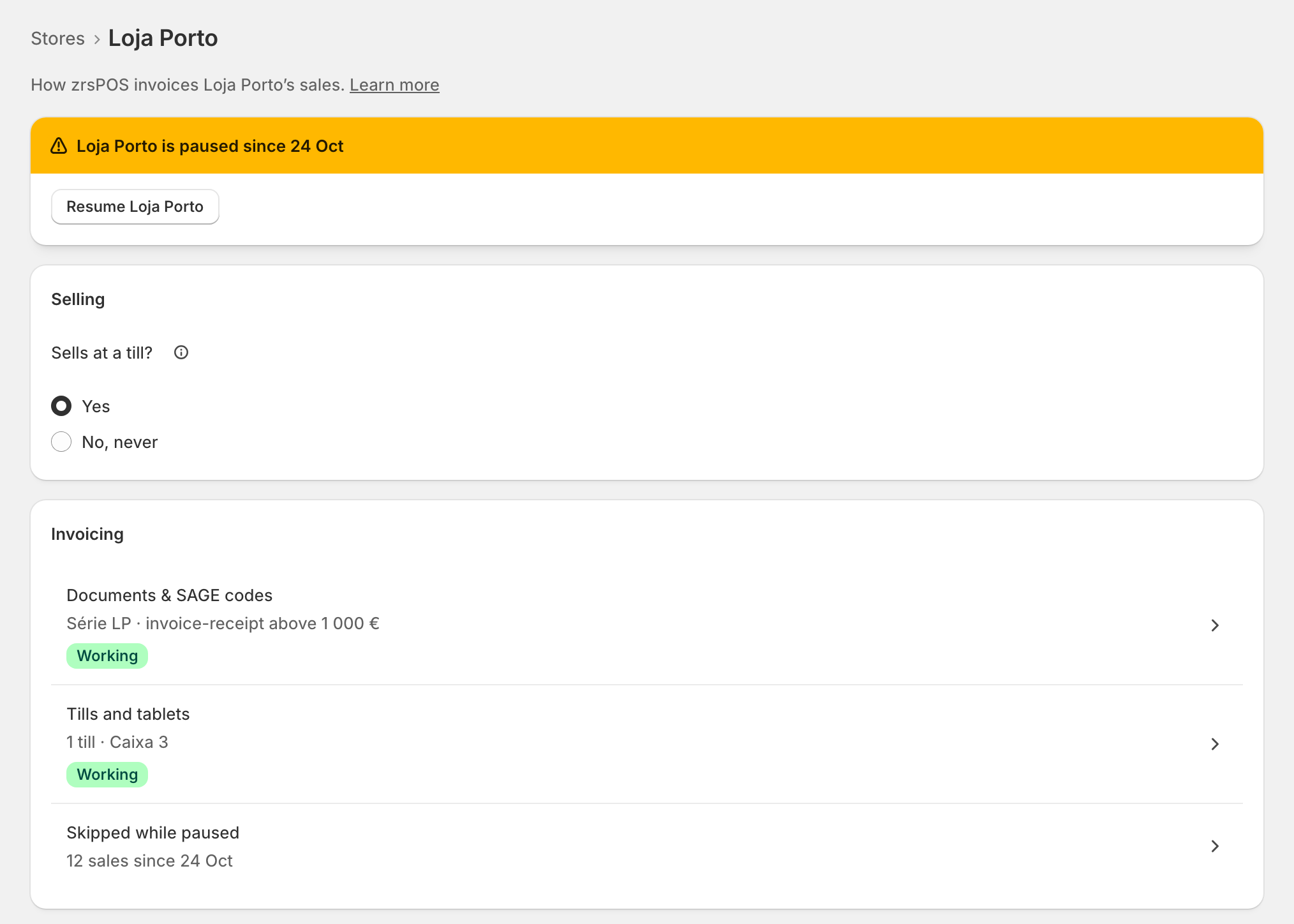
The store's page then says "… is paused since …", and its row on Stores says Paused, never Attention.
The skipped sales
Under Invoicing, Skipped while paused says how many, for example "12 sales since 24 Oct". It opens Documents filtered to that store's skipped sales. Issue each in SAGE, then mark it there with I issued it in SAGE. See Waiting, held and skipped sales.
Resume
Press Resume … on the banner and confirm. "zrsPOS issues again from the next sale. The 12 skipped sales stay for you to issue in SAGE."
zrsPOS never issues a skipped sale later: a sale made while paused belongs to SAGE.
Edge cases
- Returns are not paused: a return of a sale zrsPOS issued still gets its credit note while the store is paused.
- A read-only plan still lets you pause and resume a store.
- Pause is offered only for a store that sells at a till and whose documents are set up.
- Pausing the whole shop is a different switch, on Go live: every store's sales are skipped then. See Going live & your plan.
- Stop for good: answer Sells at a till? with No, never instead. See Does a store sell at a till?.
- The till goes on as usual while paused: it opens, counts and closes. The close shows the skipped sales as not invoiced by decision, never as errors.
More in Stores & tills
- The Stores page
- Does a store sell at a till?
- Every location needs its own setup
- Choose a store's série
- The documents a store issues
- A store's SAGE records
- VAT zone and time zone
- Float and closes to SAGE
- A store's SAGE till
- Several SAGE tills at a store
- New till in SAGE
- SAGE tills
- The store's tablets
- Set up Shopify POS for zrsPOS
- The till through the day
- When a store needs attention