 zrsPOS
New till in SAGE
New till in SAGE creates a till in your SAGE without leaving zrsPOS, in the SAGE store of the store's série, reads it back and adds it to the store.
On the store's Tills and tablets, the New till card: "Creates a till in SAGE and adds it to …"
Create a till
- Press New till in SAGE.
- Type the Till name: "Up to 50 characters, as SAGE shows it." Then Preview till “…”.
- The preview shows the SAGE till number ("SAGE confirms it the moment it creates the till.") and the SAGE store ("The SAGE store of série LC.").
- Press Create till … in SAGE and confirm: "SAGE till 008, in Loja do Chiado. zrsPOS reads it back and adds it to …; it stays in SAGE."
- The sheet shows each part: checking SAGE, creating the till, reading it back. Then: "Created in SAGE as 008, read back and added to …"
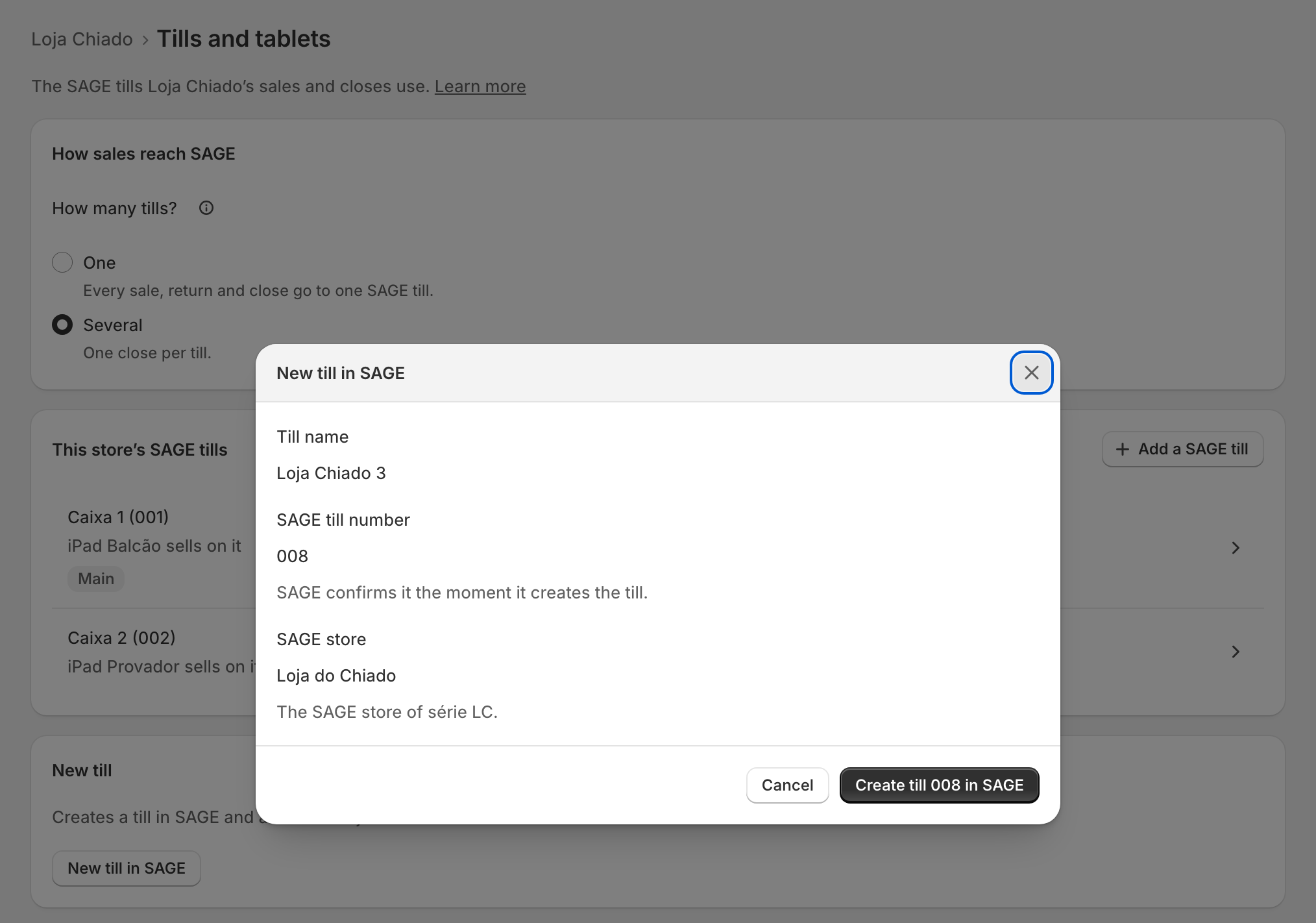
A store with one till that gets a second becomes a store with several: "… then has several tills: each tablet must pick its till, and there is one close per till."
Edge cases
- No série yet: "Choose …’s série first: the till goes in its SAGE store." Choose …’s série opens it.
- No free number: "SAGE has no free till number left (001 to 999), and a deactivated till keeps its number. Reuse one instead." Reactivate … in SAGE tills opens it.
- The série has no SAGE store: "SAGE doesn’t say which SAGE store série … belongs to, so the till has no store. Your SAGE partner sets it."
- SAGE refused it: "SAGE refused it: “…”. Nothing was created." The page for your SAGE partner says what to check, usually the zrsPOS user's rights.
- It reads back inactive: "Till … is in SAGE, but it reads back inactive, so it was not added to … Activate it in SAGE, then check it again." Check till … again reads it once more.
- SAGE made it late on an earlier try: zrsPOS uses that till. "Nothing was created twice."
- A till of the store is open: "the new till joins the waiting change, from the next close."
- SAGE tills lists the new till at once. New tills are only made from a store's page.
More in Stores & tills
- The Stores page
- Does a store sell at a till?
- Every location needs its own setup
- Pause a store
- Choose a store's série
- The documents a store issues
- A store's SAGE records
- VAT zone and time zone
- Float and closes to SAGE
- A store's SAGE till
- Several SAGE tills at a store
- SAGE tills
- The store's tablets
- Set up Shopify POS for zrsPOS
- The till through the day
- When a store needs attention