 zrsPOS
Choose a store's série
Every document of a store is numbered in its own SAGE série. Choose it on Documents & SAGE codes; zrsPOS suggests the rest from how your SAGE uses it and checks the série with the AT.
Settings › Stores, the store, Documents & SAGE codes: "The SAGE série and records …’s documents use." The page starts with Numbering and its Série: "Every document from this store is numbered in this SAGE série. Your SAGE partner creates it and registers it with the AT."
Choose the série
- Open Série. Each série of your SAGE shows how many documents it has, for example "LC · 1 204 documents", or "LN · no documents yet".
- Pick the store's own série. "Choose the série: zrsPOS then suggests the rest from your SAGE."
- Each field below shows its suggestion with Use …, and why, for example "Used 1 080 times in série LC, last today." Use the 7 suggestions takes them all at once: "Each field below takes its suggestion. Nothing is saved until you press Save."
- Check each field, then Save. While saving: "Série LC and its records · step 1 of 2: checking in SAGE".
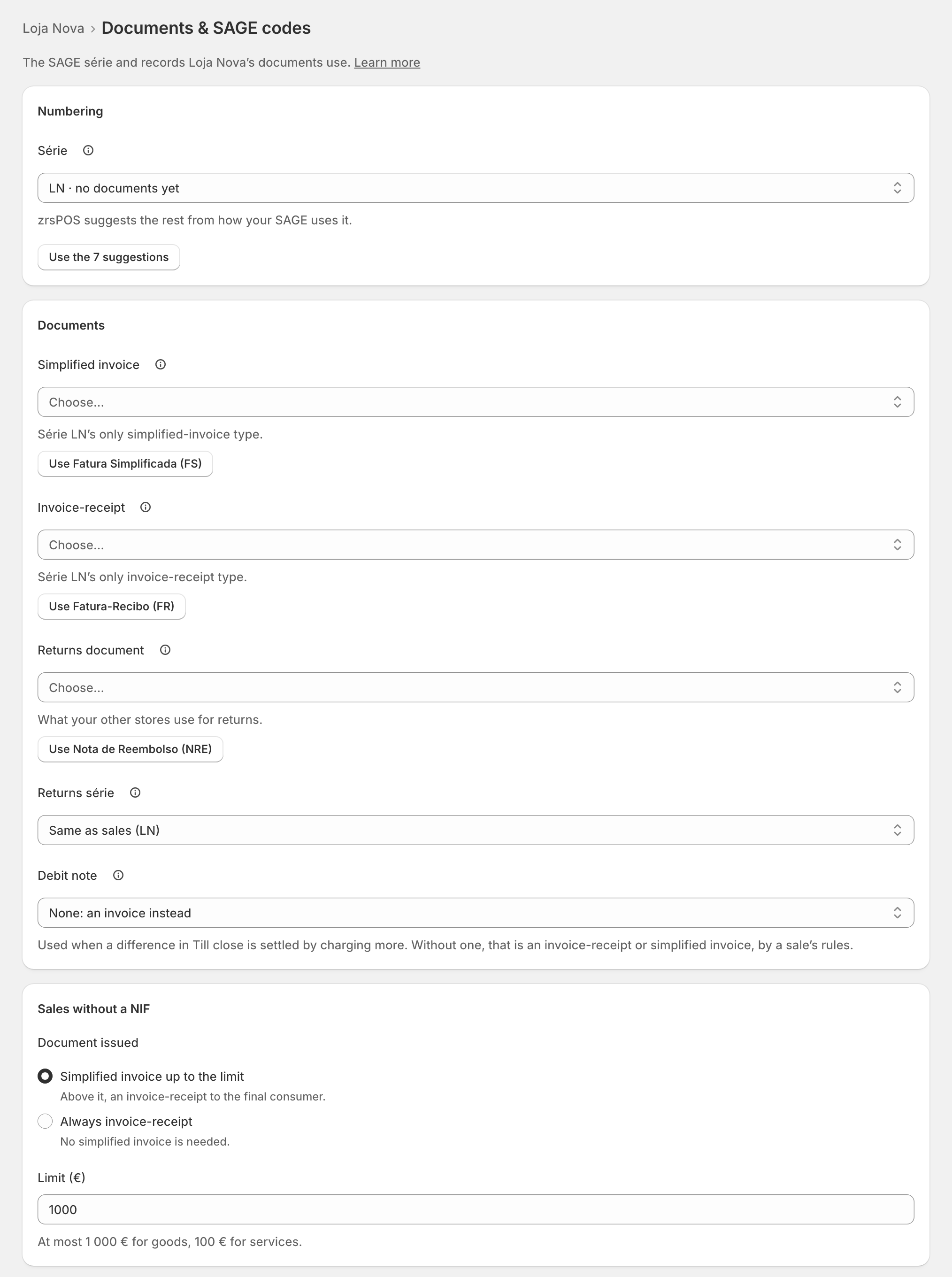
Nothing is filled in for you. A série with no documents yet takes its suggestions from its SAGE store and your other stores.
One série per store
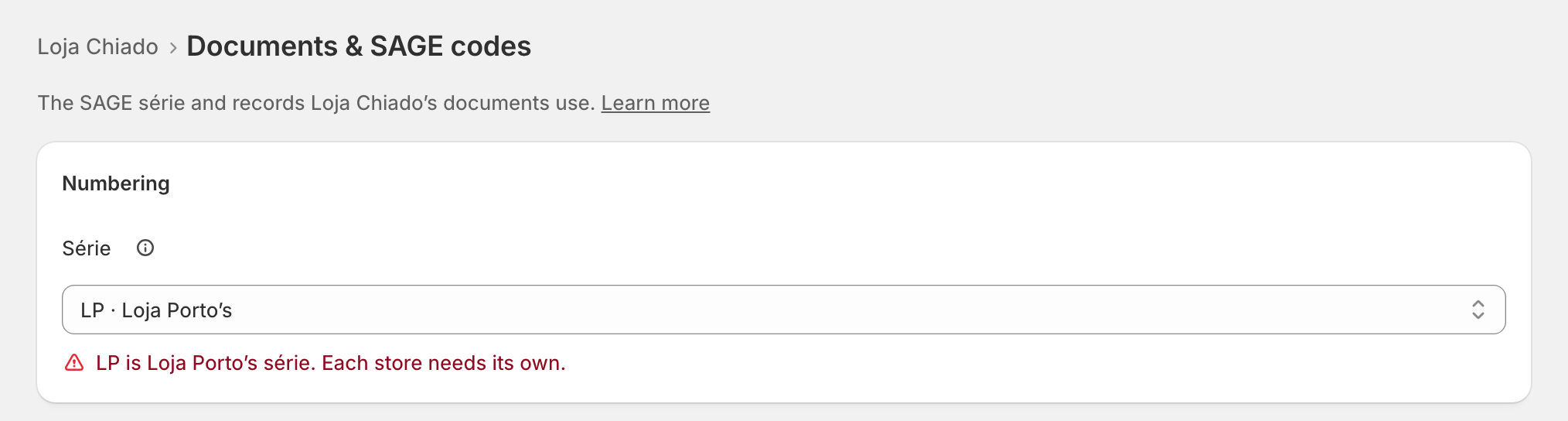
A série another store uses is marked in the list, "LP · Loja Porto’s", and refused: "LP is Loja Porto’s série. Each store needs its own."
The AT code and the numbering
Once saved, zrsPOS checks the série in SAGE, for the sales documents, the returns document and, when closes go to SAGE, the till close document:
- The AT code: "LC is not registered with the AT: sales here wait. Blocks going live." Ask your SAGE partner to register LC opens the page for your SAGE partner. The steps: Register a série with the AT.
- The numbering: "LC’s numbering in SAGE has a gap: sales here wait. Blocks going live." See Repair a numbering chain.
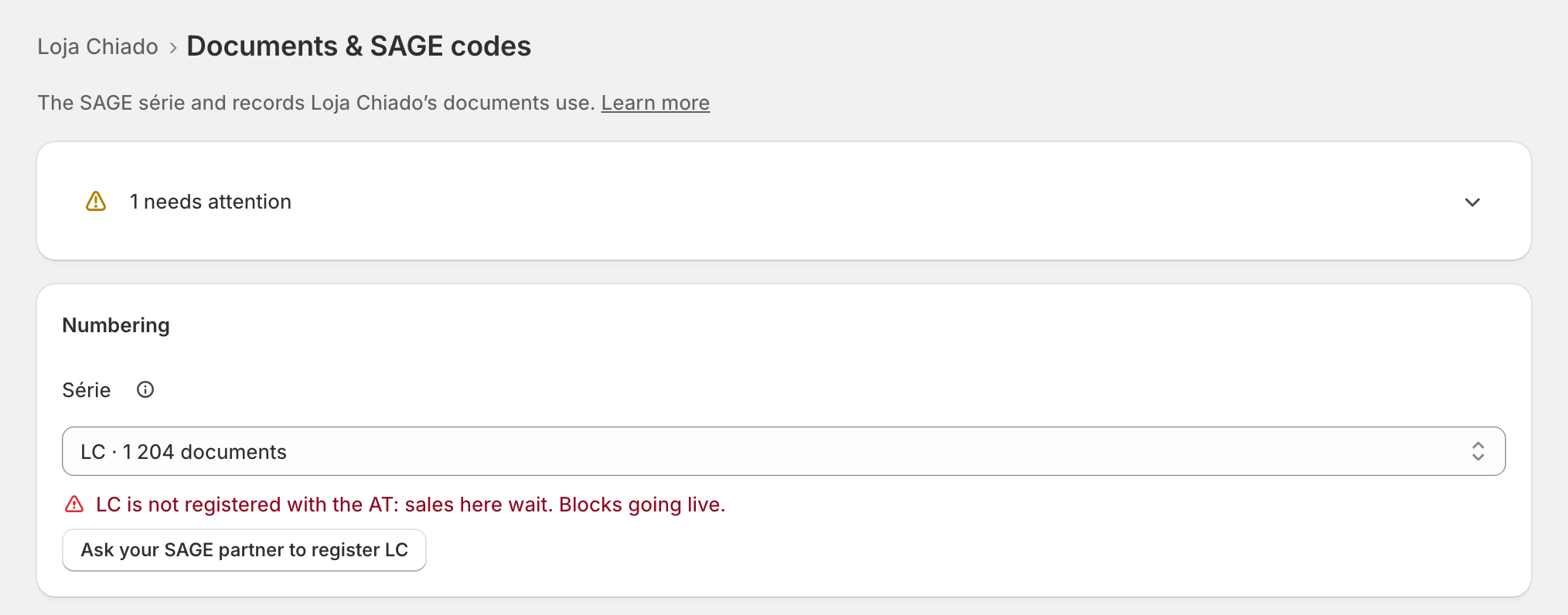
Under the field, a saved série says what zrsPOS read, for example "SAGE: Loja do Chiado · last used today".
Edge cases
- An inactive série: "LX · inactive" in the list. Sales on it wait: choose another, or make it active in SAGE.
- "… is not in your SAGE for these documents: sales here wait. Choose another." The série was closed, or exhausted, in SAGE. See The série does not exist in SAGE.
- Changing the série of a live store asks first: "From the next sale, … uses série … Documents already issued stay as they are."
- Changing the série offers new suggestions for the fields its SAGE store changes, for example the warehouse.
- "Your SAGE’s séries could not be read": SAGE did not answer in time. Try again, or open the SAGE connection.
- The tills of a store live in the SAGE store of its série: a new till waits for the série. See New till in SAGE.
- After a change of SAGE company each old value is marked "not in …": choose the new company's série.
More in Stores & tills
- The Stores page
- Does a store sell at a till?
- Every location needs its own setup
- Pause a store
- The documents a store issues
- A store's SAGE records
- VAT zone and time zone
- Float and closes to SAGE
- A store's SAGE till
- Several SAGE tills at a store
- New till in SAGE
- SAGE tills
- The store's tablets
- Set up Shopify POS for zrsPOS
- The till through the day
- When a store needs attention