 zrsPOS
A store's SAGE till
Tills and tablets holds the SAGE till a store's sales, returns and closes go to. One till, none, or several; which tills are offered, and SAGE's own POS on the same till.
Settings › Stores, the store, Tills and tablets: "The SAGE tills …’s sales and closes use."
How many tills?
"Several tills: each tablet sells on a till of its own, or tablets share. The close follows the tills: one close per till."
- One: "Every sale, return and close go to one SAGE till."
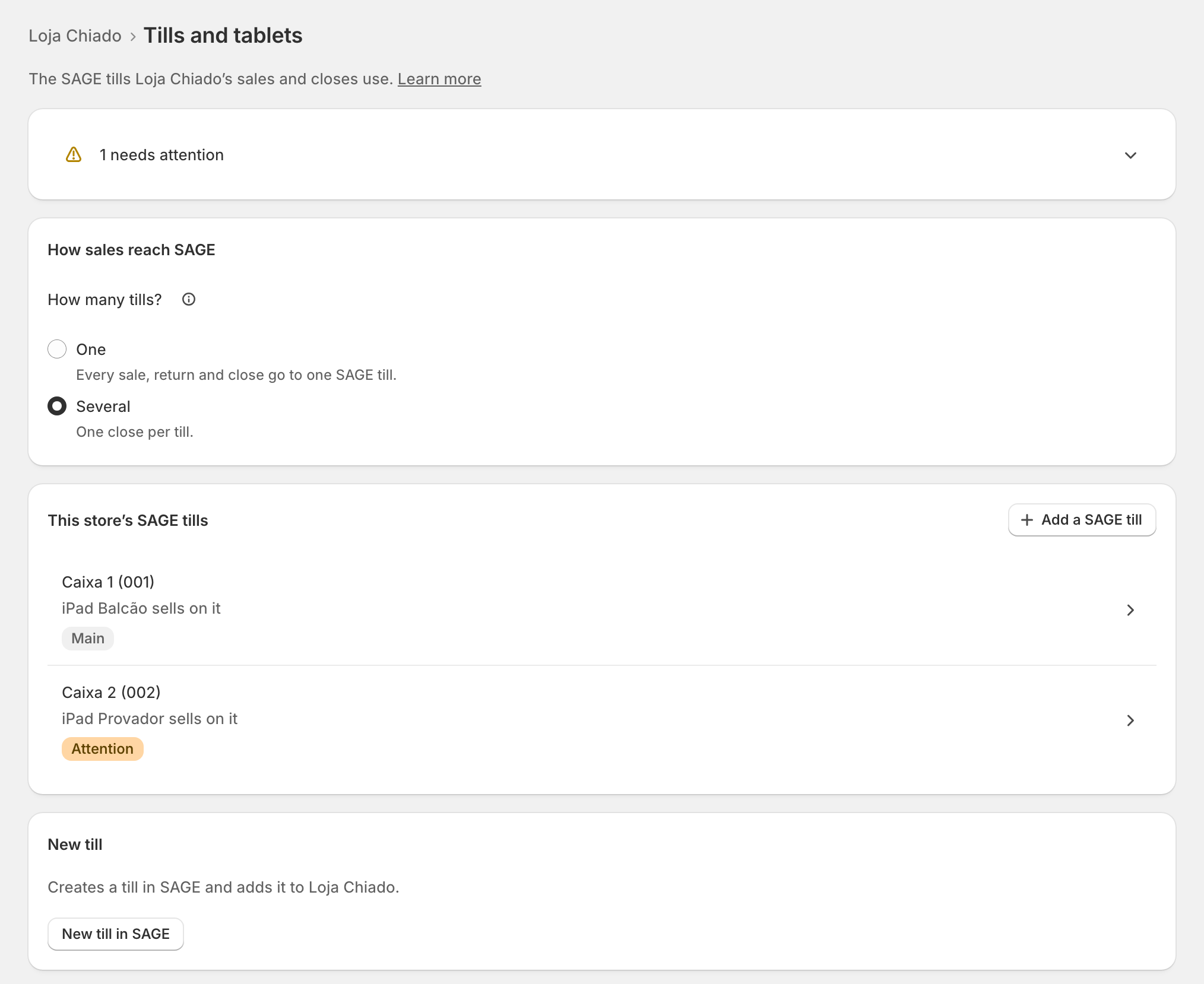
- Several: "One close per till." See Several SAGE tills at a store.
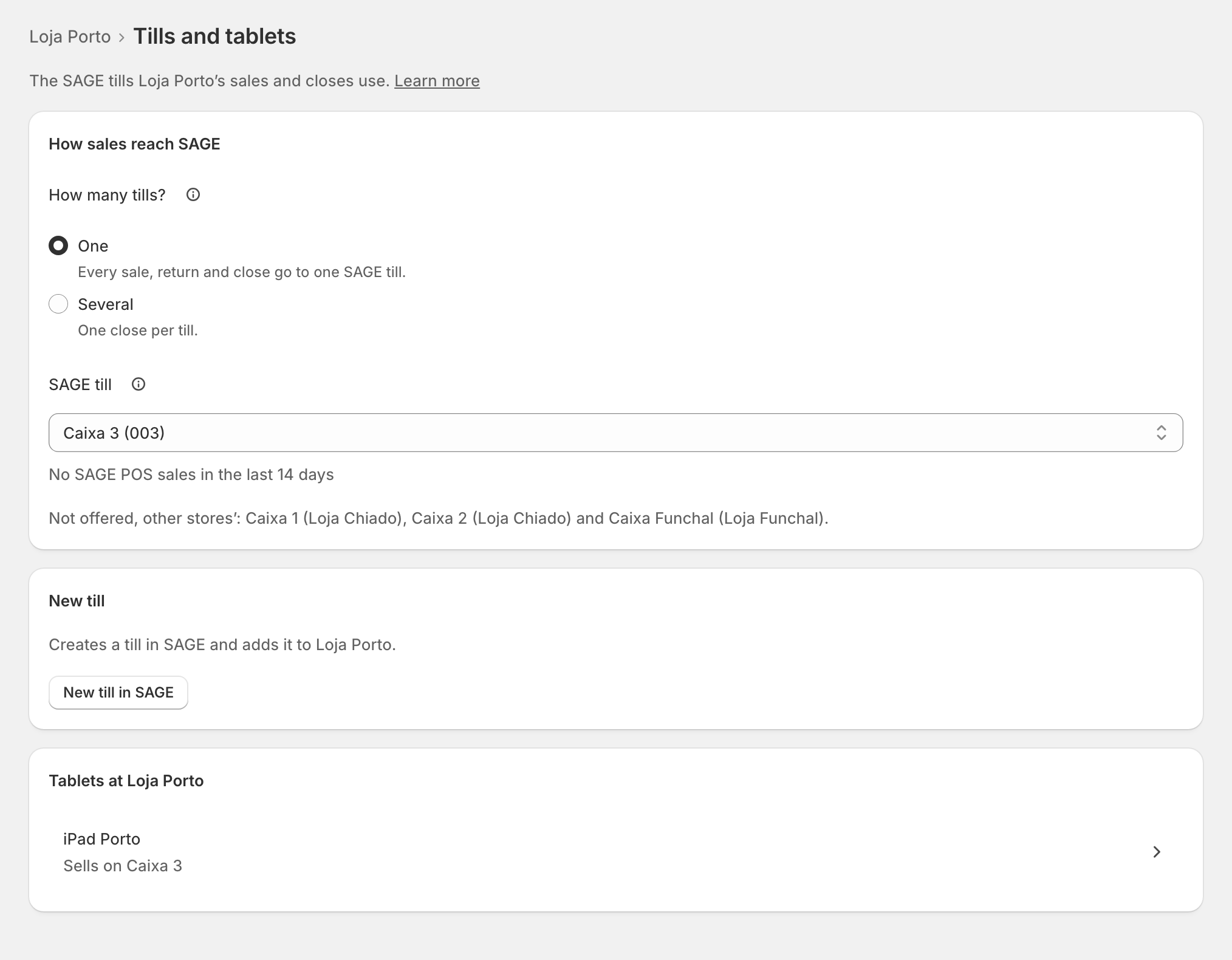
Choose the store's till
With One, pick it under SAGE till: "Only your SAGE’s active tills that no other store uses. Never the central or an offline till."
- Under the field, the till says what SAGE's own POS did on it, for example "No SAGE POS sales in the last 14 days".
- Other stores' tills are named but not offered: "Not offered, other stores’: Caixa 1 (Loja Chiado) …".
- None: SAGE’s default till: "Documents go to the till SAGE uses by default." Closes cannot go to SAGE then.
- No free till? Create one: New till in SAGE.
Then Save. On a live shop: "From the next sale, … sells on … If a till is open, the change waits for its close."
SAGE's own POS on the same till
Two systems must not share a till. A till SAGE's POS sold on today says so: "SAGE’s own POS sold on Caixa 2 today. Two systems must not share a till." On the day a store moves to zrsPOS, choose its till after the last close in SAGE's POS. See Before the first close.
Edge cases
- A day left open by SAGE's POS: "SAGE’s own POS left a day open on … (…)." Close that day in Till close opens it there.
- A till deactivated in SAGE: "SAGE still takes this store’s sales on it, but the till is out of use there. Remove it here, or reactivate it."
- A till no longer in SAGE: "… is not in SAGE: sales and closes on it would fail. Remove it here." See The store’s till does not exist in SAGE.
- A change while a till is open waits for the close. See Several SAGE tills at a store.
- "SAGE’s tills could not be read": the tills show as last read; adding and creating tills wait.
- A store not set up yet: "This store is not set up yet: decide on its page whether it sells at a till."
- After a change of SAGE company the old tills are marked: remove them and add the new company's. See Change SAGE company.
- A read-only plan: "You can look, but not change this store’s tills."
More in Stores & tills
- The Stores page
- Does a store sell at a till?
- Every location needs its own setup
- Pause a store
- Choose a store's série
- The documents a store issues
- A store's SAGE records
- VAT zone and time zone
- Float and closes to SAGE
- Several SAGE tills at a store
- New till in SAGE
- SAGE tills
- The store's tablets
- Set up Shopify POS for zrsPOS
- The till through the day
- When a store needs attention