 zrsPOS
SAGE tills
SAGE tills lists every till of your SAGE and the store that uses it. A till no store uses can be deactivated in SAGE, and reactivated; no till is ever deleted.
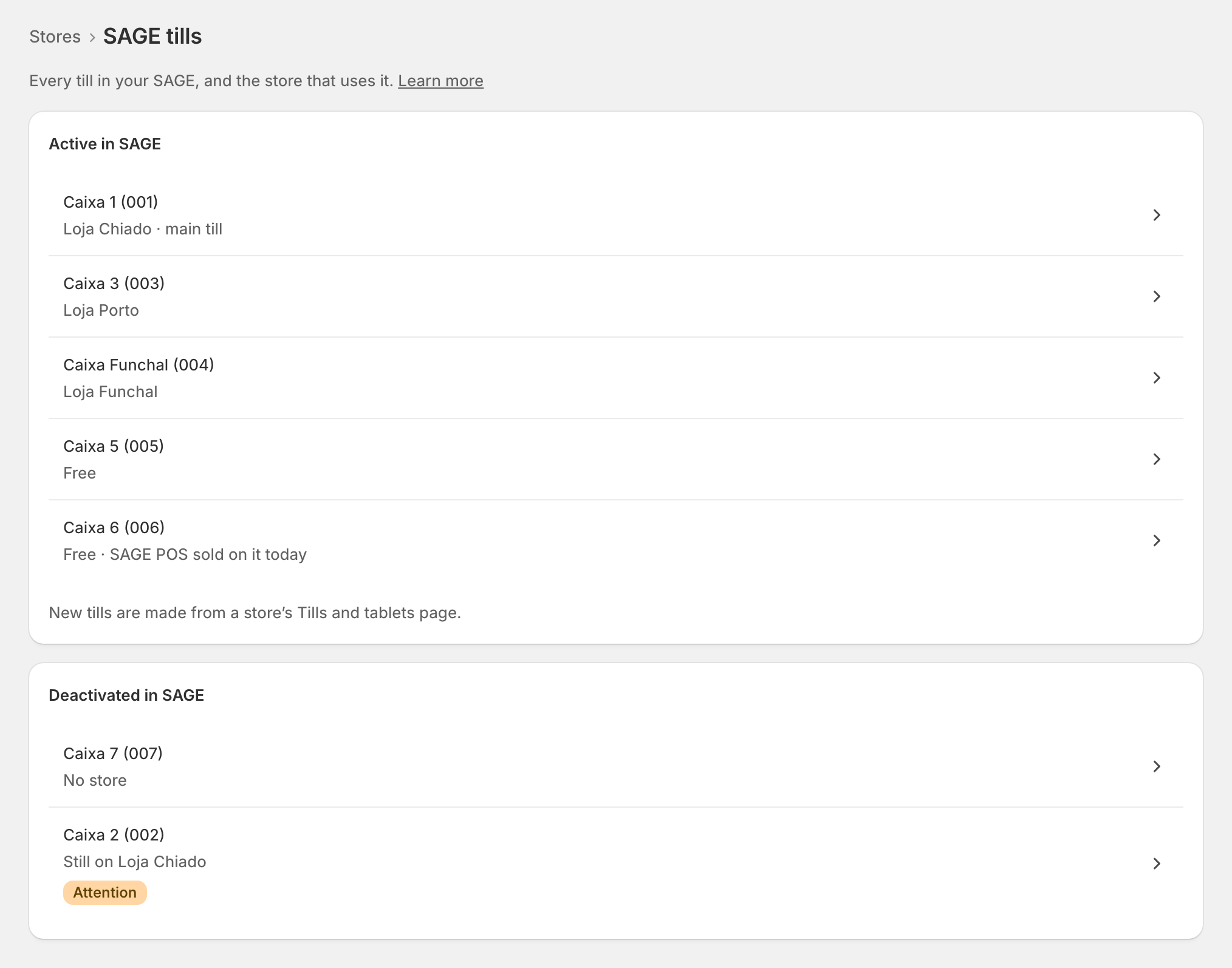
The last row of Settings › Stores, SAGE tills: "Every till in your SAGE, and the store that uses it."
The list
Active in SAGE lists each till with who uses it: "Loja Chiado · main till", "Loja Porto", or Free. A free till SAGE's own POS sold on today says so. Deactivated in SAGE lists the rest. "New tills are made from a store’s Tills and tablets page."
One till
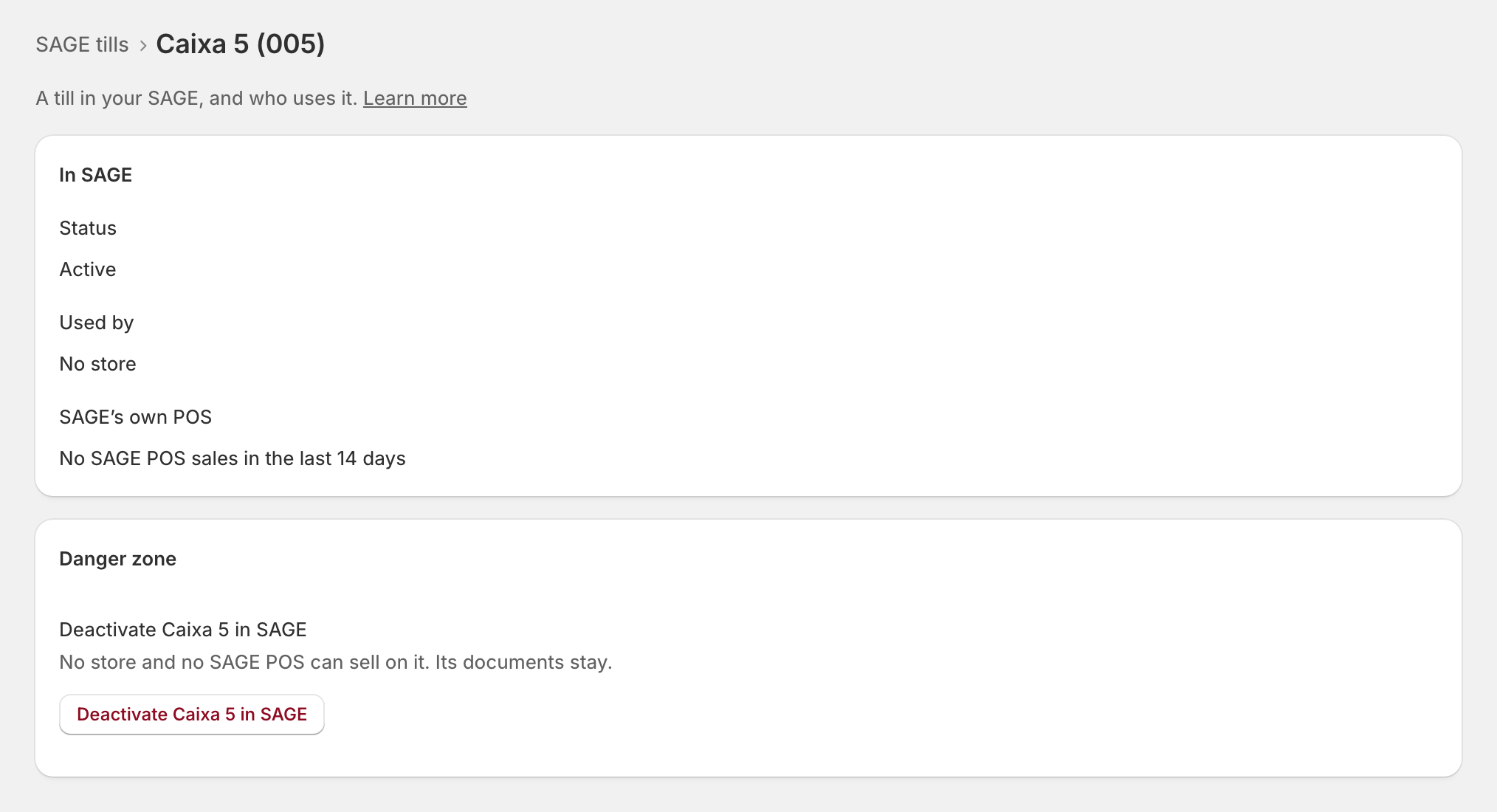
Open a till: "A till in your SAGE, and who uses it." Status (Active, or "Deactivated since …"), Used by (a store, or "No store") and SAGE’s own POS (what it sold there lately).
Deactivate or reactivate
- Deactivate … in SAGE, in the till's Danger zone: "No store and no SAGE POS can sell on it. Its documents stay." Confirm, and the page shows each part: checking SAGE, deactivating in SAGE, reading back from SAGE. "Deactivated in SAGE and read back."
- Reactivate … in SAGE, on a deactivated till: "A store can choose it again. Nothing else changes."
Edge cases
- A till a store uses cannot be deactivated: "Used by …: remove it from that store first." Open …’s tills takes you there.
- "Still on …": a till deactivated in SAGE while a store still lists it. It needs attention on that store's page: remove it there, or reactivate it.
- "SAGE refused it: “…”. Nothing changed." Usually the zrsPOS user's rights in SAGE: the page for your SAGE partner says so.
- SAGE reads the till back unchanged: check it in SAGE, then open the page again.
- After a change of SAGE company the list is the new company's tills: "Read from …". A store's old till is marked on its own Tills and tablets page.
- The central till and offline tills of SAGE are never offered to a store.
- A read-only plan: "You can look, but not change SAGE tills."
More in Stores & tills
- The Stores page
- Does a store sell at a till?
- Every location needs its own setup
- Pause a store
- Choose a store's série
- The documents a store issues
- A store's SAGE records
- VAT zone and time zone
- Float and closes to SAGE
- A store's SAGE till
- Several SAGE tills at a store
- New till in SAGE
- The store's tablets
- Set up Shopify POS for zrsPOS
- The till through the day
- When a store needs attention