 zrsPOS
Sales that need you
Sales with no document yet and alerts on documents: the cause, the one button that fixes it, and trying again without issuing twice.
Never repeat the sale at the till, and never issue it by hand in SAGE while zrsPOS still tries it: it would be issued twice.
Why a sale is here
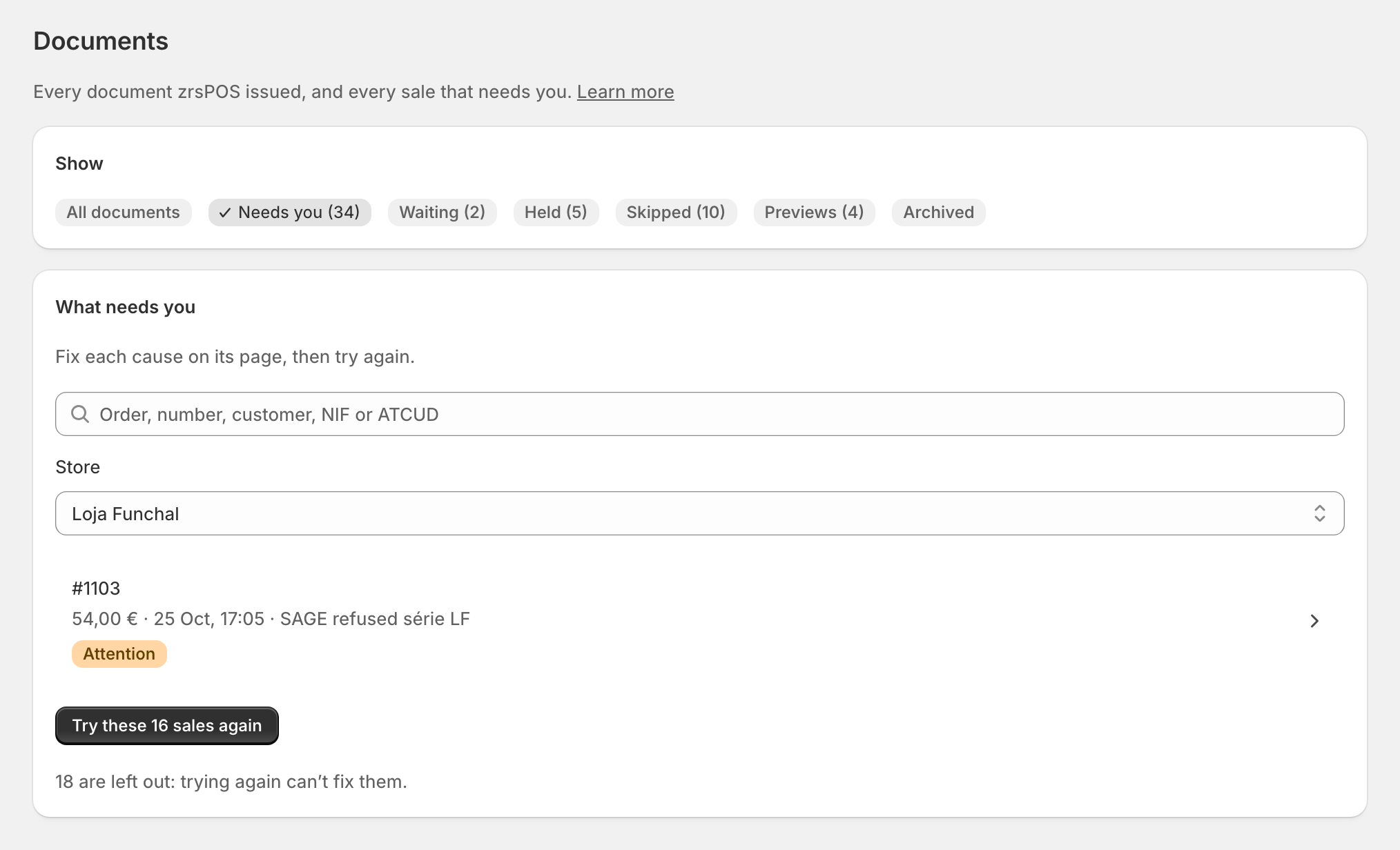
zrsPOS tries every sale right away and once more a few seconds later. If both fail, the sale stops trying by itself and waits for a person, here and in the till's Queue and errors. The row says the cause in a few words.
A sale's page
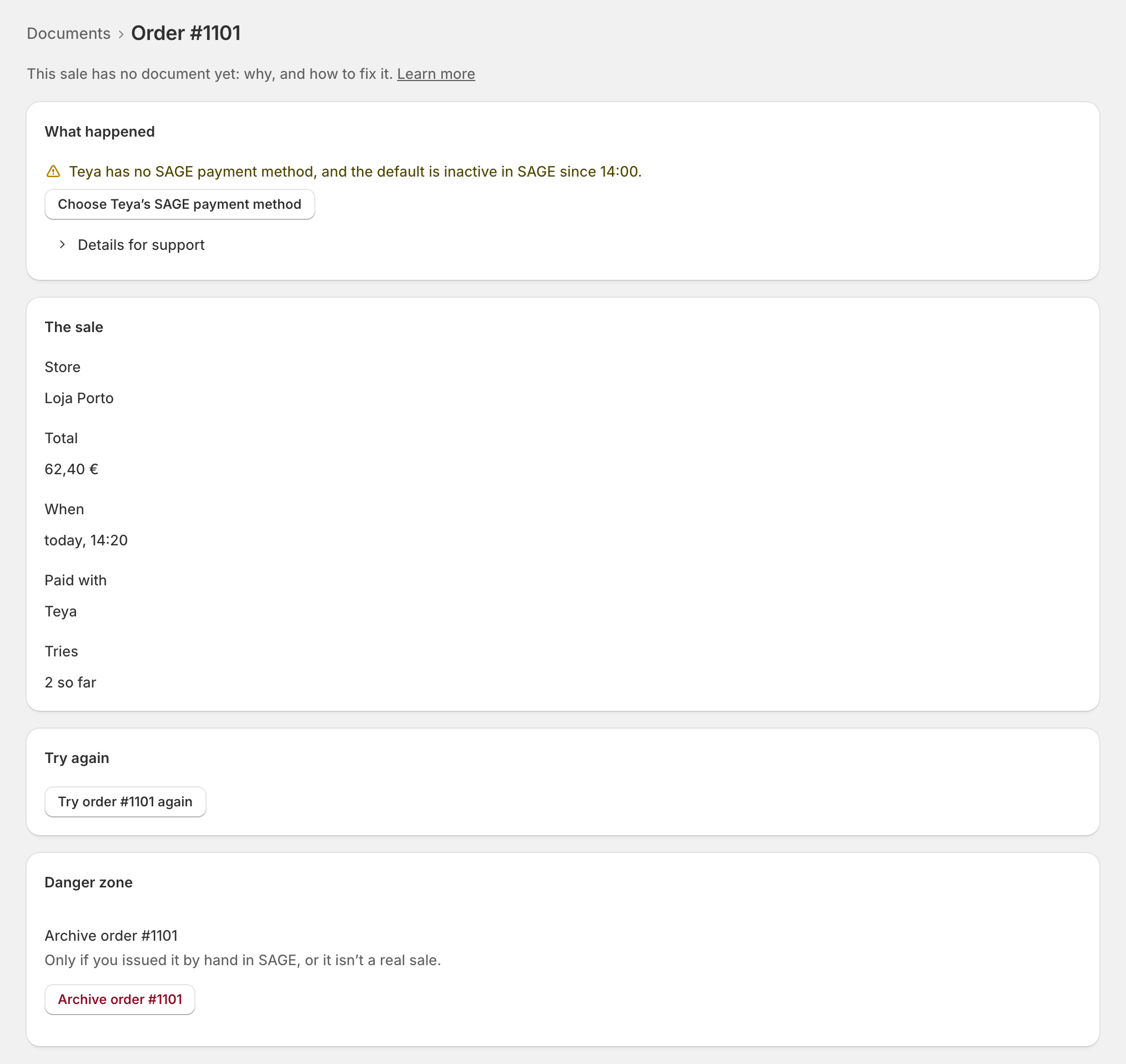
Open a row. What happened says the cause in plain words, with SAGE's own answer when SAGE refused it ("SAGE refused this sale in its own words: …"). Under it:
- one button that opens the exact setting that fixes it, and says so: "Choose Teya’s SAGE payment method", a store's série, a SAGE item;
- Learn more: the problem's own manual page;
- Details for support: what was sent to SAGE and what came back, ready to copy.
Try again
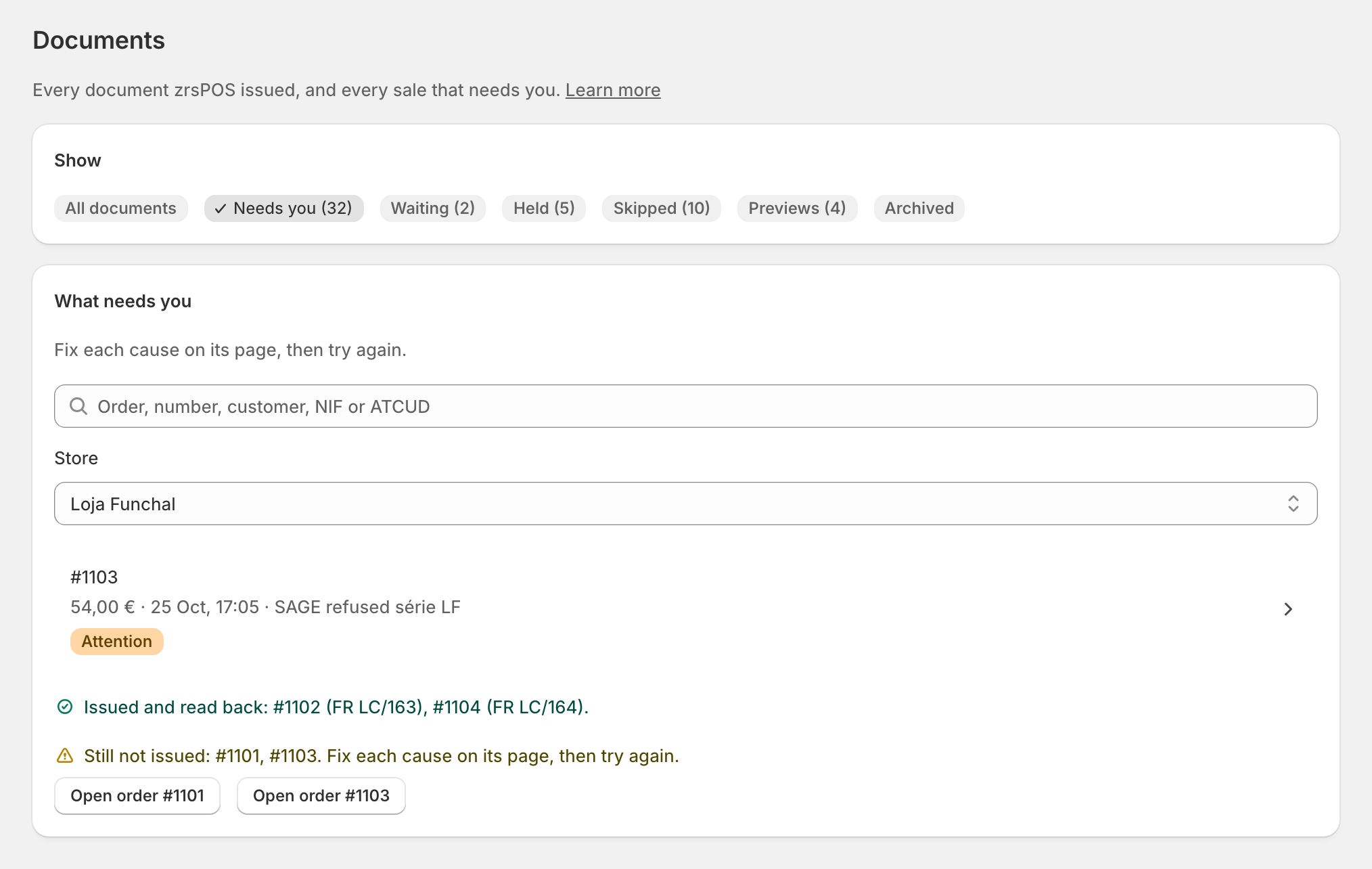
Once the cause is fixed, press Try order … again. zrsPOS first checks SAGE for a document made after all, then issues it: "Nothing is issued twice." The page then says what happened: issued and read back, with its document; still not issued, for the reason shown; or "SAGE did not answer".
On the list, Try these … sales again does the same for every sale trying again can fix, one by one, with each step and each outcome. Sales only a person can finish are left out, and the list says how many.
Alerts on a sale that has its document
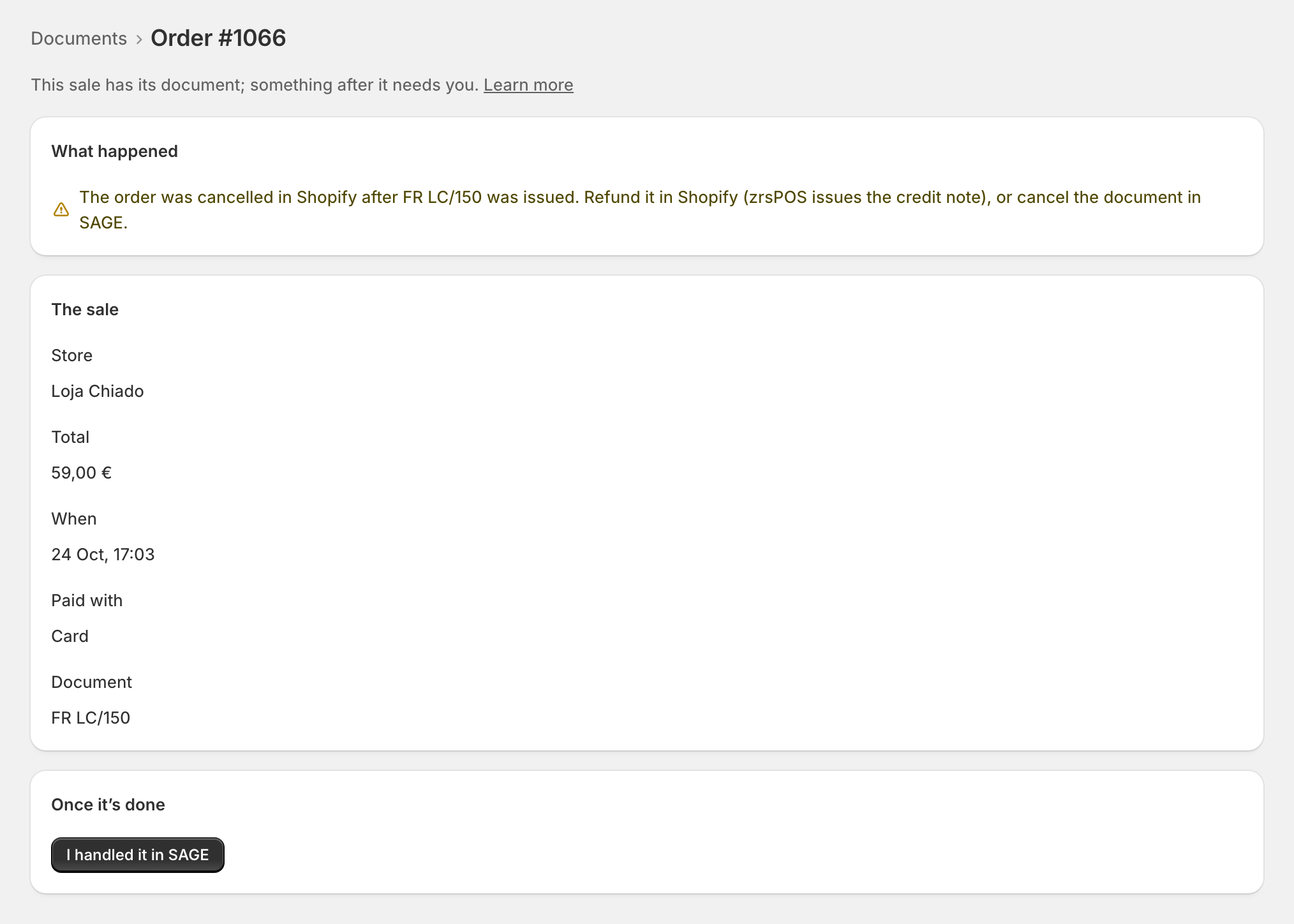
Some rows have their document already; something after it needs you. Each closes with one button that names what was done:
- cancelled in Shopify after its document: More
- edited in Shopify after its document: More
- SAGE's total differs from the sale: the document is issued, and support checks the difference: More
- a Tax Free form not voided after a refund: The form is voided. More
- an online refund not done in Shopify yet: The refund is done. More
Most close with I handled it in SAGE. The alert moves to Archived; Reopen brings it back.
Edge cases
- "zrsPOS no longer retries it by itself." The two automatic tries are over: fix the cause, then Try order … again.
- More than 30 days old, or tried 100 times: trying again here can't reach it any more. Issue it by hand in SAGE, then archive it.
- Only a person can finish it (a refund that does not match the goods, an online invoice not found): the page says what to do in SAGE, then I issued it by hand in SAGE. See Issue by hand and archive.
- A problem with no order (a store not set up, setup no longer complete) clears by itself once it is fixed.
- "Being issued now" or "zrsPOS can’t confirm whether it was issued": check the sale again in a minute before trying again.
- The go-live test sale is never retried by itself: fix the cause, then Test again.
- On a read-only plan, a fix that would change other settings says that your plan blocks it. Trying again still works.
- At the till, staff press Try again in Queue and errors; Process all covers that till's store only. See A sale without a document.
More in Documents & design
- The documents zrsPOS issues
- Document numbers and the ATCUD
- The Documents page
- Waiting, held and skipped sales
- Issue by hand and archive
- A document's page
- The A4 and the receipt
- Reprint: 2.ª via or original
- E-mail a document
- Your company on documents
- The customer on a document
- Templates
- Design the A4 and the receipt
- Style one element
- Preview, and what never changes