 zrsPOS
Your company on documents
Your company's name, NIF and address on every document come from SAGE; what you add here (address line 2, share capital, contacts, logo), and after a change of SAGE company.
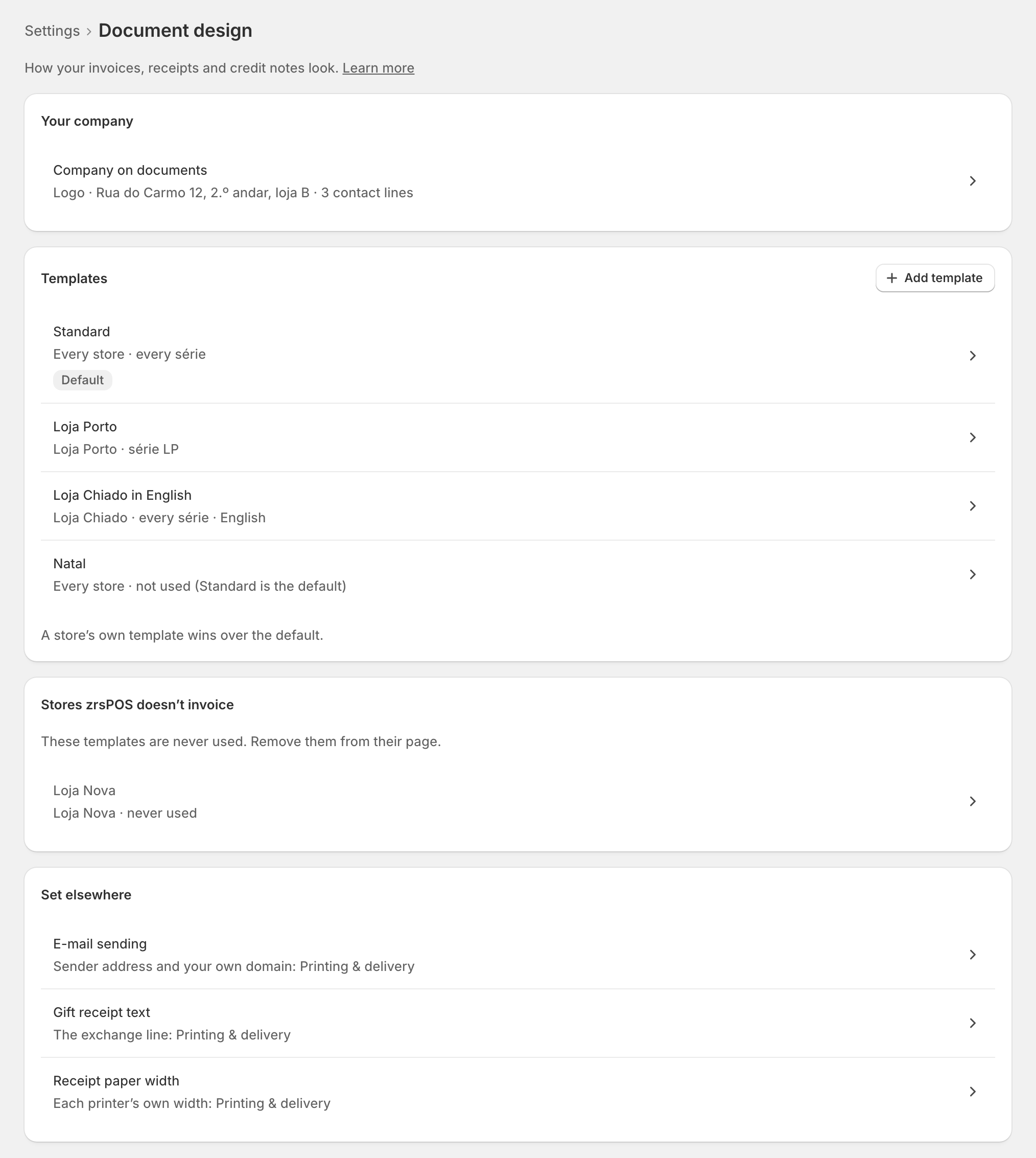
In Settings › Document design, under Your company, open Company on documents: "The address, contacts and logo your documents print." It is optional and does not count towards setup: documents come out right without it.
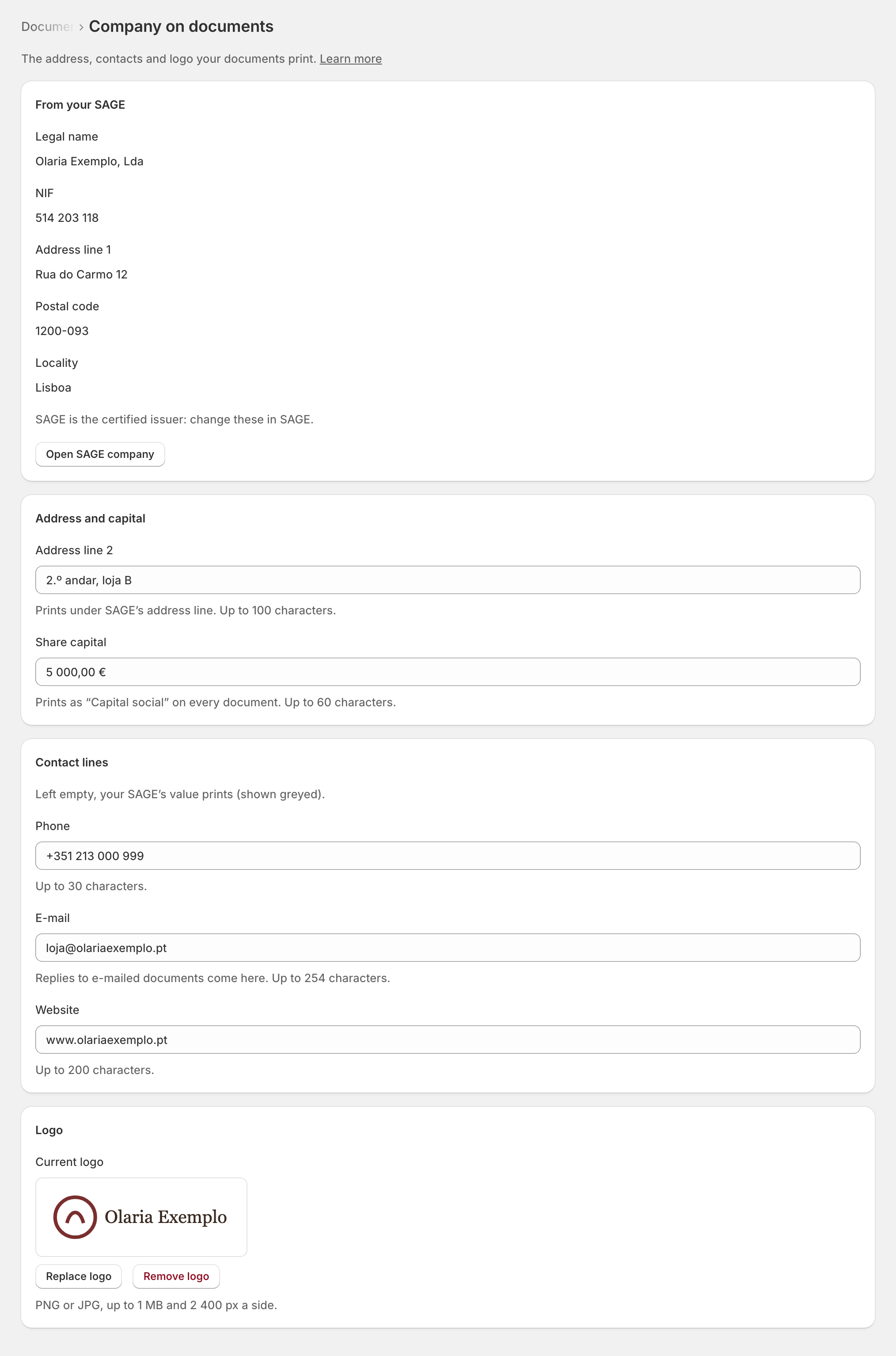
From your SAGE
The Legal name, NIF, Address line 1, Postal code and Locality always come from your company in SAGE. They show as facts and can't be changed here: "SAGE is the certified issuer: change these in SAGE." If one is wrong, change it in SAGE (Open SAGE company).
What you add here
- Address line 2: "Prints under SAGE’s address line." Up to 100 characters, for example a floor.
- Share capital: prints as "Capital social" on every document. Up to 60 characters.
- Contact lines: Phone, E-mail and Website. "Left empty, your SAGE’s value prints (shown greyed)."
- Logo: PNG or JPG, up to 1 MB and 2 400 px a side. Without one, "documents show the company name".
Then Save. On a shop that already issues documents, zrsPOS asks first: "Every document from now on prints them." A new logo is shown to you before it is used, and Remove logo always asks.
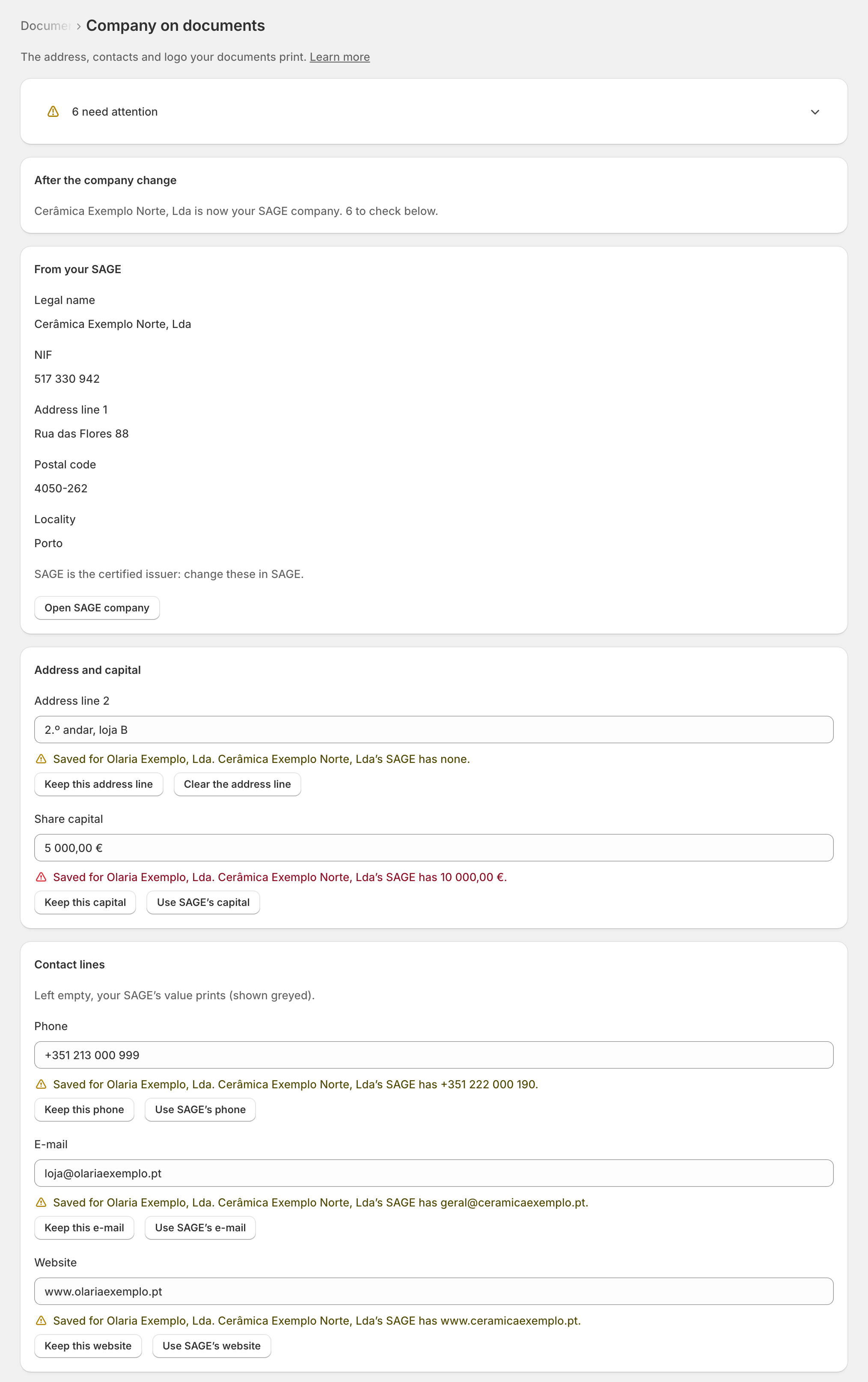
After a change of SAGE company
When your shop moves to another SAGE company, every line and the logo saved for the previous one is flagged at its field: "Saved for … …’s SAGE has …" For each, choose Keep this …, Use SAGE’s … or Clear the …. Document design says how many are left; the note goes once none is.
Set elsewhere
- E-mail sending (the sender, your own domain): Printing & delivery. See Receipts by e-mail.
- Gift receipt text: Printing & delivery. See Gift receipts.
- Receipt paper width: each printer's own, set with the printer.
Edge cases
- Nothing is cut: a line too long is refused at its field ("At most 100 characters: this one has 112.").
- "A phone number needs digits. As it is, nothing prints."
- "Not read from SAGE yet: name, NIF and address come from there." zrsPOS could not read your SAGE company: test the connection.
- A logo too large, of another type or over 2 400 px is refused and says which.
- The upload did not finish: "Your old logo still prints."
- Your NIF could not be read from SAGE when a sale was issued: the sale waits rather than print a document without it. See Document has no issuer NIF.
- Where the details print on the A4 (top right, under the logo, in the Modern band or the footer) is set in each template's A4 design.
- On a read-only plan you can look, but not change.
More in Documents & design
- The documents zrsPOS issues
- Document numbers and the ATCUD
- The Documents page
- Sales that need you
- Waiting, held and skipped sales
- Issue by hand and archive
- A document's page
- The A4 and the receipt
- Reprint: 2.ª via or original
- E-mail a document
- The customer on a document
- Templates
- Design the A4 and the receipt
- Style one element
- Preview, and what never changes