 zrsPOS
Design the A4 and the receipt
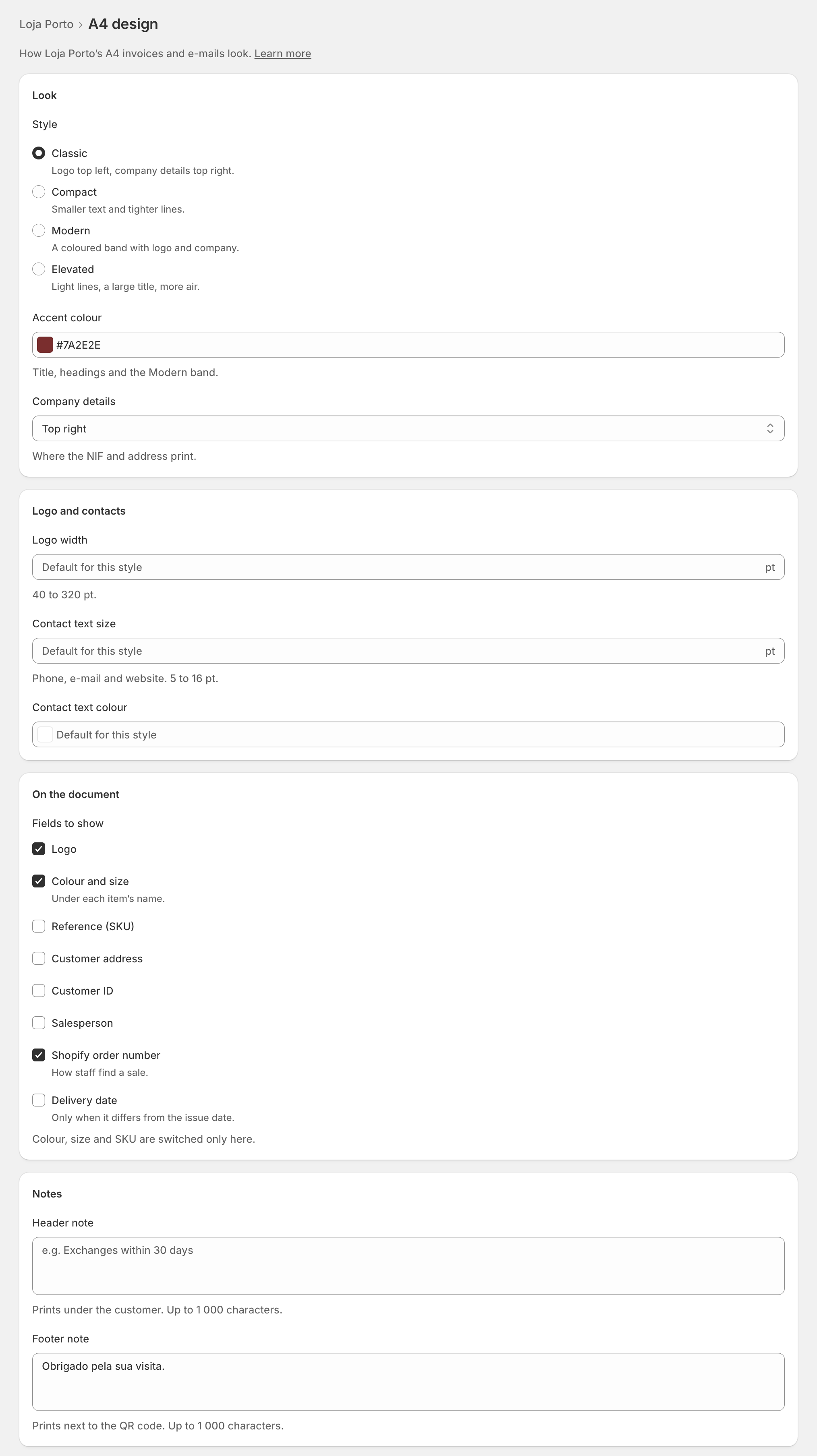
A template's A4 design and receipt design: the style, accent colour, logo and contacts, the fields to show, the notes, sizes and colours, and the live preview.
Each template has an A4 design ("How … A4 invoices and e-mails look.") and a Receipt design ("How … till receipts look."), each on its own page under the template. Every design page ends with a live preview: the real document, drawn by the same code that prints it, with your unsaved changes.
Look
- Style: Classic ("Logo top left, company details top right."), Compact ("Smaller text and tighter lines."), Modern ("A coloured band with logo and company.") or Elevated ("Light lines, a large title, more air."). On the receipt the same four change text size and spacing.
- Accent colour (A4): "Title, headings and the Modern band."
- Company details (A4): where the NIF and address print: Top right, Under the logo, Footer, or In the coloured band with Modern.
Logo and contacts
Logo width (40 to 320 pt), Contact text size (5 to 16 pt) and Contact text colour. The logo and the contacts themselves are on Company on documents.
On the document
Fields to show: Logo, Colour and size (under each item's name), Reference (SKU), Customer address (A4), Customer ID, Salesperson, Shopify order number ("How staff find a sale.") and Delivery date (A4, "Only when it differs from the issue date."). "Colour, size and SKU are switched only here."
Notes: a Header note and a Footer note, up to 1 000 characters each. On the A4 the header note prints under the customer and the footer note next to the QR code; on the receipt, at the top under the number, and at the end.
Fine-tuning
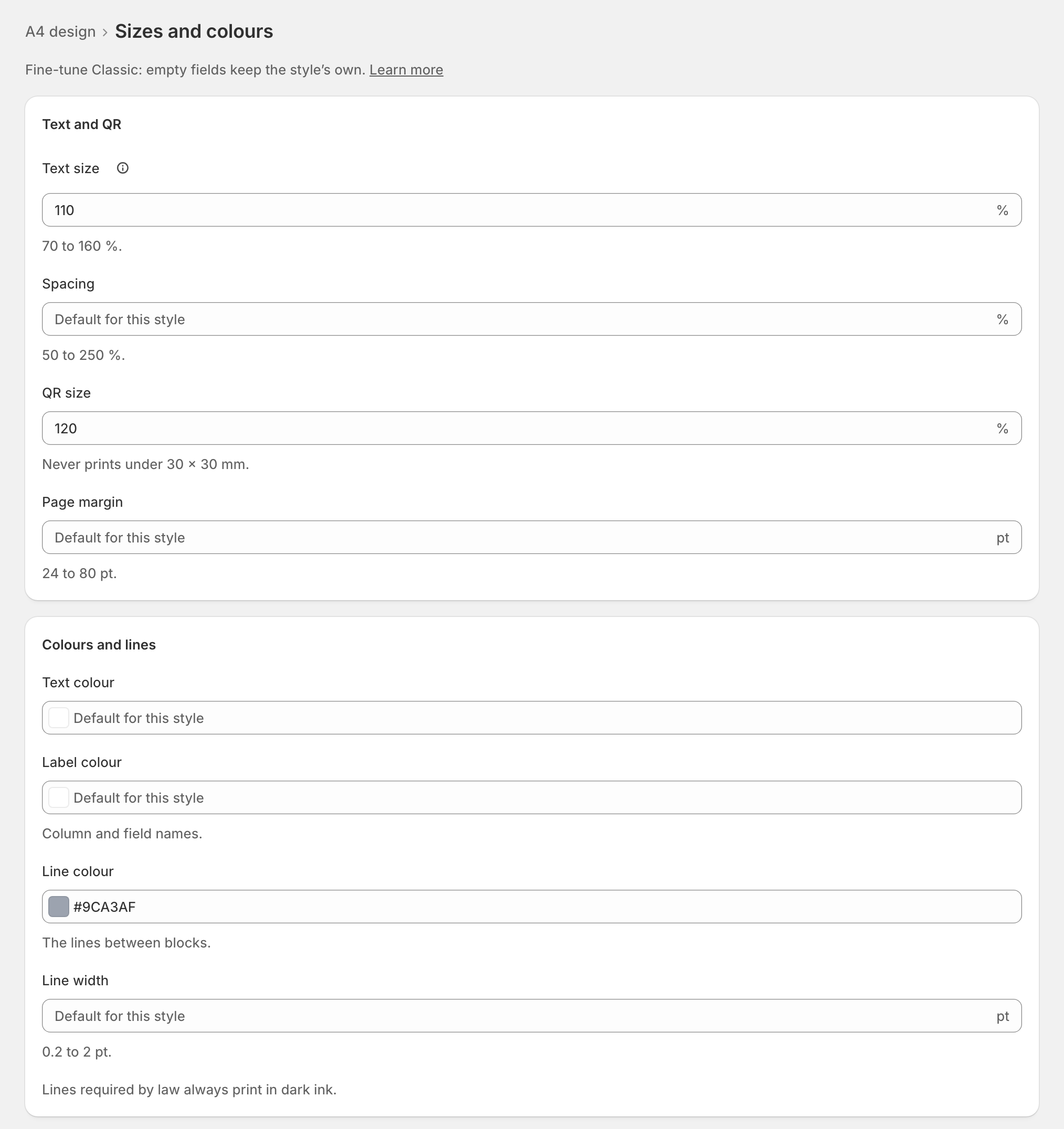
- Sizes and colours (A4) or Sizes (receipt): text size (70 to 160 %), spacing (50 to 250 %), QR size (60 to 180 %), page margin (24 to 80 pt), text, label and line colours, line width (0.2 to 2 pt). "Empty fields keep the style’s own."
- Elements: every piece of the document, styled one by one. See Style one element.
- Preview every document type: see Preview, and what never changes.
Press Save. On a shop already issuing, zrsPOS asks first: "From the next document, … look like this."
Edge cases
- "Not a colour." Type it like #1F2937, or pick one. Until then, the style's own colour prints.
- A number out of range says its range ("Between 70 and 160 %."); until then the style's own value prints.
- Decimals take a comma in Portuguese ("0,8") and a point in English.
- Lines required by law never print under 7.5 pt or in light ink, whatever the sizes say.
- The QR code never prints under 30 × 30 mm.
- No logo yet: the company name prints in its place.
- A header note too long for one page stops that document from drawing: SAGE's PDF goes out instead and the design shows Attention. Shorten it.
- Switching to Modern moves the company details into its band.
- The receipt's paper width is each printer's own, never the template's.
More in Documents & design
- The documents zrsPOS issues
- Document numbers and the ATCUD
- The Documents page
- Sales that need you
- Waiting, held and skipped sales
- Issue by hand and archive
- A document's page
- The A4 and the receipt
- Reprint: 2.ª via or original
- E-mail a document
- Your company on documents
- The customer on a document
- Templates
- Style one element
- Preview, and what never changes