 zrsPOS
Preview, and what never changes
Preview every document type and copy before it prints; what happens when a template can't draw a document; and what the law keeps on every template.
Preview
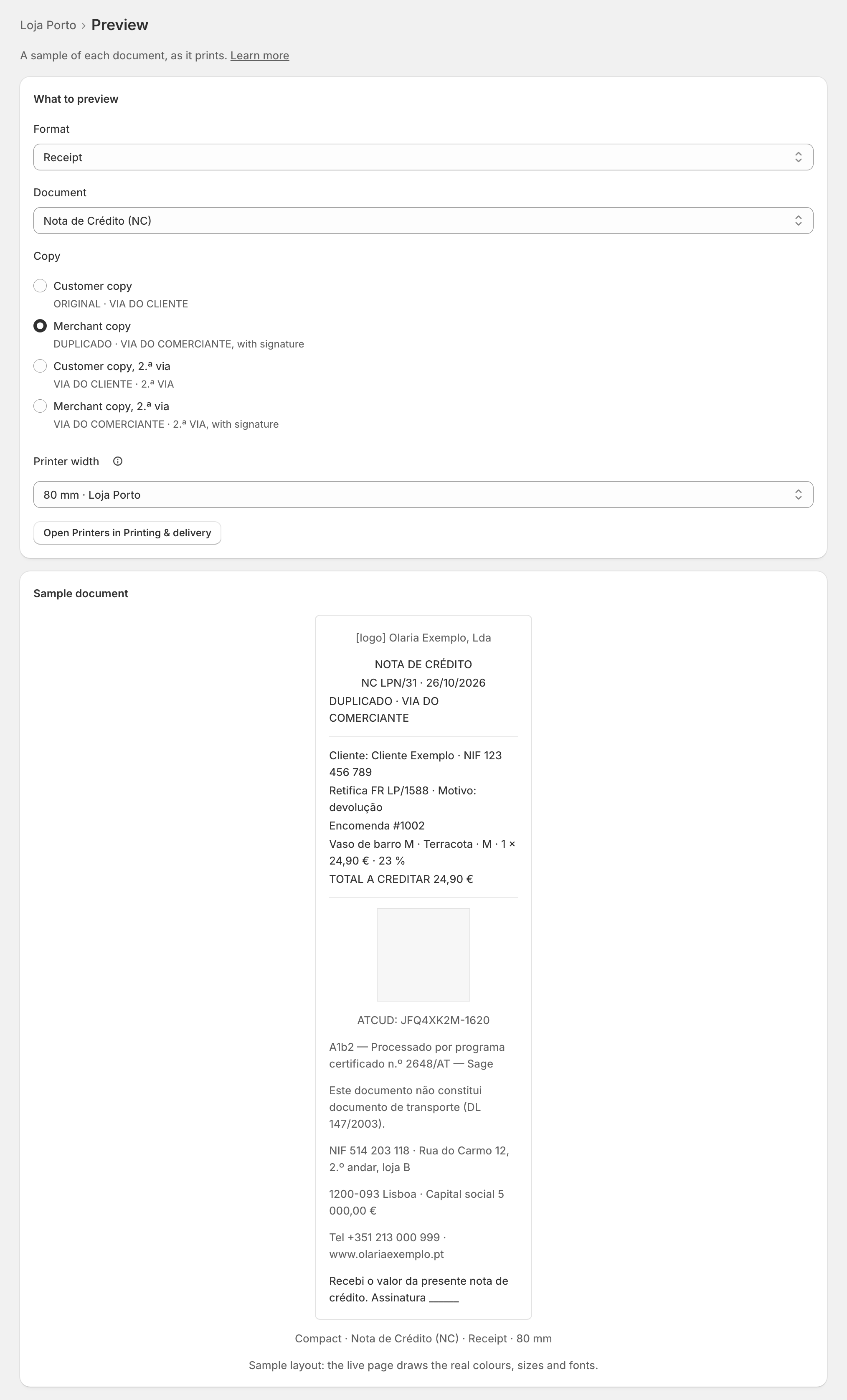
On a template's page, Preview ("Every document type, A4 and receipt") draws "A sample of each document, as it prints". Under What to preview, choose:
- Format: A4 or receipt;
- Document: simplified invoice (FS), invoice-receipt (FR), invoice (FT), credit note (NC) or refund note (NRE);
- Copy: the original or the 2.ª via; on a credit note's receipt, the Customer copy and the Merchant copy, with the signature;
- Printer width, for a receipt: the widths of the printers of the template's stores ("80 mm · Loja Porto").
The A4 preview also shows the strip that opens page 2 and after, and the e-mail subject. Preview works on a read-only plan too.
When a template can't draw a document
The document still goes out: zrsPOS gives SAGE's own PDF instead, so the customer always gets a valid document. Then:
- Document design shows the template with Attention, and its link opens the design on what failed (for example a header note too long for one page);
- the document's page says "Template … could not draw this document, so SAGE’s PDF opened instead", with Fix template ….
Fix what it shows. The note goes once that document draws again, or when the template is removed. See A template could not draw a document.
What the law keeps on every template
Some content is required on a certified document and stays on every template, whatever the style: the document type and number, the date, your company's name, NIF and address, the customer's NIF when there is one, the quantities, prices and VAT of each line, the VAT summary and exemption reasons, the references of a credit note, the ATCUD, the QR code, the certification line and the transport notice.
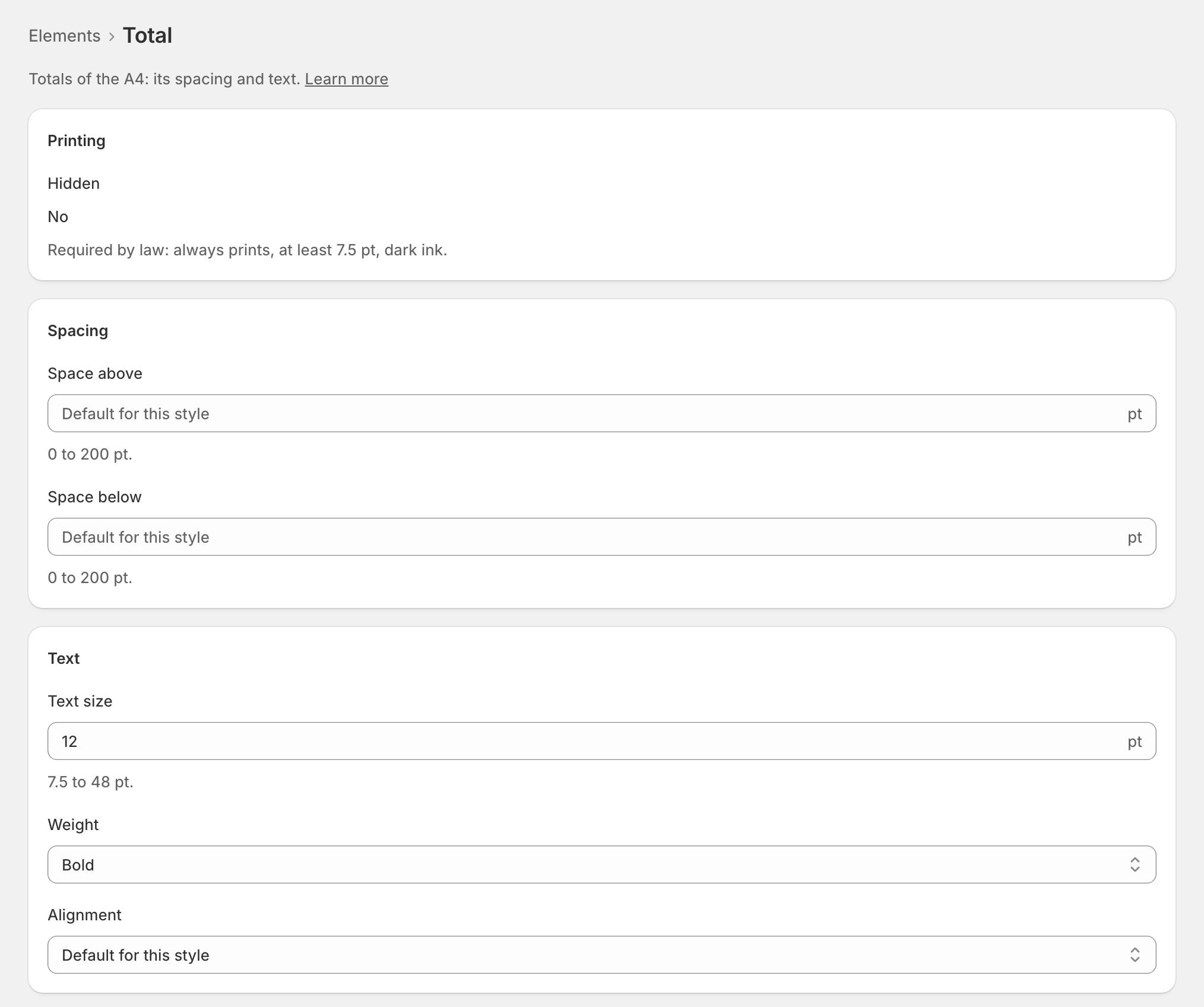
These elements show Required by law: they always print, at least 7.5 pt, in dark ink. Hide is off on their page, and the server refuses to hide them too.
Edge cases
- "zrsPOS could not draw this template as it is." Put the last change back, or write to support@zrspos.com.
- The preview failed on the logo ("the stored logo can’t be read"): upload the logo again.
- The QR code never prints under 30 × 30 mm.
- Copy notices are legal texts: on an English template they print in Portuguese first, then English.
- The legal content of a document (amounts, VAT, numbers) comes from SAGE: no template changes it.
- Receipts of the default template preview at every printer width your stores use.
- After a change of SAGE company, the preview uses the new company's details and says how many lines are left to check.
More in Documents & design
- The documents zrsPOS issues
- Document numbers and the ATCUD
- The Documents page
- Sales that need you
- Waiting, held and skipped sales
- Issue by hand and archive
- A document's page
- The A4 and the receipt
- Reprint: 2.ª via or original
- E-mail a document
- Your company on documents
- The customer on a document
- Templates
- Design the A4 and the receipt
- Style one element