 zrsPOS
E-mail a document
Whether a document's e-mail reached the customer, and how to send a document again, or to another address, from the admin or the till.
A document goes by e-mail as an A4 PDF, from your shop's sender. Whether customers get one by themselves is set in Settings › Printing & delivery: see Receipts by e-mail.
Did the customer get it?
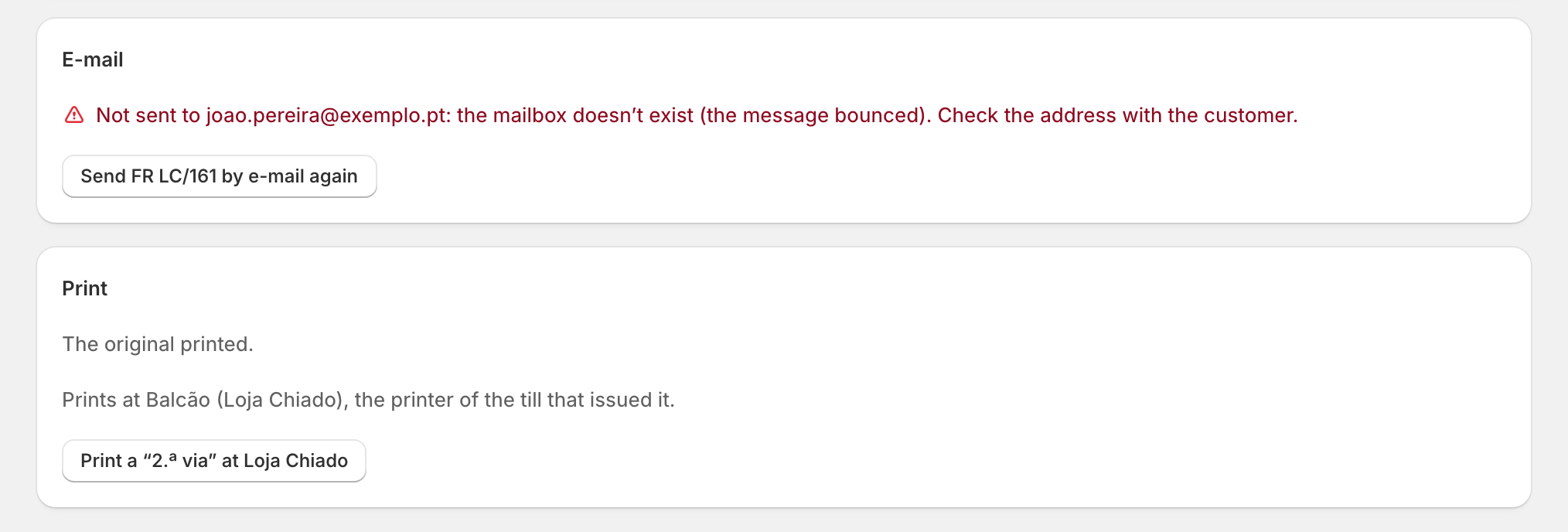
Under E-mail, a document's page says how it went:
- "Sent to … (…)." with the address and when;
- "Sending to … by itself, since …";
- "Not sent to …: …", with why (for example, the mailbox doesn't exist);
- "No customer e-mail on the order, so nothing was sent.";
- "Not sent by e-mail yet."
On Documents, the E-mail not sent (…) filter lists every document whose e-mail failed, marked Attention.
Send it from the admin
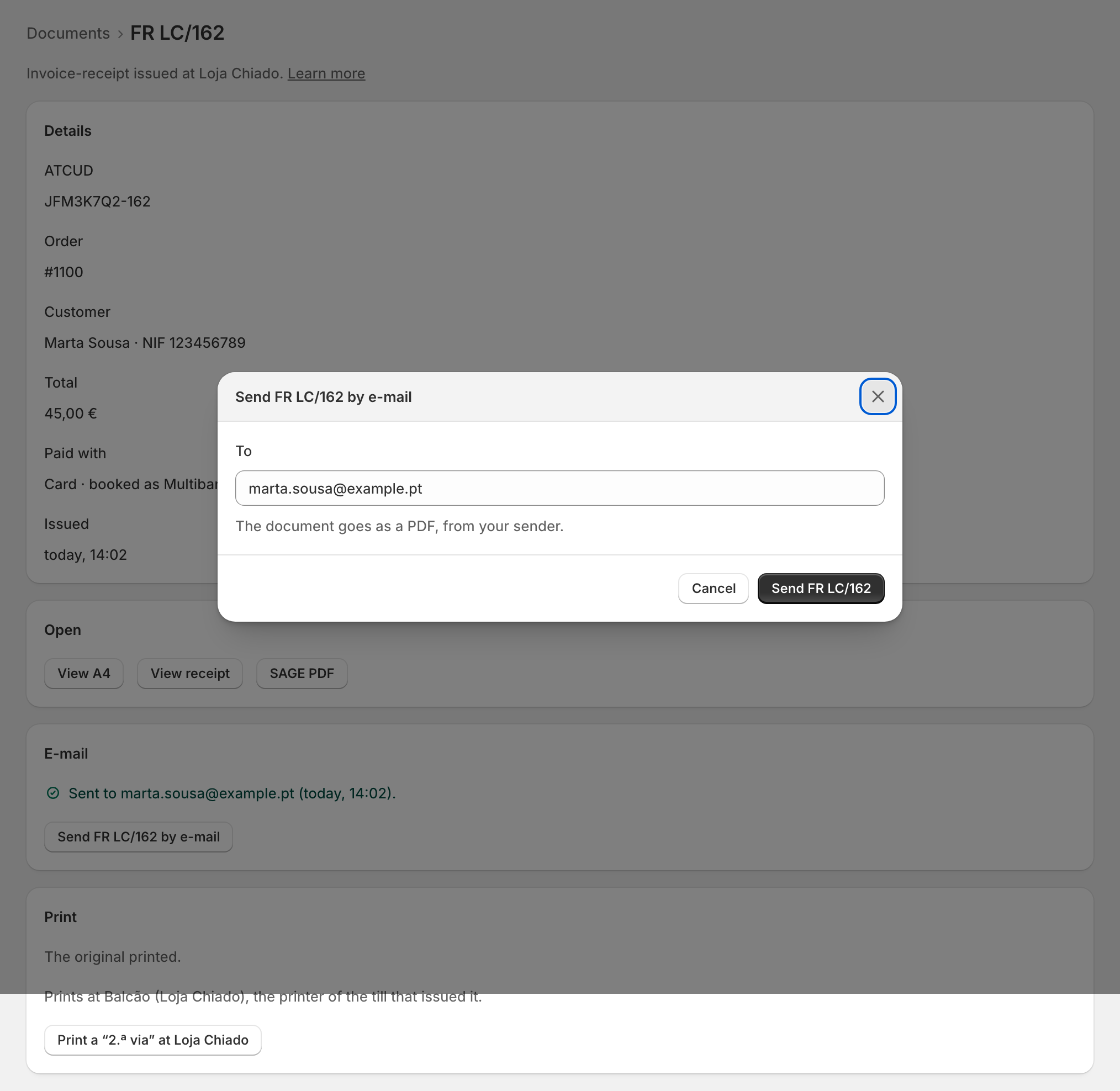
- Open the document and press Send … by e-mail (or Send … by e-mail again after a failure).
- Check the address under To: it starts with the customer's e-mail on the order. Type another if needed.
- Send it: the button names the document, for example Send FR LC/162.
"The document goes as a PDF, from your sender." It goes only to the address you typed. The page says "Sent to … just now." when it went.
Send it from the till
In the order's zrsPOS documents block, or in Documents in the zrsPOS tile: More options › E-mail, check or type the address, then send. See zrsPOS documents on the order.
Edge cases
- "Not an e-mail address. Check it, then send." Nothing is sent; correct it in the field.
- "The order has no customer e-mail: type one." Type the address the customer gives you.
- "e-mail sending is not on yet for your shop. Print it instead." The button is off. E-mail does not appear at the till either.
- The daily limit: a shop sends at most 400 document e-mails a day from zrsPOS. Past it, sending is back the next day.
- The template could not draw the A4: nothing is sent, and the template shows Attention.
- The A4 sent is marked 2.ª VIA once a receipt of the document came out: see The A4 and the receipt.
- Customers' replies go to your shop's e-mail on Company on documents.
- A document of a previous SAGE company with no copy of its own can't be sent from zrsPOS.
- On a read-only plan, e-mailing still works.
More in Documents & design
- The documents zrsPOS issues
- Document numbers and the ATCUD
- The Documents page
- Sales that need you
- Waiting, held and skipped sales
- Issue by hand and archive
- A document's page
- The A4 and the receipt
- Reprint: 2.ª via or original
- Your company on documents
- The customer on a document
- Templates
- Design the A4 and the receipt
- Style one element
- Preview, and what never changes