 zrsPOS
Style one element
Every piece of a document can be styled on its own: the Elements list by zone, one element's page (hide, spacing, text, colour, line, parts) and Reset.
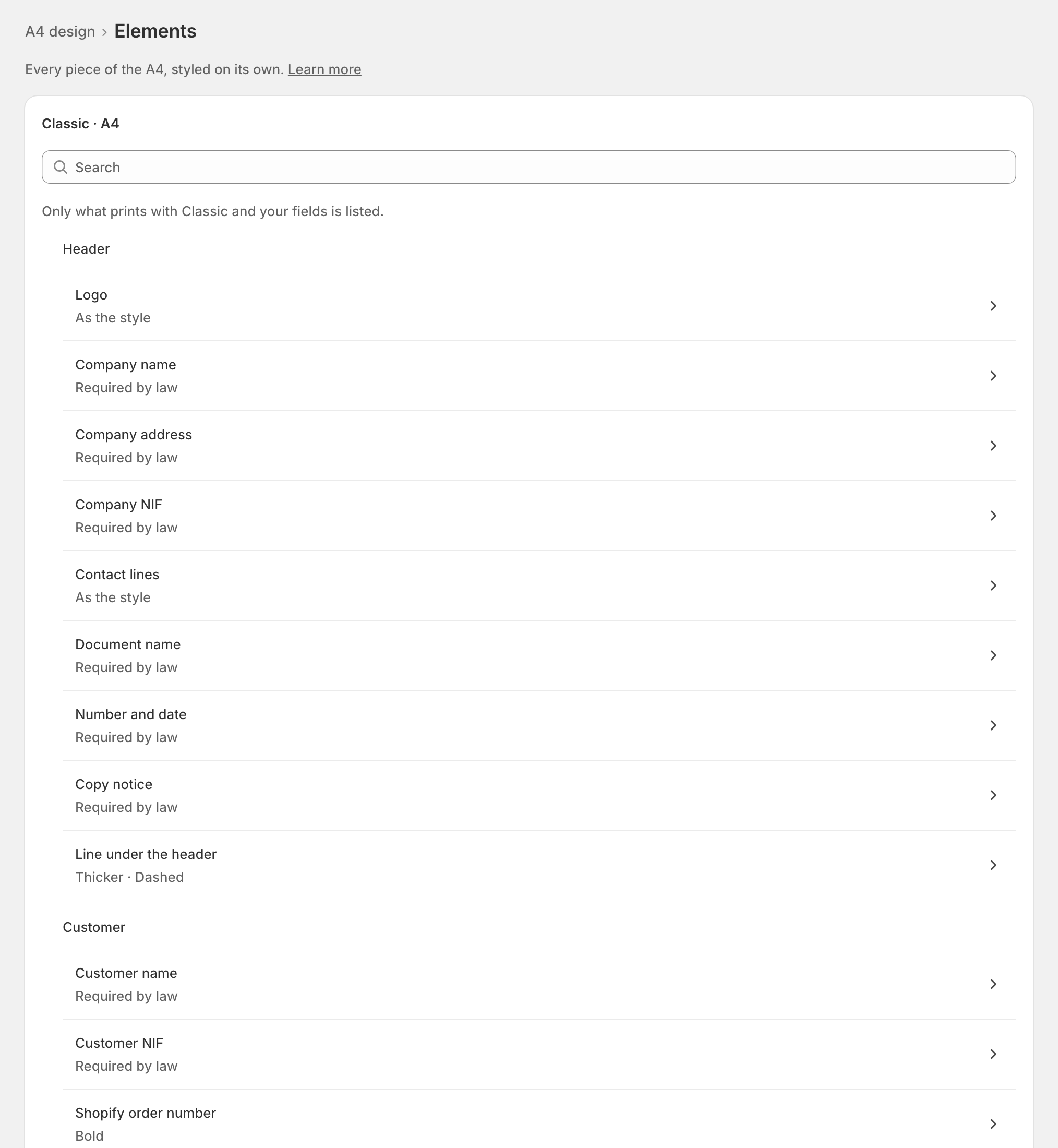
Elements, under a design's Fine-tuning: "Every piece of the … , styled on its own." Change one line without touching the rest of the style.
The list
The elements are grouped by zone: Header, Customer, Lines, Totals, Footer and Credit notes only ("These print only on credit notes (NC, NRE)."). "Only what prints with … and your fields is listed": switch on a field, and its element appears.
Each row says how it prints: "As the style", what you changed ("Bold", "1 part hidden") or "Required by law". Search finds an element by name.
One element
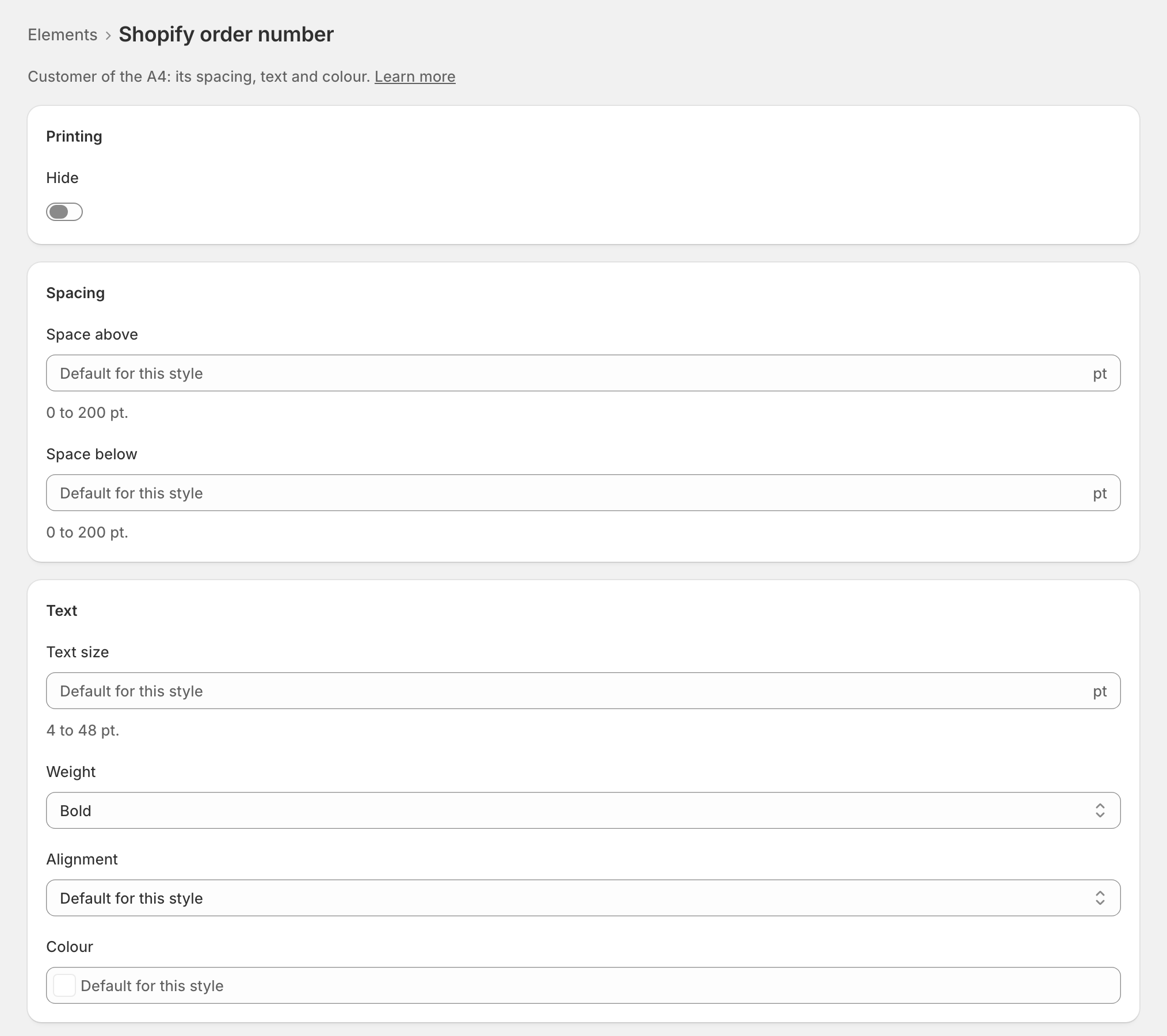
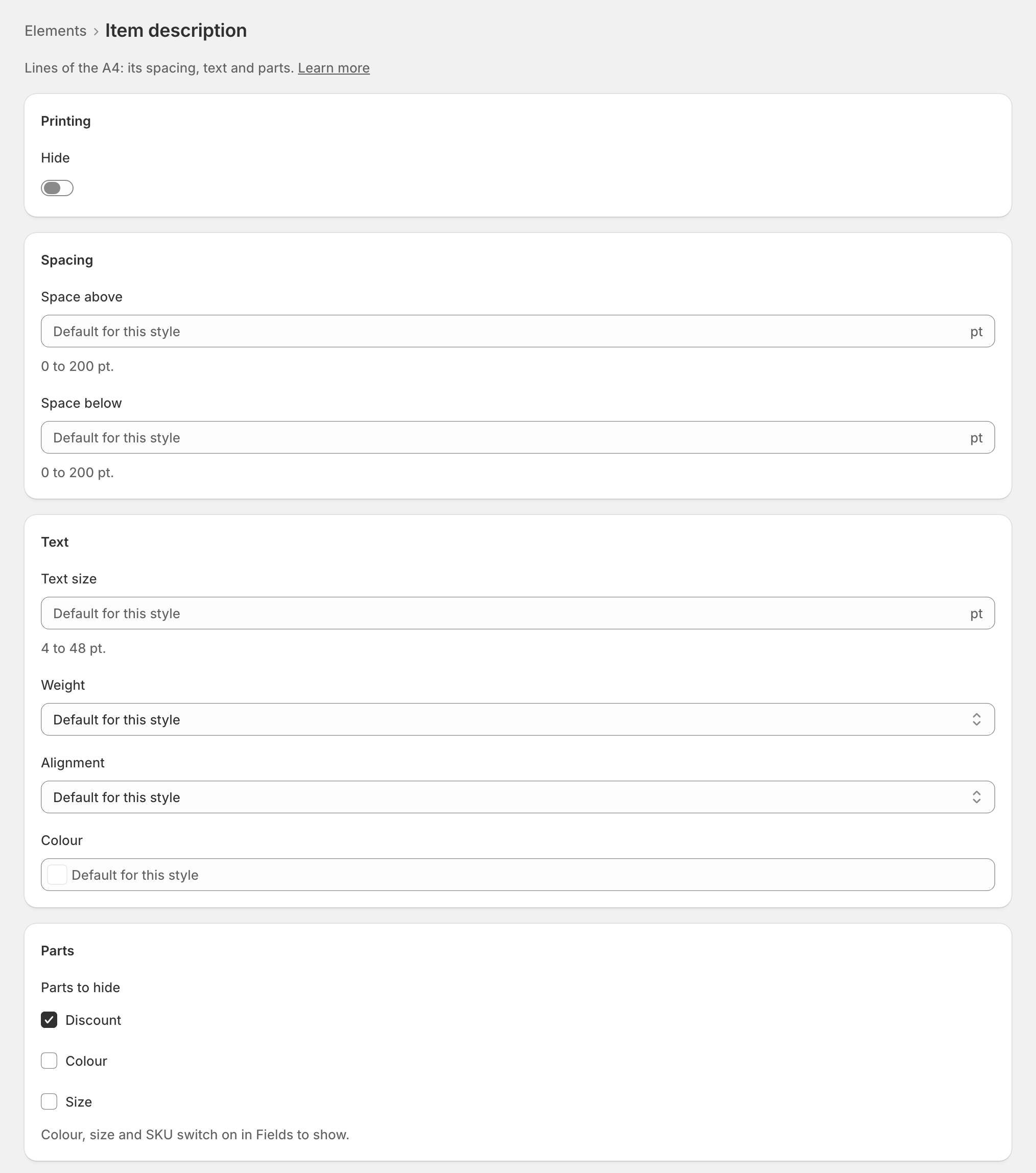
Open an element. Its page shows only the controls that work on it:
- Printing: Hide it ("Hidden: it doesn’t print, so nothing else applies.").
- Spacing: Space above and Space below (0 to 200 pt).
- Text: Text size (4 to 48 pt), Weight (Normal or Bold), Alignment (Left, Centre, Right) and Colour.
- Line, for a divider: Thickness (0 to 4 pt), Style (Solid or Dashed) and its colour.
- Parts to hide, for the item description: Discount, and Colour, Size or Reference (SKU) when their field is on.
Empty fields keep the style's own. The live preview highlights the element ("… highlighted"). Save; on a shop already issuing, zrsPOS asks first.
Reset
Reset the … element puts back the style's own look for it, from the next document. It saves at once. "Nothing to reset" shows when it already prints as the style draws it.
Edge cases
- Required by law: "always prints, at least 7.5 pt, dark ink." Hide is off, and the server refuses to hide it too. See Preview, and what never changes.
- The QR code changes only its size, with the document's sizes; the logo with the logo and contacts.
- The signature code (four characters of the document's signature) always prints as the certification line does: nothing to change.
- Some elements can't take spacing where the style places them (a column of the item rows, the Modern band): their page shows no spacing controls.
- Colour, size and SKU are switched on only in Fields to show; their parts can only be hidden here.
- "This element does not print here": it is not part of this style with your fields. Open Elements to see what prints.
- The signature block prints only on the merchant copy of a credit note.
- Each format is styled apart: the A4's elements and the receipt's are separate lists.
More in Documents & design
- The documents zrsPOS issues
- Document numbers and the ATCUD
- The Documents page
- Sales that need you
- Waiting, held and skipped sales
- Issue by hand and archive
- A document's page
- The A4 and the receipt
- Reprint: 2.ª via or original
- E-mail a document
- Your company on documents
- The customer on a document
- Templates
- Design the A4 and the receipt
- Preview, and what never changes