 zrsPOS
Templates
Templates decide how documents look: Standard and the default, a store's or a série's own template, which one wins, the language, and removing one.
Settings › Document design: "How your invoices, receipts and credit notes look." It is optional: every document already prints with Standard.
Which template a document uses
- There is always one default, for "every store without its own template". Standard is built in, always exists and can't be removed.
- A store that needs another look gets its own template, for the whole store or for one of its séries. "A store’s own template wins over the default."
- The most specific wins: store and série, then store, then the default.
- Credit notes follow the template of the store's sales série, unless one names the credit série.
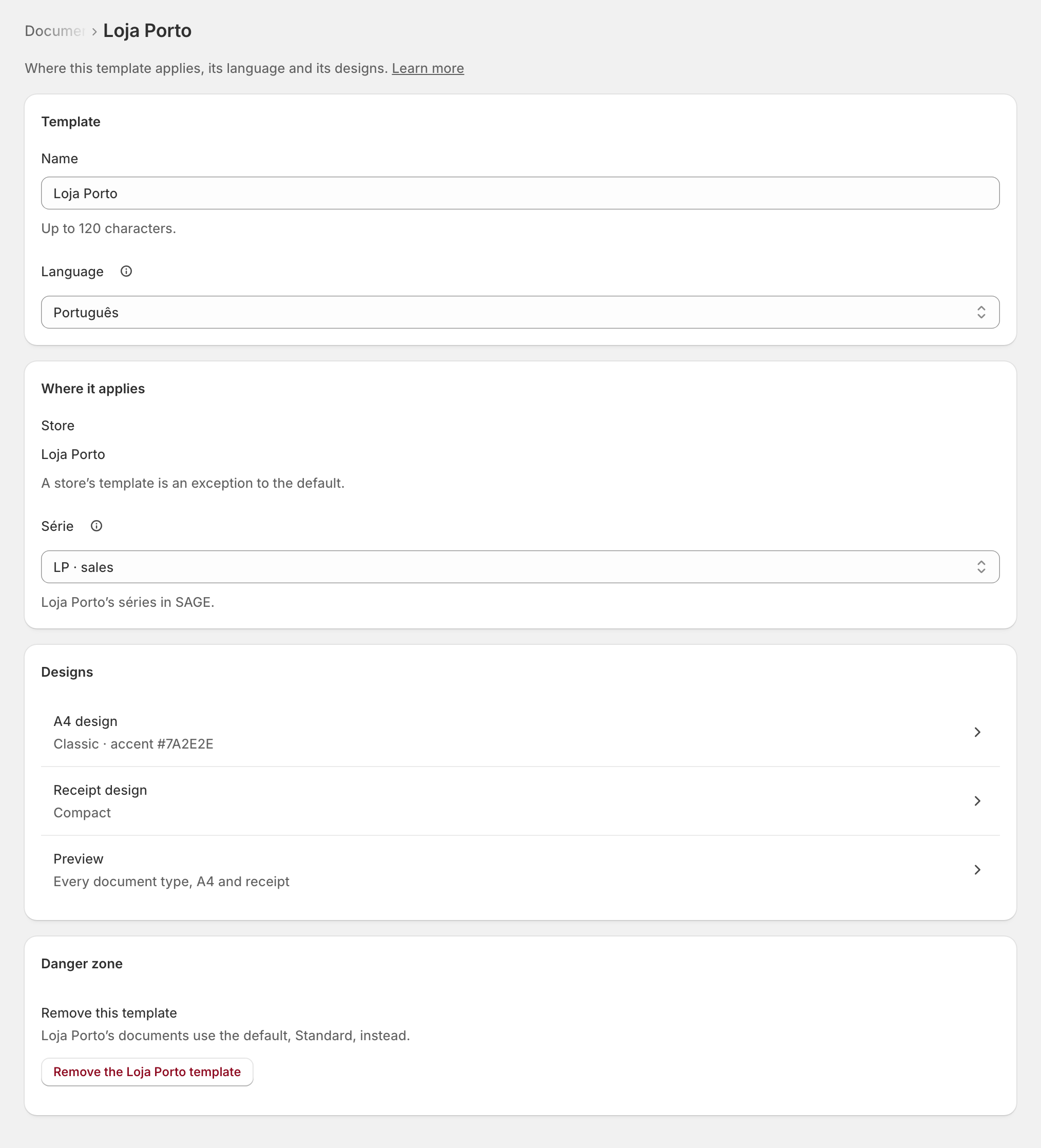
Each row says where it applies: "Every store · every série", "Loja Porto · série LP", "… · English".
Add a template
- Press Add template.
- Type its Name.
- Under Where it applies, choose the Store ("Only stores zrsPOS invoices.") and, if needed, a Série: the store's séries come from SAGE, never typed.
- Choose its Language.
- Save. Its designs start as a copy of the default; then open A4 design and Receipt design. See Design the A4 and the receipt.
On a shop already issuing, saving asks first: "From the next document, … uses it."
Language
The template's Language is the only language setting of its documents. On an English template, "every fixed legal text prints in Portuguese, then English": "Fatura-Recibo / Invoice-receipt", the certification line, exemption reasons, copy notices, the page strip, and the e-mail too. Your accountant confirms the wording.
The default
On a template for every store, tick Default template to make it the default for every store without its own: "Replaces … as the default once saved." The default can't be unticked or removed: make another the default first. A template for every store that is not the default is "Not used until it is the default."
A template saved by an older admin
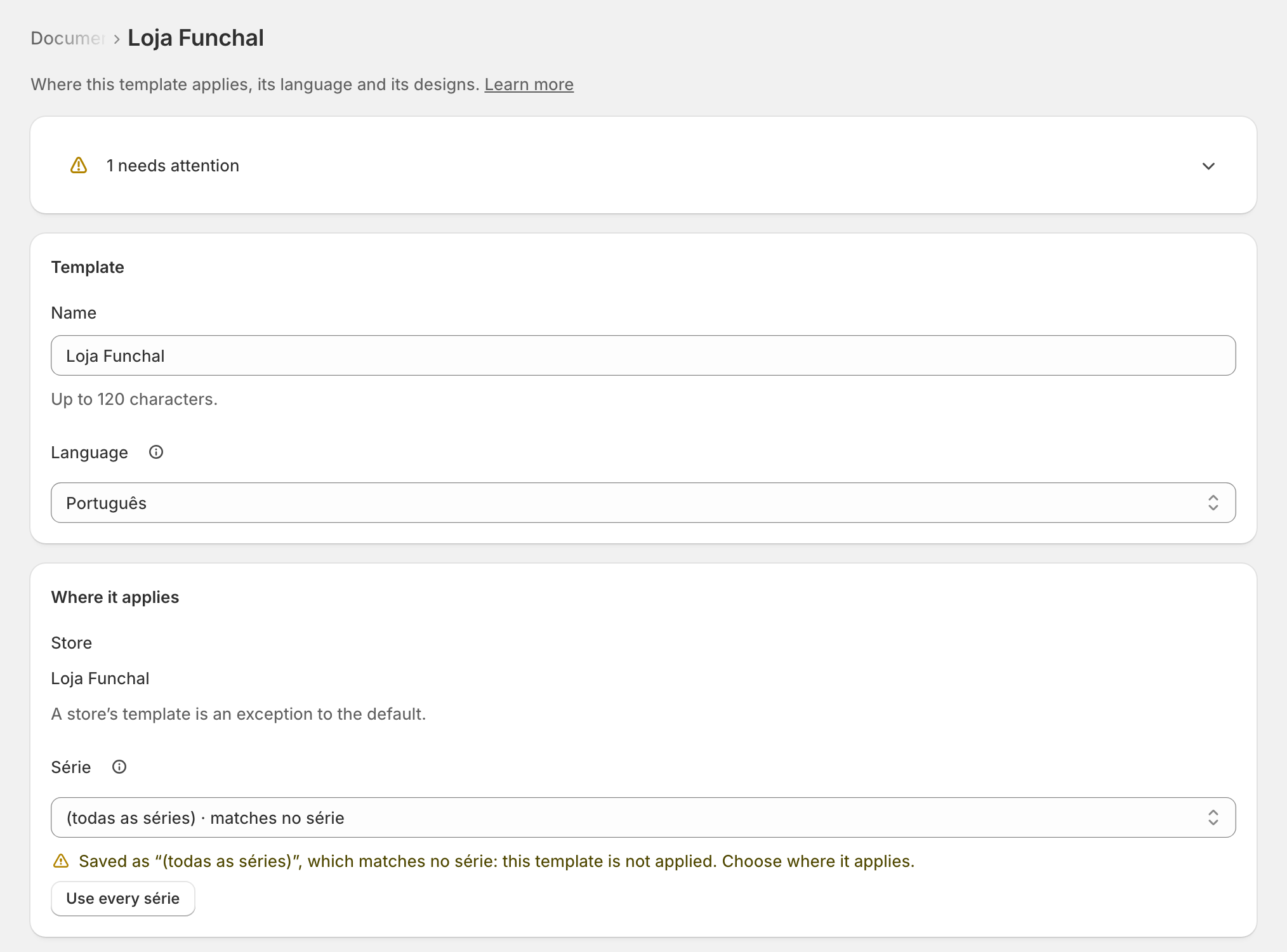
Older versions saved some templates with "(todas as séries)" as their série. Such a template is not applied: it shows Attention, and its page says "Choose where it applies." It applies once you save its série (for example Use every série), its store, or make it the default; changing only its name or language keeps it waiting.
Edge cases
- A store and série that already has a template: "Choose another série, or open it."
- A template for a store zrsPOS doesn't invoice is never used; it is listed under Stores zrsPOS doesn’t invoice, to remove.
- Remove the … template: that store's documents use the default from the next document. Standard and the default can't be removed.
- After a change of SAGE company, a série the new company doesn't have is flagged ("… is not a série of …: this template is never used"), with the série to use instead.
- SAGE's séries could not be read: the choice you saved still applies; Read séries again.
- Names: up to 120 characters, and two templates can't share one.
- Papers already printed or sent stay as they went out. A reprint, a new e-mail or View A4 of an older document draws it with the template as it is now; its content never changes.
- On a read-only plan you can look and preview, but not change.
More in Documents & design
- The documents zrsPOS issues
- Document numbers and the ATCUD
- The Documents page
- Sales that need you
- Waiting, held and skipped sales
- Issue by hand and archive
- A document's page
- The A4 and the receipt
- Reprint: 2.ª via or original
- E-mail a document
- Your company on documents
- The customer on a document
- Design the A4 and the receipt
- Style one element
- Preview, and what never changes