 zrsPOS
The Documents page
The Documents page in the admin: its views, the search, the filters, one store at a time and the CSV export.
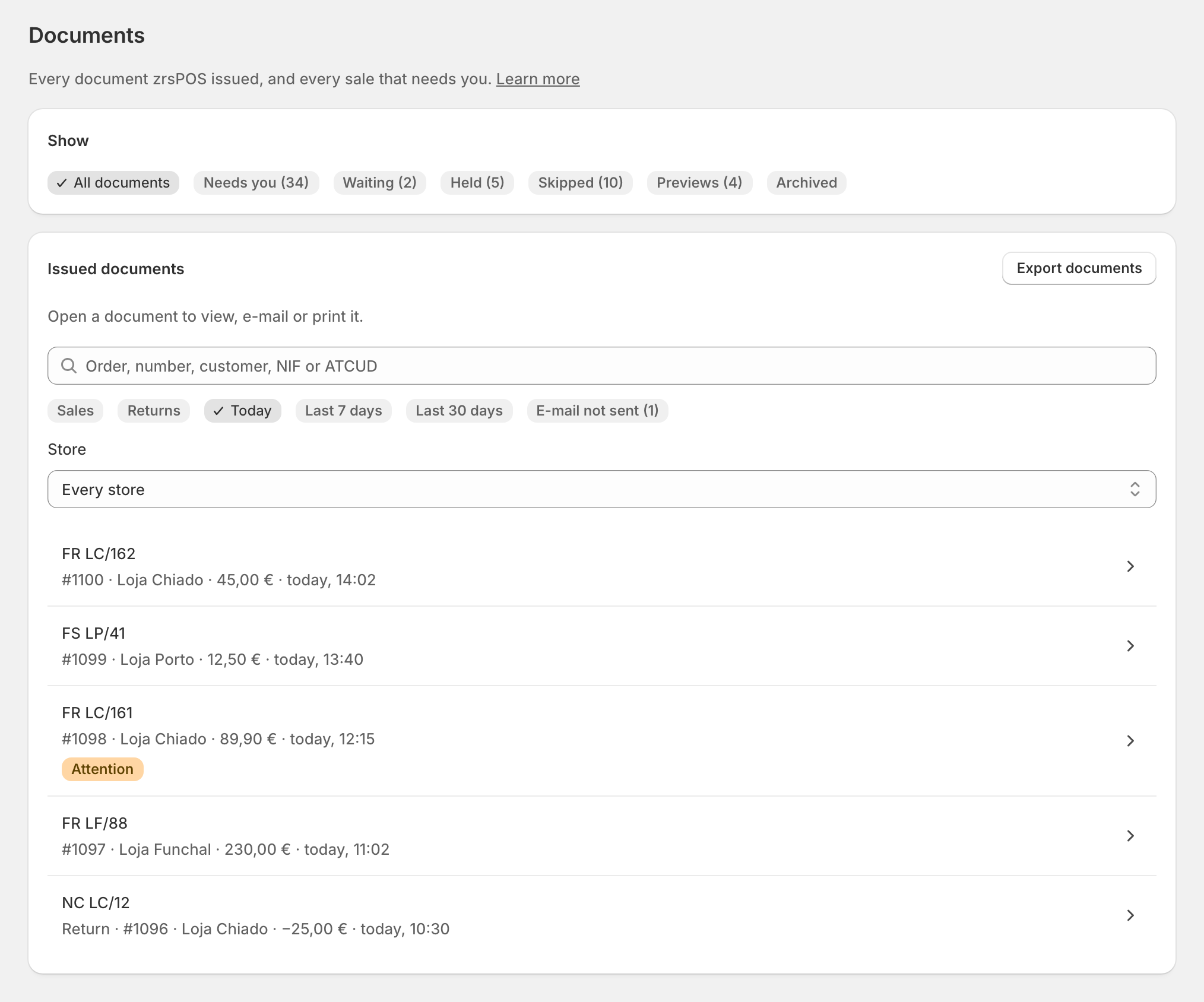
Documents is one of the entries of the app menu: "Every document zrsPOS issued, and every sale that needs you." Only the stores zrsPOS invoices appear here.
The views
The chips under Show choose what the list shows:
- All documents: every document zrsPOS issued, newest first.
- Needs you (…): sales with no document yet, and alerts on sales that have one. See Sales that need you.
- Waiting (…), Held (…), Skipped (…) and Previews (…): see Waiting, held and skipped sales.
- Archived: what zrsPOS no longer tries. See Issue by hand and archive.
A view with nothing in it is not shown, except All documents, Needs you and Archived. Each view has its own address, so Home, a store's page or a problem can open it directly.
Search
The box takes "Order, number, customer, NIF or ATCUD":
- the number as printed, FR LC/162 or LC/162;
- the Shopify order, #1100;
- the customer's name or NIF;
- the ATCUD.
Open a row to see the document: A document's page.
Filters and stores
Under Issued documents:
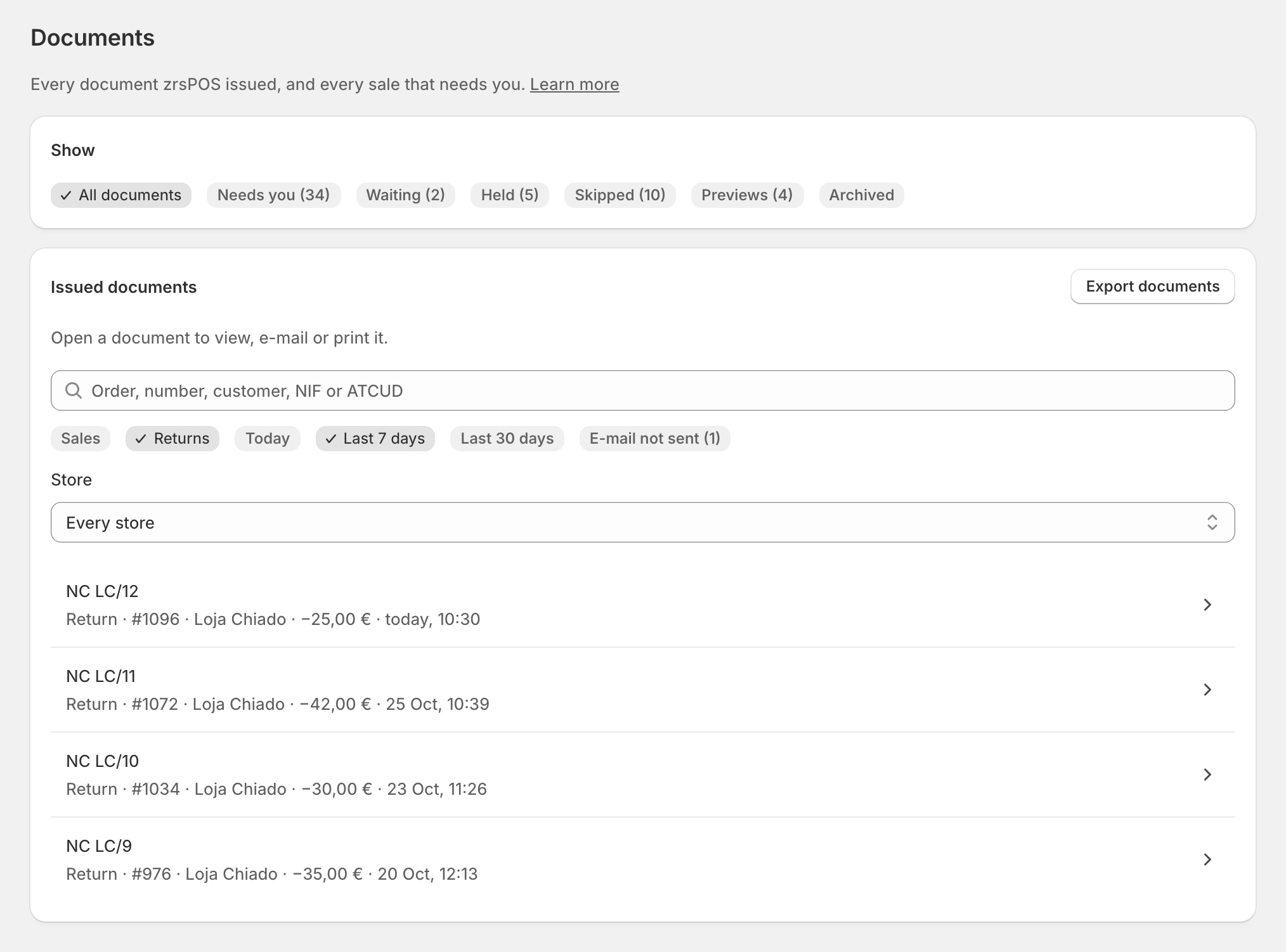
- Sales or Returns;
- Today, Last 7 days or Last 30 days, in Lisbon days;
- E-mail not sent (…): documents whose e-mail to the customer failed.
With two stores or more, Store shows one store only (Every store by default). The list comes 25 rows at a time: Show more reads the next ones, nothing is cut.
Export
Export documents downloads every document the search and the filters match, as a CSV file: type, number, ATCUD, issued, order, store, customer, NIF, total, currency, payment method and e-mail. In Portuguese it uses ; between cells and a decimal comma, the way a Portuguese spreadsheet opens it; in English, , and a decimal point. Times are Lisbon times.
Edge cases
- Before you go live the list says "No documents yet. They appear once you go live."
- One store only: no store filter, and the rows do not repeat its name.
- After a change of SAGE company, the earlier documents stay, each row marked "… (before)".
- "Couldn't check what needs you" replaces Needs you when zrsPOS could not read it. Issued documents are not affected; open the page again in a moment.
- A document zrsPOS did not issue (one made in SAGE) is never here: "zrsPOS only keeps the documents it issued."
- On a read-only plan everything on Documents still works: fixes for sales already made, trying again, archiving, e-mailing and printing.
- A sale of a store zrsPOS does not invoice never appears, and neither do its problems.
More in Documents & design
- The documents zrsPOS issues
- Document numbers and the ATCUD
- Sales that need you
- Waiting, held and skipped sales
- Issue by hand and archive
- A document's page
- The A4 and the receipt
- Reprint: 2.ª via or original
- E-mail a document
- Your company on documents
- The customer on a document
- Templates
- Design the A4 and the receipt
- Style one element
- Preview, and what never changes