 zrsPOS
Payment methods
Each way your customers pay is booked on a SAGE payment method. The list of payment methods at your tills, setting them up in SAGE, adding one, one method's page, rules for some stores, and what Working means.
Settings › Payments: "How each way your customers pay is booked in SAGE." Each Shopify payment method (Cash, Card, MB Way…) is booked on one SAGE payment method.
Payment methods at your tills
The list holds the methods already used at a till, the usual ones in Portugal and the ones you added. Each row shows its SAGE payment method and one status; a row that needs you opens the field to fix.
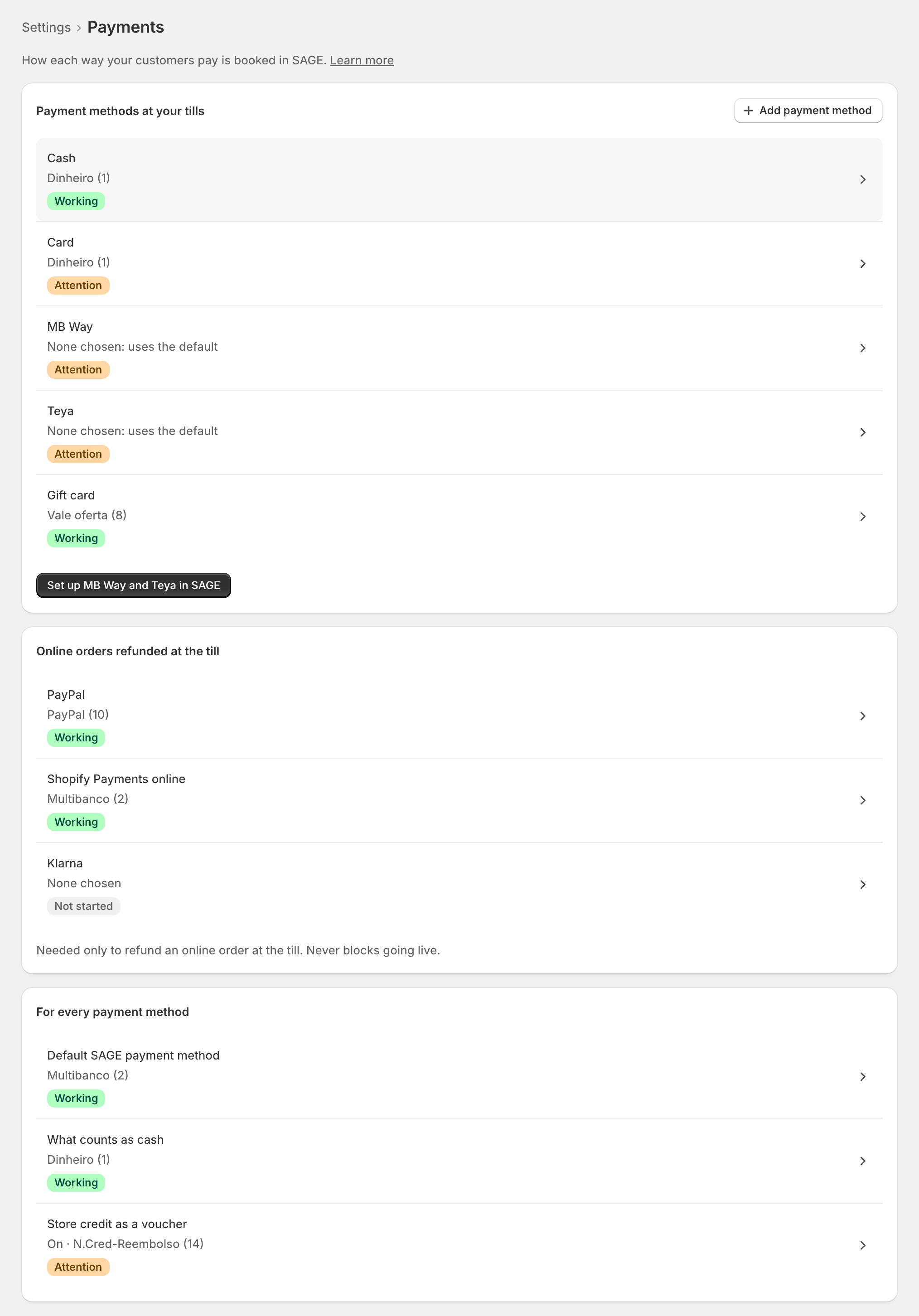
Set up … in SAGE sets up the missing ones at once. Its confirm lists each with a tick: "zrsPOS creates the new ones in SAGE, uses yours as they are, then checks each one in SAGE. Untick any you’d rather choose yourself." Each shows "… · step … of 3: …" (checking SAGE, creating in SAGE, checking it in SAGE).
Add payment method adds one not sold yet: "Pick it as it is named in Shopify POS." For one you made, choose Other and type its name "Exactly as it shows on the Shopify POS payment screen."
One payment method
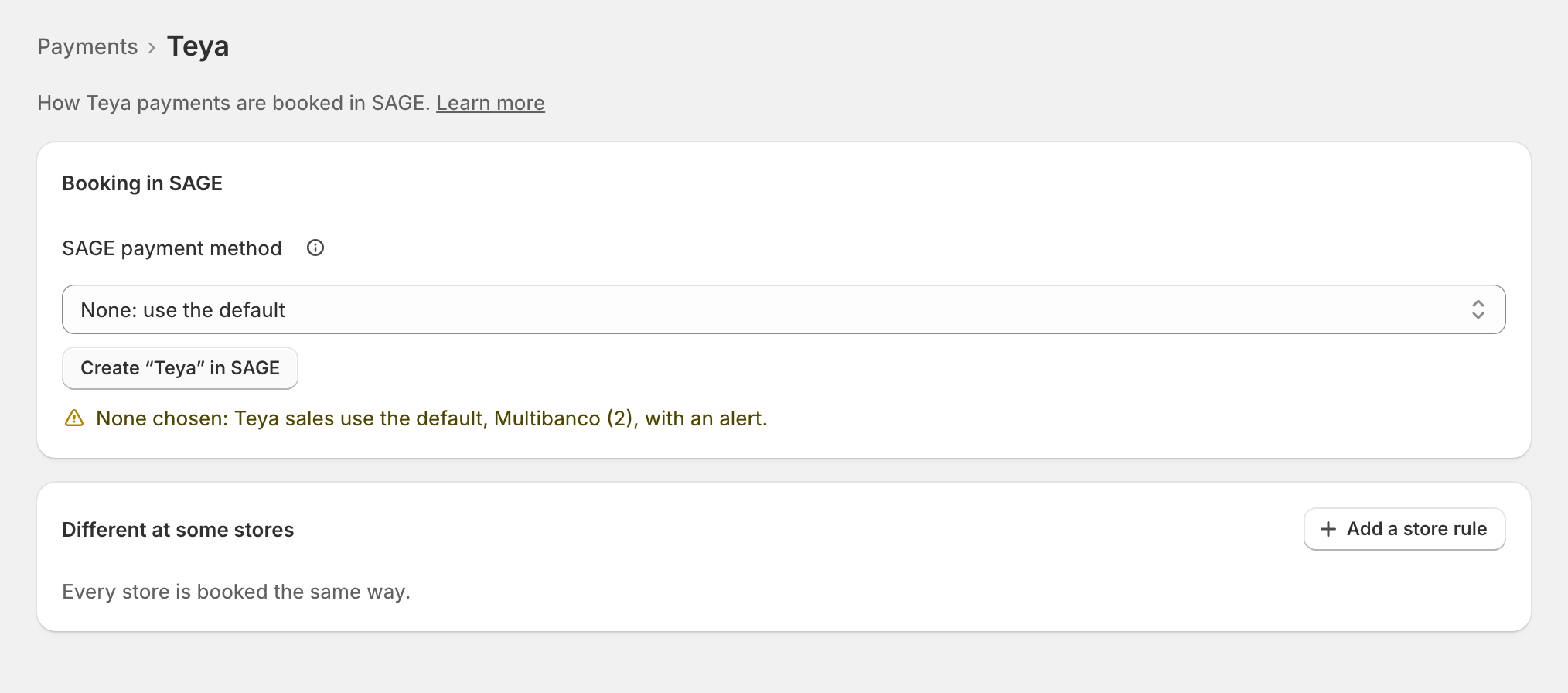
SAGE payment method: "Every sale paid this way is booked on this in SAGE. Only your active ones are listed." Each option says what SAGE says about it ("cash", "not on the till report"). zrsPOS suggests one of yours ("Use your …") or offers Create “…” in SAGE: "A SAGE payment method on the till report, not cash."
None: use the default books its sales on the default SAGE payment method, each with an alert.
Different at some stores
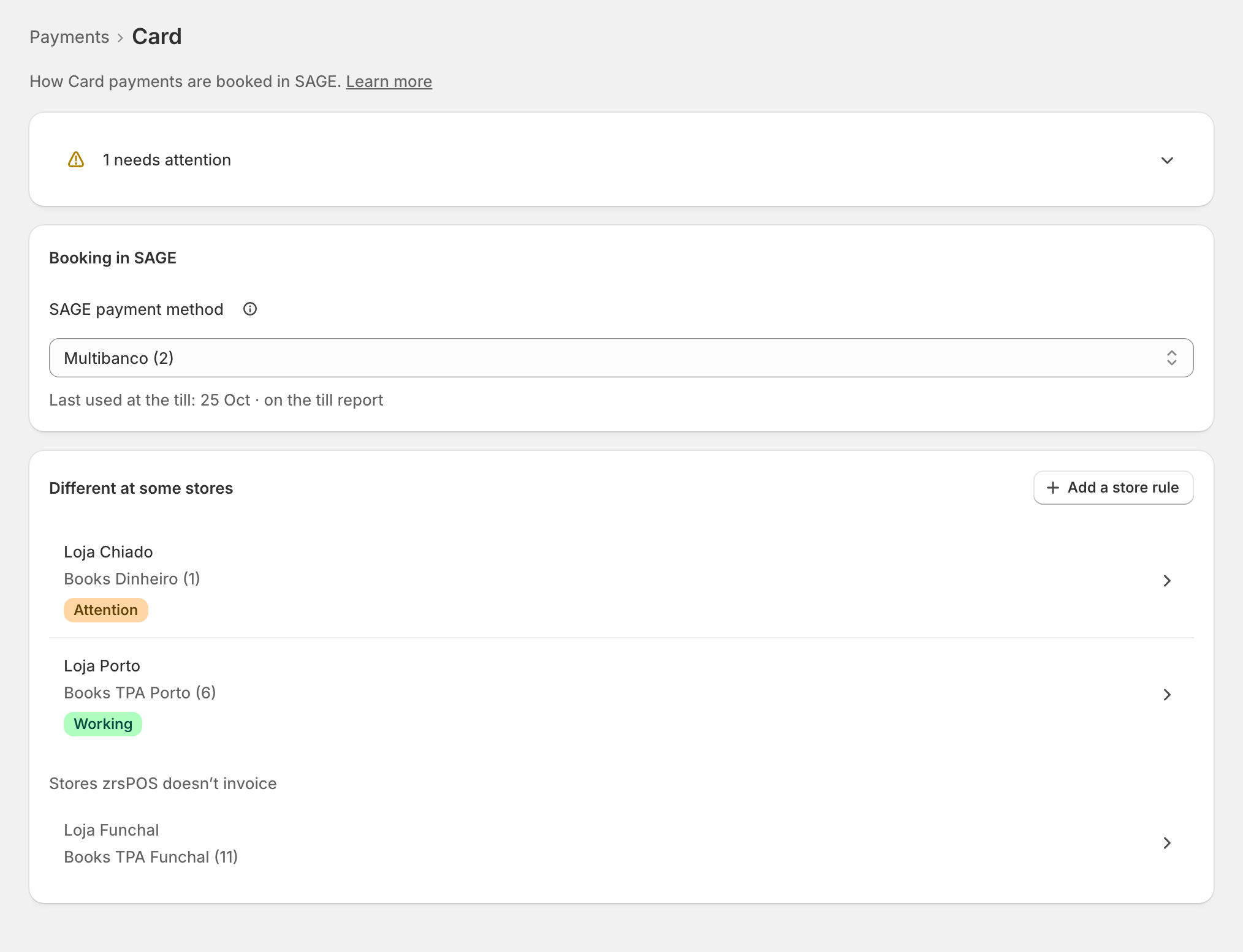
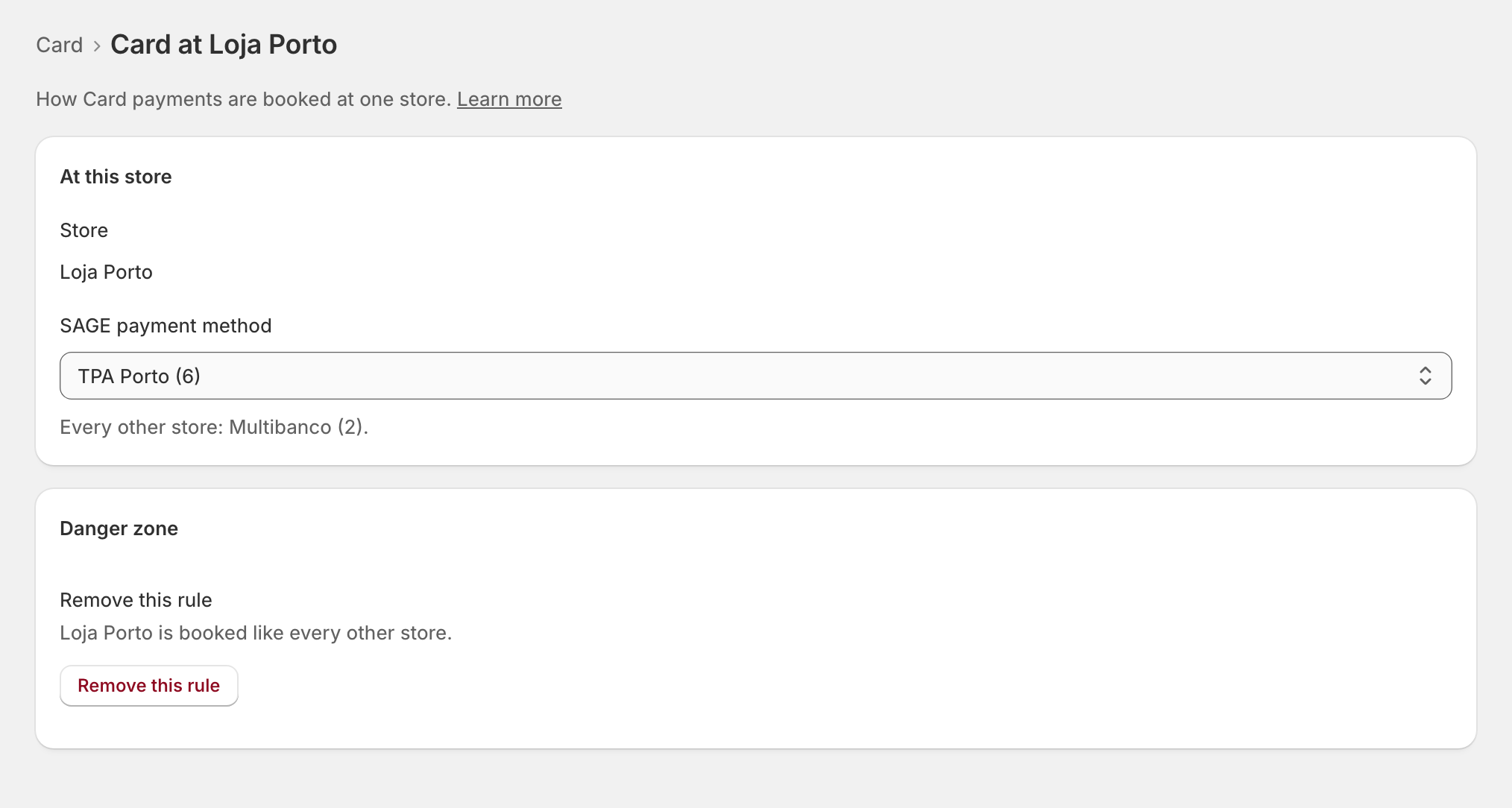
A method can be booked differently at one store (its own card terminal, say). Under Different at some stores, press Add a store rule, choose the store and its SAGE payment method. A rule counts only at its store: "Every other store: …"
What Working means
Payments is Working when there is a default SAGE payment method; every method sold at your tills is booked on one SAGE has and that is active, at every store; no card or MB Way is booked as cash; and, with store credit as a voucher, a voucher SAGE has is chosen. A method on the default, one off the till report, and online methods show on their rows but don't block going live.
Edge cases
- On a live shop, a save asks first: "From the next sale, … is booked …" Before going live, Save just saves.
- "… payments would be booked as cash, and counted in the drawer." A card on a cash method blocks going live. See A card is booked as cash.
- "… is not on SAGE’s till report, so the till close misses it." Turn on its "Update till report" in SAGE. See A SAGE payment method is not on the till report.
- "… is not in SAGE any more" or inactive: choose another.
- "SAGE refused it: “…”." Often the zrsPOS user may not create payment methods: the page for your SAGE partner asks for it.
- Gift card: zrsPOS can't create its method: choose yours. "Selling a gift card is not booked in SAGE yet."
- A method you added and never sold can be removed from its page; nothing changes in SAGE.
- A rule for a store zrsPOS no longer invoices sits muted at the end and does nothing.
- Shopify's test payments never show here.
- "SAGE is slow — some checks are pending": the page shows SAGE's last answer and checks on by itself.
More in SAGE
- SAGE and your SAGE partner
- Put SAGE on the internet
- Connect zrsPOS to your SAGE
- Test the connection
- When the connection test fails
- SAGE functions and licence
- Your company and the lists read from SAGE
- Change SAGE company
- Register a série with the AT
- Repair a numbering chain
- SAGE items
- Custom-sale items
- Island VAT items
- Refund and shipping items
- Barcodes
- Default SAGE payment method and what counts as cash
- Store credit as a voucher: a voucher for each store
- Payments on returns and online orders