 zrsPOS
SAGE items
The SAGE items a sale needs besides your products, how zrsPOS finds or creates each one and checks it in SAGE, choosing your own, the new-customer defaults, and what Working means.
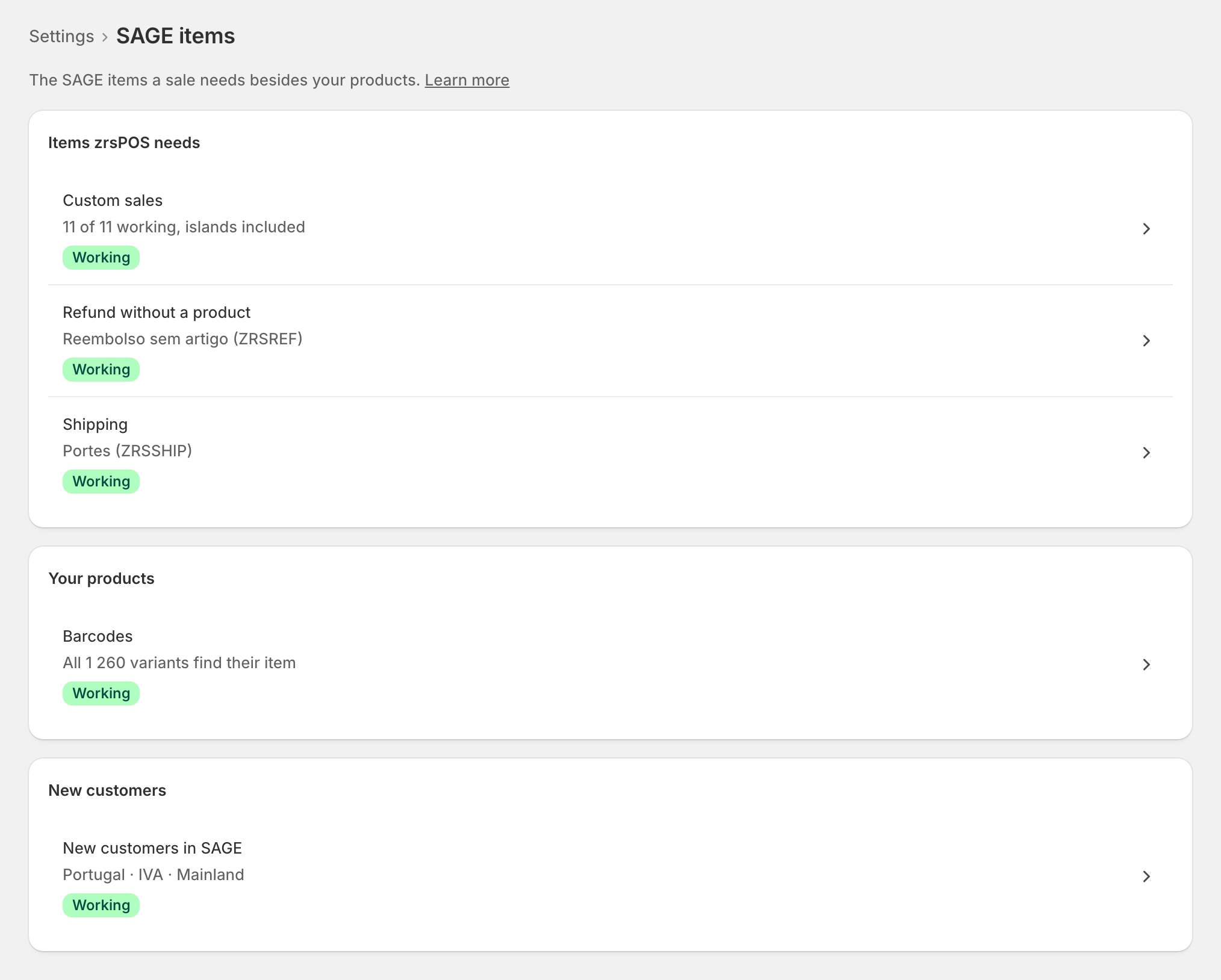
Settings › SAGE items: "The SAGE items a sale needs besides your products." Your products find their SAGE item by barcode. What isn't a product needs an item of its own:
- Custom sales: one item per VAT rate. See Custom-sale items.
- Refund without a product and Shipping. See Refund and shipping items.
- Corrections: "Only needed to issue a close correction".
Under Your products, Barcodes checks your catalogue (Barcodes); under New customers, New customers in SAGE holds the details SAGE gives a new customer.
Found or created, then checked
For each item zrsPOS first looks in your SAGE for one that fits: active, without stock, at the right VAT rate. It proposes it ("Use “…”"), or proposes creating its own ("Create “…” in SAGE"). Nothing is written until you confirm.
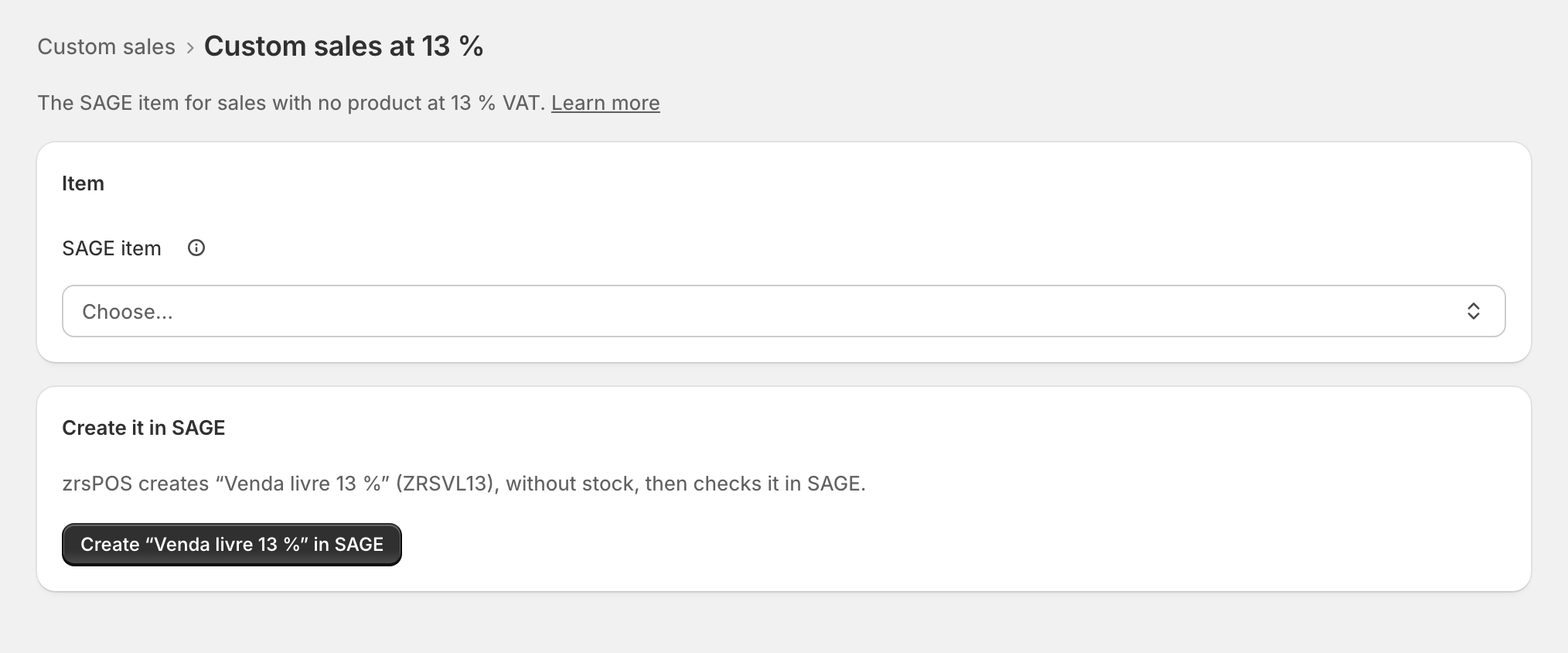
Creating shows each step (Checking SAGE, Creating in SAGE, Reading back from SAGE). zrsPOS then reads the item back and checks its VAT, that it has no stock and that it is active before it counts: "Created in SAGE as … and checked." Pressing twice, or a slow SAGE, never creates an item twice.
Choose your own
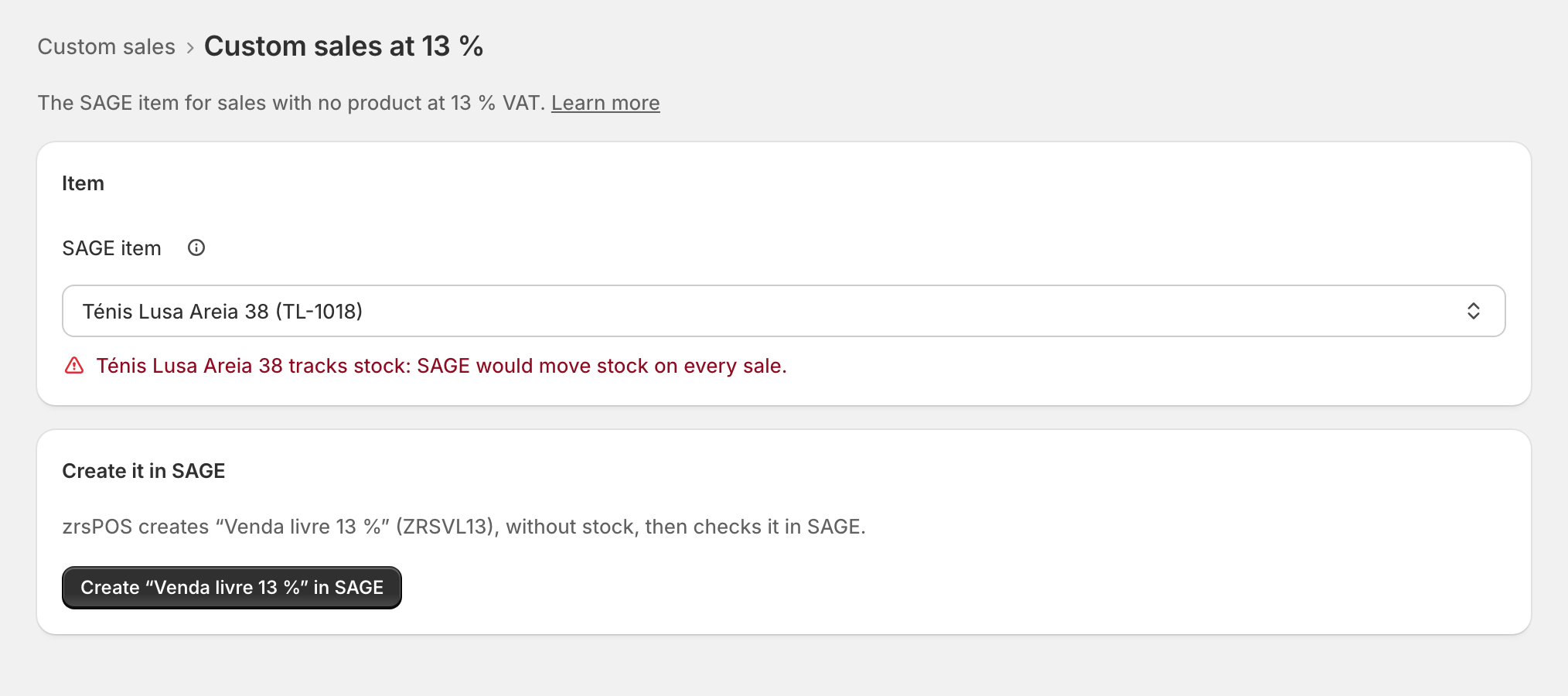
On an item's page, the SAGE item field searches your whole SAGE by code, name or barcode. Items that can't be used are greyed, with why: "Has sizes or colours: can’t be used here", "Tracks stock: SAGE would move stock on every sale", or the wrong VAT. Saving checks the item in SAGE first.
New customers in SAGE
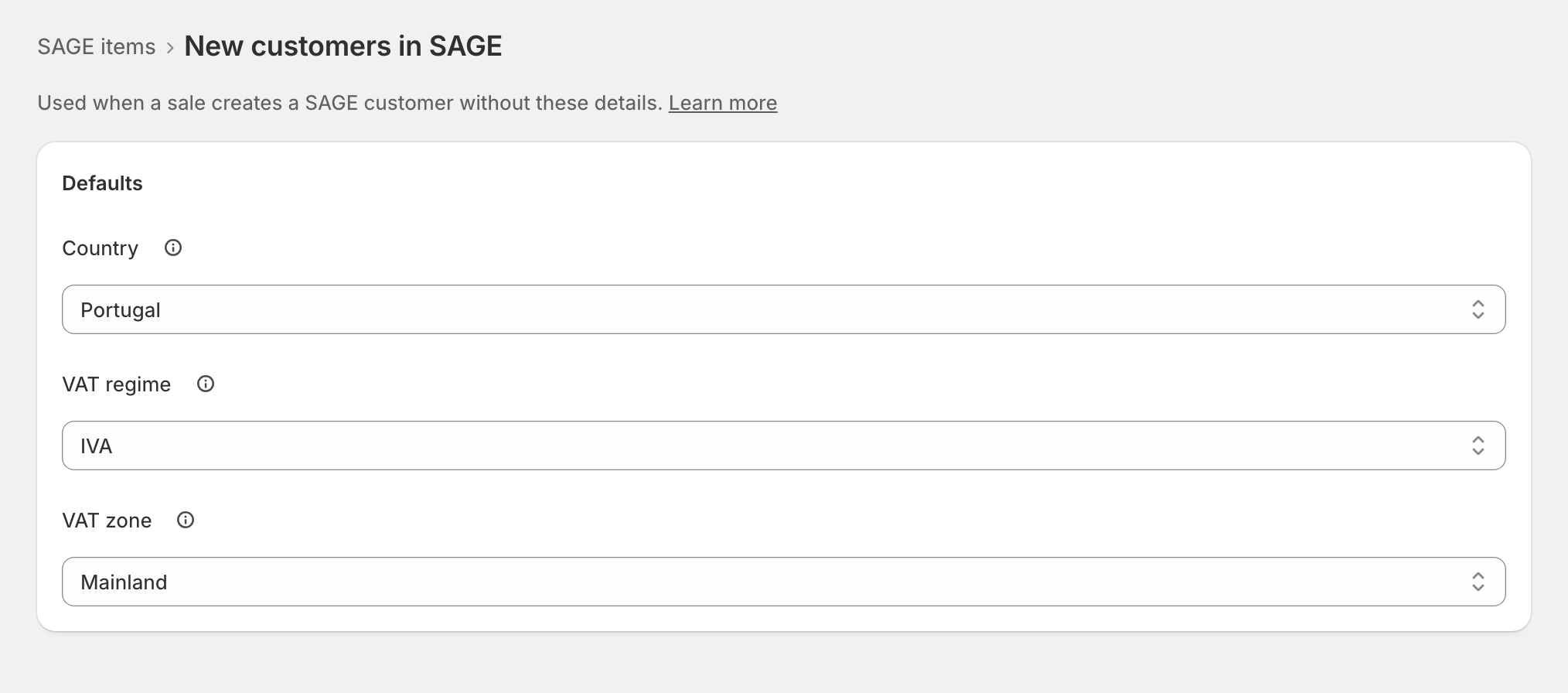
"Used when a sale creates a SAGE customer without these details": Country, VAT regime and VAT zone, from your SAGE's own lists. Where SAGE suggests one, "Use …, suggested by your SAGE" fills it. Each store's documents still carry the store's own VAT zone.
What Working means
Working when each item needed (custom sales at every rate your stores sell at, the refund item, shipping once shipping is sold at the POS, the shipping refund item when one is chosen) exists in SAGE, is active, has no stock and is at the right VAT rate, read back from SAGE; and the new-customer details are set. Barcodes are shown but never block it on their own.
Edge cases
- The price on these items doesn't matter: every line carries Shopify's price.
- "Another item in your SAGE already uses …, so zrsPOS uses …" zrsPOS adds a digit to its code.
- "SAGE refused it: “…”." SAGE's own reason, often a missing default item family: ask your SAGE partner.
- "SAGE changed since you looked. Nothing was written." Read the page again.
- An item deleted, discontinued or with stock turned on in SAGE later needs attention again, with a new proposal.
- The Tax Free deposit item is chosen and checked the same way, on the Tax Free page.
- After a SAGE company change: Confirm SAGE items for …, once each item fits the new company.
More in SAGE
- SAGE and your SAGE partner
- Put SAGE on the internet
- Connect zrsPOS to your SAGE
- Test the connection
- When the connection test fails
- SAGE functions and licence
- Your company and the lists read from SAGE
- Change SAGE company
- Register a série with the AT
- Repair a numbering chain
- Custom-sale items
- Island VAT items
- Refund and shipping items
- Barcodes
- Payment methods
- Default SAGE payment method and what counts as cash
- Store credit as a voucher: a voucher for each store
- Payments on returns and online orders