 zrsPOS
Receipts by e-mail
How each customer gets their document at the till (printed, by e-mail or both), and the address document e-mails come from.
Settings › Printing & delivery › Delivery sets how each customer gets their document at the till. E-mail sending sets the address the e-mails come from.
Delivery
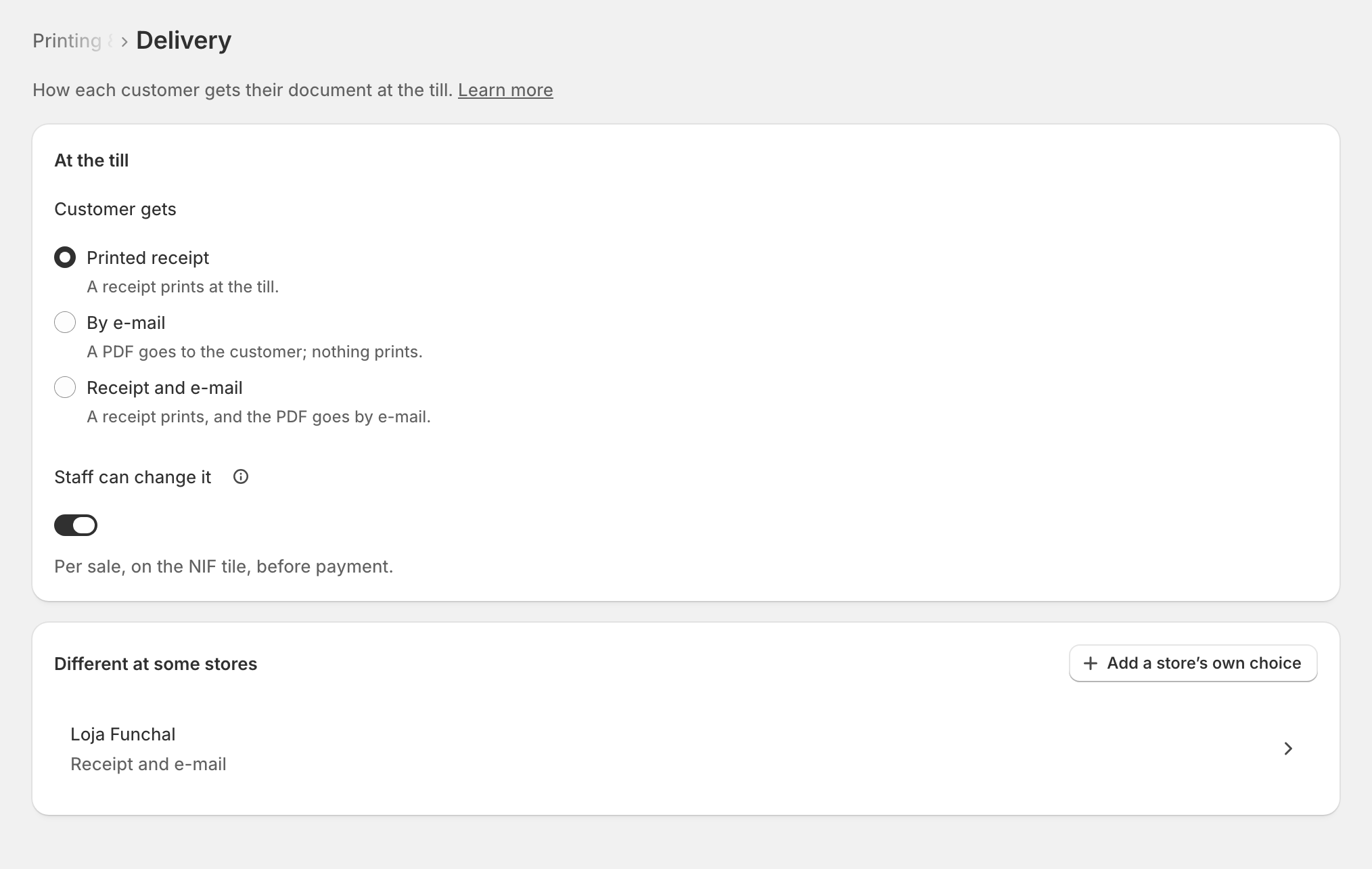
The choices follow Who prints?:
- zrsPOS prints: Printed receipt, By e-mail or Receipt and e-mail.
- We print from SAGE: Nothing from zrsPOS or By e-mail.
- E-mail only: By e-mail or Nothing. With Nothing, customers get no paper and no e-mail; they can ask for the document later.
The e-mail goes only when the sale has the customer's e-mail. Without one, the receipt prints (or, where zrsPOS doesn't print, nothing is sent).
Staff can change it: switched on, the NIF tile asks before payment, for that sale only. Different at some stores (two or more invoiced stores): Add a store’s own choice gives a store its own delivery; remove it on its page to follow the shop's again.
E-mail sending
Document e-mails go out from zrsPOS, in your shop's name, until you add your own domain. Customers' replies go to your shop's e-mail (Company on documents).
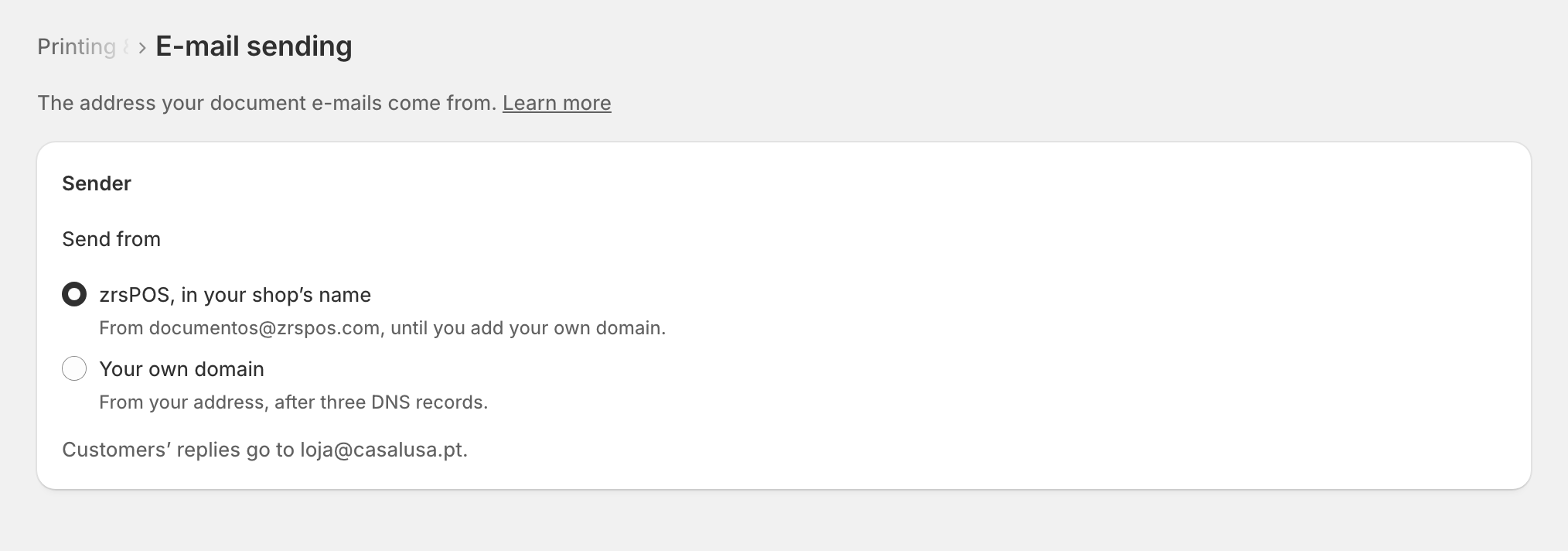
To send from your own address:
Choose Your own domain, type the address and save.
The page lists the DNS records to add where your domain is managed. Add them, or send them to whoever manages it.
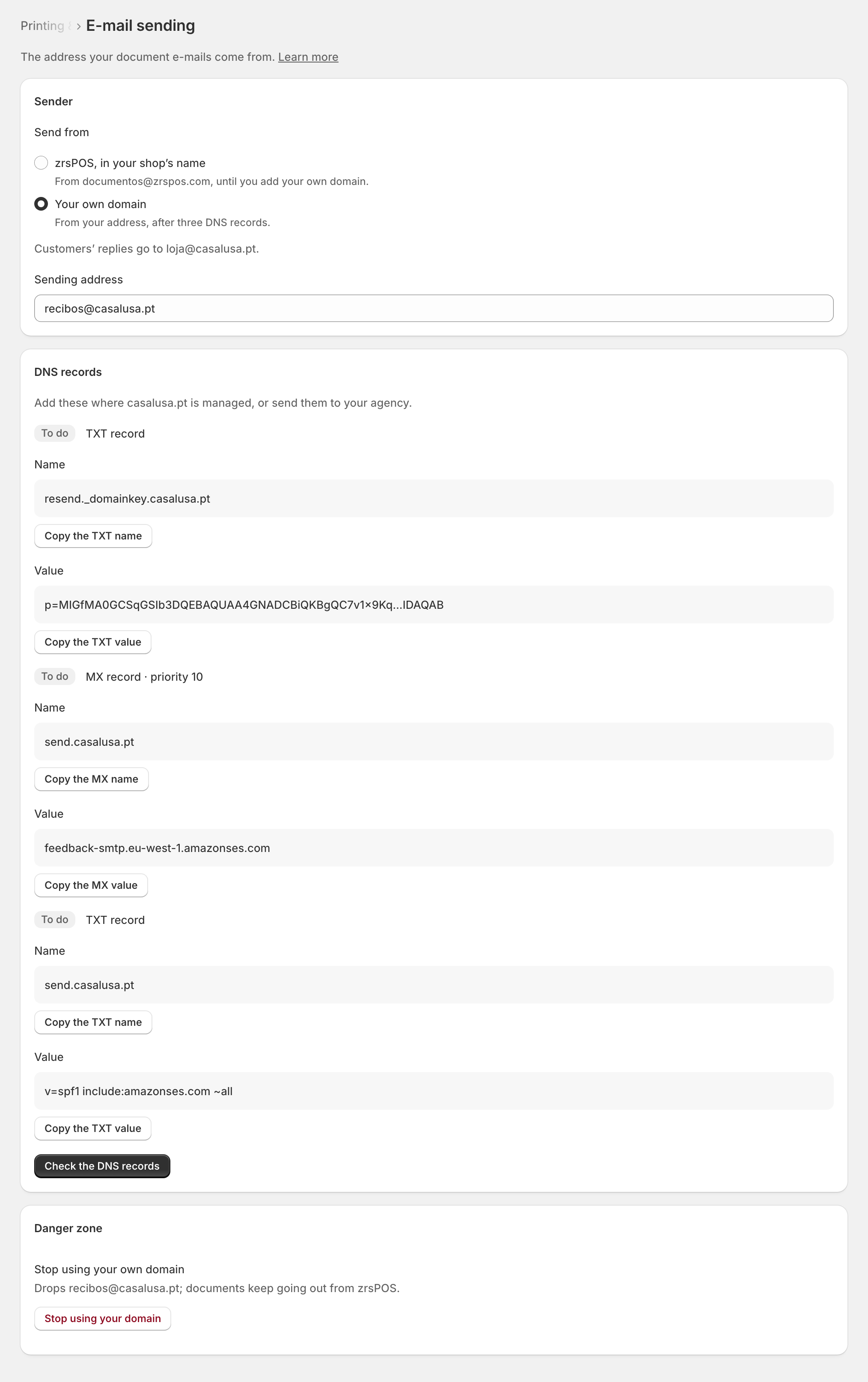
Press Check the DNS records. Once all are found, documents go out from your address.
Stop using your own domain goes back to zrsPOS's address.
Edge cases
- E-mail sending is not on yet for your shop: the e-mail choices say so and cannot be chosen. Write to support@zrspos.com to turn it on. See Document e-mail is off.
- At most one automatic e-mail per document. A repeated order update or a retry never sends it twice. A failure is recorded and not retried by itself: send it again with Send by e-mail at the till or on the order screen.
- In Documents, each document shows whether it was sent (the address masked, j•••@example.com), not sent, or had no customer e-mail.
- A sale issued later (SAGE was down) does not print by itself, but its e-mail goes out when it is issued.
- Returns made in the Shopify admin are not delivered automatically, just as they do not print.
- The provider refuses the address: the receipt still prints where zrsPOS prints.
- A daily limit: document e-mails count towards a limit per shop.
- DNS records not visible yet: DNS can take a few hours. Meanwhile, documents go out from zrsPOS.
- On a live shop, a delivery change asks first.
More in Printing
- Choose how to print
- Who prints?
- Set up a PrintBox
- The PrintBox's status page
- Swap or add a printer on a PrintBox
- Move, unlink or reset a PrintBox
- Set up the print app
- Printers the print app can use
- USB printers and the print app
- Keep the print app running
- An Epson that fetches receipts
- Add a printer
- A printer's page
- Printers and their status
- Gift receipts
- Nothing prints: what to check