 zrsPOS
Test the connection
Test connection checks what is saved and never saves. What it reads, what Working means for the SAGE connection, and what the page says when SAGE goes quiet.
On Settings › SAGE connection, press Test connection. It tests the saved address and key, and never saves or changes anything.
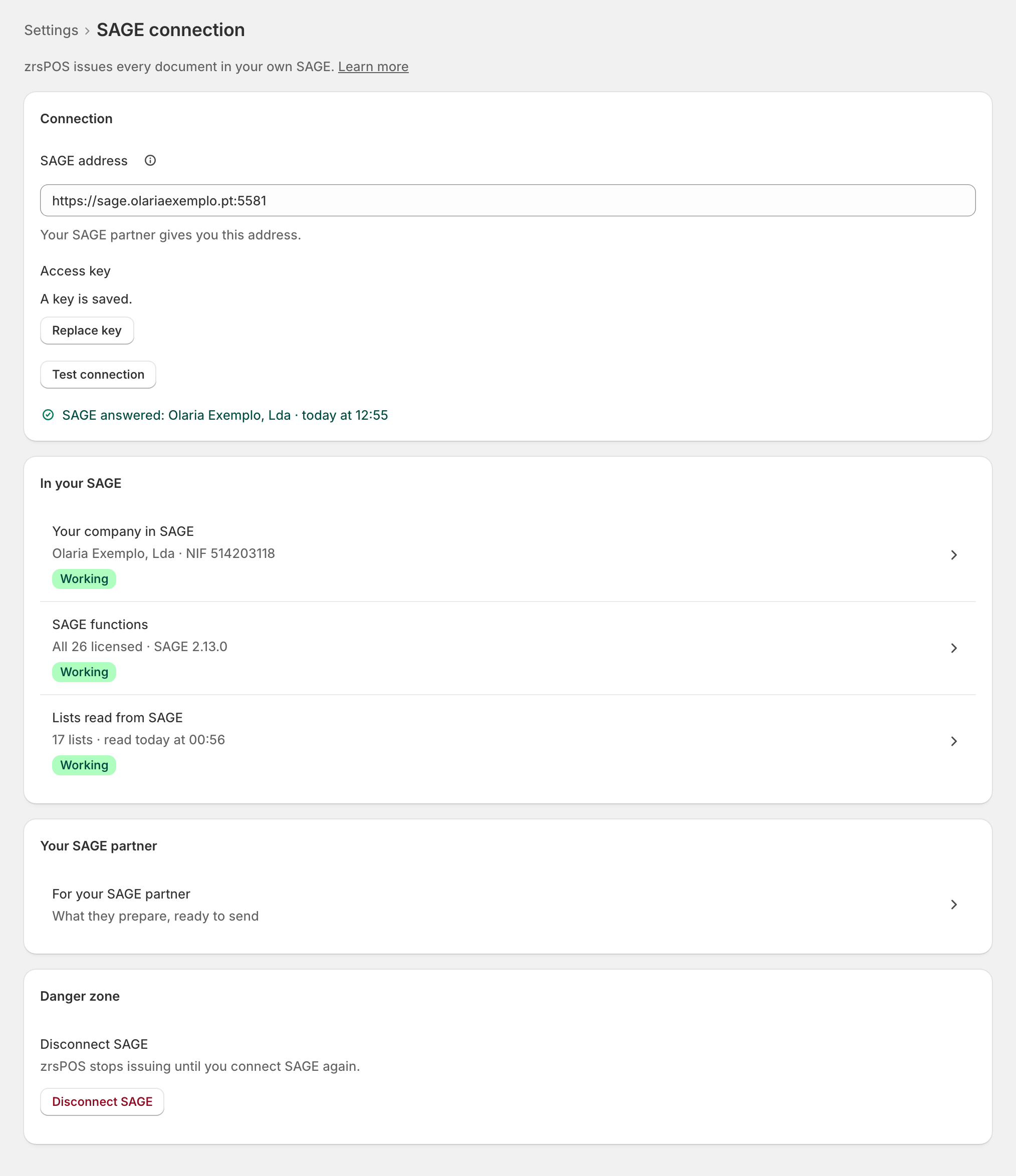
What the test reads
- Reaching SAGE: the SmartAPI answers at the saved address, with the saved key.
- Reading your company: name, NIF and address, as SAGE has them. zrsPOS keeps them: every document needs your NIF.
- Reading the SAGE functions: which functions your licence includes. zrsPOS waits up to 15 seconds for this; past that it says it could not read them, never that they are missing.
A good test shows "SAGE answered: … · …" (your company and the time). It also reads again what the setup checks read from SAGE, so a "SAGE could not be read" note on other pages clears with it.
Under In your SAGE, the rows Your company in SAGE, SAGE functions and Lists read from SAGE each open their page.
What Working means
The SAGE connection is Working when all three are true:
- SAGE answered a test of the saved connection within the last 24 hours;
- your company and its NIF were read;
- every function zrsPOS needs is licensed.
An http address is shown as a warning at the address but does not stop it working. The rules for every part of the setup are in What Working means.
When SAGE goes quiet
- "Not tested yet. Test the connection before going live." A connection saved but never tested.
- "No answer from SAGE since … Test the connection." More than a day without an answer: the connection needs attention until a test passes.
- "The setup checks could not read SAGE (…). Test the connection to read it again." SAGE was slow when the setup checks read it.
- SAGE is not answering: shown while sales are waiting because SAGE did not answer when they were issued, with since when and how many sales wait.
While the connection is in doubt, the rows under In your SAGE show the last read without a pill: "What SAGE said last, …"
Edge cases
A failed test keeps its cause on the page after a reload, with one way out. See When the connection test fails.
Sales waiting while SAGE was down: each failed sale is tried twice by itself, then waits in Documents under Needs you. Once SAGE answers again, press Try again there (or Process all at the till). Never issue them by hand in SAGE.
The test finds another company (another NIF): it never switches. It says "This SAGE belongs to … (NIF …), not … (…)." and offers Change company. See Change SAGE company.
A read-only plan can still test.
SAGE answers but the functions can't be read: the connection is saved and the company read, but SAGE functions needs attention. See SAGE functions and licence.
More in SAGE
- SAGE and your SAGE partner
- Put SAGE on the internet
- Connect zrsPOS to your SAGE
- When the connection test fails
- SAGE functions and licence
- Your company and the lists read from SAGE
- Change SAGE company
- Register a série with the AT
- Repair a numbering chain
- SAGE items
- Custom-sale items
- Island VAT items
- Refund and shipping items
- Barcodes
- Payment methods
- Default SAGE payment method and what counts as cash
- Store credit as a voucher: a voucher for each store
- Payments on returns and online orders