 zrsPOS
Printers and their status
The Printers list, what Answering, Not answering, Not checked and Attention mean, and how waiting receipts are kept.
Settings › Printing & delivery › Printers lists every printer of the stores zrsPOS invoices, each with one status. Problems come first. Above 20 printers there is a search and pages, and the Not answering filter shows only those.
The list
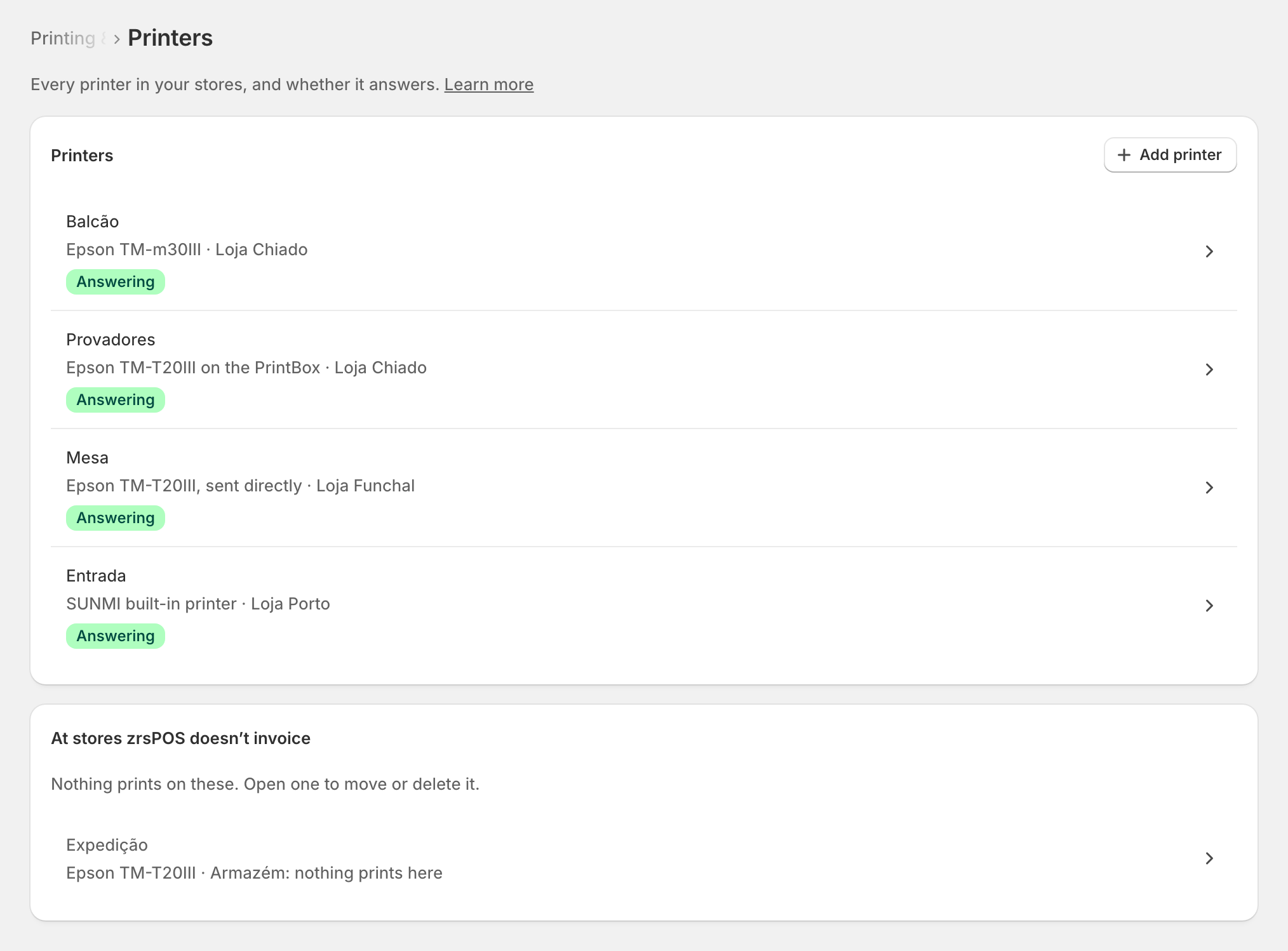
- Each row opens the printer's page.
- Add printer starts the task: Add a printer.
- Printers at stores zrsPOS doesn't invoice are listed apart, muted. Nothing prints on them; open one to move or delete it.
What each status means
One clock, the same on the printer's page, in the list, on Home and at the till.
| Status | What it means |
|---|---|
| Answering | It asked for work within the last 2 minutes. The time is shown. A direct printer: a test or receipt reached it within 7 days. |
| Not answering | Silent for 2 minutes or more, or never heard from. The page says since when and what to check. Receipts wait for it. |
| Not checked | A direct printer with no test in the last 7 days. Print a test. |
| Attention | It answers, but reported a problem: out of paper, cover open, it refused the last receipt, or an Epson calls with an old URL. |
| Not in use | Switched off in zrsPOS: it prints nothing. |
| PrintBox unlinked | Its PrintBox was unlinked from your shop, so it prints nothing. It comes back in use by itself when the same PrintBox is linked again with a new code. See Move, unlink or reset a PrintBox. |
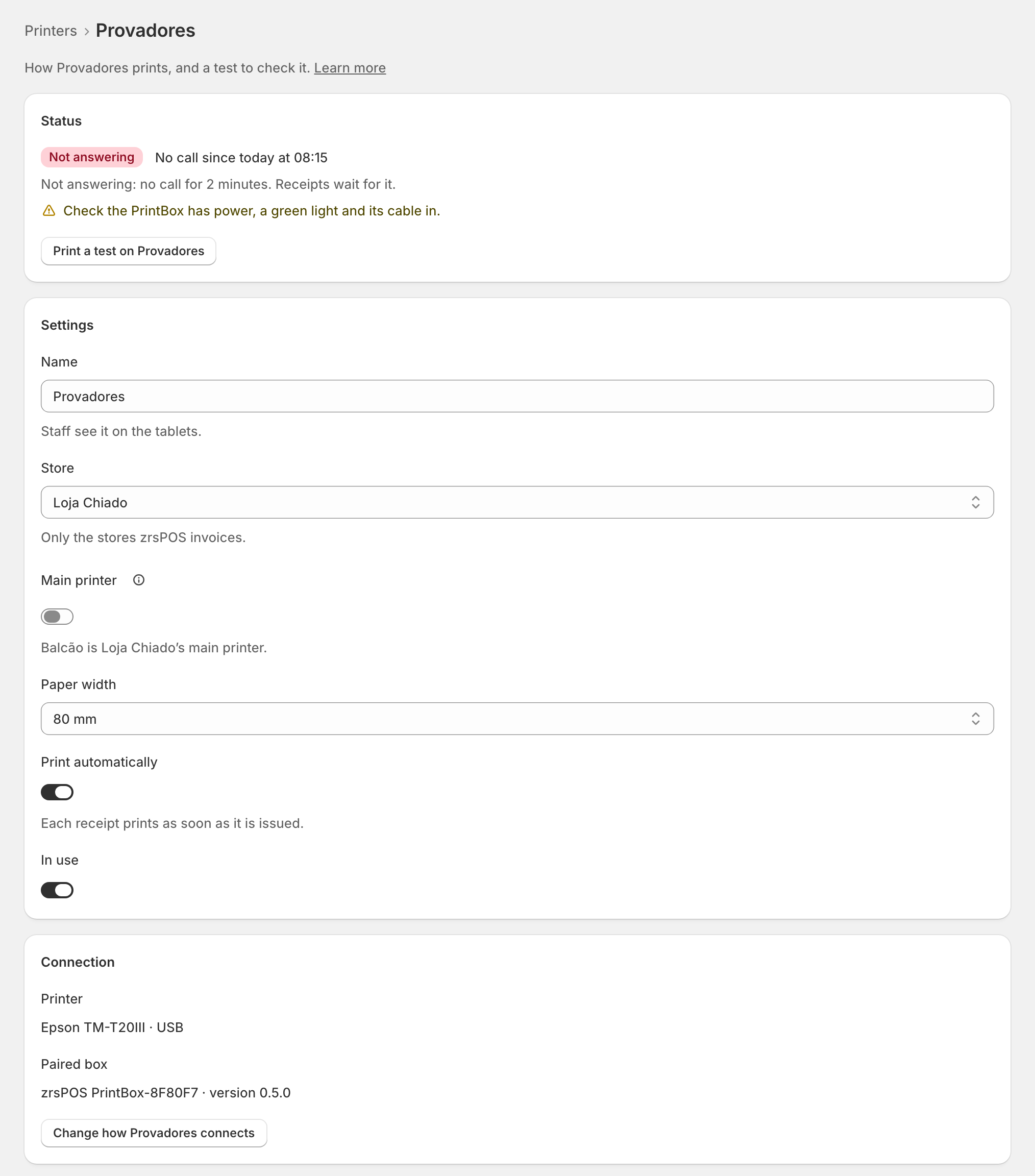
A test goes through the same queue as a real receipt. If the printer does not collect it within 2 minutes, the test says so. If it collected it but has not confirmed it printed, the page says that too and offers Check again.
Waiting receipts
Receipts for a printer that asks for work wait in its queue and print on its next call.
- A receipt that waits more than 4 hours is dropped rather than printed hours late. Reprint it from Documents if you still need it.
- A print the printer never confirmed is tried again up to 3 times, then marked failed.
- Print history is kept for 30 days.
What Working means for printing
A store is Working when it prints (one of its printers in use answered within the last 2 minutes, or zrsPOS is set not to print) and every tablet that opened zrsPOS has its tiles and post-sale block. A printer that stops answering shows Not answering on its page, in the list and on Home. It is a warning: it never stops the store from going live. See Go live.
Edge cases
- Out of paper or cover open: load a roll or close the cover; waiting receipts print then.
- Refused the last receipt: switch the printer off and on; if it stays, write to support.
- A printer switched off at night shows Not answering until it is on again. Receipts from the night before wait up to 4 hours.
- No printer at all: nothing prints at your tills until you add one.
- What to check when it is Not answering: Nothing prints.
More in Printing
- Choose how to print
- Who prints?
- Set up a PrintBox
- The PrintBox's status page
- Swap or add a printer on a PrintBox
- Move, unlink or reset a PrintBox
- Set up the print app
- Printers the print app can use
- USB printers and the print app
- Keep the print app running
- An Epson that fetches receipts
- Add a printer
- A printer's page
- Receipts by e-mail
- Gift receipts
- Nothing prints: what to check