 zrsPOS
Payments on returns and online orders
Which SAGE payment method a credit note, an exchange and a refund of an online order carry; the online payment methods and why they never use the default.
Returns and exchanges
- A credit note carries the method the money went back by: its own SAGE payment method if it has one; otherwise the one SAGE recorded on the original sale; otherwise the default, with an alert.
- An exchange invoice carries the order's own payment methods, plus the difference paid, if any.
- A credit note given as store credit, with store credit booked as a voucher, carries no payment method: the credit note itself is the voucher. See Store credit as a voucher.
Online orders refunded at the till
When an order paid online (PayPal, Shopify Payments online…) is returned at a store's till, the credit note carries that order's payment method. Those methods are listed apart on Settings › Payments, under Online orders refunded at the till: "Needed only to refund an online order at the till. Never blocks going live."
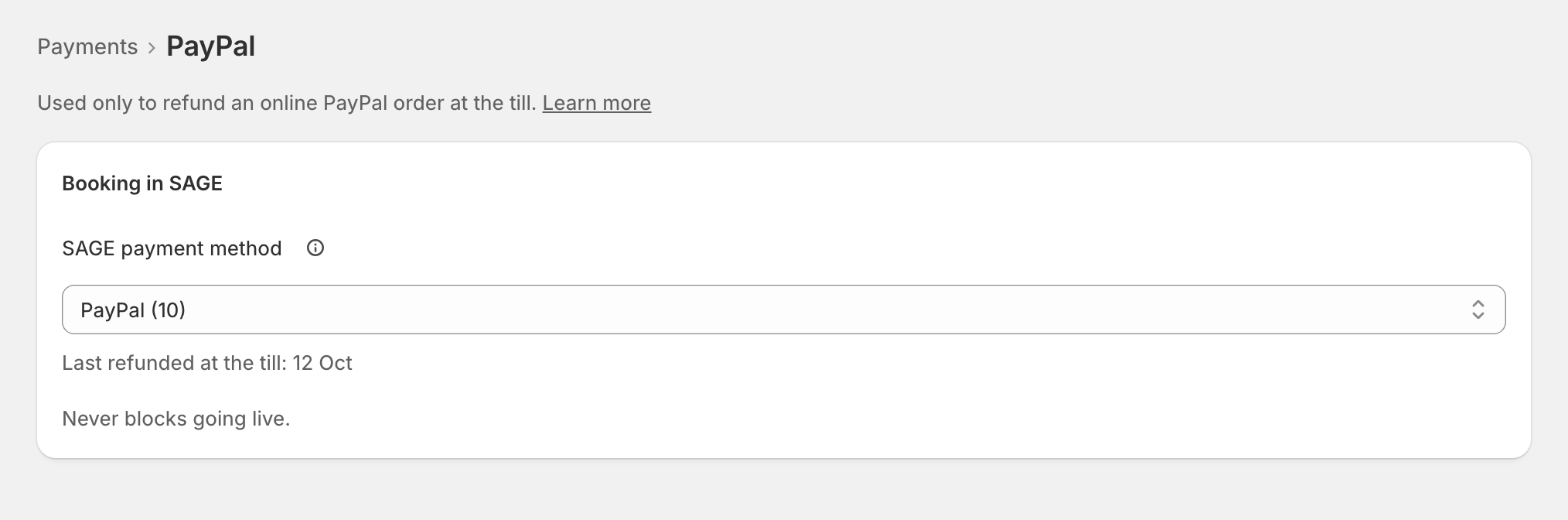
Each one's page: "Used only to refund an online … order at the till." Its SAGE payment method: "A refund at the till goes back on this. It is never cash."
Edge cases
- Online methods never use the default: a card refund must not show up as cash leaving the drawer. With none chosen, that refund waits: "None chosen: a … refund at the till waits." Choose one, then press Try again on it in Documents. See An online payment method has no SAGE payment method.
- An online method zrsPOS can create (Klarna, say) offers Create “…” in SAGE, like the till methods.
- The original sale can't be read in SAGE: zrsPOS doesn't issue the credit note on a guess. See Could not read the original invoice in SAGE.
- Returns of online orders are handled at the till only: one managed online or in the Shopify admin is never credited by zrsPOS. See Online returns.
- The payments don't add up on an unusual split payment: zrsPOS issues nothing inconsistent. See The payments do not add up.
- After a change of SAGE company, online methods are checked against the new company too.
More in SAGE
- SAGE and your SAGE partner
- Put SAGE on the internet
- Connect zrsPOS to your SAGE
- Test the connection
- When the connection test fails
- SAGE functions and licence
- Your company and the lists read from SAGE
- Change SAGE company
- Register a série with the AT
- Repair a numbering chain
- SAGE items
- Custom-sale items
- Island VAT items
- Refund and shipping items
- Barcodes
- Payment methods
- Default SAGE payment method and what counts as cash
- Store credit as a voucher: a voucher for each store