 zrsPOS
SAGE functions and licence
The licence check. SAGE only exposes the functions your licence includes; zrsPOS reads them on every good test, including on a SAGE your partner hosts on https, and says when it could not read them.
SAGE's SmartAPI only offers the functions your licence includes. Settings › SAGE connection › SAGE functions: "The parts of SAGE zrsPOS needs, as your licence allows them."
What the page shows
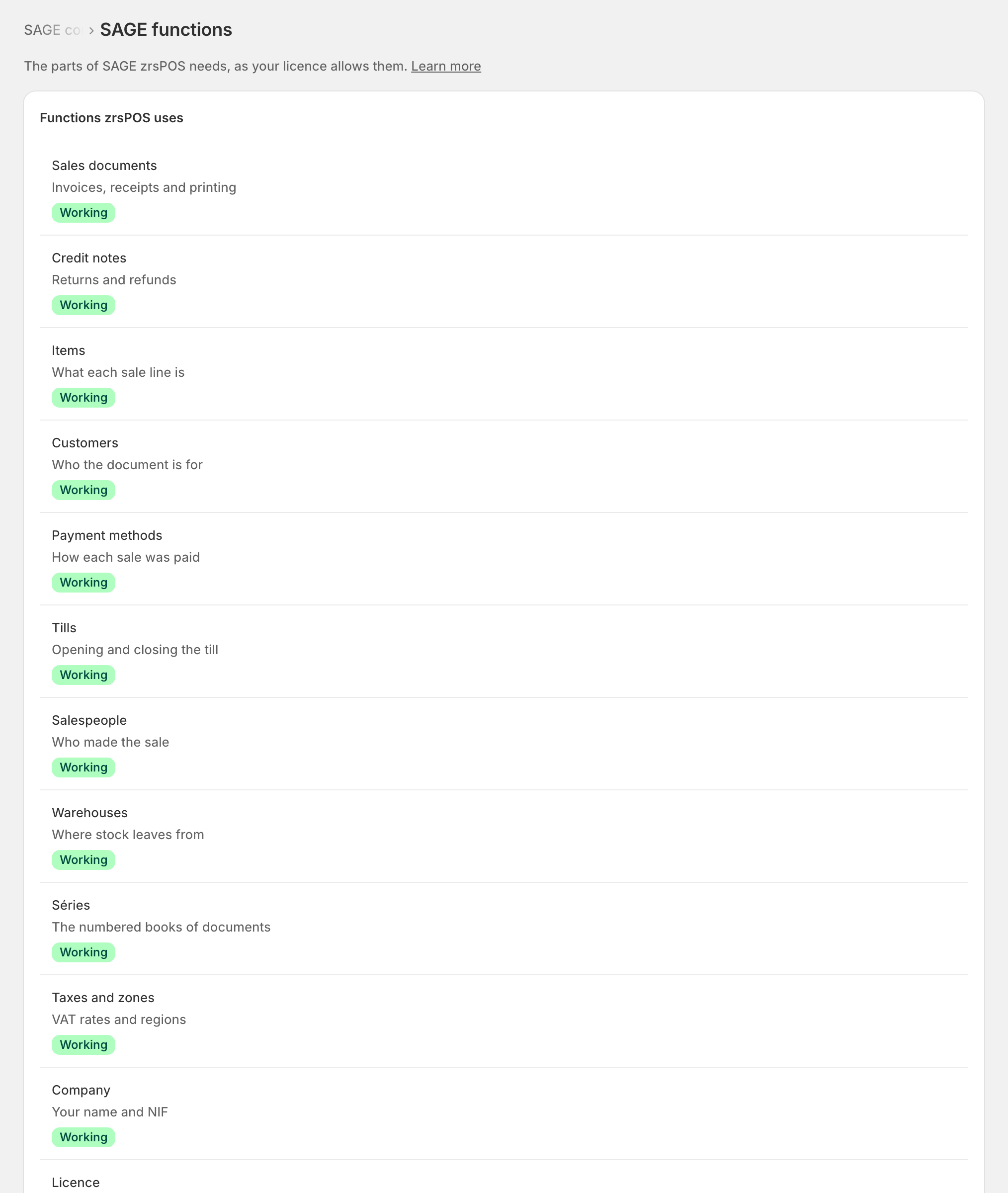
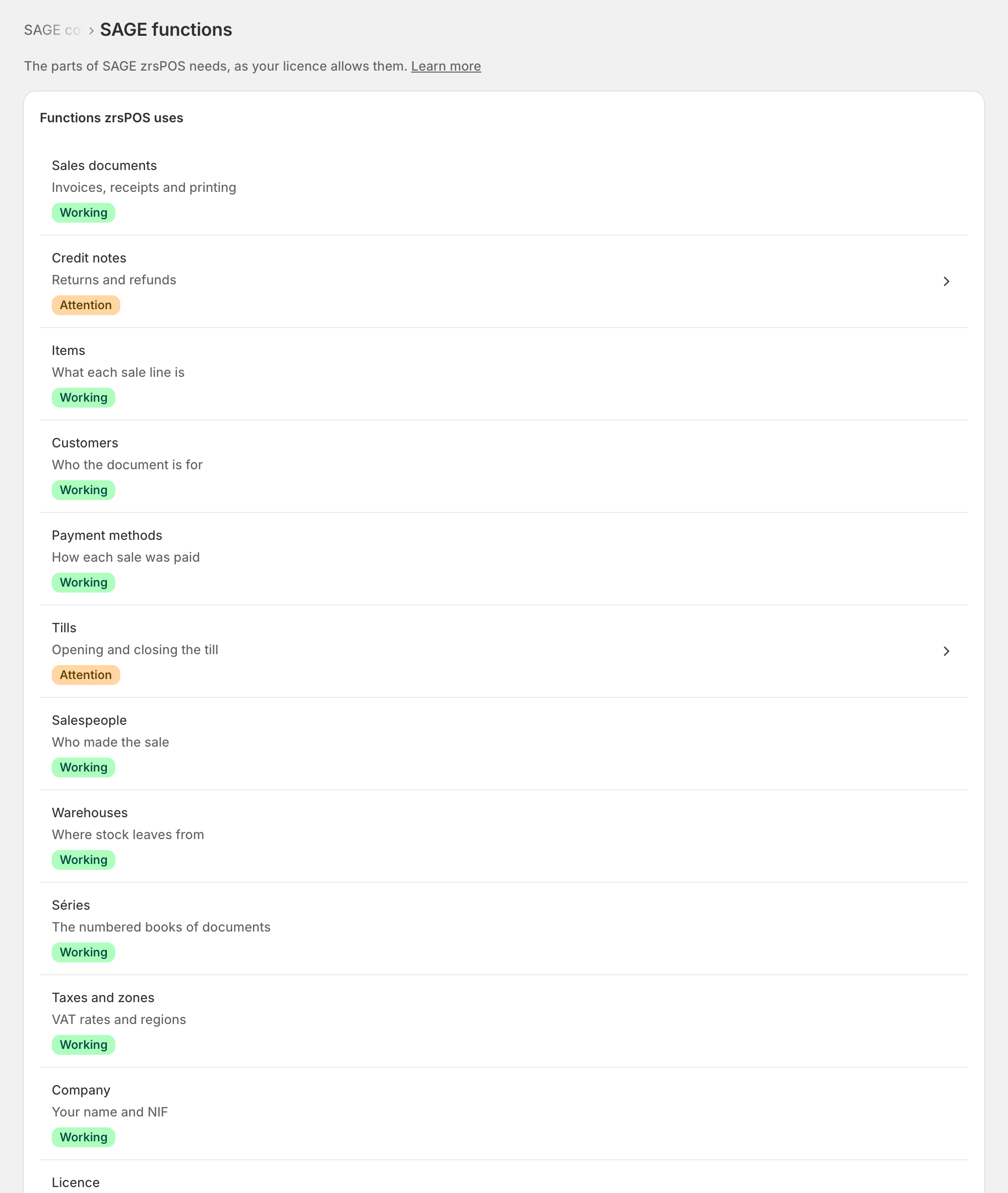
Twelve groups, in plain words: Sales documents, Credit notes, Items, Customers, Payment methods, Tills, Salespeople, Warehouses, Séries, Taxes and zones, Company and Licence. Each is Working or Needs attention. Under them: "SAGE … · read …" with SAGE's version, and Read the functions again (it runs a connection test). The exact paths checked are under Details for support.
A group that needs attention opens For your SAGE partner on the licence item, which names what is missing so your partner can add it.
How zrsPOS checks the licence
On every good test zrsPOS reads the SmartAPI's own description of its functions (its Swagger) and the licence status. A function the description doesn't list is not licensed, and the sale that needs it would fail at the till: zrsPOS tells you now instead.
- "Your SAGE licence is not active": "SAGE accepts nothing from zrsPOS until your SAGE partner renews it."
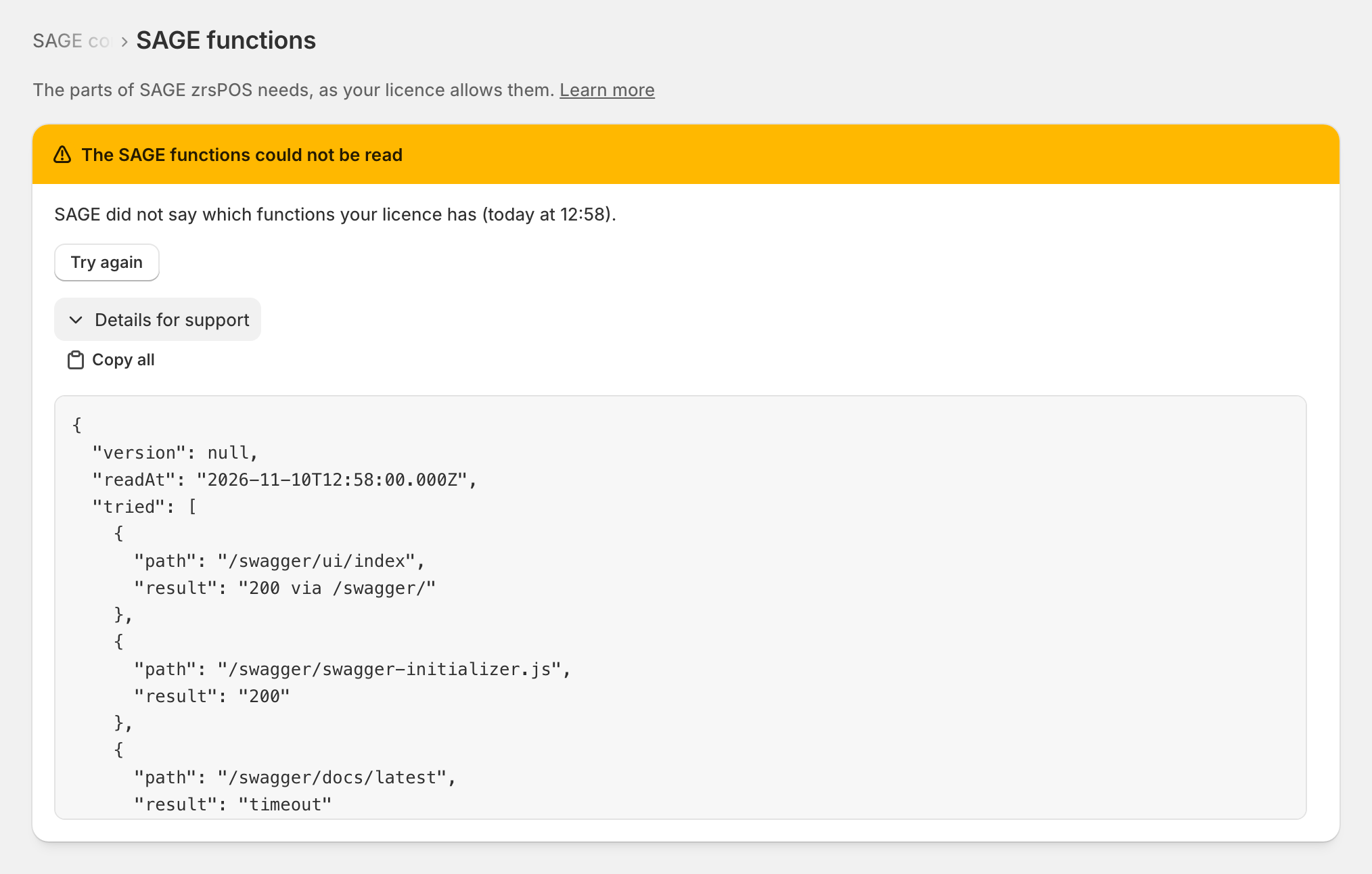
- "The SAGE functions could not be read": "SAGE did not say which functions your licence has (…)." This is not the same as missing: zrsPOS could not confirm. Press Try again; if it stays, see SAGE functions could not be confirmed.
A SAGE on https, hosted by your partner
zrsPOS looks for the description in a few known places, first the page where the SmartAPI shows its functions. On a SAGE your partner hosts on https, that page often redirects to another page on the same address, and names the description there (for example /swagger/docs/latest). zrsPOS follows such a redirect, at most twice, only on the same address and port, and never to another one: your key never leaves your SAGE's address. Documents and every other call never follow a redirect.
When the functions could not be read, Details for support list each address zrsPOS tried and what it answered ("200 via /swagger/", "404", "timeout"). Send them to support@zrspos.com or your SAGE partner: they show where the description is.
Edge cases
- "Not read yet. The first connection test reads them." Test the connection.
- 15 seconds: the test waits that long for the licence read, then answers "could not read" and stops asking.
- A licence change (a function added) shows within a few hours, or at once with Read the functions again.
- A slow SAGE can make the read fail once and pass the next time: a passing test clears it.
- The last read is kept, so the page is never empty while SAGE is slow.
- The version shown is the one SAGE reports; a licence that names an older version does not matter.
More in SAGE
- SAGE and your SAGE partner
- Put SAGE on the internet
- Connect zrsPOS to your SAGE
- Test the connection
- When the connection test fails
- Your company and the lists read from SAGE
- Change SAGE company
- Register a série with the AT
- Repair a numbering chain
- SAGE items
- Custom-sale items
- Island VAT items
- Refund and shipping items
- Barcodes
- Payment methods
- Default SAGE payment method and what counts as cash
- Store credit as a voucher: a voucher for each store
- Payments on returns and online orders