 zrsPOS
When the connection test fails
Each reason a save or a connection test can fail, where the page shows it, and the one thing to do about it.
A failed save or Test connection names its cause in one line: the title, the time, one sentence, and one way out. It shows at the field it is about and stays after a reload. A failed Save saves nothing: what you typed stays on the page.
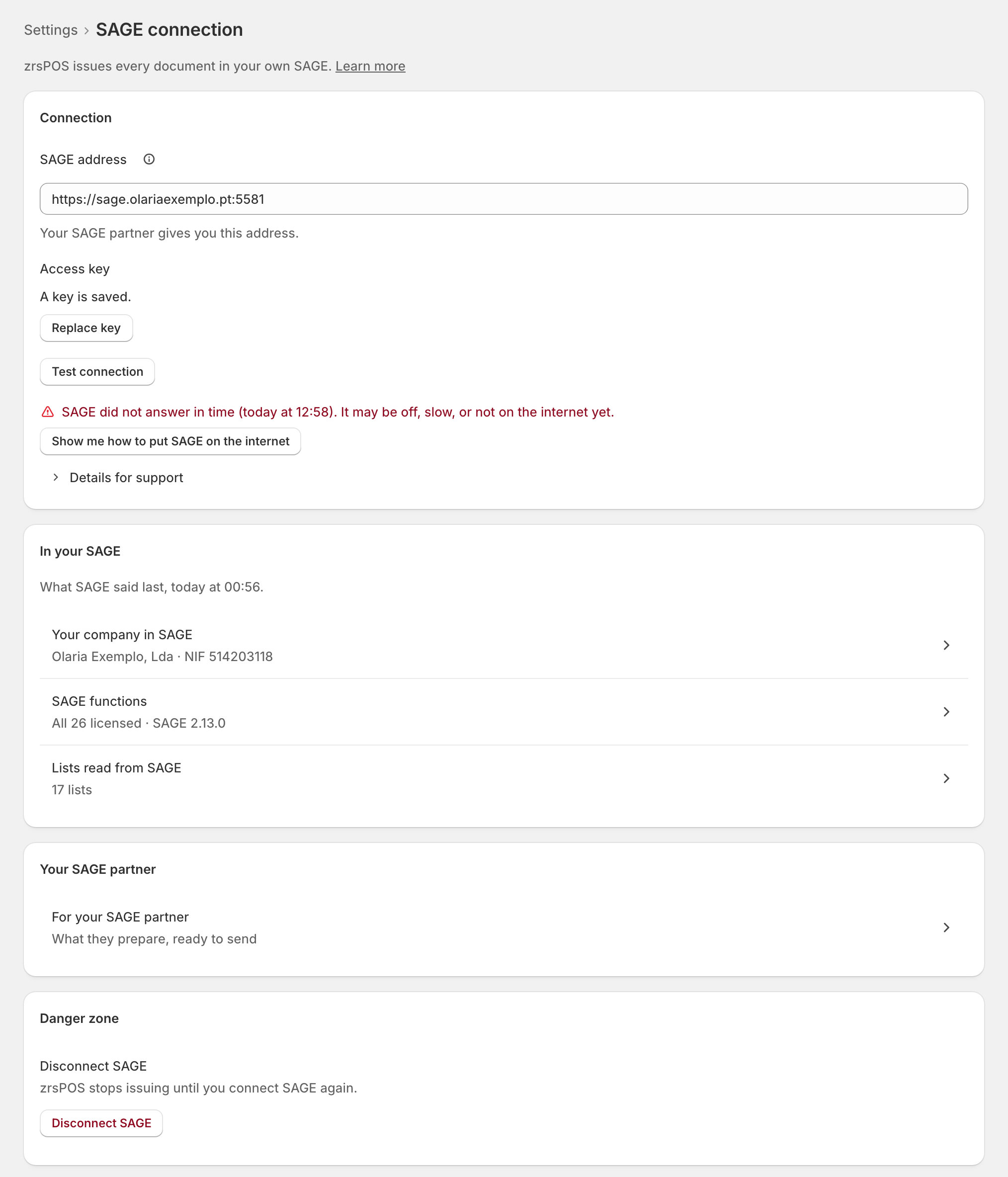
SAGE can't be reached
Shown under Test connection. The way out is Show me how to put SAGE on the internet (the guided task), or a new test.
- SAGE did not answer in time: "It may be off, slow, or not on the internet yet." See The connection test got no answer.
- Nothing answers at this address: "SAGE’s connection service may be stopped." See Connection to SAGE refused.
- SAGE could not be reached: "It is slow, switched off or unreachable. Try again in a moment."
- SAGE had an internal error: "Test again. If it keeps happening, your SAGE partner checks it."
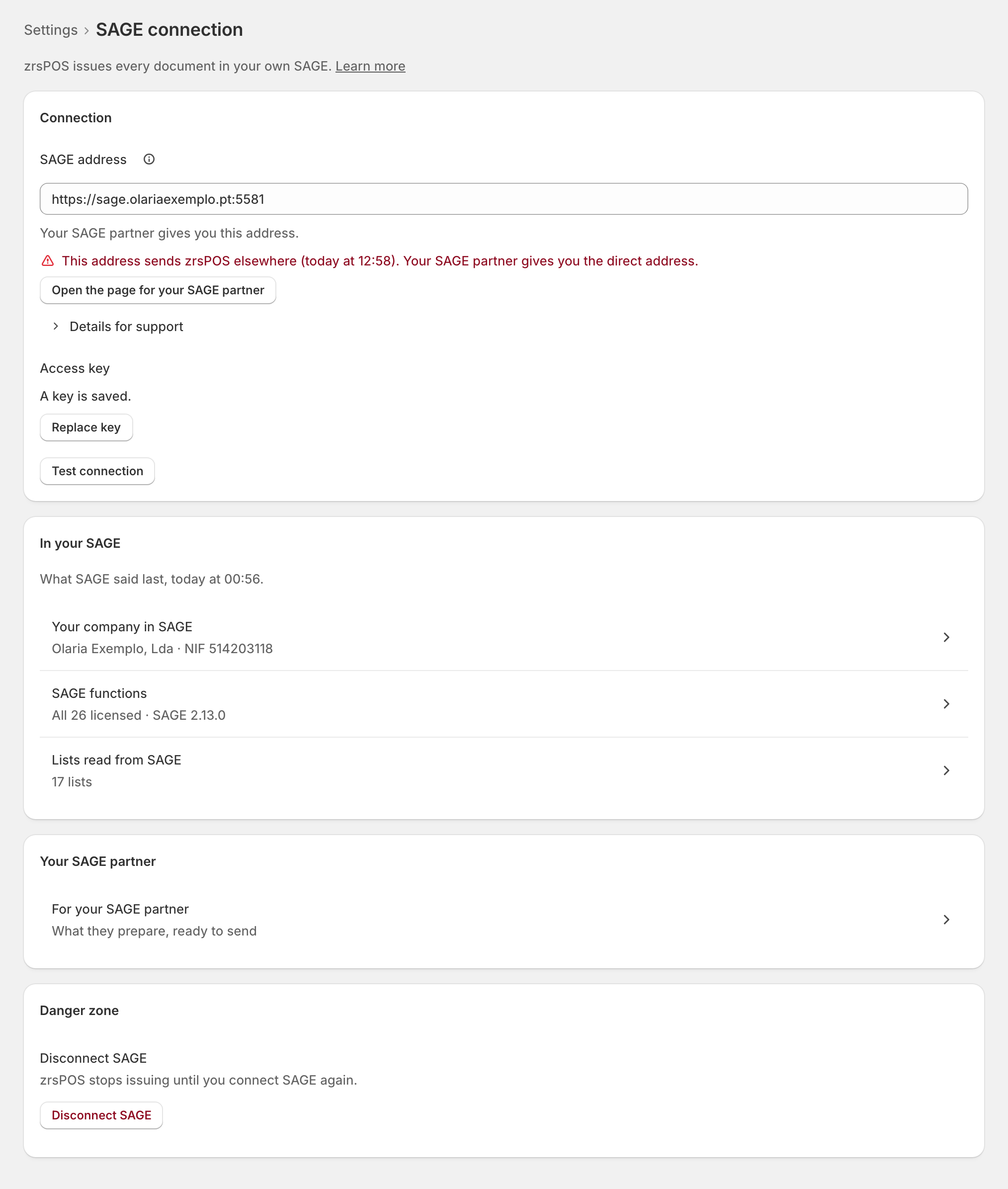
The address is wrong
Shown at SAGE address, with Open the page for your SAGE partner.
- This address does not exist: "Check it with your SAGE partner." See Unknown SAGE address.
- This address only works inside your shop: "zrsPOS works over the internet and needs a public address." See The SAGE address is on the local network.
- Something answered here, but not SAGE: "Check the address with your SAGE partner." See The address is not SAGE’s SmartAPI.
- This address sends zrsPOS elsewhere: "Your SAGE partner gives you the direct address." See SAGE answers with a redirect.
SAGE refused
- SAGE refused this key (at Access key): "It is wrong or has expired. Your SAGE partner gives you a new one." Press Replace key and enter the new one. See SAGE API key refused.
- SAGE’s secure connection is broken: "Its certificate has expired or is for another address. Your SAGE partner renews it." See SAGE certificate error.
- SAGE refused the request, with SAGE's own words: "SAGE’s reason: “…”". See SAGE refused the request.
Other problems of this page
- SAGE is not connected yet
- Connection to SAGE without HTTPS
- The SAGE connection has not been tested for a while
- This SAGE belongs to another company
- SAGE company not read
- SmartAPI licence missing and SAGE functions could not be confirmed
- SAGE could not be read
- SAGE did not answer in time while issuing and SAGE could not be reached while issuing
Edge cases
- Details for support under a cause hold the request and what came back. Send them to support@zrspos.com; they never contain your key.
- The same address worked yesterday: a new public IP, a stopped SmartAPI service or an expired certificate are the usual reasons.
- No firewall rule for zrsPOS is ever the fix: zrsPOS calls from no fixed address.
- A failed test does not stop sales: they go on and wait for their document. See Test the connection.
More in SAGE
- SAGE and your SAGE partner
- Put SAGE on the internet
- Connect zrsPOS to your SAGE
- Test the connection
- SAGE functions and licence
- Your company and the lists read from SAGE
- Change SAGE company
- Register a série with the AT
- Repair a numbering chain
- SAGE items
- Custom-sale items
- Island VAT items
- Refund and shipping items
- Barcodes
- Payment methods
- Default SAGE payment method and what counts as cash
- Store credit as a voucher: a voucher for each store
- Payments on returns and online orders