 zrsPOS
Your company and the lists read from SAGE
Your company as SAGE has it (name, NIF, address) and the record of company changes; the 17 lists zrsPOS reads from SAGE to suggest your settings, and reading them again.
Your company in SAGE
Settings › SAGE connection › Your company in SAGE: "What SAGE says about your company. It is on every document."
After a good test the page shows Name, NIF, Address line 1, Address line 2, Postal code, Locality, Country, VAT region, Phone, E-mail and Share capital. They can't be changed here: "These come from SAGE, the certified issuer. Change them in SAGE, then test the connection."
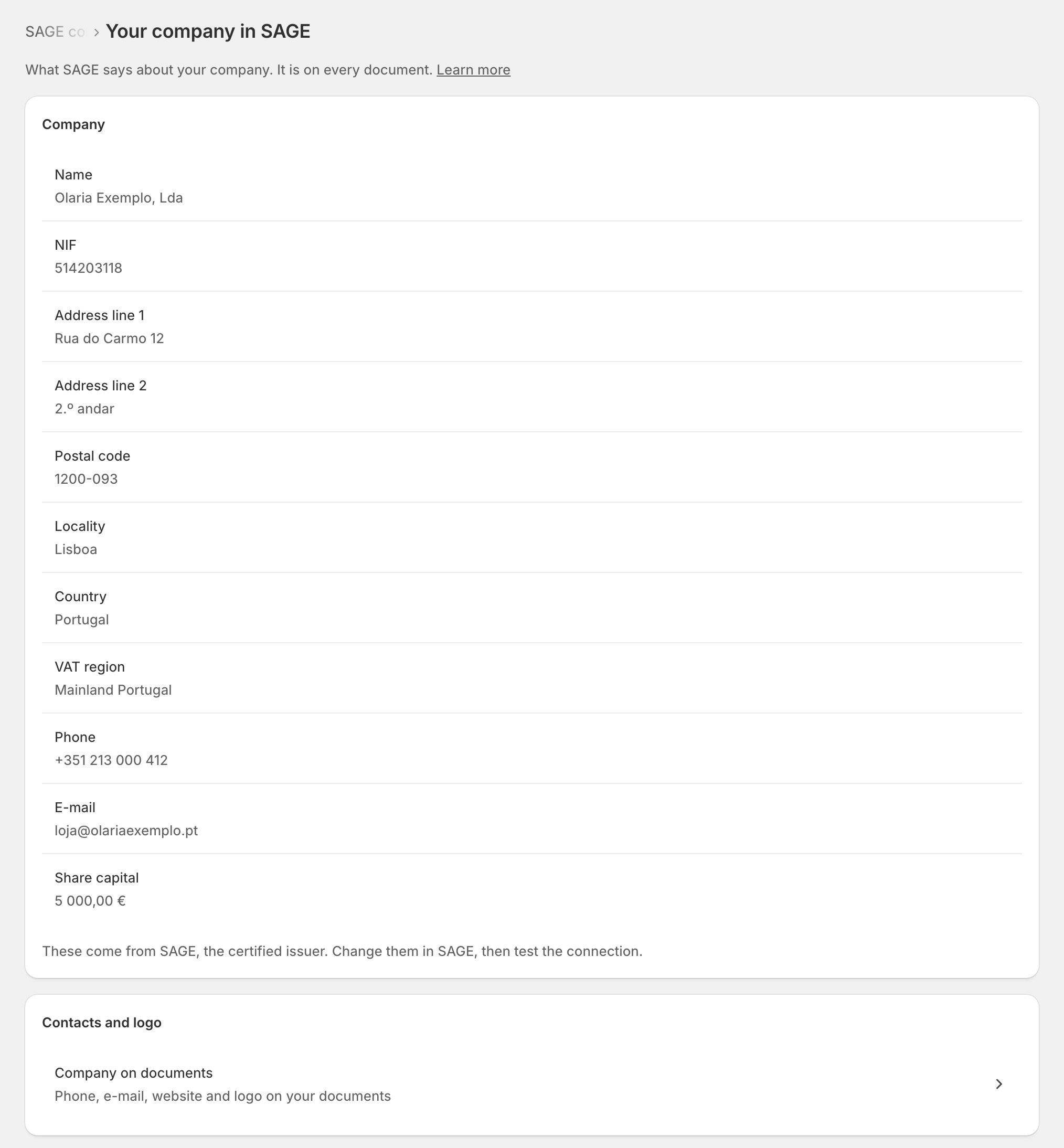
- Contacts and logo opens Company on documents: what you add for your documents. See Your company on documents.
- Company changes lists every change of SAGE company: from which to which, when and by whom. "No company changes." when there was none.
Lists read from SAGE
To suggest your settings, zrsPOS reads 17 lists from SAGE: "What zrsPOS read from SAGE to suggest your settings." They include Séries, Document types, Warehouses, Payment terms, SAGE payment methods, Salespeople, VAT zones, Tax groups, VAT rates, Generic items and Recent documents.
Each row is Read with what was found, or "Could not be read · …" with what that affects (for example "stores have no VAT zone suggestion"). Tap a row that could not be read to read it again.
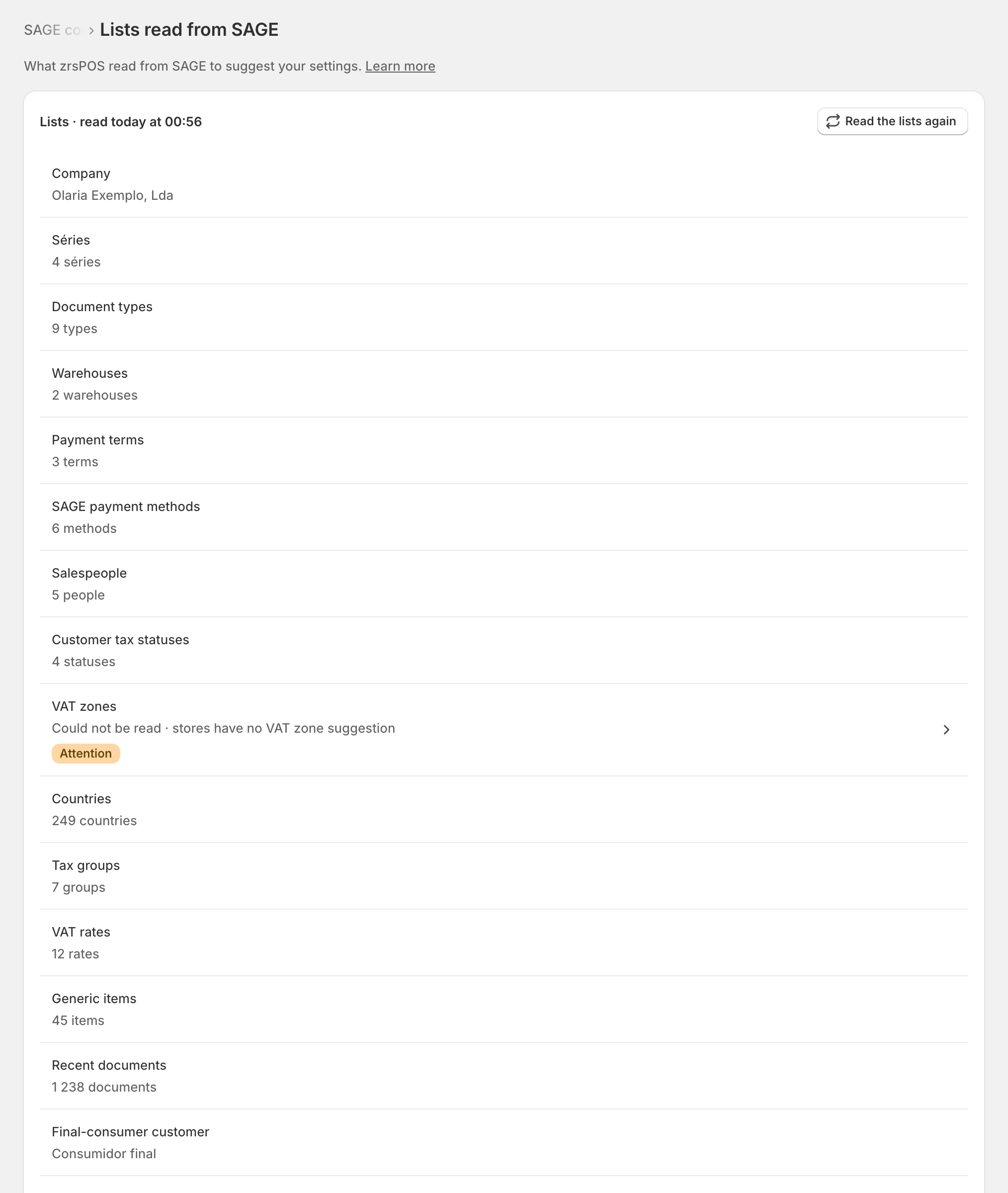
Read the lists again reads them all and shows the progress: "Reading the lists · … s". This is the one place to read SAGE again; other pages link here when a list could not be read.
Edge cases
- No NIF in SAGE: the NIF row says "None in SAGE" and needs attention. Every document needs your NIF: set it in SAGE, then test the connection. A sale waits rather than print without it: see Document has no issuer NIF.
- "Your company could not be read": SAGE did not answer. Try again runs a test.
- "The lists could not be read": "SAGE did not answer for any list (…). Your settings are unchanged." Lists only suggest: what you saved still applies.
- "SAGE is still reading the lists. The rows show the last read until it finishes." with Check again: a slow SAGE goes on reading by itself.
- "Not read yet. zrsPOS reads them when you open a page that needs them." Nothing to do.
- After a change of SAGE company the lists of the old company are forgotten and read again from the new one.
More in SAGE
- SAGE and your SAGE partner
- Put SAGE on the internet
- Connect zrsPOS to your SAGE
- Test the connection
- When the connection test fails
- SAGE functions and licence
- Change SAGE company
- Register a série with the AT
- Repair a numbering chain
- SAGE items
- Custom-sale items
- Island VAT items
- Refund and shipping items
- Barcodes
- Payment methods
- Default SAGE payment method and what counts as cash
- Store credit as a voucher: a voucher for each store
- Payments on returns and online orders