 zrsPOS
Default SAGE payment method and what counts as cash
The default SAGE payment method, used for a payment method you haven't set yet, with an alert; and which SAGE payment methods count as cash in the drawer at the till close.
Both are under For every payment method on Settings › Payments.
Default SAGE payment method
"Used for a payment method you haven’t set yet." "A payment method with none of its own is booked on this, and zrsPOS alerts you once for that method. zrsPOS never suggests cash while a card has none of its own."
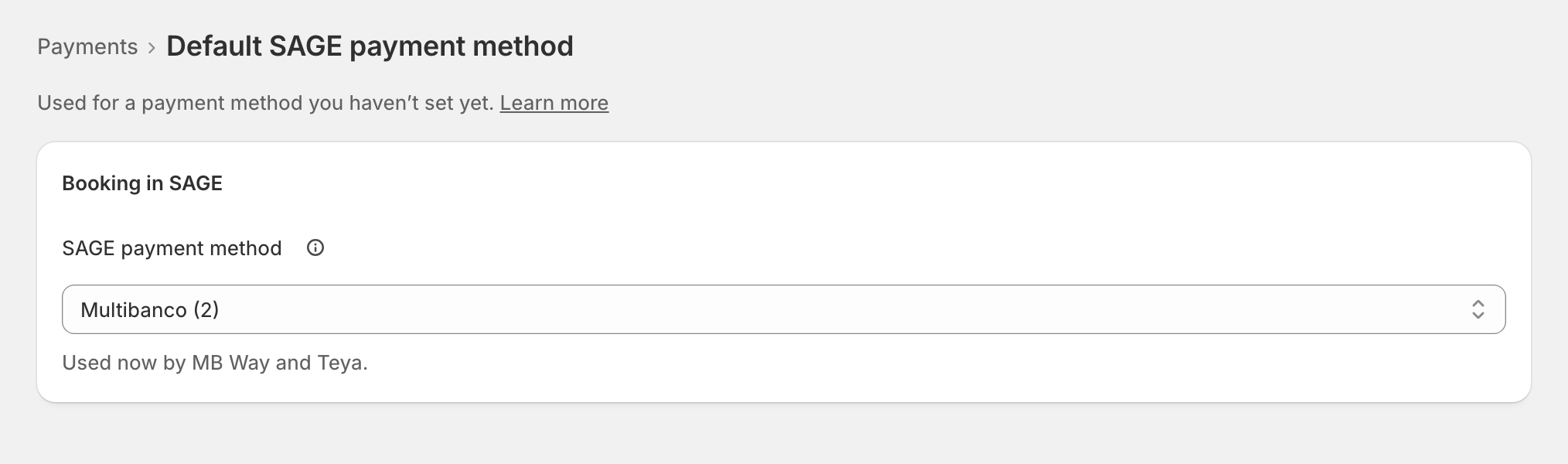
The page says who uses it: "Used now by …" or "No payment method uses it now." Choose it and save; on a live shop: "From the next sale, a payment method with none of its own is booked as …"
Without a default, a sale paid by a method with none of its own can't be issued: it waits. zrsPOS never lets SAGE choose, because SAGE would book it as cash.
What counts as cash
"The till close counts these as cash in the drawer." Tick the SAGE payment methods that are money in the drawer, under Counted as cash: "The till close uses this same list. A card’s payment method never belongs here."
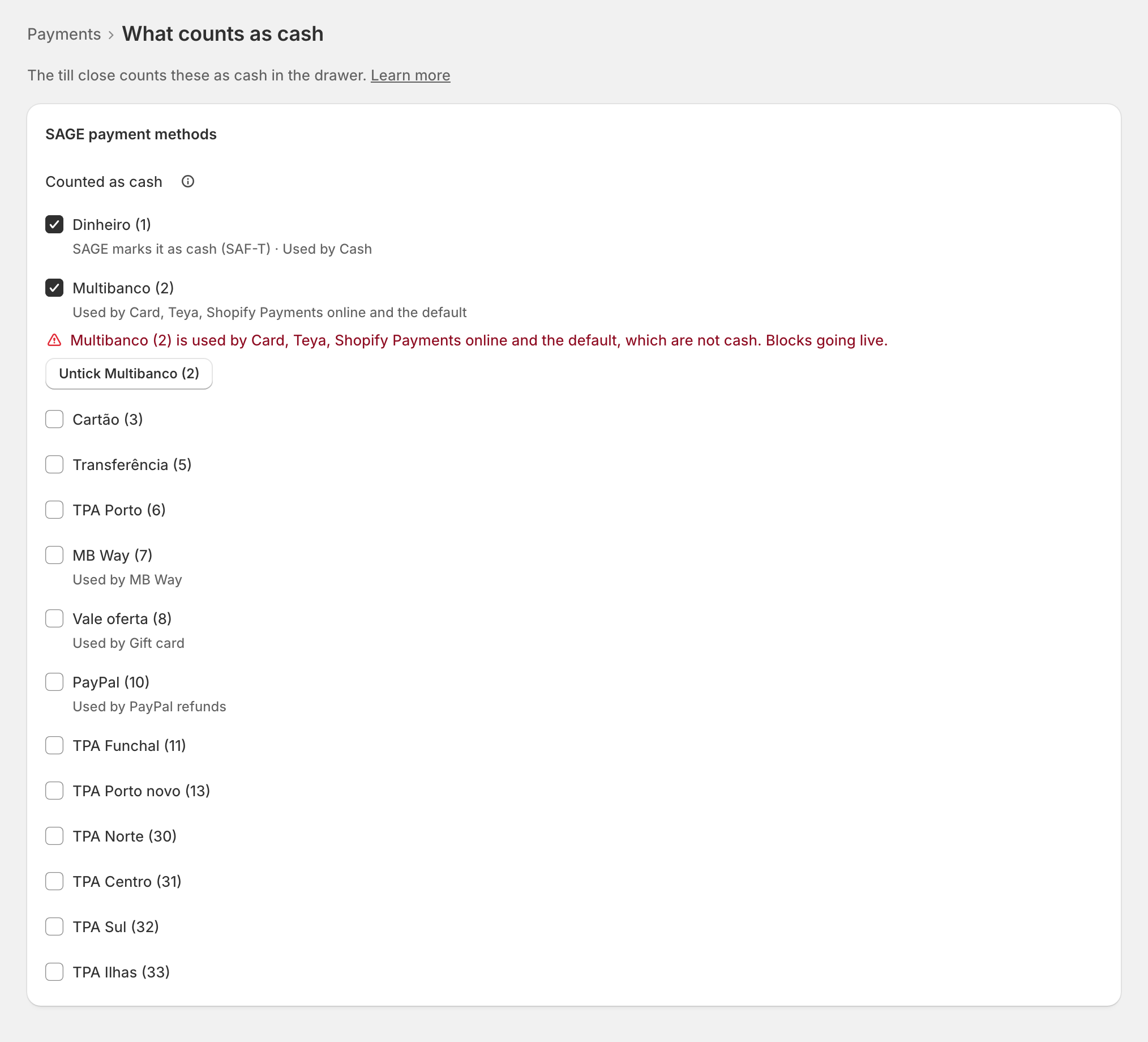
With nothing ticked, zrsPOS counts the ones SAGE marks as cash: "Nothing ticked: zrsPOS counts …, which SAGE marks as cash." On a live shop a change asks first and applies "From the next till close". See Cash in the drawer.
Edge cases
- The default is cash while methods have none of their own: "… have none of their own, so they would be booked as cash." This blocks going live: give each its own, or choose another default.
- A card's method ticked as cash: "… is used by …, which are not cash. Blocks going live." with Untick ….
- "… · not in SAGE any more" on a tick, or a default SAGE no longer has: choose another.
- A default that is not on the till report: "the till close misses it". Turn on its "Update till report" in SAGE, or choose another.
- A store's own default from before shows at the bottom ("…’s own default") with Remove …’s own default.
- Online orders refunded at the till never use the default: a card refund must not look like cash leaving the drawer. See Payments on returns and online orders.
- The alert comes once per method: give that method its own SAGE payment method to stop it.
More in SAGE
- SAGE and your SAGE partner
- Put SAGE on the internet
- Connect zrsPOS to your SAGE
- Test the connection
- When the connection test fails
- SAGE functions and licence
- Your company and the lists read from SAGE
- Change SAGE company
- Register a série with the AT
- Repair a numbering chain
- SAGE items
- Custom-sale items
- Island VAT items
- Refund and shipping items
- Barcodes
- Payment methods
- Store credit as a voucher: a voucher for each store
- Payments on returns and online orders