 zrsPOS
Nothing prints: what to check
Nothing prints, or prints wrong: what to check, in order, and the problem pages for printing and delivery.
Start at the printer's page in zrsPOS (Settings › Printing & delivery › Printers › the printer). Its status says where to look: Printers and their status.
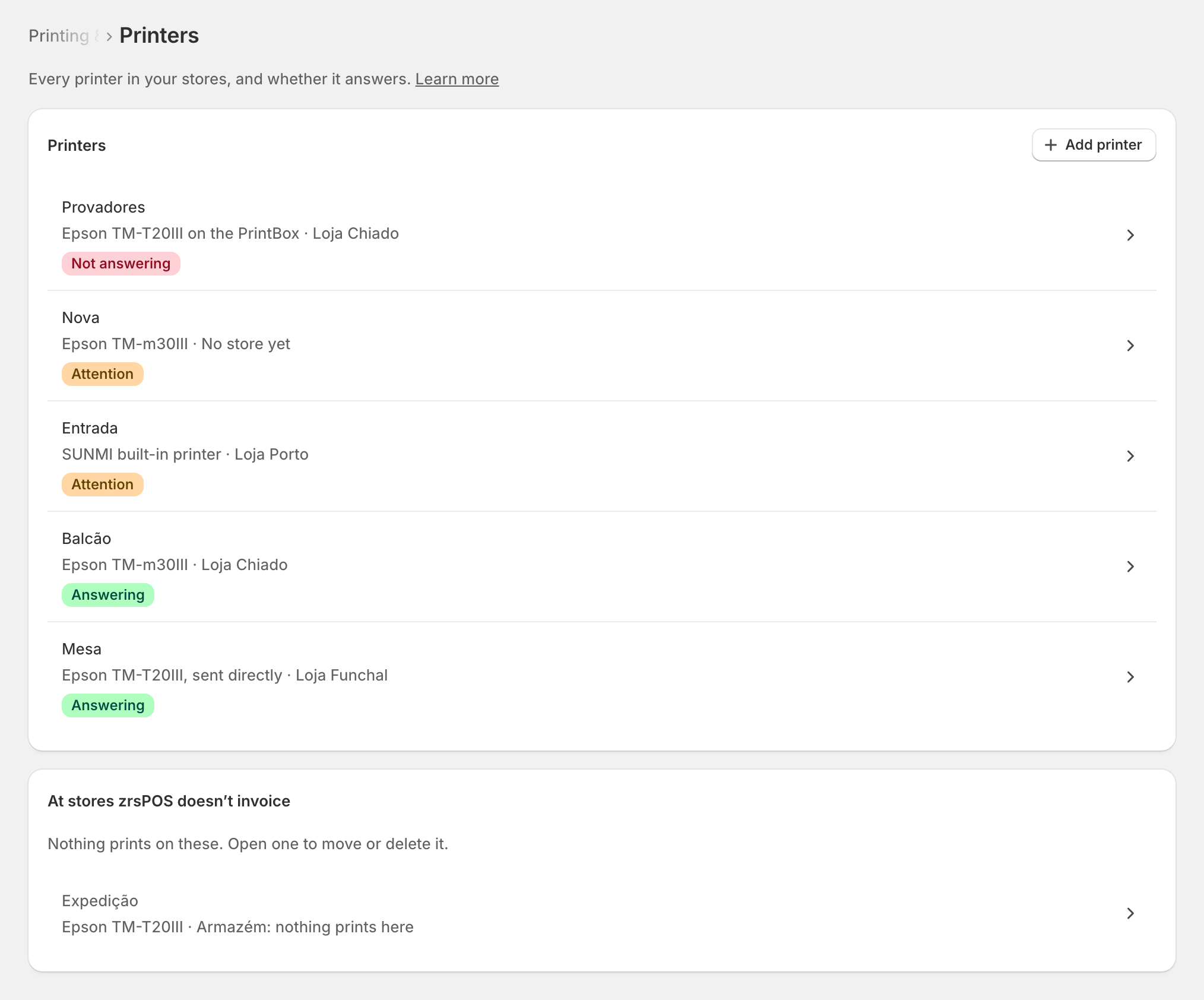
Check in this order
- Who prints? is zrsPOS prints. Otherwise nothing prints, on purpose: Who prints?.
- The printer is on, has paper, and its cover is closed.
- What feeds it:
- A PrintBox: power, a steady light, the printer's cable in. Its status page shows internet, shop and printers: The PrintBox's status page.
- The print app: the tablet is on, zrsPOS Print is open and online, and running in the background is allowed: Keep the print app running.
- An Epson: on and online, with Server Direct Print on: An Epson that fetches receipts.
- A test: press Print a test on … on the printer's page. It goes through the same queue as a receipt and says where it stops.
- The tablet's printer: the tablet prints on the printer chosen for it, or on the store's main printer. See The tablets.
Problem pages
Each one says what you see, what happened and what to do.
- The printer is not answering
- The printer has not been checked recently
- The print app needs updating
- The paper width is not the one the printer reports
- Document e-mail is off
- Customers get no document
- The zrsPOS tile is missing on the tablet
- The zrsPOS block is missing on the tablet
Edge cases
- The receipt came out late, or not at all, after a long outage: receipts that wait more than 4 hours are dropped. Reprint from Documents.
- The receipt is too narrow or too wide: check Paper width on the printer's page.
- The app says connected, but nothing prints: print a test from the printer's page; it shows where it stops.
- One store prints, another does not: a printer belongs to one store. Check the store has a printer of its own.
- A sale issued later (SAGE was down) does not print by itself. Reprint it from Documents if needed.
- Still stuck: on the PrintBox, Report for support gives a text to send to support@zrspos.com. See Support.
More in Printing
- Choose how to print
- Who prints?
- Set up a PrintBox
- The PrintBox's status page
- Swap or add a printer on a PrintBox
- Move, unlink or reset a PrintBox
- Set up the print app
- Printers the print app can use
- USB printers and the print app
- Keep the print app running
- An Epson that fetches receipts
- Add a printer
- A printer's page
- Printers and their status
- Receipts by e-mail
- Gift receipts